
- Set up the account on day one: change the user-and-numbers username (once per 30 days), fill the 80-character bio, stay on a personal account, and check Private account, comment filters and who can message you under Settings and privacy, Privacy.
- The For You feed learns from what you finish, like, share and follow. TikTok says finishing a video is the strong signal and follower count is not a direct factor. Not interested and Refresh your For You feed reset it.
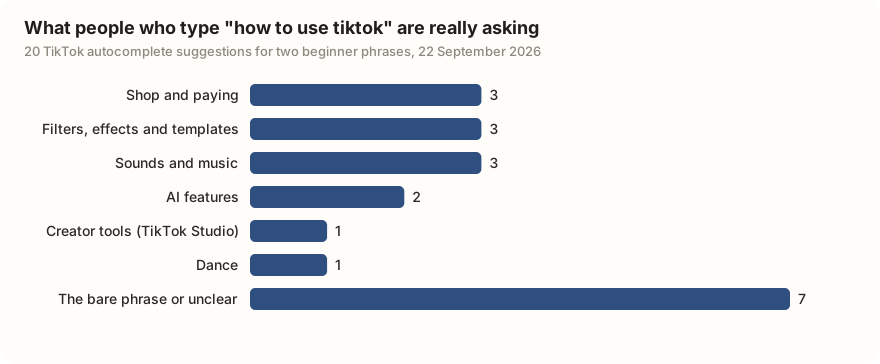
- Of 20 autocomplete suggestions TikTok gave for "how to use tiktok" and "tiktok for beginners" on 22 September 2026, none was about the basics; people inside the app ask about Shop, filters, sounds, AI tools and TikTok Studio.
- Your first post is + then record, or swipe to Photo for a slideshow of up to 35 pictures. Write the caption as the question the video answers, add five hashtags at most, and do not delete it when it gets 200 views.
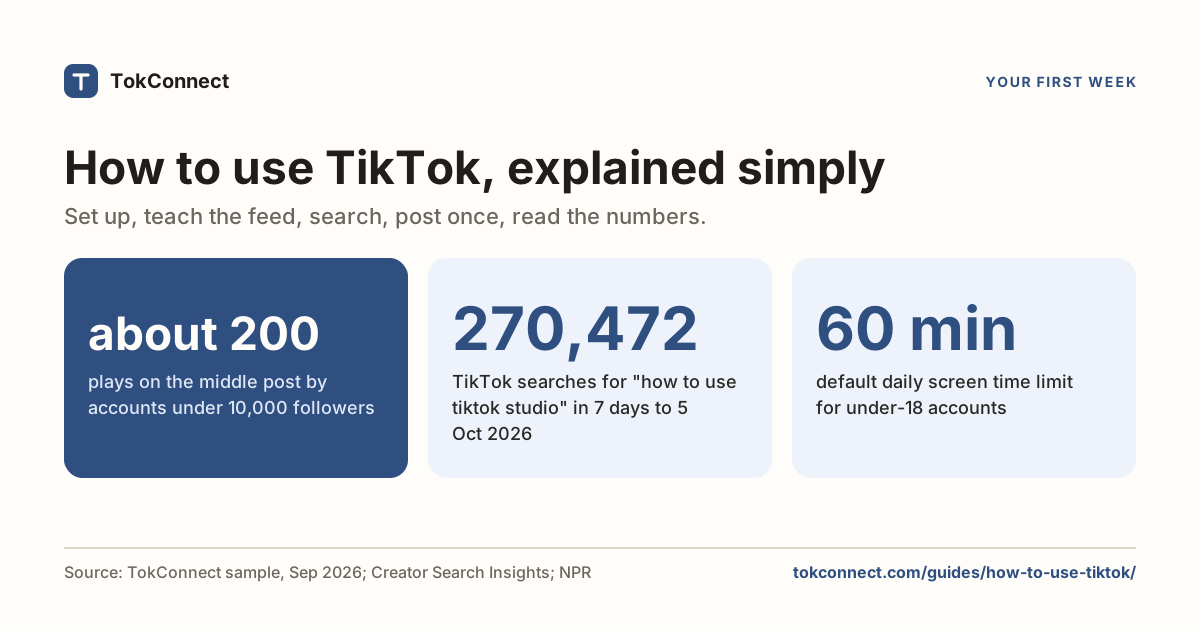
- In a September 2026 sample, posts by accounts under 10,000 followers had a median of about 200 plays and 35 of 42 were under 500. Read average watch time and traffic sources in TikTok Studio, not one view count.
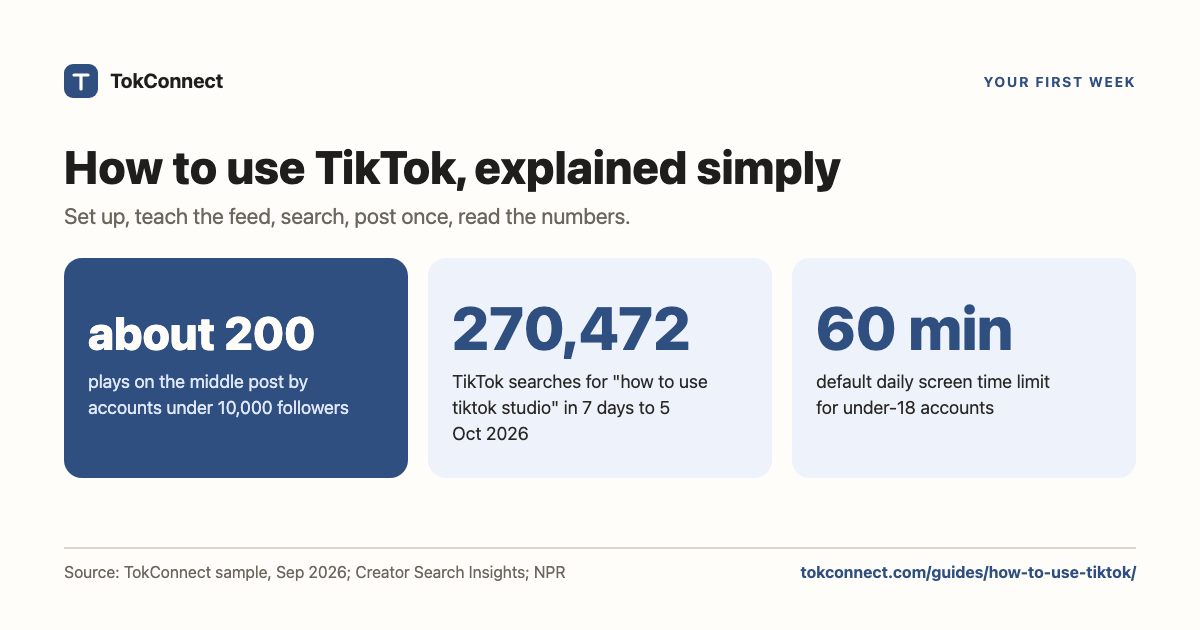
To use TikTok, install the app, make an account, and swipe up through the For You feed, the endless run of videos TikTok picks for you. Everything else is optional: searching, following people, saving videos, posting your own. Expect your first posts to be quiet: in a September 2026 sample of creators found through TikTok search, the middle post by accounts under 10,000 followers got about 200 plays.
This page walks through your first week, one small job a day. By day seven you have a working account, a feed that shows what you like, one post of your own, and a fair idea of what its numbers mean.

Day 1: set up your account
Download TikTok from the App Store or Google Play, open it, and tap Sign up with a phone number, an email address or a Google, Apple or Facebook login. TikTok asks for your birthday first; you must be at least 13, and TikTok removes accounts it confirms are younger (OneStream, 2026). TikTok then offers a screen of interests. Pick honestly; it is the first thing the feed learns about you.
Username, name and bio
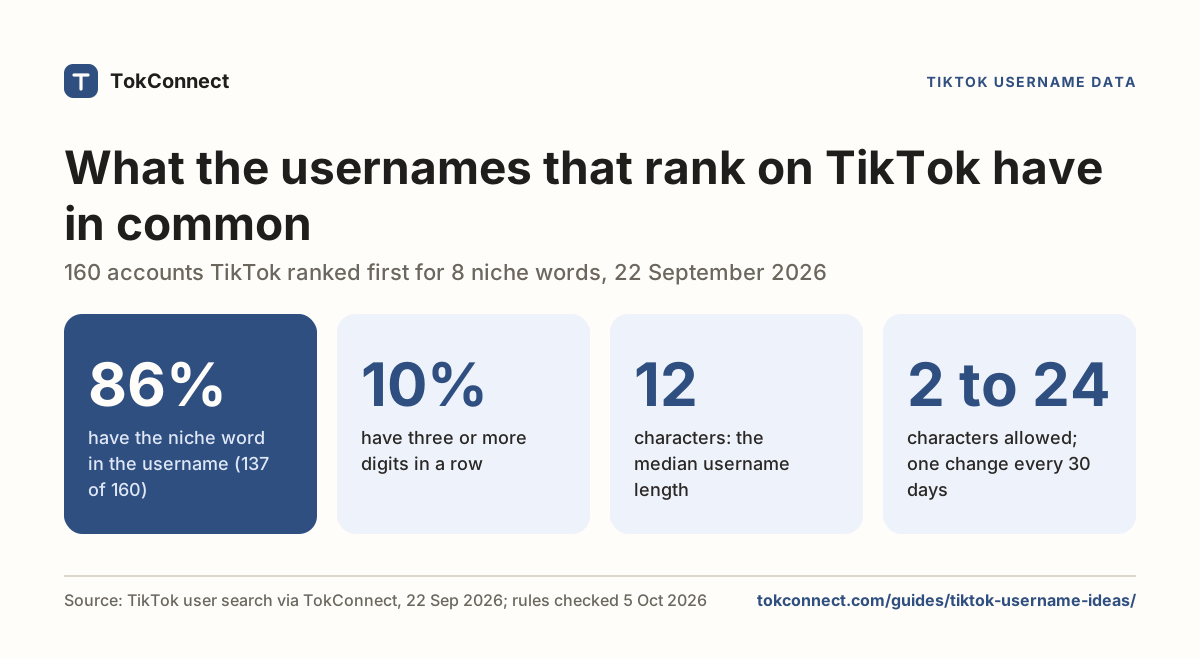
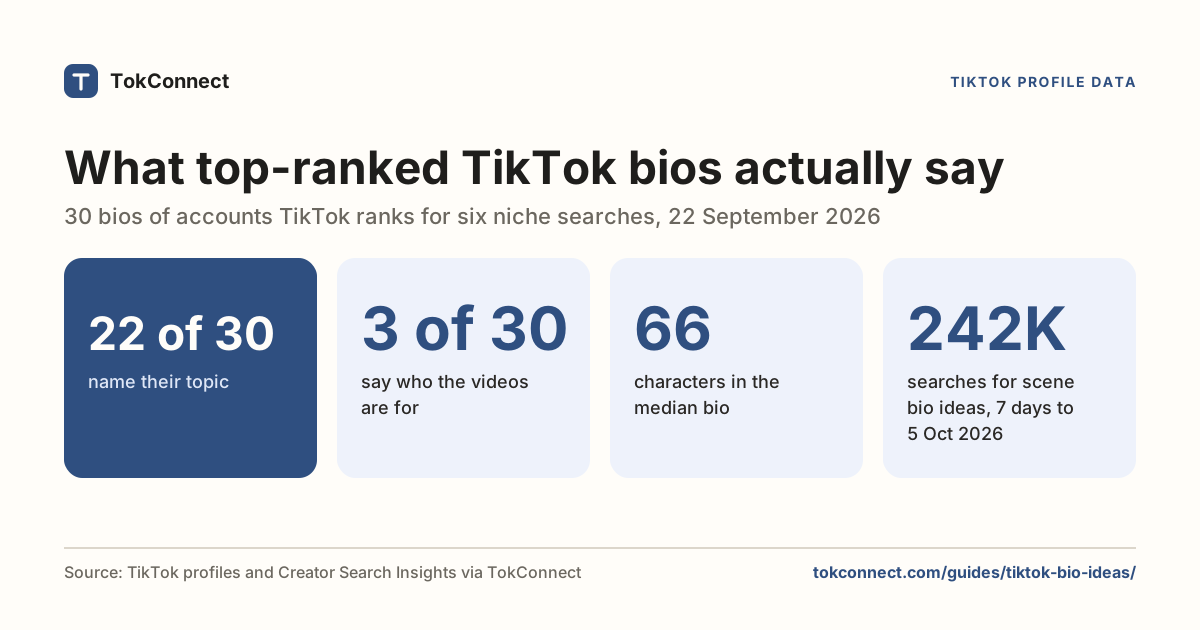
New accounts get a username like user05307826938. Change it before you post: Profile, Edit profile, Username. Usernames are 2 to 24 characters of letters, numbers, periods and underscores, and you can change yours once every 30 days (HandleGrab, 2026); the username guide shows the patterns that rank in search. The Name field is your display name and can hold spaces. The Bio is 80 characters; the bio guide has 50 built from profiles that rank.
Personal or business account
Stay personal for now. TikTok's two types are personal and business (the old creator account is gone), and a business account loses most chart music and cannot join the Creator Rewards Program. Switching is one tap under Settings and privacy, then Account; the account types guide lists everything that changes.
Privacy settings to check on day one
All of these live under Profile, the three-line menu at the top right, Settings and privacy, then Privacy.
| Setting | Where | What to decide |
|---|---|---|
| Private account | Privacy, top switch | On means only followers you approve see your videos and they do not reach the For You feed. Fine for watching; switch it off the day you want strangers to see a post. Accounts aged 13 to 15 are private by default. |
| Who can comment on your videos | Privacy, Comments | Everyone, followers you follow back, or no one. |
| Comment filters | Privacy, Comments | Filter spam and offensive comments is worth turning on. Filter all comments holds every comment until you approve it. |
| Who can send you direct messages | Privacy, Direct messages | Under-16 accounts cannot use messages at all. Adults can pick friends only. |
| Personalised search | Content preferences | On by default. Off gives everyone the same results for the same words. |
Paths from TikTok's account privacy settings help pages, Incogni (2026) for the private account switch, NapoleonCat (17 July 2026) for the comment settings, and TikTok's Guardian's Guide for the teen defaults.
How does the For You feed learn what you like?
The For You feed is TikTok's guess at what you want next, and it guesses from what you do. TikTok's own 2020 explanation names three groups of signals: what you do (watch to the end, like, share, comment, follow), what the video is (caption, sound, hashtags) and your device and account settings. It says finishing a video counts for more than a weak signal like sharing a country, and that follower count is not a direct factor. Nothing TikTok has published since replaces that.
So the first hour shapes the first week. Watch what you like to the end and swipe past what you do not, fast. If a video you dislike keeps coming back, press and hold on it and tap Not interested. If the feed is badly off, go to Settings and privacy, Content preferences, Refresh your For You feed, which starts it over with popular videos (TikTok Help Center). The algorithm guide sorts every other claim into what TikTok has said, what data shows and what creators report.
The search bar, and why it matters more than the feed
The magnifying glass at the top right of the feed is the fastest way to get what you actually want. Type a phrase, a question, an @username or a #hashtag. Search gets you out of a bad feed in one move, and it shows you what other people type, because TikTok fills the box with suggestions as you go. The search guide covers filters, dates and lost videos.
Those suggestions come straight from what people type. TikTok's ten suggestions for "how to use tiktok" and ten for "tiktok for beginners" make the point. Not one is about the basics; people typing those words inside TikTok want a feature: Shop and paying, filters, sounds, the AI tools, TikTok Studio. Seven of the twenty were the bare phrase or fragments in other scripts, which we group as unclear.
| What the suggestion is about | Suggestions | Examples |
|---|---|---|
| The bare phrase, or unclear | 7 | tiktok for beginners; tiktok for beginners 2021; tiktok for beginners to help |
| Shop and paying | 3 | how to use tiktok shop; how to use tiktok shop balance; how to use TikTok paylater |
| Filters, effects and templates | 3 | how to use tiktok filter; how to use tiktok template |
| Sounds and music | 3 | how to use tiktok sounds as ringtone; tiktok for beginners songs |
| AI features | 2 | How to use tiktok ai; how to use tiktok tako |
| Creator tools | 1 | How to use tiktok studio |
| Dance | 1 | tiktok for beginners dance |
Data: TikTok search suggestions, two phrases, ten suggestions each. Snapshot.
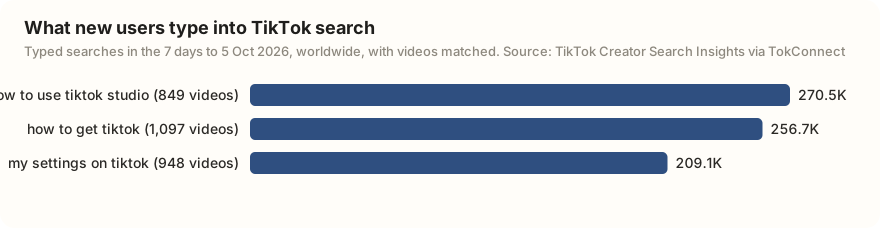
The typed searches tell the same story. In the 7 days to 5 October 2026, the biggest phrases people typed about using TikTok were about a feature or a setting, not the basics.
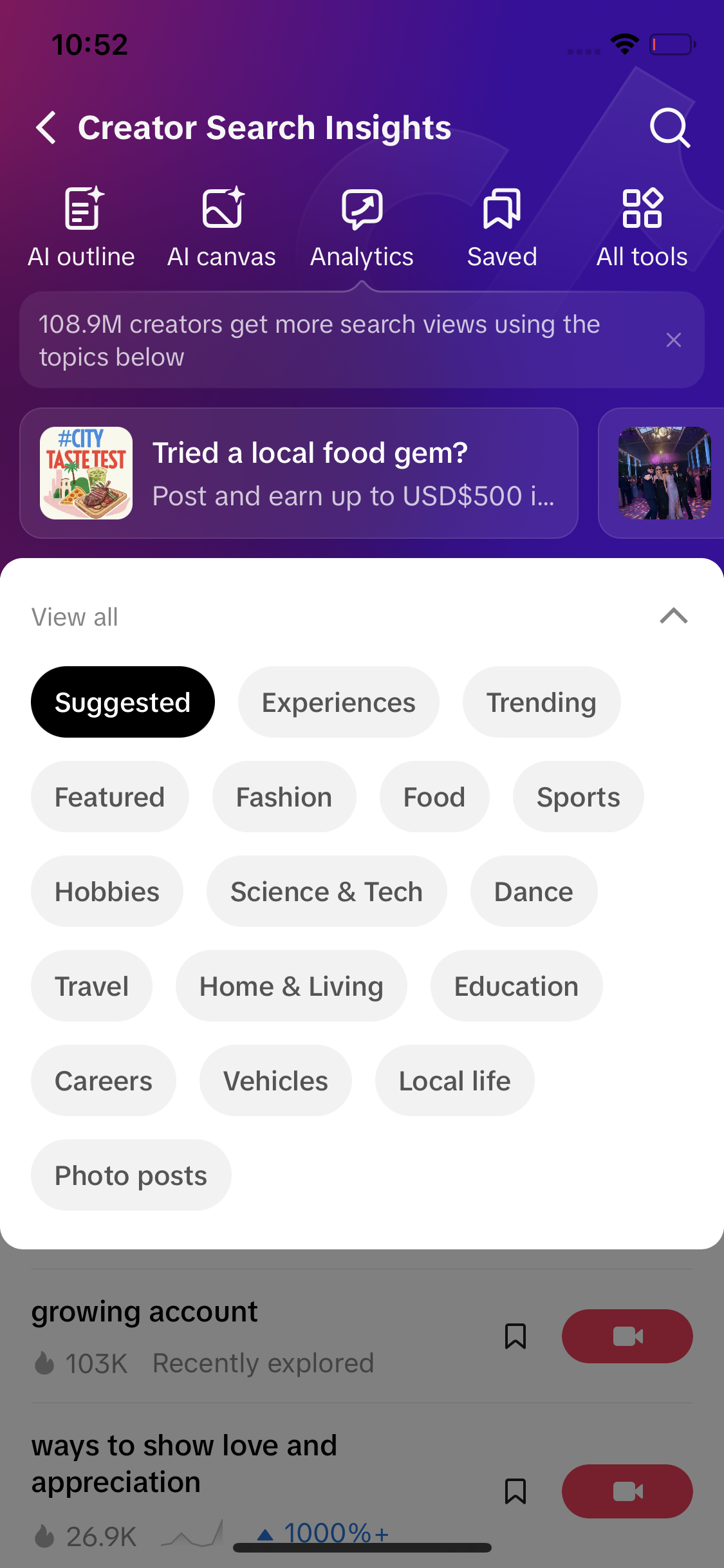
Show me what people search for on TikTok around budget cooking so my first videos have an audience. List the search phrases, how many searches each had in the last 7 days, and which ones have few videos answering them.
Following, liking, saving and comments
The icons down the right side of every video are the account's picture with a plus (follow), a heart (like), a speech bubble (comments), a bookmark (save) and an arrow (share). Following adds the account to your Following feed, the tab next to For You. Saving puts the video in a private Saved tab on your profile, which TikTok has also called Favorites; press and hold the bookmark to file it into a collection, and read the saves guide for why creators watch that number. Read a few comment sections on day one; they are where you learn what viewers ask for.
Days 2 and 3: watch with intent
Spend two days watching the kind of video you might make, not just the kind you enjoy. Search your subject, open the Videos tab, and for each video that holds you past the first three seconds, notice three things.
| Notice | What to look for | Why it matters |
|---|---|---|
| The hook | What happens in the first two seconds: the first words, the text on screen, the shot | Finishing a video is the strong signal TikTok has named. Most people decide to stay or swipe before you have said a sentence. |
| The caption | Does it repeat the question the video answers? Is it a sentence or a pile of tags? How many hashtags? | TikTok reads the caption to work out what the video is about and to match it to searches. |
| The sound | Original audio (the person talking) or a track? Tap the spinning disc at the bottom right to see how many videos use it | A sound is one of the three signal groups TikTok names, and a sound page shows how a format is being used. |
Save the ones you learn from into a collection called "first post".
See what people search about your topic →
Day 4: your first post
Recording a video
Tap the + at the bottom of the screen. The camera opens with Add sound at the top and a strip above the red button for length. Hold the red button to record while pressed, or tap once to start and again to stop. Tap the tick, trim or add text, then Next (ChatCut, 2026). Upload uses a video already on your phone. Talking to the camera for 15 to 30 seconds about one thing you know is a perfectly good first video.
Photo mode, if you would rather not be on camera
On the same screen, swipe the strip under the record button from Camera to Photo and pick up to 35 pictures. That makes a swipeable photo post, which is what TikTok calls a slideshow: no filming, no face, and TikTok reads the text on your slides. The slideshow guide shows what 105 ranking slideshows have in common. If your app does not show Photo, update it (Descript, July 2026).
Caption, hashtags and sound
Write the caption as the question your video answers, in words someone would type into search. The box takes 4,000 characters, but viewers see about the first 100 before "more", so the first line does the work (Limitora, 2026). Add five hashtags at most, most of them naming your subject. TikTok has not published a right number; guides written in 2026 settle on three to five. The caption guide has 50 formulas from videos that rank. Keep your own voice or add a track from Add sound, set Who can watch this video to Everyone, and tap Post.
Around 200 plays is what a small account's post normally gets, not a sign the account is broken. In the sample below, half of all posts by accounts under 10,000 followers had fewer than 200 plays. Deleting a post throws away the little data it gave you and teaches TikTok nothing. Leave it up, read the numbers on day five, and make the next one.
Day 5: read the numbers
Every account has analytics; you do not need a business account. Go to Profile, the three-line menu, TikTok Studio, then Analytics, or log in at tiktok.com/tiktokstudio on a computer. You pick 7, 28 or 60 days; the Followers tab unlocks at 100 followers. Tap your video under Content for plays, average watch time, how many watched the whole thing, and where views came from: For You, Search, Following or your profile. The analytics guide defines every number and says what good looks like.
What is normal for a first month? Our nearest data is a September 2026 sample of 58 creators surfaced by TikTok search in six niches. Five had under 10,000 followers, between 93 and 3,755, and their 42 most recent posts had a middle value of about 200 plays.
| Accounts under 10,000 followers | Value |
|---|---|
| Accounts | 5 |
| Posts | 42 |
| Median plays per post | 199.5 |
| Middle half of posts (plays) | 139 to 454 |
| Posts under 200 plays | 21 of 42 |
| Posts under 500 plays | 35 of 42 |
| Per-account median plays | 141, 167, 215, 418, 295,800 |
Data: a September 2026 sample of 58 creators surfaced by TikTok search in six niches; the five with under 10,000 followers. Sample, derived numbers. These accounts already rank in search, so treat the figures as a ceiling for "normal", not a floor.
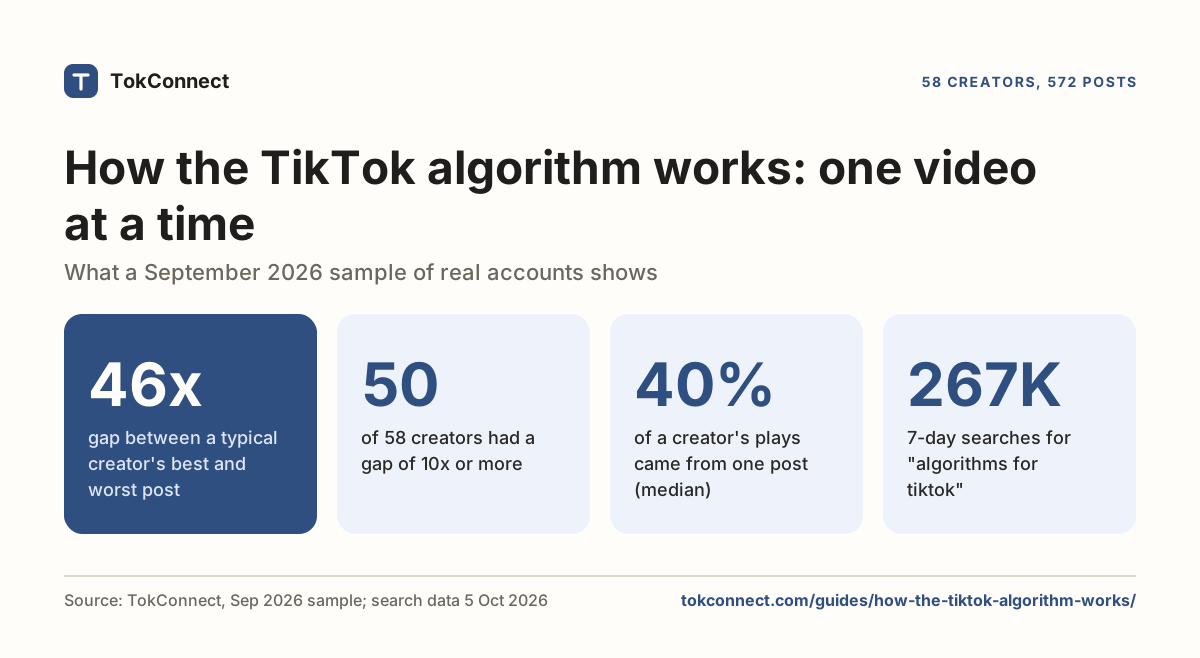
One of the five, a cooking account with 3,755 followers, had 60,300 to 702,300 plays on its three posts. That spread is the other normal thing about TikTok; the algorithm guide shows the typical creator's best post gets 46 times the plays of their worst. Judge your first month on average watch time and on whether Search shows up in your traffic sources.
Days 6 and 7: a small routine
Pick a number of posts a week you can keep up for two months, and make it small. TikTok's published advice is one to four posts a day; in our sample the middle creator posts about six times a week, and the creators who posted less often than that had more plays per video, not fewer. Two or three posts a week, each answering one question you saw people type into search, is a routine a beginner can hold; the posting frequency guide has the data and an eight-week plan.
The routine: ten minutes in search noting what people type around your subject, one post, then a look at average watch time and traffic sources the next day. Write the numbers down, because TikTok keeps only 60 days of analytics.
Safety basics
Three settings cover most of it. Private account (Settings and privacy, Privacy) if you are here to watch, not to be seen. Comment filters (Privacy, Comments): turn on Filter spam and offensive comments, and add words you never want under your posts with Filter keywords. Screen time (Settings and privacy, Screen time) offers Daily screen time with a passcode when you hit it, Screen time breaks after a set stretch, Sleep reminders that mute notifications at night, and a weekly summary (TikTok Help Center). Every account under 18 starts with a 60-minute daily limit, set in March 2023 (NPR). Adults have to turn it on.
How we got these numbers
Suggestions. On 22 September 2026 we pulled ten TikTok autocomplete suggestions each for "how to use tiktok" and "tiktok for beginners" with TokConnect and grouped them by hand (snapshot).
Search demand. On 5 October 2026 we pulled TikTok's search counts for "how to use tiktok" (20 results). The figure is searches in the last 7 days, worldwide; the video figure is how many videos TikTok has matched. 17 of the 20 results were TikTok-generated topic groups that pool many searches, so we quote only the 3 typed searches (snapshot).
Plays. The first-month figures come from a September 2026 sample of 58 creators surfaced by TikTok search in six niches, 572 posts; we used the five accounts under 10,000 followers and their 42 most recent posts (sample). Those accounts already rank in search, so the numbers lean high. App steps were checked against TikTok's help pages and 2026 guides, linked where used; TikTok tests layouts by account, so your buttons may differ.
Key statistics
In a September 2026 sample of 58 creators surfaced by TikTok search, the 42 most recent posts by the 5 accounts under 10,000 followers had a median of 199.5 plays.
21 of 42 recent posts by accounts under 10,000 followers in a September 2026 sample of TikTok creators had fewer than 200 plays, and 35 of 42 had fewer than 500.
"how to use tiktok studio" was searched 270,472 times on TikTok in the 7 days to 5 October 2026, with 849 videos matched to it.
All 6 statistics
"my settings on tiktok" was searched 209,095 times on TikTok in the 7 days to 5 October 2026, with 948 videos matched to it.
None of the 20 TikTok autocomplete suggestions for "how to use tiktok" and "tiktok for beginners" on 22 September 2026 was about scrolling, accounts or the feed; they asked about features such as Shop, filters, sounds and AI.
Since March 2023, every TikTok account under 18 starts with a 60-minute daily screen time limit.
Frequently asked questions
How does TikTok work?
You open the app to the For You feed, a run of short videos chosen for you, and swipe up for the next one. TikTok picks them from what you watch to the end, like, share and follow, plus each video's caption, sound and hashtags, and your language and country. Anyone with an account can post from the + button, and every video shows the same row of icons: follow, like, comment, save and share.
Is TikTok free?
Yes. The app, watching, searching, posting, analytics and going live cost nothing. The only things you pay for are optional: coins to send gifts during live streams, ads or Promote to push a video, and products you buy in TikTok Shop.
Do I need to post to use TikTok?
No. Most accounts only watch, and nothing in the app pushes you to post. A private account with comment filters on is a perfectly good way to use TikTok as a viewer. If you do post later, the account you set up today works exactly the same; just switch Private account off when you want strangers to see the video.
How do I get my For You page to show what I like?
Watch what you like to the end and swipe fast past what you do not, because finishing a video is the strongest signal TikTok has named. Press and hold a video you dislike and tap Not interested. If the feed is badly off, go to Settings and privacy, Content preferences, Refresh your For You feed, and it starts over with popular videos. Searching your subjects and following a few accounts speeds the whole thing up.
Can I use TikTok on a computer?
Yes. Open tiktok.com to watch and search, with or without an account, though TikTok asks you to log in after some scrolling. To post from a computer, log in and use TikTok Studio at tiktok.com/tiktokstudio, which uploads video and photo files, schedules posts and shows the same analytics as the app. Creator Search Insights is also on the web at tiktok.com/csi. The camera, effects and most editing tools are app only.
What should my first TikTok be?
One thing you know, said to the camera in 15 to 30 seconds, with the first two seconds telling people what they will get. If you would rather not be on camera, make a photo post: swipe from Camera to Photo and pick up to 35 pictures with a short line of text on each. Write the caption as the question the video answers, add five hashtags at most, and post it. Expect a few hundred plays at most; that was typical in a small sample of 5 accounts. It is normal for a new account, not a verdict.
Sources and data
- Account privacy settings (TikTok Help Center)
- Screen time (TikTok Help Center)
- Refresh your For You feed (TikTok Help Center)
- How TikTok recommends videos #ForYou (TikTok Newsroom, 18 June 2020)
- Guardian's Guide (TikTok Safety Center)
- TikTok Studio upload (TikTok)
- Make a TikTok Account Step-by-Step (Metricool, 6 May 2024)
- How to Change Age on TikTok in 2026 (OneStream, 2026)
- How to Change TikTok Username 2026: 30-Day Rule, Character Limit (HandleGrab, 2026)
- How to Make Your TikTok Account Private (Incogni, 2026)
- How to Limit Comments on TikTok (NapoleonCat, 17 July 2026)
- How to Reset FYP (SociallyIn, updated 10 April 2026)
- How to Make a TikTok Video: Step-by-Step (ChatCut, 2026)
- How to make a TikTok slideshow (Descript, updated 29 July 2026)
- TikTok Character Limit 2026 (Limitora, 2026)
- How Many Hashtags Should You Use on TikTok in 2026 (Juicer, updated 8 September 2026)
- How to Check Your TikTok Analytics (Reelyze, updated 24 August 2026)
- TikTok sets a new default screen-time limit for teen users (NPR, 1 March 2023)
- TikTok autocomplete suggestions for two beginner phrases, 22 September 2026 (snapshot)
- September 2026 sample of 58 creators, 572 posts (snapshot)