 tokconnect
- ChatGPT connects to TokConnect with a sign-in, not a key: add
https://mcp.tokconnect.com/mcpas a developer-mode app, continue with Google and press Allow. - Developer mode is on the web for Plus, Pro, Business, Enterprise and Edu. On work accounts an admin may need to allow custom MCP first.
- The connection spends your TokConnect credits like an API key does, one credit per tool call, and you can disconnect it under Connected apps on app.tokconnect.com.
- On Free or Go, use Codex with an API key instead. It is included in every ChatGPT plan.
Yes. You can connect TikTok to ChatGPT by adding TokConnect's MCP server, https://mcp.tokconnect.com/mcp, as a developer-mode app and pressing Allow on the sign-in page ChatGPT opens, with no API key to copy. You need developer mode, which OpenAI lists for Plus, Pro, Business, Enterprise and Education accounts on the web.
Once connected, ChatGPT can pull live TikTok search numbers from Creator Search Insights, autocomplete, hashtags, videos and comments in the middle of a chat. Each tool call spends one credit from your account, the same as an API key would, and new accounts start with 50 free credits.
Checked 28 September 2026. OAuth sign-in went live on our server that day, and we tested the whole flow with a script acting as the client, including a real tool call. We have not yet connected from inside ChatGPT, so the ChatGPT screens below follow OpenAI's docs and use OpenAI's wording.
How to connect TikTok to ChatGPT
- Turn on developer mode. In ChatGPT on the web, open Settings → Security and login and switch on Developer mode. On Business, Enterprise and Edu, a workspace admin may need to allow custom MCP first.
- Open ChatGPT Plugins. Go to chatgpt.com/plugins and press +.
- Describe the app. Name it
TokConnectand add a short description, for example "Live TikTok search data". - Enter the server URL. Paste
https://mcp.tokconnect.com/mcp, including/mcpat the end, and create the app. - Sign in. ChatGPT asks you to sign in. A sign-in page opens: continue with Google, then press Allow.
- Check the tools. Review the tools ChatGPT discovered. Then, in a chat, enable TokConnect and ask a TikTok question.
The TokConnect homepage and the dashboard both have an Add to ChatGPT helper that copies the server URL for you, so step 4 is one paste. The path through Settings and Plugins comes from OpenAI's Connect and test your plugin guide and its Help Center article on developer mode.
What happens when you press Allow
ChatGPT signs in with OAuth 2.1, the method OpenAI's authentication guide expects from any MCP server that needs a login. When ChatGPT first calls the server without credentials, the server answers with a pointer to its sign-in service at app.tokconnect.com. ChatGPT registers itself there automatically, then sends you to the consent page. PKCE is required, so the code from that page only works for the ChatGPT session that asked for it.
You never see or paste a key. ChatGPT holds a token tied to your account, and every tool call it makes draws from the same credits as your API key: one call, one credit.
To check or cut the link, open Connected apps on app.tokconnect.com. The ChatGPT connection appears there after you press Allow, and Disconnect stops it at once. Removing the app from ChatGPT's Plugins page cleans up the ChatGPT side.
Sign-in is for apps like ChatGPT that cannot hold a key. Claude Code, Cursor, Codex and n8n still connect with the key from your dashboard, and both routes share one credit balance.
Which ChatGPT plan do I need for MCP?
You need a plan with developer mode. OpenAI's developer mode page says it is available to Pro, Plus, Business, Enterprise and Education accounts on the web, with full read and write tool support.
| ChatGPT plan | Custom MCP apps (developer mode) | If you cannot use developer mode |
|---|---|---|
| Free | Not listed | Use Codex with an API key |
| Go | Not listed | Use Codex with an API key |
| Plus | Yes, on the web | Nothing extra |
| Pro | Yes, on the web | Nothing extra |
| Business | Yes, if a workspace admin allows custom MCP | Ask your admin |
| Enterprise | Yes, if a workspace admin allows custom MCP | Ask your admin |
| Edu | Yes, if a workspace admin allows custom MCP | Ask your admin |
Sources: ChatGPT Developer mode and Codex pricing (OpenAI, modified 27 September 2026). Admin setting from Peliqan, 21 September 2026. Our notes with every source.
On a work account, the admin setting sits under Workspace Settings → Permissions & Roles → Connected Data. Some write-ups say Plus and Pro get read-only tools. For TikTok research that makes no difference, because every TokConnect tool only reads data.
No developer mode? Use Codex
Codex is OpenAI's coding agent, and OpenAI's pricing page includes it in every ChatGPT plan from Free to Enterprise. It takes your API key in ~/.codex/config.toml:
[mcp_servers.tokconnect]
url = "https://mcp.tokconnect.com/mcp"
bearer_token_env_var = "TOKCONNECT_TOKEN"
Export TOKCONNECT_TOKEN with your key in the shell that starts Codex, then type /mcp to see the tools. It answers plain research questions as well as coding ones. The Codex guide has the rest.
What you can ask once connected
Each of these takes one or two tool calls. Paste one into a chat with TokConnect switched on.
Use TokConnect. Search TikTok topics for "chatgpt" and give me a table of each topic with its 7-day searches and video count, highest searches first.
Use TokConnect. Get TikTok autocomplete for "meal prep" with count 10, then tell me which three suggestions look like the best video ideas and why.
Works in Claude, ChatGPT, Cursor and Gemini once TokConnect is connected. Get a free key (50 credits, no card) or see the setup guides.
Use TokConnect. Browse the content_gap channel, limit 10, and list topics with high searches and few videos. Skip anything that looks like a generated label.
Works in Claude, ChatGPT, Cursor and Gemini once TokConnect is connected. Get a free key (50 credits, no card) or see the setup guides.
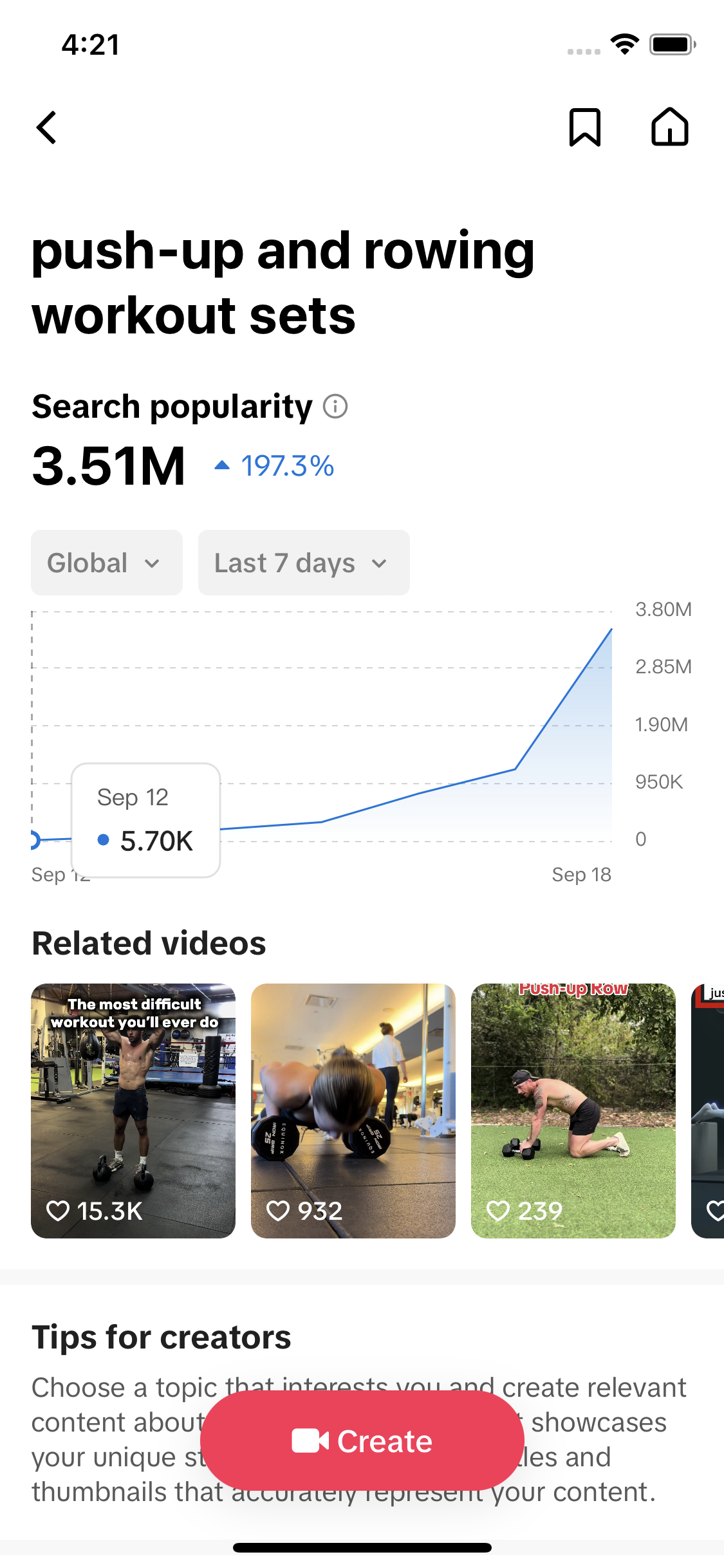
Here is what the first prompt returned when we ran it through the server on 28 September 2026. These are TikTok's topic groupings, not phrases people typed, and each was searched more than 4 million times in a week.
| TikTok topic | Searches, last 7 days | Videos listed |
|---|---|---|
| using ChatGPT for books and ebooks | 4,694,107 | 507 |
| ChatGPT use in school | 4,660,801 | 553 |
| using ChatGPT on mobile phones | 4,636,990 | 469 |
| ChatGPT and GPT explanations | 4,240,427 | 804 |
| ChatGPT for daily life tasks | 4,235,923 | 453 |
Data: TikTok Creator Search Insights via TokConnect, pulled 28 September 2026. Searches are TikTok's "Search popularity", global, last 7 days. Open the snapshot.
Typed searches look different. TikTok's autocomplete for "chatgpt" led with "chat gpt edit photo style", "chat gpt trend image prompt" and "chatgpt photo editing", so three of the top four suggestions are about photos. The TikTok MCP guide lists every tool behind prompts like these.
Errors and fixes
| What you see | Cause | Fix |
|---|---|---|
| No Developer mode switch under Security and login | Your plan does not include it, or your workspace admin has not allowed custom MCP. | Check the plan table above. On a work account, ask your admin. On Free or Go, use Codex. |
| You can add the app but not create it, or the plan is "not eligible" | Workspace policy or plan limits. | Ask your admin to allow custom MCP apps, or switch to a personal Plus or Pro account. |
| You create the app and no sign-in page appears | A popup blocker stopped the sign-in window. | Allow popups for chatgpt.com, then start the sign-in again. |
| The TokConnect page says "invalid redirect" | The sign-in link was reused, bookmarked or opened outside the flow. | Close it and start again from ChatGPT so it creates a fresh request. |
| Connected, but ChatGPT answers without TikTok data | TokConnect is not enabled in this chat. | Enable it in the chat's composer, then ask again and name TokConnect in the prompt. |
| A tool call fails with an out-of-credits error (HTTP 402) | Your credits are used up. | Check your balance and add credits in the dashboard. The connection itself is fine. |
| A tool runs and returns nothing | TikTok had no match for that query. | Shorten the keyword. See troubleshooting. |
If ChatGPT keeps a broken connection, delete the app on the Plugins page, press Disconnect under Connected apps on app.tokconnect.com, and add it again from step 2. A fresh app gets a fresh registration.
Frequently asked questions
Can ChatGPT access TikTok data?
Not live search data on its own. ChatGPT's web search finds public TikTok pages, but TikTok's search volumes live in Creator Search Insights, which has no public API. Add TokConnect as a developer-mode app and ChatGPT can pull those numbers, plus autocomplete, hashtags, videos and comments, during a chat.
Does TokConnect work with ChatGPT?
Yes, since 28 September 2026, when TokConnect's MCP server added OAuth 2.1 sign-in. That is the method OpenAI's authentication guide expects. You add the server URL in developer mode, sign in with Google on the TokConnect page and press Allow.
Do I need an API key to connect TikTok to ChatGPT?
No. ChatGPT registers itself with TokConnect and you approve it on a sign-in page. The API key is still there for clients that take one, such as Claude Code, Cursor and Codex, and both routes share one credit balance.
Which ChatGPT plan do I need for MCP?
OpenAI's developer mode page lists Plus, Pro, Business, Enterprise and Edu, on the web. On Business, Enterprise and Edu an admin may have to allow custom MCP first. On Free or Go, Codex is the way in.
How do I disconnect TokConnect from ChatGPT?
Open Connected apps on app.tokconnect.com and press Disconnect, which stops ChatGPT's access at once. Then delete the app from chatgpt.com/plugins to tidy up the ChatGPT side.
Where did ChatGPT connectors go?
They were renamed twice. Connectors became apps, and on 9 July 2026 apps became plugins, listed at chatgpt.com/plugins. Custom MCP servers are added there as developer-mode apps after you turn on developer mode under Settings, Security and login.
Sources and data
- Connect and test your plugin (OpenAI, modified 27 September 2026)
- Developer mode and MCP apps in ChatGPT (OpenAI Help Center)
- ChatGPT Developer mode (OpenAI, modified 27 September 2026)
- Plugin authentication (OpenAI, modified 27 September 2026)
- Codex pricing (OpenAI, modified 27 September 2026)
- ChatGPT MCP: plans, setup and what breaks in 2026 (Peliqan, 21 September 2026)
- What Happened to ChatGPT Plugins? (Drag, 12 August 2026)
- ChatGPT facts and TikTok pulls, 28 September 2026 (snapshot)