tokconnect
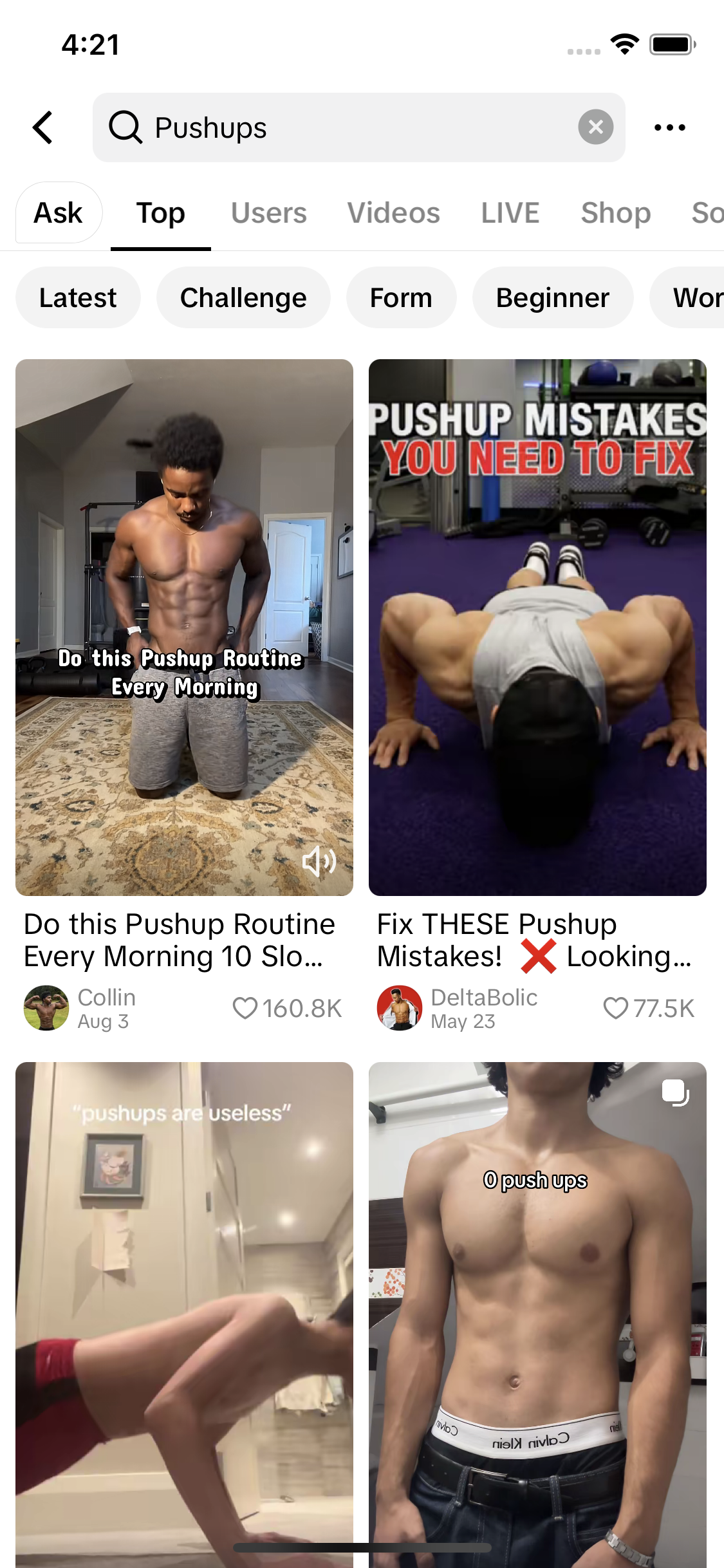
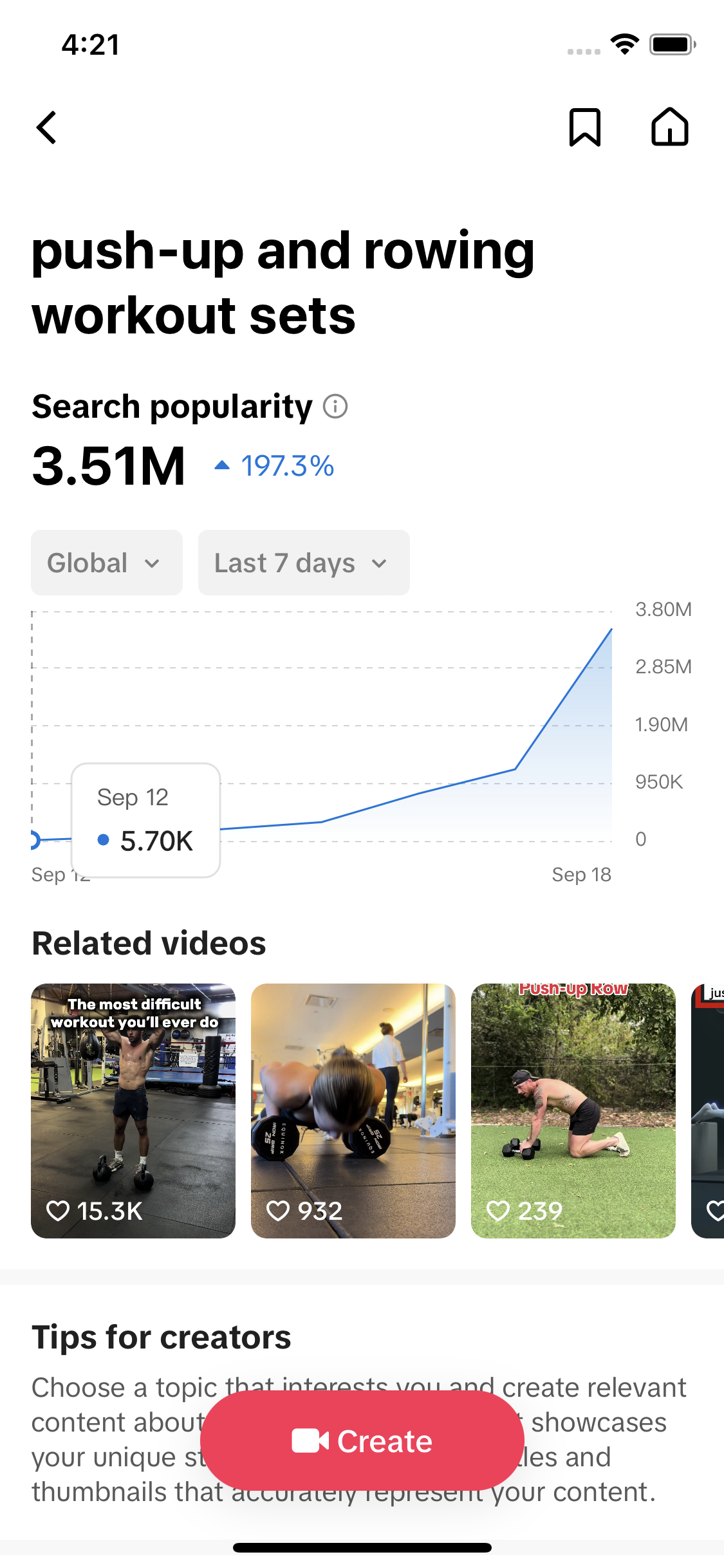
- To repost, open the video, tap the Share arrow (or press and hold) and tap Repost. To undo it, tap Share on the same video again and tap Remove repost. The creator is not told when you remove it.
- Reposts go to your followers' For You feeds with your name on them and into a Reposts tab on your profile. On a public account anyone can open that tab; on a private account, approved followers can.
- As of September 2026 there is no setting that hides the Reposts tab or makes it friends-only. Your options are removing reposts one by one, going private, or blocking someone.
- The Repost button does not work on your own videos. Use Add to Story or pin the video instead; re-uploading the same file starts from zero and TikTok's rules call exact copies unoriginal.
- A repost sends people to the creator's own post, so any plays land on the creator's video, not yours. TikTok has not published how much a repost is worth in ranking.
To repost on TikTok, open the video, tap the Share arrow on the right and tap Repost. You can also press and hold the video and tap Repost from the menu. The video then shows up for your followers, marked as your repost, and sits in a Reposts tab on your profile. To undo it, open the same video, tap Share again and tap Remove repost.
That is how to repost on TikTok. The rest of this page covers where people get stuck: who sees your reposts, why the button vanishes, reposting your own videos, and whether a repost helps anyone. Where 2025 and 2026 guides disagree, we say so.
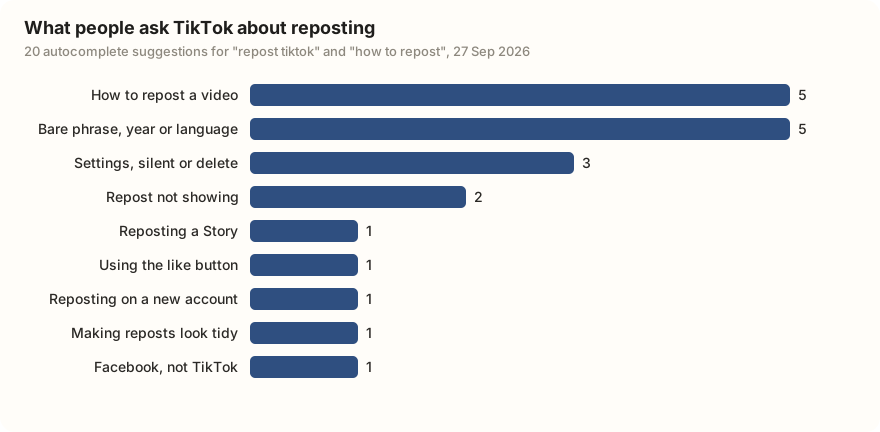
On 27 September 2026 we pulled TikTok's ten autocomplete suggestions for "repost tiktok" and ten for "how to repost". Five of the twenty are plain "how do I do it" questions. Three are about repost settings, reposting silently or deleting a repost, and two are about a repost not showing.
| What the suggestion is about | Suggestions | Examples |
|---|---|---|
| How to repost a video | 5 | how to repost a video on tiktok; how to repost video in tiktok; repost tiktok video |
| The bare phrase, a year or a language | 5 | repost tiktok; repost tiktok 2026; repost tiktok francais |
| Settings, reposting silently, or deleting a repost | 3 | repost tiktok settings; how to repost silent; repost tiktok delete |
| A repost not showing | 2 | repost tiktok not showing; an Indonesian question asking why a repost does not appear |
| Reposting a Story | 1 | how to repost a story |
| Using the like button | 1 | how to repost using like button |
| Reposting on a new account | 1 | how to repost on a new acc on tt |
| Making reposts look tidy | 1 | repost tiktok aesthetic |
| Reposting on Facebook, not TikTok | 1 | how to repost on facebook post |
Data: TikTok search suggestions via TokConnect, pulled 27 September 2026, two phrases, ten suggestions each. Snapshot. The groups are our own reading; the Indonesian suggestion is translated in the snapshot.
How to repost on TikTok, step by step
- Open the video you want to share.
- Tap the Share arrow on the right side of the screen. Or press and hold anywhere on the video.
- Tap Repost, usually the yellow button in the share panel.
- If a box for a comment appears, type a short line saying why you shared it, or skip it.
There is no confirm screen, and the creator's name stays on the video (Neal Schaffer, revised 26 September 2026; Sociallyin, updated 27 February 2026). TikTok's own page on the feature is in its Help Center.
Guides disagree about the comment box. Neal Schaffer describes an optional comment above the creator's caption, and BrandID (July 2026) says a 2026 update added a note behind a pencil icon. Social Boost Digital (June 2026) says there is no caption step. TikTok's 2022 test of the button had one (TechCrunch, 4 January 2022). No source names an app version for any of this.
| Task | iPhone and Android app | tiktok.com on a computer |
|---|---|---|
| Repost a video | Share arrow, then Repost; or press and hold, then Repost | Sources disagree: SendShort says it works the same on the web, other 2026 guides cover the app only |
| Add a comment | Only if your version shows the box | Not confirmed |
| See your reposts | Profile, then the tab with the two-arrows icon | Not confirmed |
| Undo a repost | Share arrow on the same video, then Remove repost | Not confirmed |
iPhone and Android steps are the same in every 2026 guide we checked, including RepostZap (24 July 2026) and Neal Schaffer (September 2026). Web claim from SendShort (11 January 2026); PostLink (updated 28 August 2026) says desktop support is limited.
Where your reposts show up, and who can see them
A repost goes to two places: the For You feed of people who follow you, labelled with your name and picture, and a Reposts tab on your profile, marked with a two-arrows icon and kept apart from your own videos (Neal Schaffer; BrandID, 19 July 2026). In TikTok's 2022 test, reposts went to mutual friends. TikTok has not published whether they also appear in the Following feed.
The Reposts tab is not private. On a public account, anyone who opens your profile can scroll through everything you have reposted. On a private account, only followers you have approved can see it (RepostZap, July 2026; WipeTok, updated 2 September 2026).
Guides disagree on the details. Social Boost Digital (June 2026) says reposts can also show in your main profile grid, with a setting to hide them there. Most other 2026 guides say they stay in the separate tab. SendShort (January 2026) says reposts do not show on your profile at all.
How to see your reposts, and other people's
To see your own reposts, go to your profile and tap the tab with the two-arrows icon, next to your videos. If there is no such tab, you may not have reposted anything yet; some guides say the tab only appears once it has something in it. Otherwise, update the app.
To see what someone else reposted, open their profile and tap the same icon. It works if their account is public, or private and you are an approved follower.
How to undo a repost on TikTok
From the video itself
Open the video you reposted, tap the Share arrow (or press and hold) and tap Remove repost. It leaves your tab and your followers' feeds at once, with no time limit, and the creator is not told (BrandID; RepostZap).
From the Reposts tab
Can't find the video? Go to your profile, tap the two-arrows tab, open it, then Share and Remove repost.
Removing lots of reposts
TikTok removes reposts one at a time. There is no select-all button (WipeTok). Some companies sell bulk-removal tools. Be wary of any that asks for your TikTok login.
Can you hide the Reposts tab or turn reposts off?
Not directly. As of September 2026, the guides we checked agree there is no switch that hides the Reposts tab, makes it friends-only, or hides one repost while keeping the rest (RepostZap, 21 July 2026; WipeTok). Dexerto said the same in October 2024. TikTok has not published a setting for it.
You have three real options. Remove the reposts you do not want seen. Switch to a private account (Settings and privacy, then Privacy), which also hides your own videos from strangers. Or block the one person you want to keep out.
Stopping other people from reposting your videos is murkier. One 2025 troubleshooting guide says a creator can turn reposts off for their videos; ClearTok (July 2026) and Groovypost say there is no such toggle. TikTok's published controls cover Duet, Stitch and downloads, not reposts (TikTok Help Center). The Duet and Stitch guide explains those.
Can you repost your own TikTok?
Not with the Repost button. It is built for other people's videos and is normally missing on your own (Sociallyin, February 2026). That leaves two different things people mean.
Bringing an old video back. Add it to your Story (Share, then Add to Story), pin it to the top of your profile, or post a short follow-up that points to it. None of these creates a copy.
Uploading the same file again. This makes a new post with zero views. TikTok's Community Guidelines, updated in August 2025, say "reused or unoriginal content posted without creative edits" is not eligible for the For You feed (For You feed eligibility standards). That rule is aimed at copying others. For your own videos, TikTok's clearest line is in its Shop rules: do not upload the same video again (TikTok Shop Academy). Creators report re-uploads getting flagged as unoriginal in Creator Rewards, TikTok's program that pays for views on videos over a minute.
Deleting a video wipes its views, likes, comments and saves for good. The new upload starts from zero, and an exact copy is what TikTok's rules call unoriginal, so it may never reach the For You feed. If you want an old video seen again, add it to your Story or pin it. If you want a second run, change something real: a new first few seconds, a new edit, new text.
Does reposting help on TikTok?
It helps the person who made the video more than it helps you. Here is what is published, what guides say and what creators report.
What TikTok has published. TikTok says the For You feed is shaped by what people interact with, including the videos they like and share (TikTok Newsroom). It has not published how a repost is weighed, whether a repost adds to a video's share count, or whether plays from a repost count toward Creator Rewards. More in the algorithm guide.
What the guides agree on. A repost is not a copy. Your followers watch the creator's own post, so the plays, likes and comments land on the creator's video, not your account (PostLink; BrandID). Reposting does not grow your own view count.
What creators report. Sociallyin calls a repost a strong recommendation signal, and SendShort says reposts can push a video back into the For You feed. None of them has measured it, so treat "reposts make videos go viral" as a belief, not a finding. The views guide covers tactics with evidence behind them.
To see whether sharing matters in your topic, compare shares with plays on the videos that already do well there. An agent connected to TikTok's search data can pull that list.
Pull the 20 most-played TikTok videos for [my topic] from the last month. For each, show plays, likes, comments, shares and saves, and sort them by shares per 1,000 plays so I can see whether the most shared videos are also the most watched.
Works in Claude, ChatGPT, Cursor and Gemini once TokConnect is connected. Get a free key (50 credits, no card) or see the setup guides.
Reposting to your Story instead
Repost and Add to Story are different buttons in the same share panel. A repost stays in feeds and your Reposts tab until you remove it. Add to Story puts the video on your Story for 24 hours, shown as a ring around your profile picture. It works on your own videos too, so it is the simple way to bring an old one back. The TikTok Stories guide covers who sees a Story and how to find the button after its 2026 move.
Why can't I repost on TikTok?
Update the app first. The troubleshooting guides we checked list an old version as a top cause (ClearTok, 27 July 2026; WinX, September 2025). Then check these:
- It is your own video. The Repost button normally does not appear on your own posts.
- The video is restricted. Videos from private accounts and some age-restricted videos cannot be reposted.
- Your account is limited. Guides say sharing very fast can trigger a short restriction. Check Account check in TikTok Studio.
- It is still rolling out. TikTok tests buttons by account, device and region.
- A stuck app. Clear the cache (Settings and privacy, then Free up space), log out and back in, or reinstall.
If the repost worked but others cannot see it, check whether your account is private. The first-week guide covers the settings screens.
Frequently asked questions
How do you repost on TikTok?
Open the video, tap the Share arrow on the right, and tap Repost, usually the yellow button in the share panel. You can also press and hold the video and tap Repost from the menu. Some versions of the app then show a box for a short comment. The video goes to your followers' feeds with your name on it and into the Reposts tab on your profile.
How do I undo a repost on TikTok?
Open the video you reposted, tap the Share arrow or press and hold, and tap Remove repost. If you cannot find the video, go to your profile, tap the tab with the two-arrows icon, open it from there and do the same. It disappears at once, there is no time limit, and the creator is not told. TikTok removes reposts one at a time; there is no select-all.
Can people see what I repost on TikTok?
Yes. On a public account, anyone who opens your profile can see your Reposts tab, and your followers see reposts in their feeds with your name on them. On a private account, only followers you have approved can see them. As of September 2026 there is no setting that hides the Reposts tab while keeping your account public.
Why can't I repost on TikTok?
Update the app first; guides list an old version as a top cause. The button also does not appear on your own videos, and videos from private accounts and some age-restricted videos cannot be reposted. TikTok rolls buttons out by account, device and region, and an account restriction can hide it for a while; check Account check in TikTok Studio. Clearing the cache or reinstalling fixes a stuck app.
Does reposting help a TikTok go viral?
It can put the video in front of your followers, and any plays land on the creator's own post. TikTok says shares and likes shape the For You feed, but it has not published how much a repost counts. Guides call a repost a strong recommendation signal, but nobody has published a measurement, so treat claims that reposts make videos go viral as a belief, not a finding.
Can I repost my own TikTok?
Not with the Repost button, which is missing on your own videos. To bring an old video back, add it to your Story from the share panel or pin it to your profile. Uploading the same file again starts from zero views, and TikTok's rules make reused content without creative edits ineligible for the For You feed, so change the opening, the edit or the text if you post it again.
Sources and data
- Repost (TikTok Help Center)
- Duet, Stitch and other creation features (TikTok Help Center)
- For You feed eligibility standards (TikTok Community Guidelines, released 14 August 2025)
- How TikTok recommends videos #ForYou (TikTok Newsroom)
- Best practices for promotional content (TikTok Shop Academy)
- TikTok tests its own version of the retweet with a new Repost button (TechCrunch, 4 January 2022)
- How to Repost on TikTok (and How to Remove a Repost) (Neal Schaffer, revised 26 September 2026)
- How to Repost on TikTok in 2026 (BrandID, 19 July 2026)
- How to Repost on TikTok in 2026 (PostLink, updated 28 August 2026)
- How to Repost on TikTok (2026): Reshare, Hide From Your Feed, and Undo It (Social Boost Digital, 16 June 2026)
- How to Repost on TikTok (Sociallyin, updated 27 February 2026)
- TikTok Guide: How To Repost and Undo Repost (SendShort, 11 January 2026)
- How to Repost on TikTok (RepostZap, 24 July 2026)
- How to Undo a Repost on TikTok (RepostZap, 2026)
- How to Hide Reposts on TikTok (RepostZap, 21 July 2026)
- How to Make Your TikTok Reposts Private (WipeTok, updated 2 September 2026)
- How to hide reposts and make them private on TikTok (Dexerto, updated 4 October 2024)
- Can You Turn Off Reposts on TikTok? (Groovypost)
- Why Is My Repost Button Missing on TikTok? 8 Fixes (ClearTok, 27 July 2026)
- Why Can't I Repost on TikTok? (WinX, updated 23 September 2025)
- TikTok autocomplete suggestions for two repost phrases, 27 September 2026 (snapshot)