
TikTok Profile Viewer: Public Profiles, Posts and Stats
Enter a TikTok @handle and see the public profile: followers, following, likes and videos, then the latest posts with views, likes, comments and shares. No app, no TikTok account, no login.
View profile in three steps.
- 01
Enter an @handle
Enter a public @handle or profile link.
- 02
TokConnect reads TikTok
See the profile numbers and the latest posts.
- 03
Get the result and a CSV
Sort by views, open the videos, and export the list.
The public profile, then the latest posts with their numbers
Enter a handle or paste a profile link. You get the profile counts first, then up to 30 recent posts with views, likes, comments and shares. Sort by views to see what the account is known for, open any post and export the list.
The preview uses Gymshark’s public profile as read on 16 October 2026. Brand accounts are named; individual creators are not.
A few posts carry the account
Most posts landed near the median. Two went far past it, which is where to look for what works.
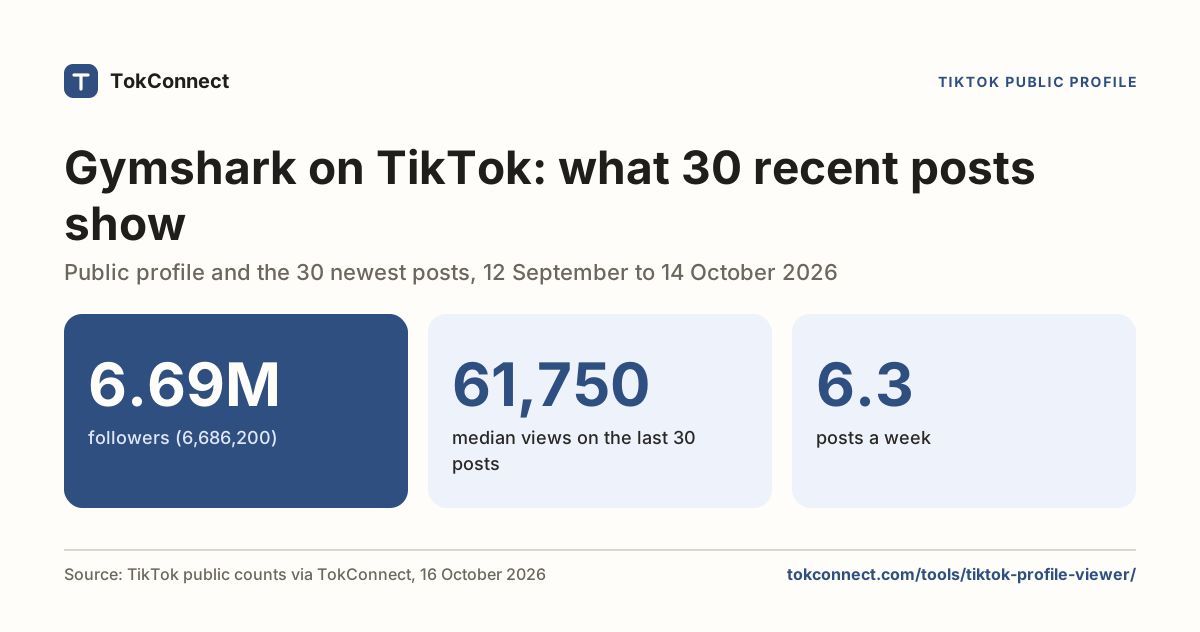
- 6.69Mfollowers (6,686,200)
- 61,750median views on the last 30 posts
- 6.3posts a week
Views on @gymshark’s last 30 posts, oldest to newest
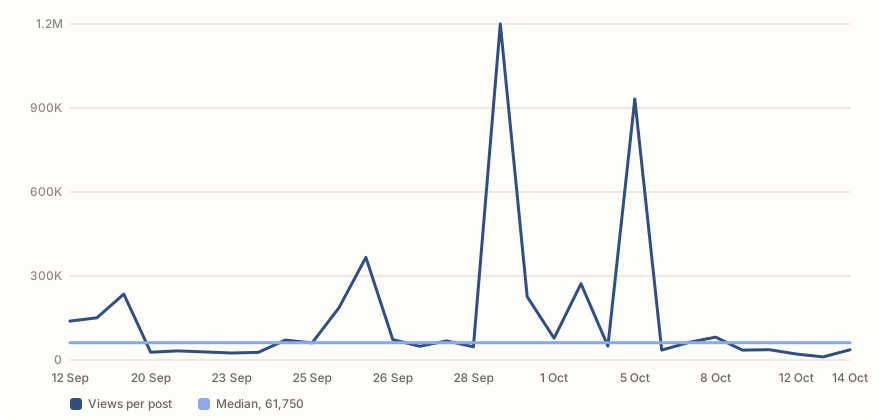
- Views per post
- Median, 61,750
Ask the follow-up questions in chat.
Your free searches cover the first look. In chat, TokConnect opens the videos, searches and comments behind your results and answers in plain words, with sources.
50 free chat credits · No card needed“Look at the TikTok account [handle]: what it posts, which videos get the most views and why, how often it posts, and what a competitor could learn from it. Use public counts only and include video links.”
- Run a free search above
- Continue in chat with your search filled in
- Ask follow-ups about the videos and comments
Ask for it in ChatGPT, Claude or Cursor
TokConnect works inside your own assistant. Name an account and it reads the profile and posts with you, then explains which formats get the views.
TokConnect MCP tool: creator with methods profile and posts
 ChatGPT
 Claude
 Cursor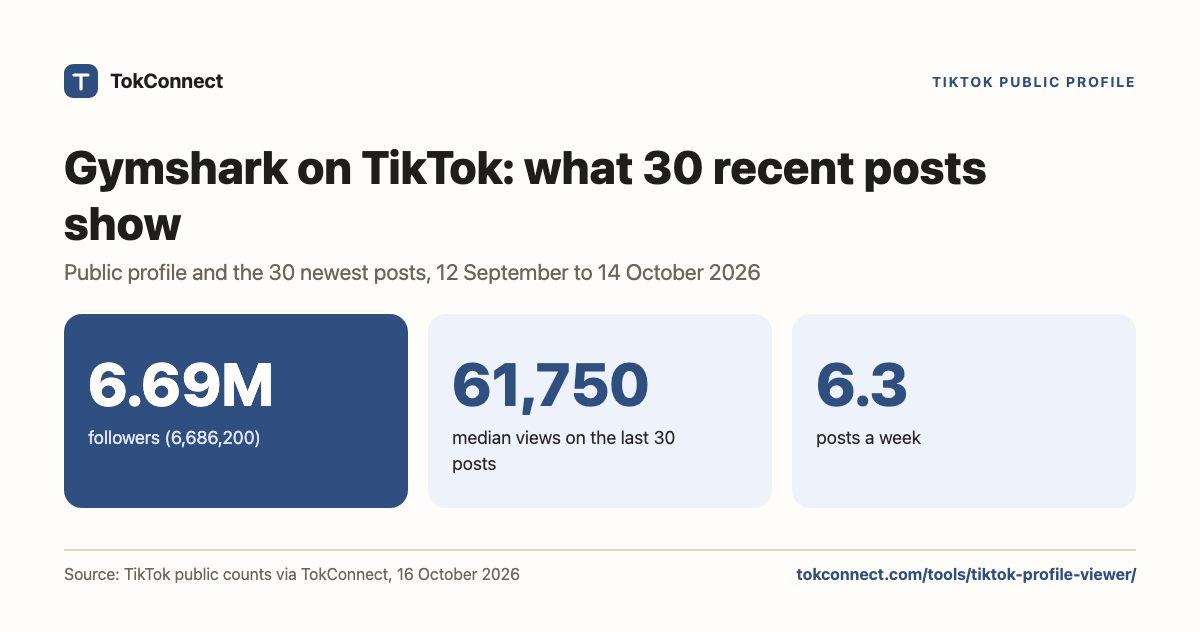
One click sets it up. 50 free credits, no card, and a call that fails isn’t charged.
“Use TokConnect to look at the TikTok account [@handle]: the profile, then its latest posts. Which formats and topics get the most views, how often does it post, and what could a competitor learn from it? Include links.”
Opens TokConnect Chat with this question. Replace the words in [brackets] with yours.
A couple of useful answers.
Can I view a TikTok profile without an account?
Yes. Public TikTok profiles are visible to anyone. Enter the @handle here and you get the profile numbers and the latest posts without the app, a TikTok account or a login.
Will the person know I looked at their profile?
This tool doesn't use your TikTok account, so nothing appears in the owner's profile views. TikTok's own profile-view history only records people who are logged in to the app with that feature on.
Why can't I see some profiles?
Private accounts only show their posts to approved followers, so you see the public counts but no posts. Accounts can also be banned or deleted, or the handle may be mistyped.
What does the profile viewer show?
Followers, following, total likes and video count, then up to 30 recent posts with views, likes, comments, shares and an engagement rate for each. You can sort the posts and export them as a CSV.
Is this the same as the Account Analyzer?
It runs on the same public data. The Account Analyzer is built for judging how an account performs, with medians and engagement rates up front. The Profile Viewer is the quick look: who they are and what they posted.
Research with TokConnect · Public TikTok data. Source availability and counts can change.