
- Creator Search Insights is TikTok's built-in search-demand tool. Search "creator search insights" inside the TikTok app and tap View to open it.
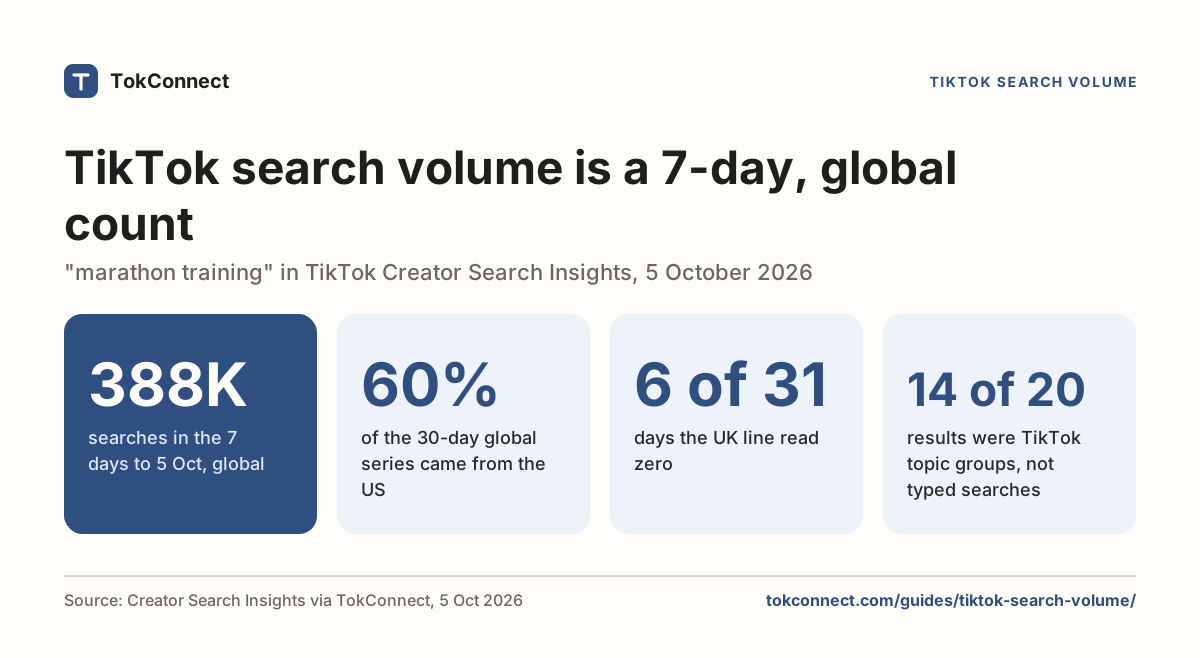
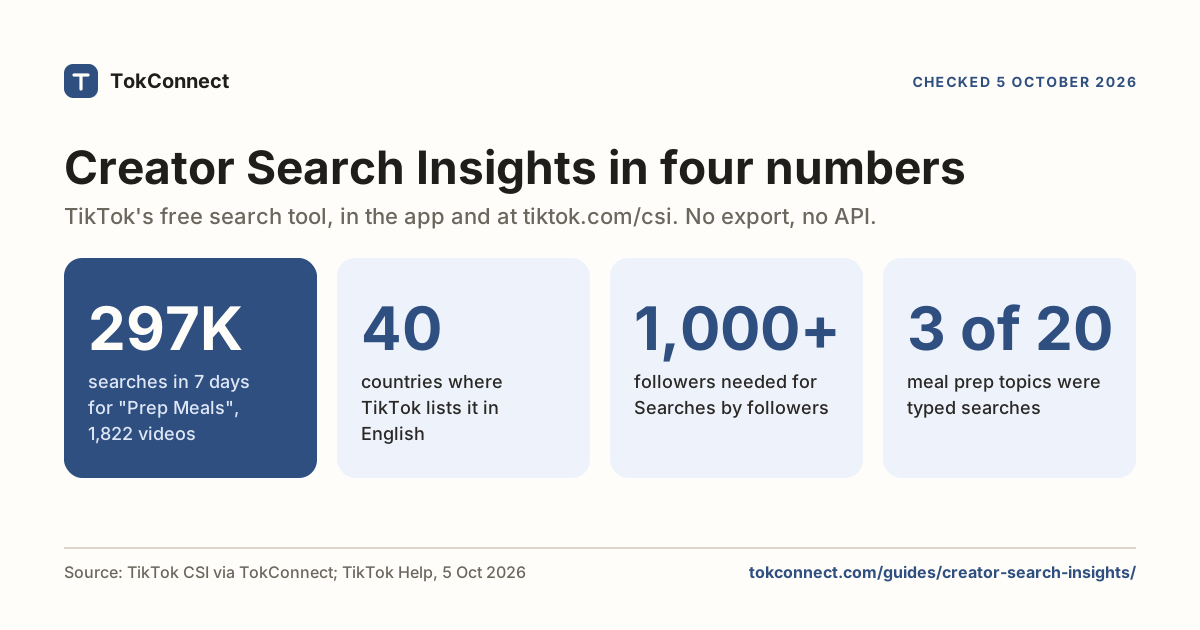
- Search popularity is a 7-day search count, global by default. A topic showing 4.5M means about 4.5 million searches in the last week.
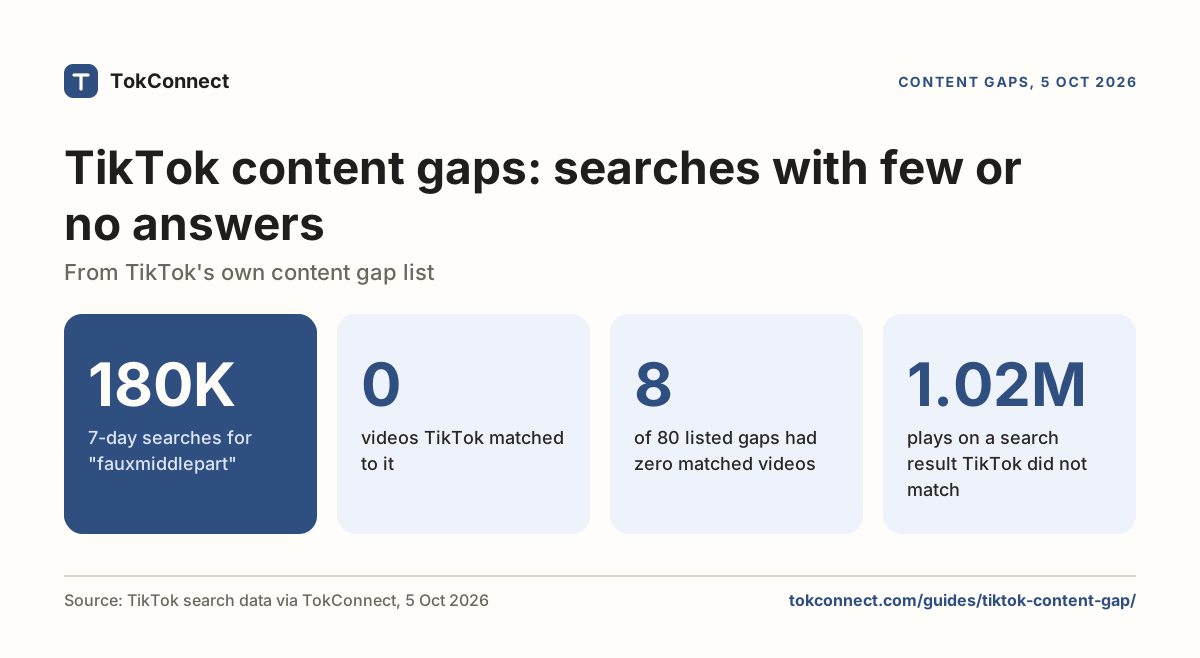
- A content gap is a topic people search for that has few or no videos. It is the fastest way to get found in TikTok search.
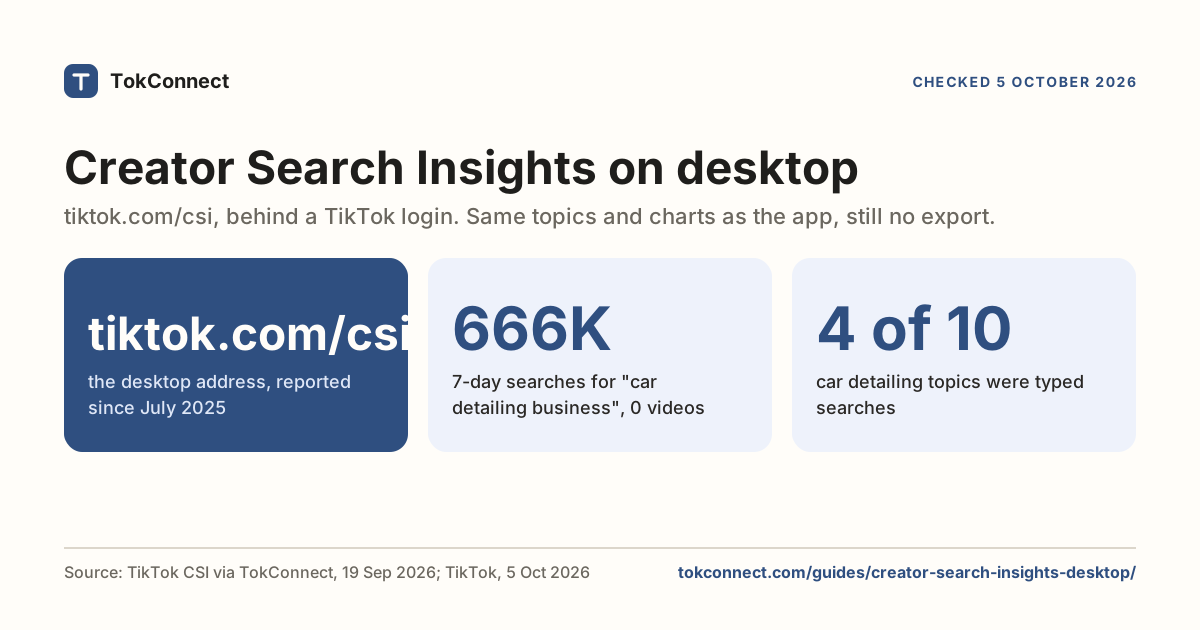
- The tool has no export, no API and no history, in the app or on desktop at tiktok.com/csi. To use the data in a spreadsheet or an AI agent, you need something like TokConnect.
Creator Search Insights is the tool inside the TikTok app that shows you what people are searching for on TikTok, how many searches a topic gets in a week, and which topics have demand but almost no videos. TikTok launched it in March 2024, and it is where TikTok shows creators its own search numbers.
Most guides to it stop at "open it and look for trending topics". This one goes further: what each number means, how the numbers behave over a week, and a repeatable way to turn a topic into a video that ranks in search. Every figure below comes from a data pull you can open.
How to open Creator Search Insights
There is no button for it. You search for it.
- Open the TikTok app and tap the search icon.
- Type creator search insights and search.
- Tap the View button in the card at the top of the results.
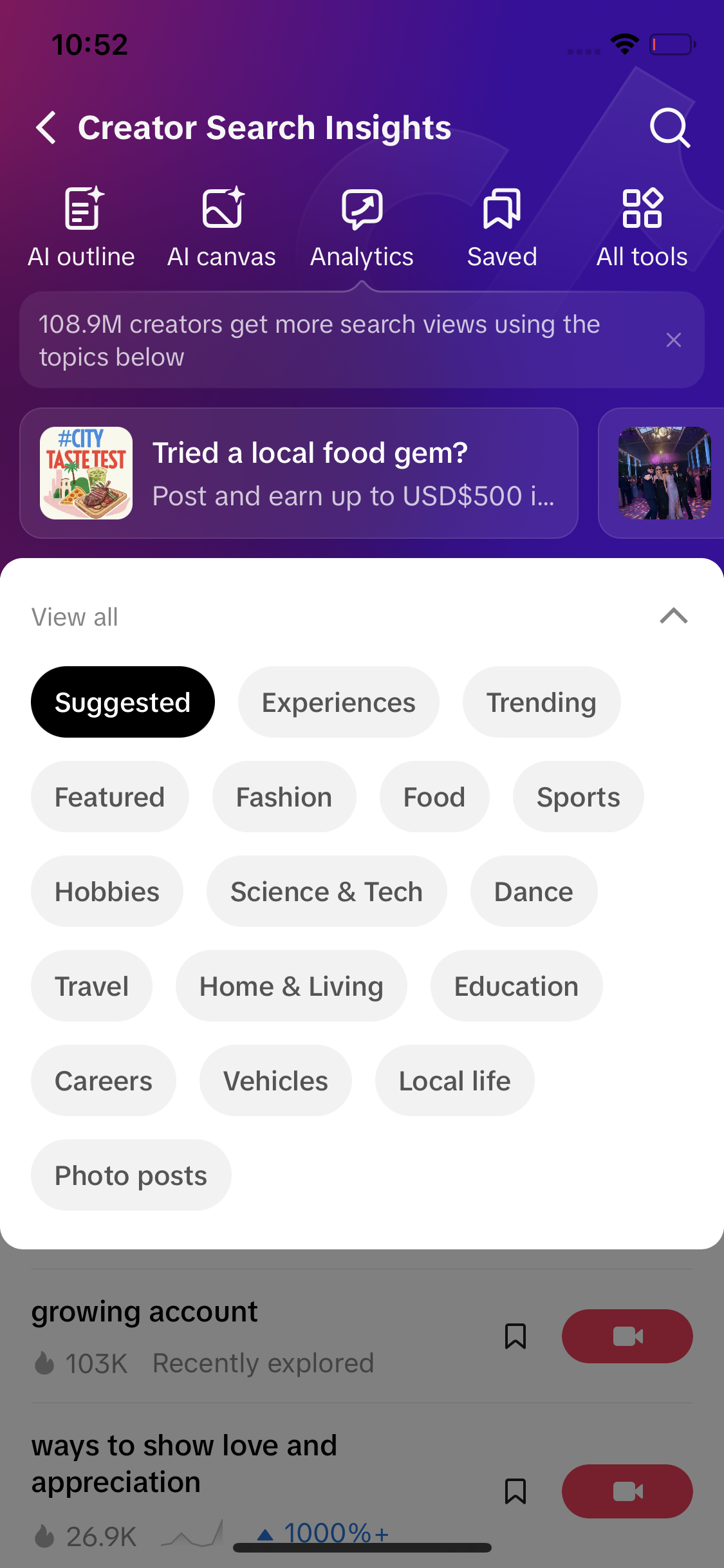
On some accounts it also sits under Profile → TikTok Studio → Creator tools. On a computer, log in to TikTok and open tiktok.com/csi; TikTok added the desktop version in mid-2025 and it shows the same topics and charts. Either way you land on the same screen: a row of tools across the top (AI outline, AI canvas, Analytics, Saved) and a list of topic channels underneath.
If the card never appears, the tool is not enabled for your account or region yet. TikTok rolls it out by market and requires an adult account. The not-showing guide lists the fixes that work.
TikTok's Creator Academy lists 40 countries where it works in English, checked 5 October 2026: 20 in the Americas, 6 in Europe, 10 in Asia-Pacific, Turkey, and 3 in Africa. Open the snapshot.
What each part of the tool shows
| Section | What is in it | Same for everyone? |
|---|---|---|
| Suggested | Topics TikTok thinks fit your account, with two sub-tabs: Content gap (searched, under-served) and Searches by followers (what your followers search; needs 1,000+ followers) | No, personalised |
| Trending | The topics with the fastest-growing search interest across TikTok, with category filters (Fashion, Food, Sports, Travel, Gaming, Science) | Yes |
| Featured | Topics TikTok is pushing, often tied to campaigns and creator programs | Yes |
| Category chips | Suggested topics narrowed to Fashion, Food, Hobbies, Science & Tech, Dance, Travel, Home & Living, Education, Careers, Vehicles, Local life, Photo posts | Partly |
| Search bar | Type any phrase and get the matching topics with their numbers. This is the keyword-research part. | Yes |
| Topic page | Search popularity, 7-day chart, country and time filters, related videos, related topics, and an AI outline for a video | Yes |
The search bar is the part most people never use, and it is the most valuable. Instead of waiting for TikTok to suggest something, you type your niche and see the demand.
What the numbers mean
Open any topic and you see a headline figure labelled Search popularity, a percentage next to it, and a chart. The filters above the chart say Global and Last 7 days. That is the definition: search popularity is the number of searches for the topic over the last seven days, worldwide unless you pick a country.
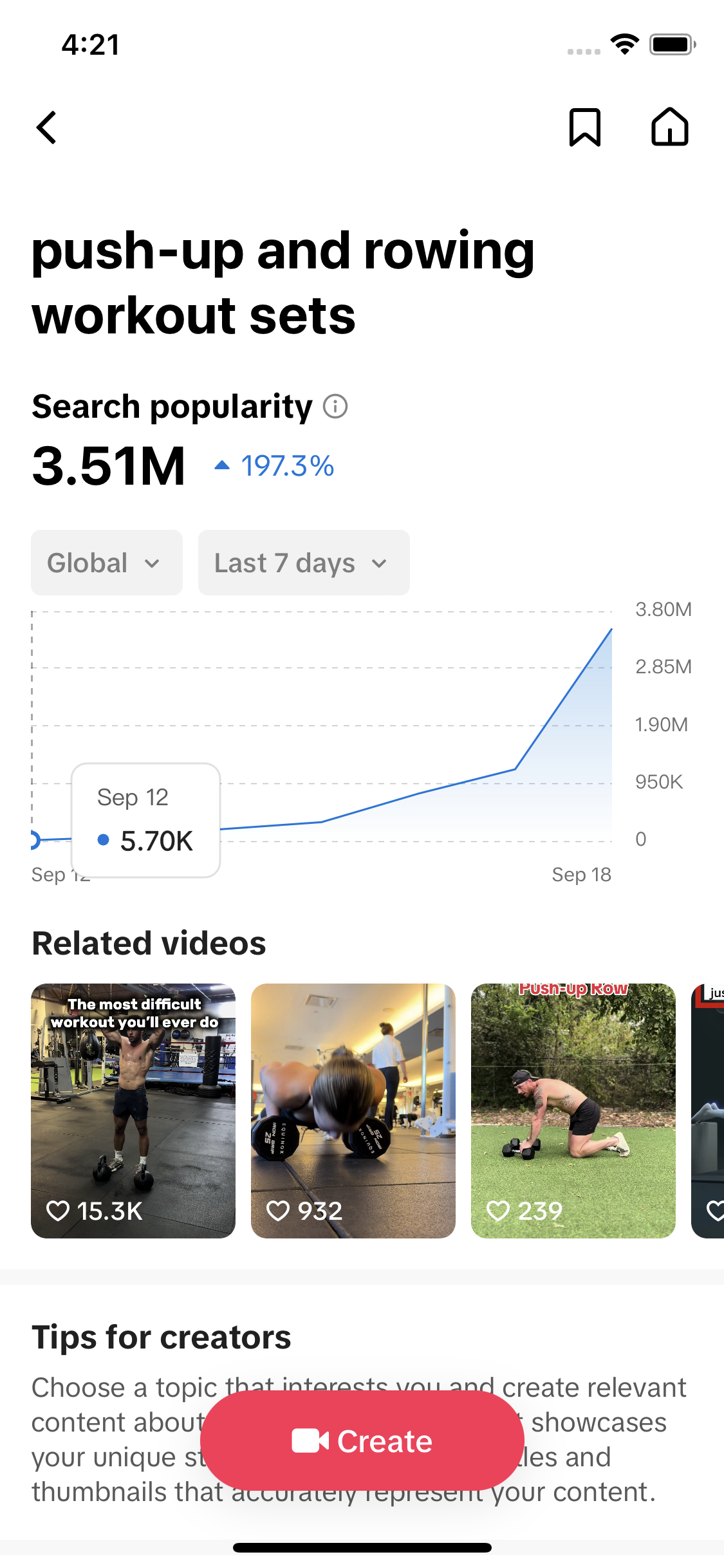
Here is what the same data looks like for one topic when you pull it out of the app. We searched meal prep on 18 September 2026 and opened the topic "meals and meal prep for one".
| Field in the app | Value for "meals and meal prep for one" | What it tells you |
|---|---|---|
| Search popularity | 4,500,848 | Searches in the last 7 days, global |
| Popularity score | 86 / 100 | TikTok's index of how hot the topic is relative to everything else |
| Videos | 845 | How many videos TikTok has matched to this topic |
| Category | Gourmet › Food Tutorials | Where TikTok files it, which decides which category chip shows it |
| Top countries | US, South Africa, Malaysia, Philippines, Canada | Where the searches come from, in order |
| US searches, 30 days | 3.18M → 4.50M | Daily US figure from 9 to 18 September, rising the whole time |
Data: TikTok Creator Search Insights via TokConnect, pulled 18 September 2026. Open the snapshot.
Two things matter here. First, TikTok's search numbers are weekly, not monthly. Google's keyword tools give you a monthly average, so a TikTok topic at 4.5M a week is a different scale from a Google keyword at 4.5M a month. Second, the number is for the topic, which is a cluster of related searches TikTok groups together, not for one exact phrase. "meals and meal prep for one" covers everything people type that means that.
The chart's percentage compares this week with the previous one. On the topic above, TikTok reported growth from 3.18M to 4.50M over ten days in the US series. That is the kind of steady rise worth acting on. A topic that jumps from nothing to millions in two days is usually a news event and will be gone before your video is edited.
Topic pages also show an audience split. For the meal-prep topic, TikTok reported the searchers as 40% female, 10% male, 50% unknown; half aged 25–34, a fifth 18–24; and 80% in the United States. Those shares are of people TikTok could classify, so treat the "unknown" slice as unknown, not as men.
What a content gap is, and why it is the shortcut
A content gap is a topic people search for that has too few good videos. TikTok's Creator Academy says a gap can mean not enough videos, or plenty of videos but not enough quality ones. TikTok flags them with the Content gap filter because they are the easiest way to get search views: you answer a question with little competition.
On 5 October 2026 TikTok's content-gap list included these typed searches:
| Content-gap search | 7-day searches | Videos | Category |
|---|---|---|---|
| how much is 1 bitcoin | 469,240 | 765 | Finance |
| fall coffee | 334,133 | 1,159 | Food |
| best magnesium for women | 290,854 | 1,134 | Health |
| how to get practical basketball | 271,327 | 475 | Sports |
| How To Make Lashes Look Like Extensions | 261,773 | 638 | Fashion |
| Best Pumps Reviews | 249,624 | 494 | Fashion |
| Drop shipping For Beginners | 236,876 | 884 | Finance |
Data: TikTok Creator Search Insights (Content gap list), pulled 5 October 2026. Open the snapshot. The full list, refreshed weekly, is on the content gaps page.
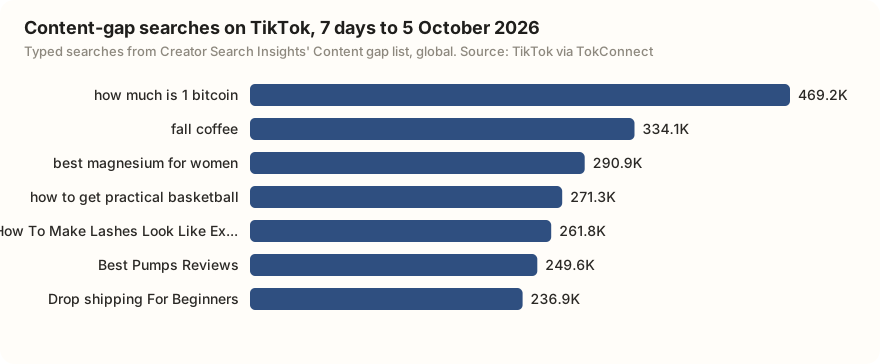
A few hundred matched videos against a quarter of a million weekly searches is the opportunity. "How To Make Lashes Look Like Extensions" had 638 matched videos for 261,773 searches. What is missing is a video that answers the search directly and clearly enough for TikTok to file it there. Say the phrase, answer the question, and you can become the result.
The content gap guide goes deeper, including how TikTok decides what counts as a match.
How to use Creator Search Insights to plan a video
This is the method we use. It takes about ten minutes per video idea.
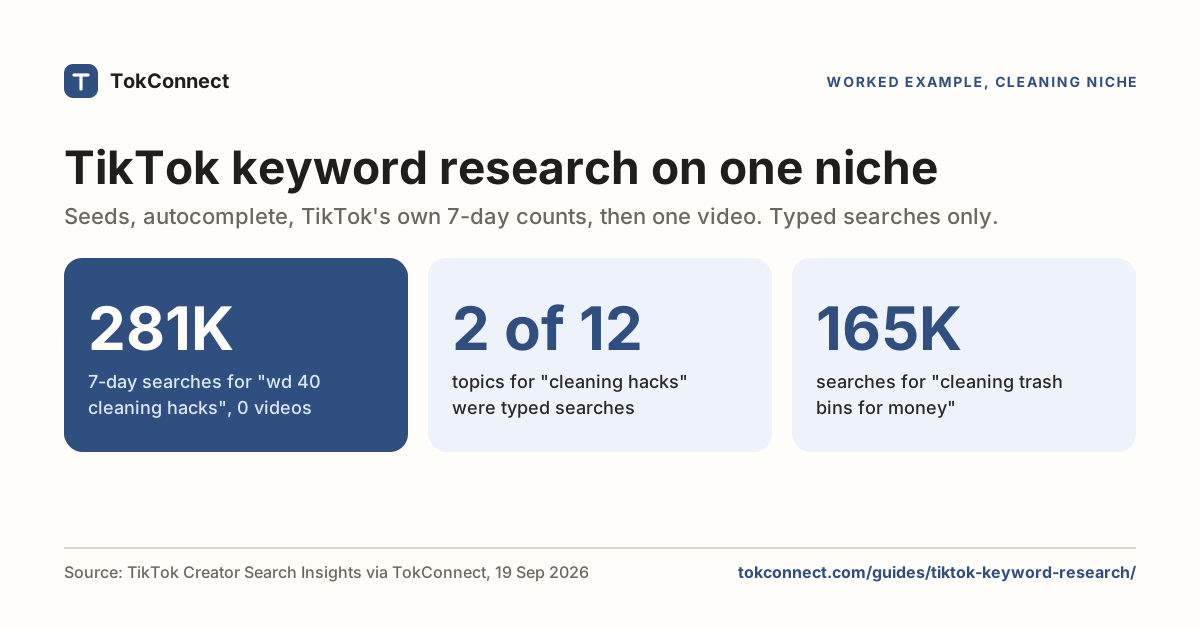
1. Search your niche, not a trend
Type the thing you make videos about. For a food account, that is meal prep, not viral recipe. You get a list of topic clusters with their 7-day searches. The meal-prep search returned ten topics between 200K and 4.7M searches, including "meal prep and meals for men" (3.1M), "gym meal prep and cooking" (4.5M) and "meal ideas and meal prep for two" (4.7M).
2. Pick the topic that matches what you can actually show
The biggest number is not the target. A solo cook picks "meals and meal prep for one" over "meal prep for two" because the video will match the search better, and matching is what ranks. Check the videos count: 845 matched videos is competition you can beat with a better answer; tens of thousands would not be.
3. Use the topic's wording in three places
TikTok's search reads your caption, your on-screen text and what you say. Put the topic phrase, or the natural version of it, in all three within the first seconds. "Meal prep for one: five lunches, one pan" as on-screen text does more for search than any hashtag. The TikTok SEO guide covers the rest of the checklist.
4. Check the chart before you post
Open the topic again the day you post. If the 7-day line has rolled over, the search wave is passing and you want to post today. If it is still climbing, you have time to make the video good.
Search TikTok topics for "meal prep". List every topic with its 7-day searches, popularity score and video count. Then mark which ones are content gaps (under 100 videos), and for the top three suggest an on-screen text line and caption that use the topic's exact wording.
What the tool can't do, and what to do about it
Creator Search Insights is generous with data and stingy with everything around it.
- No export. Neither the app nor the desktop version at tiktok.com/csi lets you download a topic list or copy a chart. Screenshots are the workflow.
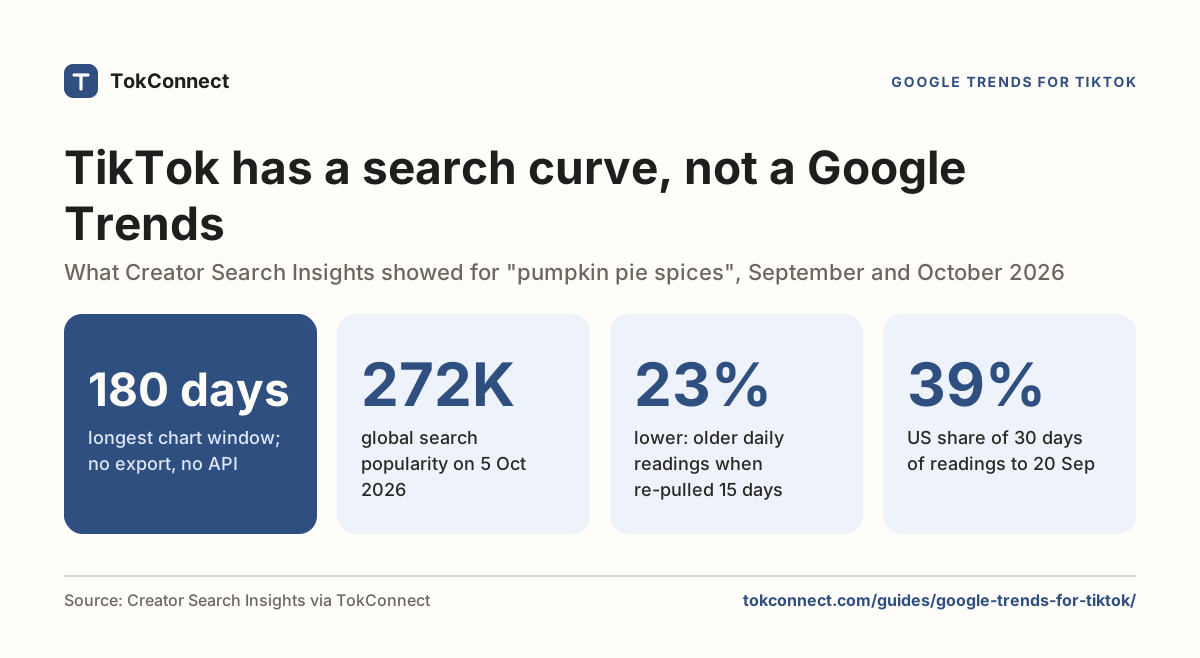
- No history. The chart shows at most 180 days back, and you cannot see what a topic looked like a month ago unless you saved it then.
- Personalised suggestions. The Suggested and Content gap tabs are filtered to what TikTok thinks your account is about, so a new account sees a different list from an established one.
- Eligibility. Adult accounts in supported regions only, rolled out gradually. Some accounts still don't have it.
The fix for the first two is to get the same data through TikTok's API surface instead of the interface. That is what TokConnect does: it exposes Creator Search Insights topics, charts, audiences and content gaps to any AI agent or script, so you can search from a laptop, keep a spreadsheet, and let ChatGPT or Claude do the sorting. The desktop guide shows it working, and the API guide has a Python example.
If you only ever use TikTok's own interface, use it like this: search your niche once a week, screenshot the top five topics with their numbers, and pick one to make. That alone puts you ahead of most creators, who open Trending, feel overwhelmed, and close it.
Frequently asked questions
What does Creator Search Insights mean on TikTok?
It is a free tool inside the TikTok app that shows which topics people are searching for, how many searches each one gets over the last seven days, and which topics have demand but few videos (content gaps). TikTok launched it in March 2024 so creators could make videos people are already looking for.
How do I view Creator Search Insights on TikTok?
Open the TikTok app, type creator search insights into the search bar and tap the View button at the top of the results. On some accounts it also appears under Profile → TikTok Studio → Creator tools. On a computer, log in and go to tiktok.com/csi. Neither version exports data; see the desktop guide for getting it into a spreadsheet or an agent.
Why can't I see Creator Search Insights?
It only shows for accounts in supported regions, and TikTok rolls it out gradually. Make sure the app is updated, you are 18 or over, and you are searching the exact phrase. Our troubleshooting guide covers every cause we have seen.
Should I use the #creatorsearchinsights hashtag?
Only if the video is actually about the tool. The hashtag does not boost a video's ranking for the topic you found inside the tool. Put the topic's wording in your caption and on-screen text instead. More on the hashtag.