
- Tap the magnifying glass, type, then use the tabs. The Filters button above the results sorts by most liked and narrows by date posted.
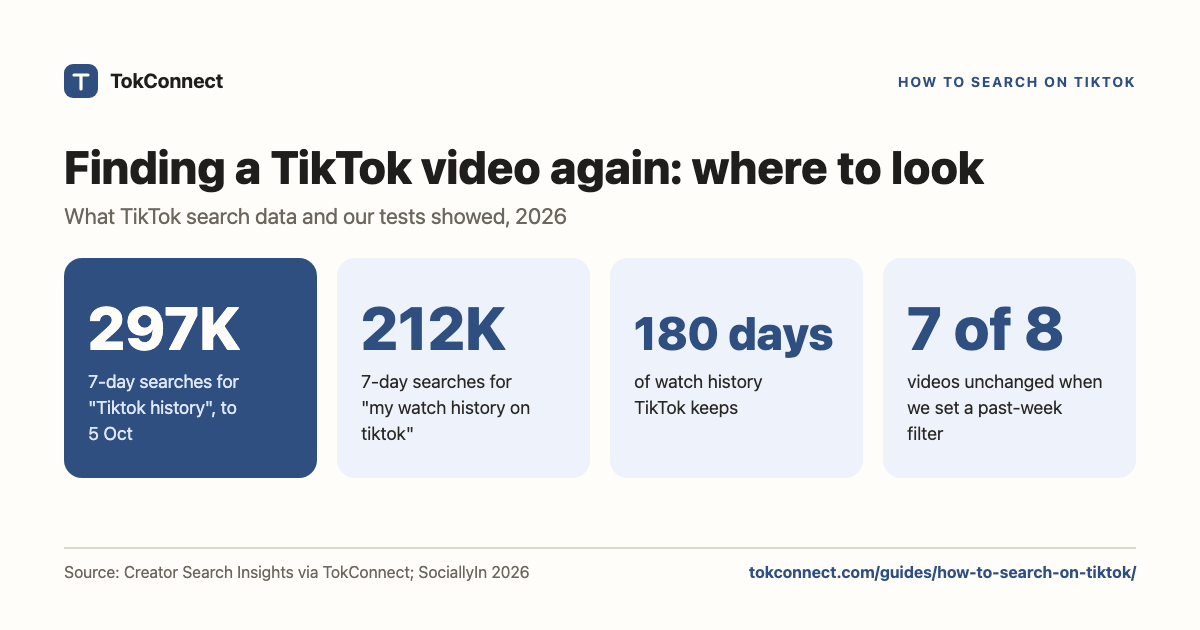
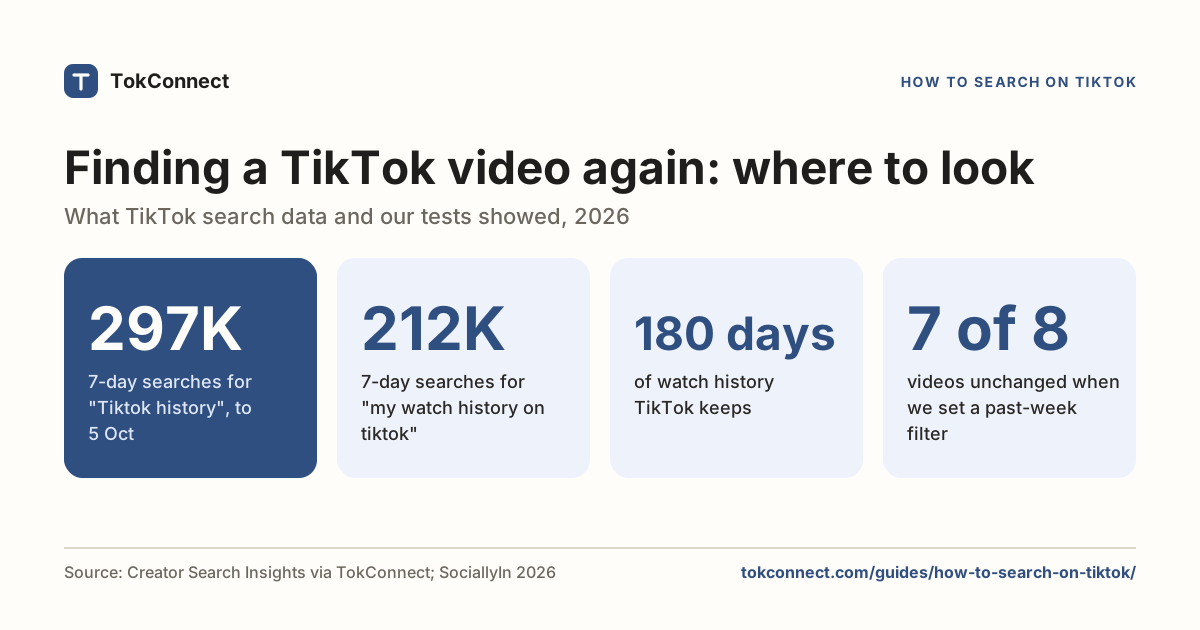
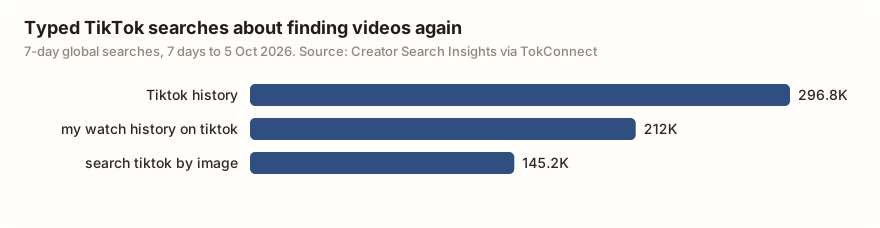
- Finding a video again is a common search in its own right: "Tiktok history" had 296,770 TikTok searches in the 7 days to 5 October 2026.
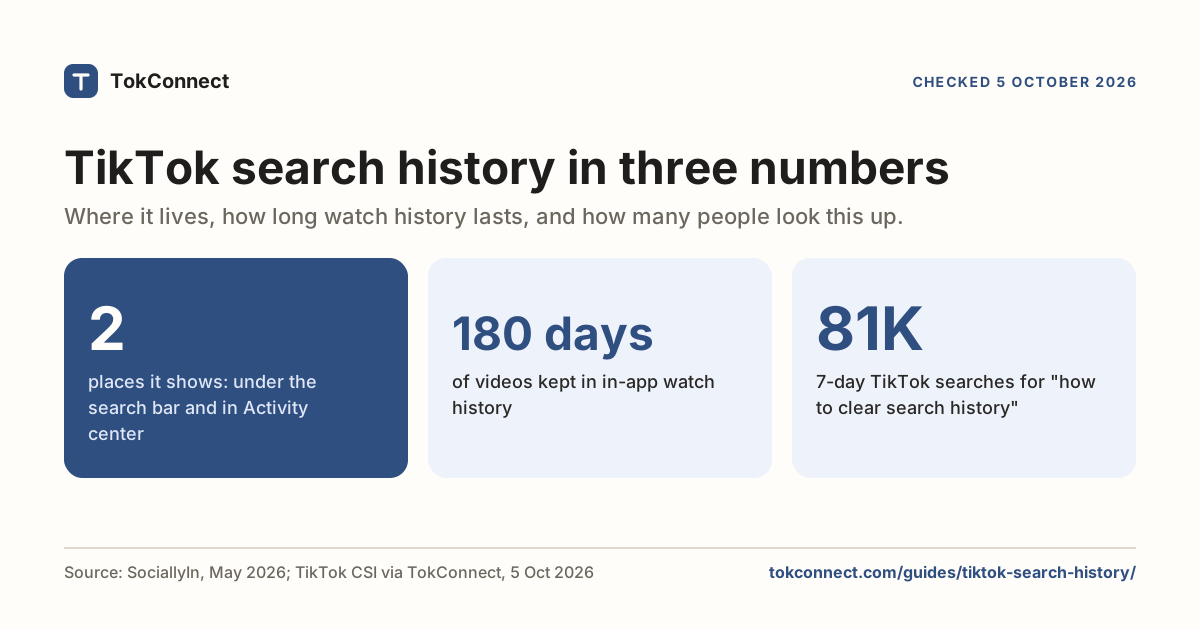
- A video you saw but did not save is in Watch history under Settings and privacy, Activity center. TikTok keeps 180 days of it.
- Favorites and Liked videos have no search box of their own; you scroll, use collections, or run a normal search with the Liked or Watched filter if your app shows one.
- Desktop search at tiktok.com works without an account until TikTok asks you to log in after some scrolling. Whether the web has the same Filters panel is not published.
- Run one search six ways and the date filter leaves a video from February in place, and most liked does not put the most liked video first. Treat filters as hints.
To search on TikTok, tap the magnifying glass at the top right of the For You feed, type what you want and tap Search; the Filters button above the results sorts by most liked or narrows by date posted. Finding things again is the bigger problem: in the 7 days to 5 October 2026, "Tiktok history" was searched 296,770 times on TikTok and "my watch history on tiktok" 211,993 times.
The rest of this page is for when the plain search doesn't find it: a video you saw and never saved, your Favorites and Liked videos, searching on a computer, results tuned to someone else, and outages. Every step comes from TikTok's help page and at least one guide from 2025 or 2026; where TikTok hasn't published something, the page says so.
How to search on TikTok, step by step
- Open TikTok. On the For You feed, tap the magnifying glass at the top right.
- Type a word or phrase. For an account, start with @; for a hashtag, start with #. Tap a suggestion or tap Search.
- Results open on the Top tab. Swipe the row of tabs to narrow to one kind of result.
- Tap Filters at the top right of the results to change the sort order or the date range. On some versions it sits behind a more options button.
| Tab | What it shows | Use it when |
|---|---|---|
| Top | TikTok's own mix of videos, accounts and sounds it thinks match best | You are not sure what kind of result you want |
| Videos | Videos only. Filters for sort and date apply here | You want the most liked or the most recent videos on a topic |
| Users | Accounts, with filters for follower count and verified status | You know roughly who posted it |
| Sounds | Songs and original sounds, each with the videos using them | You remember the audio, not the words |
| LIVE | Streams running now that match your words | You want something live |
| Shop | Products from TikTok Shop | You saw something you want to buy |
| Hashtags | Tags with their total views | You are checking how big a topic is |
| Photos | Photo posts and slideshows only | The thing you saw was a slideshow, not a video |
| Places | Locations with the videos tagged there | You want a restaurant, shop or spot in a city |
Tabs: TikTok's search help page; Social Champ (updated 5 January 2026) for Videos, Users, Sounds and Hashtags; Vista Social for Shop and LIVE; the image search guide for Photos and the how search works guide for Places. Sociality.io (8 September 2026) notes the row depends on your region, account and app version, so yours may be shorter.
TikTok search filters: sort by and date posted
The Filters panel is the closest thing TikTok has to an advanced search. Sort by is Relevance, the default, or Most liked. Date posted narrows the Videos results to a window. Pick, then tap Apply; the filters reset when you start a new search.
TikTok's help page describes the button but does not list the windows. The Vista Social guide from August 2022 lists all time, the current week, the current month and the last 3 months. The windows the search accepted from outside the app in our September 2026 snapshot were the past 24 hours, week, month and six months. Sociality.io's September 2026 guide says the set shifts with region, account and app version, so read the panel you are given.
How to search TikTok by date
Search, open the Videos tab, tap Filters, choose a window under Date posted and tap Apply. There is no single-day or custom range. For the newest videos, use the shortest window, because the app's panel has no newest sort; guides list only Relevance and Most liked.
Date posted. Most complaints about old or irrelevant results come from the Top tab with no date set, where an old video with a million likes usually outranks last week's answer. Switch to Videos, set the window to a month, and the same search often looks like a different app. Then check the dates: the past-week filter can still return a February video, so treat the window as a hint, not a hard cut-off.
Run this search for any phrase and see each post date →
How do you find a TikTok video you saw but did not save?
Watch history first. Go to Profile, tap the three lines, then Settings and privacy, Activity center, Watch history. It lists everything you watched while signed in, newest first, for 180 days. There is no search box or date picker inside it, so scroll to roughly when you saw the video. The SociallyIn guide (updated May 2026) gives the desktop path too, and the search history guide covers the rest of Activity center.
Liked videos and Favorites. On your profile, the heart tab is what you liked and the bookmark tab is what you saved. Neither has a search box: Stasht checked the mobile and web screens in July 2026 and found none. You can scroll, open a collection if you sorted your saves, or run a normal search and look in Filters for an Activity section, where older app versions offered a Liked videos toggle and SociallyIn describes a Watched filter. If your panel does not show them, your version does not have them.
Search what you remember. TikTok matches your words against the caption, the text on screen, the words spoken, the hashtags and the sound. Type the phrase the person said or the words on screen, and try the Sounds tab if you remember the audio. The how TikTok search works guide explains what gets indexed. You cannot search comments: the comment sheet has no search box, and the comment finder guide covers the workarounds.
The search bar under a video
Under many videos, above the caption, TikTok shows a small search bar with a suggested phrase. It is a related search: tap it and TikTok runs it. It is not the creator's choice and not a hashtag. Creators read the phrase as a clue to how TikTok has categorised the video, and report that "find related content" means it has not settled on a topic; that is creator lore, not something TikTok has published. For viewers, the bar under a nearby video often names a half-remembered topic better than you would.
Searching on a computer
Open tiktok.com and use the search bar at the top. You do not need an account. Social Champ's guide, updated January 2026, says to choose Continue as guest if a sign-in box appears. Tech Tactician, updated 31 December 2025, confirms search works signed out but says TikTok asks you to log in after some scrolling; clearing cookies and reloading gets you back in. A hashtag page also opens directly at tiktok.com/tag/yourword.
Whether the web has the same Filters panel as the app is not published; a thread on r/Tiktokhelp, "Desktop Search-- Is there any way to filter or sort?", asks exactly that. If you need sort or date on a computer, use the app or the agent method at the end of this page.
Why do TikTok search results feel bad?
Because they are built for you, not for the words. TikTok's help page says results and suggested searches are personalised, and gives you a switch: Settings and privacy, Content preferences, Personalised search. With it off, TikTok says you get non-personalised results and different suggestions, while ads in results are unchanged. It is the fix to try first when results keep drifting toward what you watched last week.
The complaints are old and current. On r/TikTok in April 2024 a thread asked "Why does tik tok have the worst search results?", and in June 2026 another declared "TikTok search engine is completely broken". Both describe exact words typed and loosely related videos returned. The how TikTok search works guide explains the two layers, matching your words and then ranking by predicted interest, and why the second one wins.
When TikTok search is not working
Sometimes it is not you. On Sunday 25 January 2026 the app broke for millions of Americans: videos would not load, counts showed 0 views, and Downdetector logged more than 35,000 reports overnight. On 26 January TikTok said on X it had been "working to restore our services following a power outage at a U.S. data center", as Vice reported. A second outage at the same data center partner followed on 3 March 2026. When search returns nothing or spins, check Downdetector before you touch a setting.
| What you see | Likely cause | What to do |
|---|---|---|
| Search spins, or every result shows 0 views | TikTok outage | Check Downdetector or TikTok's account on X. Wait; nothing on your phone fixes it |
| Results do not change when you set a filter | Filter applied on the Top tab, or a stuck panel (reported on r/TikTok, February 2026, "search filter not working") | Switch to the Videos tab, clear filters, search again. Force-close the app if it persists |
| No suggestions appear as you type | Old app version or a full cache | Update TikTok, then Settings and privacy, Free up space, Clear cache |
| Results are about the wrong thing entirely | Personalised search | Turn off Personalised search under Content preferences and clear search history |
| A video you know exists never appears | It is private, restricted in your region, or deleted | Ask the person for the link; a direct link opens even when search will not surface it |
Outage details from LiveNOW from FOX (25 January 2026), Vice (27 January 2026) and TechCrunch (3 March 2026). The filter, update and cache rows are common troubleshooting steps, not TikTok rules; the stuck-filter row is a user report.
Search TikTok from outside the app
Everything above happens one screen at a time. An agent such as ChatGPT or Claude with TokConnect connected (ChatGPT, Claude) can run a TikTok video search and hand you the results as a list with plays, likes, saves and post dates, so you can check the dates yourself. It can also see what everyone else is searching, because it reads Creator Search Insights, TikTok's own tool for search demand; the Creator Search Insights guide explains those numbers, and TikTok vs Google search compares the two engines.
To show what the filters do, take one search, "budget travel", run six ways with ten videos asked for each time.
| Search settings | Oldest video returned | First result: plays / saves |
|---|---|---|
| Relevance, any date (the default) | 19 Feb 2026 | 1,027,181 / 62,429 |
| Most liked, any date | 19 Feb 2026 | 1,027,181 / 62,429 |
| Newest, any date | 19 Feb 2026 | 1,027,200 / 62,431 |
| Relevance, past 24 hours | 19 Feb 2026 | 1,027,199 / 62,431 |
| Relevance, past week | 19 Feb 2026 | 1,027,181 / 62,429 |
| Most liked, past month | 19 Feb 2026 | 1,027,181 / 62,429 |
Videos returned, and how many of them were also in the default search: relevance, any date, 9 (9 of 9); most liked, any date, 9 (7 of 9); newest, any date, 8 (7 of 8); relevance, past 24 hours, 8 (7 of 8); relevance, past week, 8 (7 of 8); most liked, past month, 8 (7 of 8).
Data: TikTok video search; 12 distinct videos across the six filter settings, 7 of them in every result set. Author names and media links removed. Snapshot.
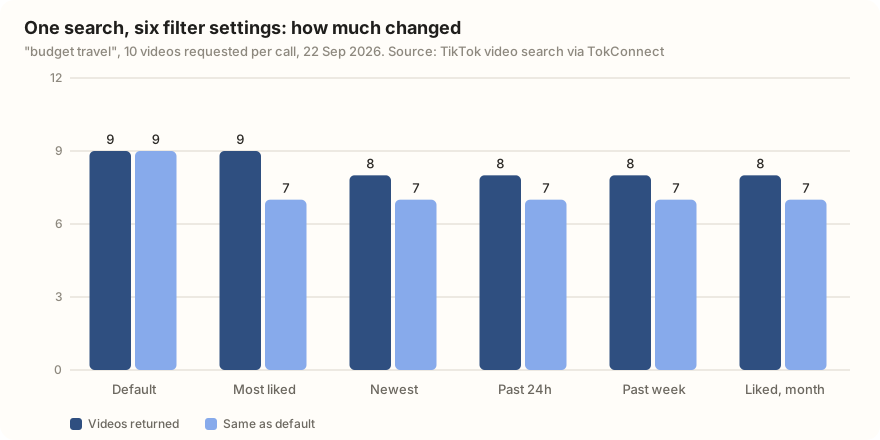
Read the table as a warning as much as a demo. No date window removed the February video, and Most liked did not put the most liked video, at 349,170 likes, first. From outside the app we cannot tell whether TikTok ignored the filters or applied them loosely; either way they changed the mix a little and the order less than you would expect, which is what the Reddit threads above describe from inside the app.
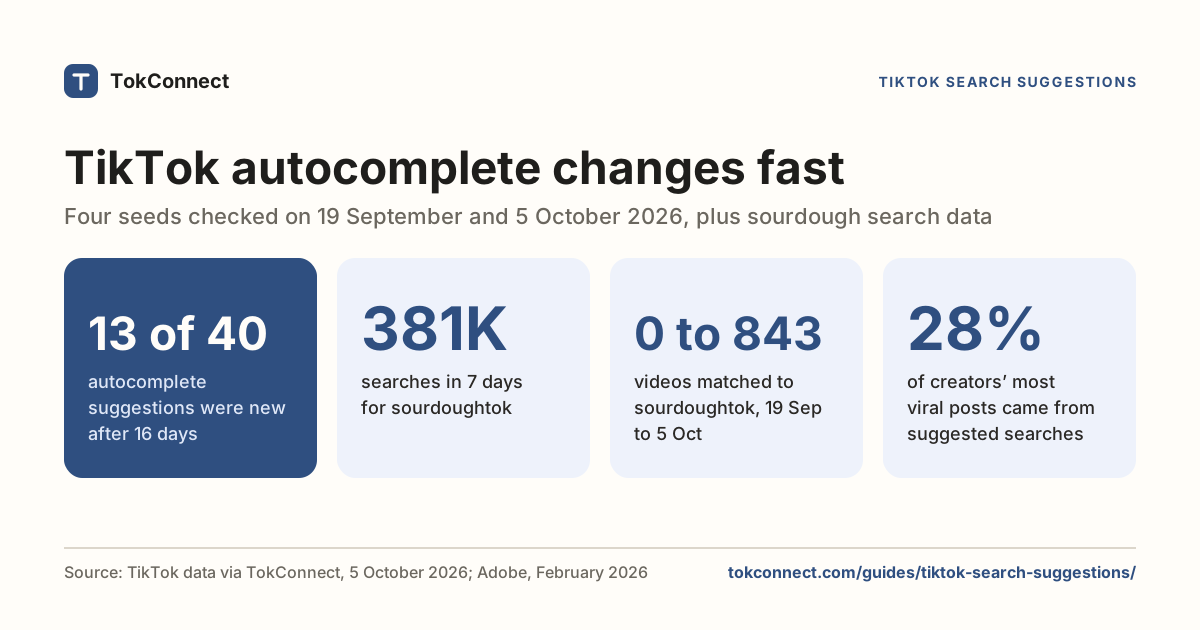
The suggestions show what other people mean by the same words. For "budget travel", TikTok's ten autocomplete suggestions that day were tips, the plain phrase, hacks, package, destinations, camera, and four countries: Japan, Thailand, Vietnam and Mexico. If you make videos, that list is your title options; the suggestions guide shows how to pull it for any phrase.
Data: TikTok search suggestions. Snapshot.
Search TikTok for air fryer recipes, most liked, and list the top 10 with plays and saves. Add the date each was posted, flag any older than a month, and then show me TikTok's autocomplete suggestions for the same phrase.
How we got these numbers
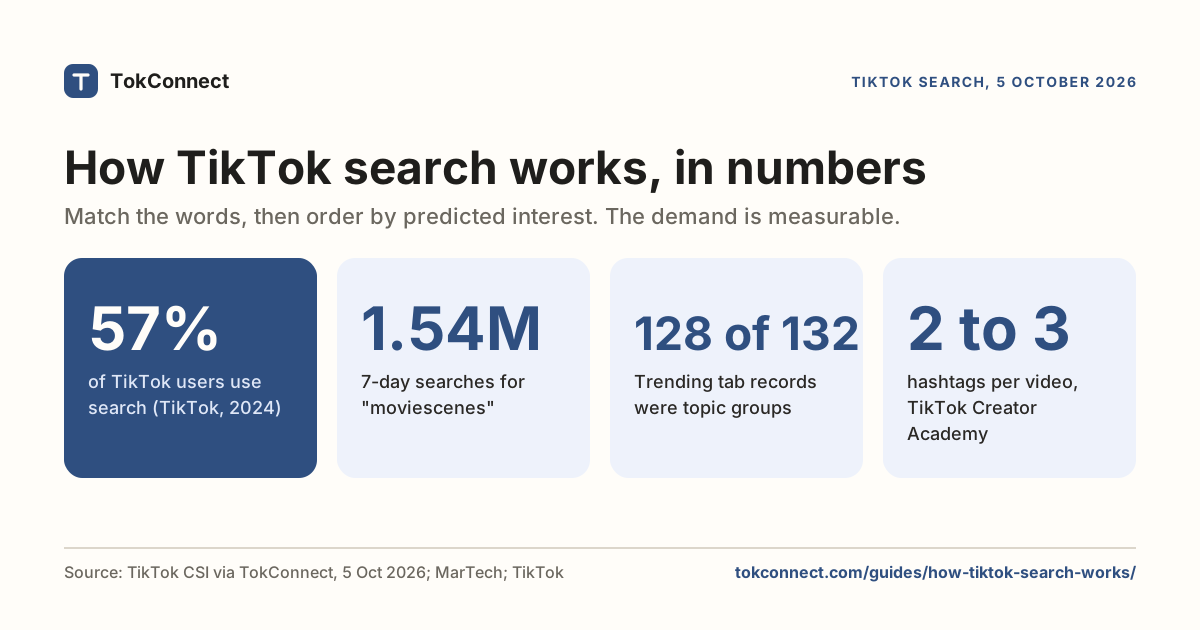
The search-demand figures come from TokConnect topic searches on 5 October 2026 for "how to search on tiktok" and "tiktok watch history" (20 topics each). They are TikTok's Creator Search Insights search popularity: searches in the 7 days to 5 October 2026, global. 19 of the 20 topics for the first seed were TikTok's generated topic groups that pool many searches, so we quote only the typed searches.
The filter test ran one video search, "budget travel", six ways on 22 September 2026 with ten videos requested each time; it shows what the search returned from outside the app, not what every phone shows. Steps and settings come from TikTok's help page and the dated guides linked in each section. Data: search demand, filter test, suggestions.
Key statistics
"Tiktok history" was searched 296,770 times on TikTok in the 7 days to 5 October 2026, worldwide, with 1,048 matched videos.
"my watch history on tiktok" was searched 211,993 times on TikTok in the 7 days to 5 October 2026, worldwide.
"search tiktok by image" was searched 145,243 times on TikTok in the 7 days to 5 October 2026, with 991 matched videos.
All 5 statistics
TikTok's Watch history keeps the videos you watched while signed in for 180 days, under Settings and privacy, Activity center.
In a 22 September 2026 test of the search "budget travel", 7 of 8 videos returned with a past-week date filter also appeared in the unfiltered results, and none of the date windows removed a February 2026 video.
Frequently asked questions
How do I search on TikTok?
Open the app and tap the magnifying glass at the top right of the For You feed. Type a word, a phrase, a username with @ or a hashtag with #, then tap Search. Results open on the Top tab; swipe the row of tabs for Videos, Users, Sounds, LIVE, Shop and the others your version shows. On a computer, the search bar sits at the top of tiktok.com.
How do I filter TikTok search results by date?
Run the search, then tap Filters at the top right of the results (on some versions it sits behind a more options button). Under Date posted, pick a window and tap Apply. TikTok has not published the list of windows; a 2022 guide lists the current week, the current month and three months, and our September 2026 snapshot also accepted past 24 hours, past month and past six months. The filter applies to the Videos results, and in our test it behaved loosely, so check the dates on what comes back.
How do I find a TikTok video I watched but did not save?
Go to Profile, tap the three lines, then Settings and privacy, Activity center, Watch history. It lists what you watched while signed in for the last 180 days, newest first, with no search box inside it. It is a common problem: "my watch history on tiktok" was searched 211,993 times on TikTok in the 7 days to 5 October 2026. The search history guide covers clearing and downloading this record.
Why is TikTok search not working?
Three usual causes. First, TikTok itself is down: on 25 and 26 January 2026 a power outage at a US data center broke feeds and searches for a day, with more than 35,000 reports on Downdetector. Second, your app: an old version, a full cache or a stuck filter, which users on r/TikTok reported in February 2026. Third, your search: personalised search can push results you did not ask for. Check Downdetector first, then update and restart the app, then clear the filter.
Can you search TikTok without an account?
Yes, on the web. Open tiktok.com, use the search bar at the top and choose Continue as guest if a sign-in box appears. Guides updated in December 2025 and January 2026 both confirm this works, and both note that TikTok asks you to log in after you scroll for a while. In the app you need to be signed in.
Does TikTok have an advanced search?
Not under that name. The nearest thing is the Filters panel on the results screen, which lets you sort by relevance or most liked and narrow by date posted; the Users tab adds follower-count and verified filters. There is no way to search only your Favorites, no comment search, and no way to combine words with AND, OR or quotes the way Google allows. To run a search with sort and date options from outside the app and get the results as a list, use an agent with a TikTok search connection, as in the last section of this guide.
Sources and data
- search on TikTok (TikTok Help Center)
- How To Search On TikTok For Just About Anything In 2026 (Social Champ, updated 5 January 2026)
- TikTok search: How to find users, videos, effects and sounds (Sociality.io, 8 September 2026)
- How to Search on TikTok (Vista Social, 15 August 2022)
- Can you search saved videos on TikTok? What works in 2026 (Stasht, updated 4 August 2026)
- How to See TikTok History (SociallyIn, updated 9 May 2026)
- Your TikTok watch history has moved: here's how to find it (Popular Science)
- How To Browse TikTok With No Account and Without the App (Tech Tactician, updated 31 December 2025)
- Is TikTok down? What we know (LiveNOW from FOX, 25 January 2026)
- TikTok's New U.S.-Owned Operation Is Already Having Problems (Vice, 27 January 2026)
- TikTok down for some in US, thanks to second Oracle outage since sale (TechCrunch, 3 March 2026)
- One video search run six ways with sort and date filters, 22 September 2026 (snapshot)
- Search suggestions for one phrase, 22 September 2026 (snapshot)
- Search demand for TikTok search questions, 5 October 2026 (snapshot)