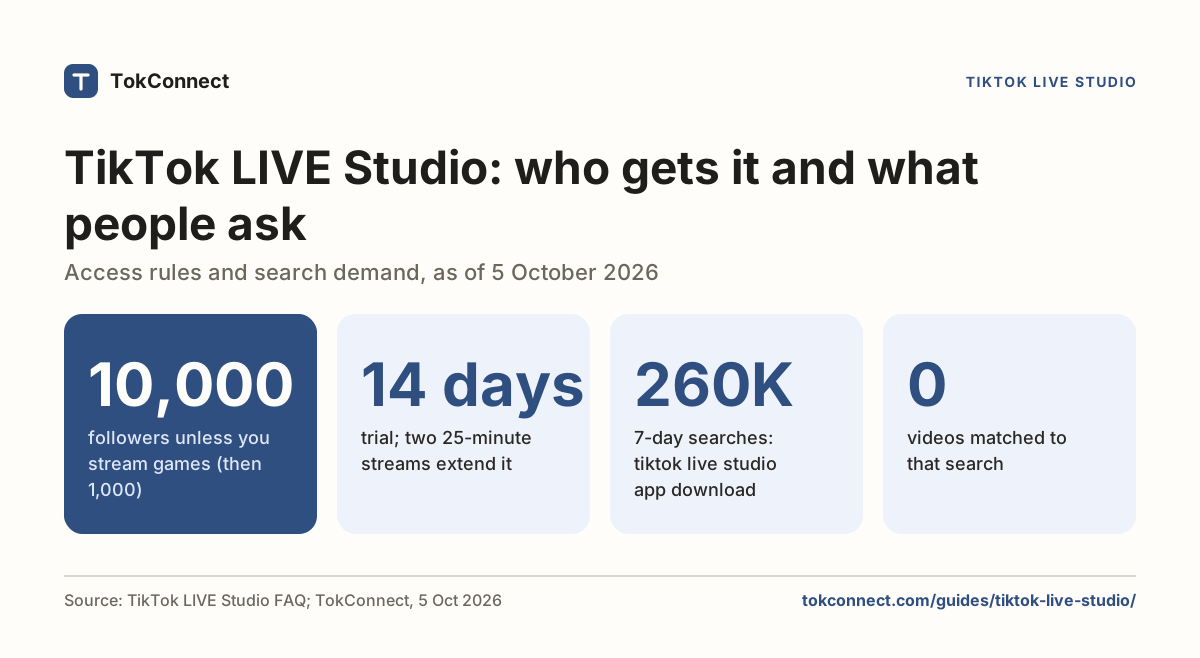

- TikTok Studio is free and built into TikTok. Open it from Profile, the three-line menu, then TikTok Studio; on a computer go to tiktok.com/tiktokstudio; there is also a separate TikTok Studio app on the App Store and Google Play.
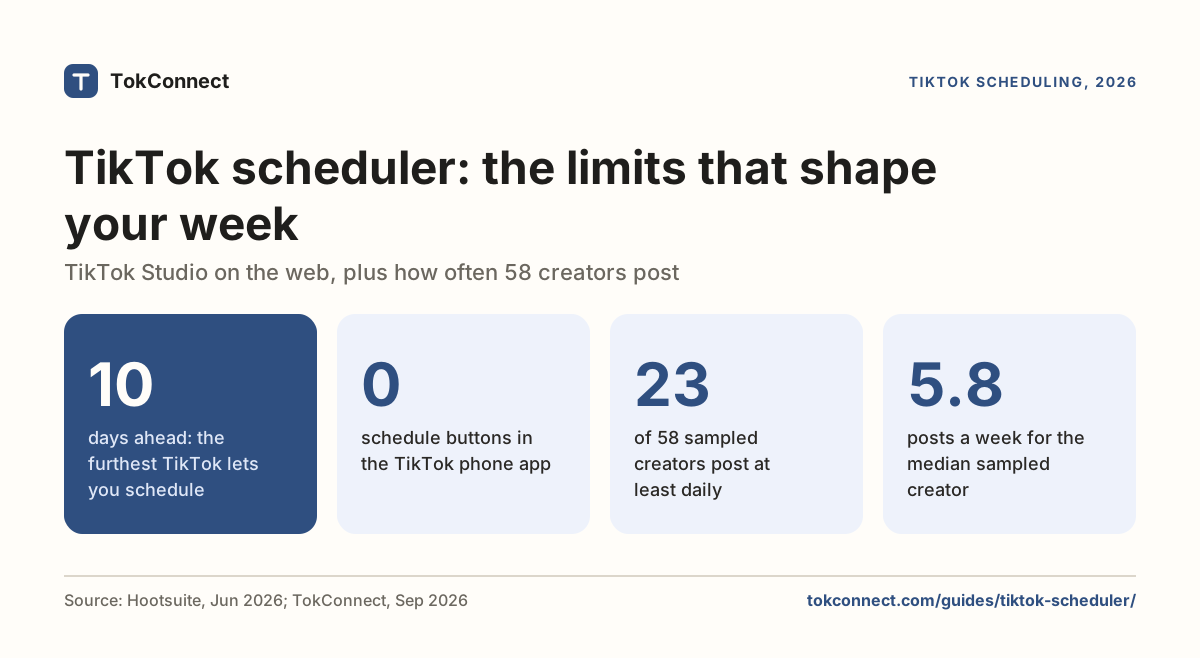
- Desktop is the only place to upload a finished file and to schedule a post, from 15 minutes to 10 days ahead. Drafts made on the phone do not appear on desktop, and desktop drafts do not appear in the app.
- Analytics has five tabs: Overview, Content, Viewers, Followers and LIVE. You need one public video before anything shows, and the Followers tab needs 100 followers.
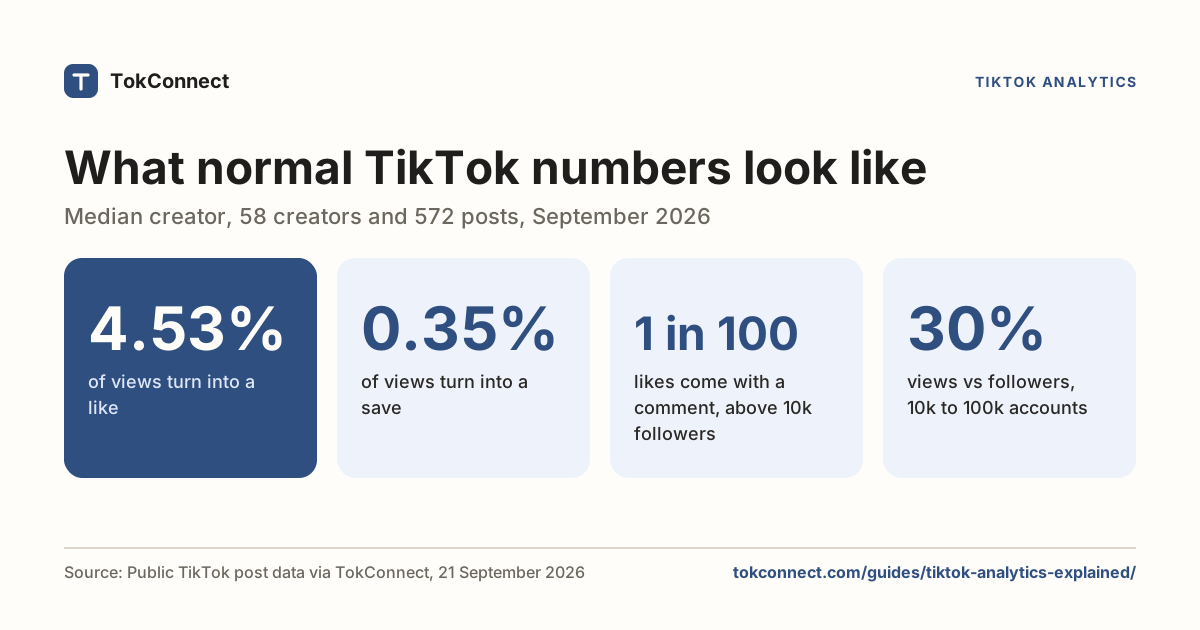
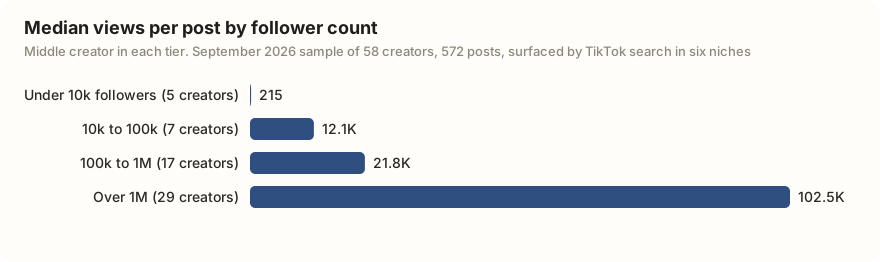
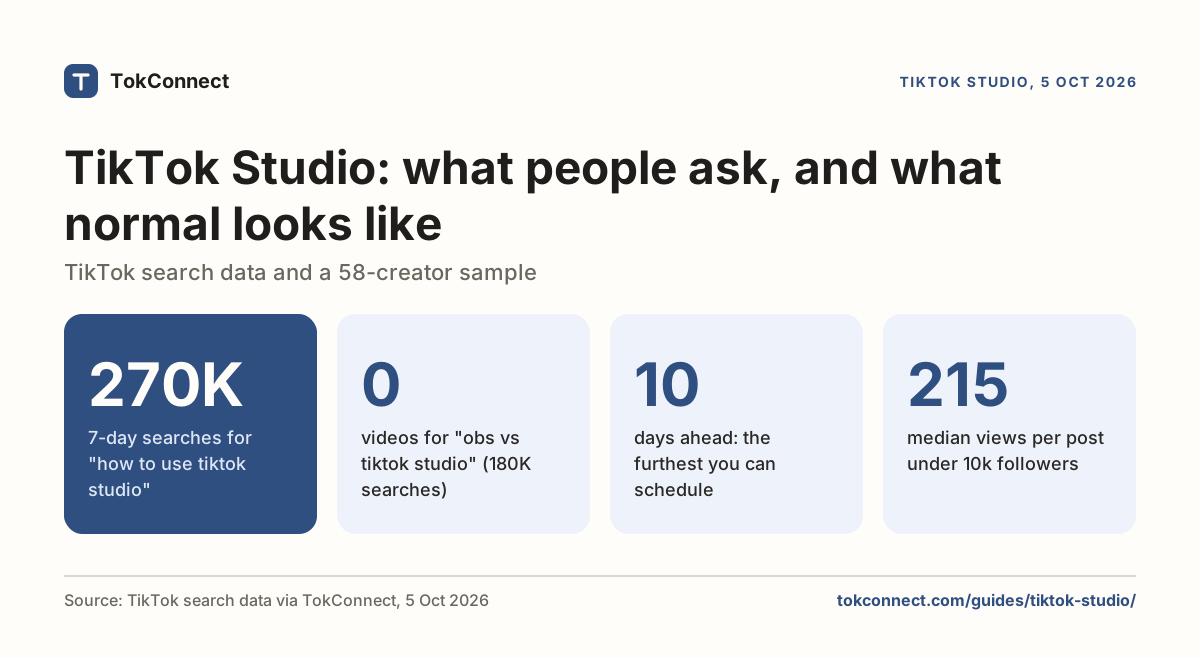
- In a September 2026 sample of 58 creators, the middle creator under 10k followers (5 creators) got 215 views on a typical post; 10k to 100k got about 12,100; 100k to 1M got 21,800; over 1M got about 102,000.
- Account check scans your account and last 30 posts for restrictions and feed-ineligible videos. Run it before you blame a drop in views on a penalty.
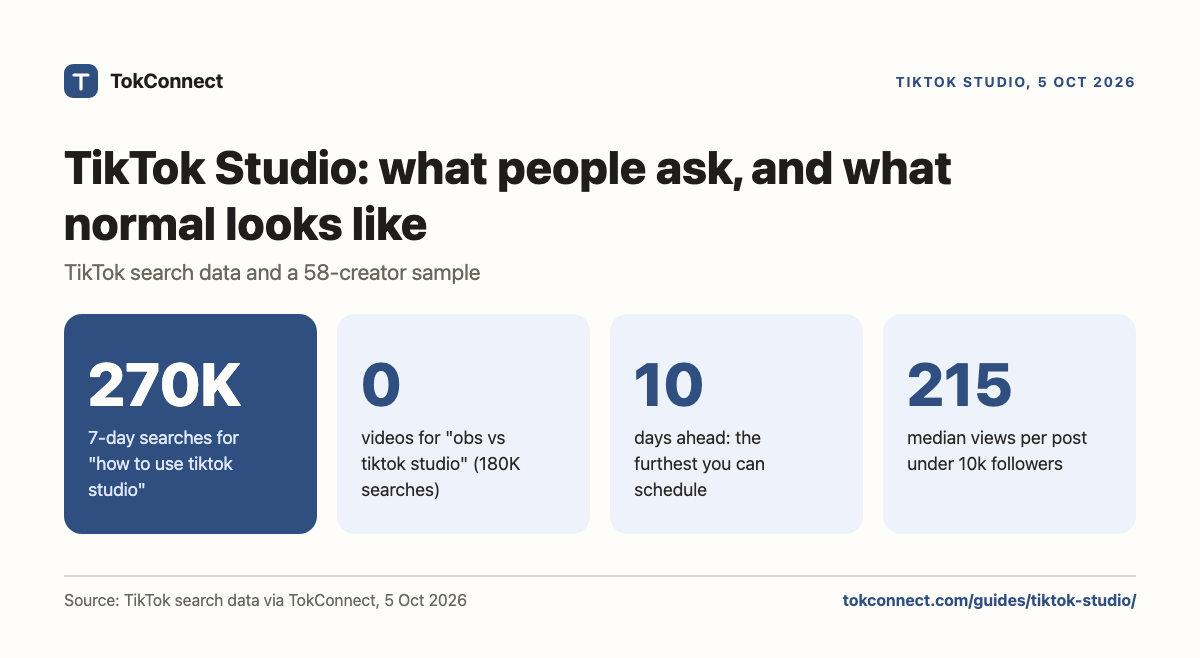
TikTok Studio is TikTok's free creator hub, with your uploads, drafts, analytics, comments, money programs and account warnings in one place. As of 5 October 2026, "how to use tiktok studio" had been typed into TikTok search 270,472 times in the previous 7 days, and the answer starts with where it lives: in the app under Profile, then the three-line menu, on a computer at tiktok.com/tiktokstudio, and as a separate TikTok Studio app for phones.
TikTok launched it in May 2024 to replace the old Creator tools menu and the Creator Center website. It is the same tools in one menu. This page covers each area in plain words, what normal numbers look like when you first open Analytics, and the three problems people search for most.
How to open TikTok Studio
Three doors, one set of data.
- In the TikTok app. Tap Profile, then the three-line menu in the top right, then TikTok Studio. Many accounts also show a TikTok Studio button under the bio. Business accounts see Business Suite instead, with the same analytics.
- On a computer. Log in at tiktok.com and go to tiktok.com/tiktokstudio. The left menu lists Home, Posts, Analytics, Comments, Inspiration, Monetization, Creator Academy and Account check. Uploads and scheduling live here.
- The TikTok Studio app. A separate free app from TikTok on the App Store (iOS 14 or later) and Google Play. It began as an Android beta in "select regions" in May 2024, per launch coverage, with iOS following. TikTok has not published a country list; if your store does not show it, the in-app version and the website still work.
You log in with your normal TikTok account. There is no sign-up, no fee and no follower requirement for Studio itself.
| Task | Studio, app | Main app | Studio, desktop |
|---|---|---|---|
| Record and edit a video | Opens the camera and editor | Yes, the plus button | Upload a finished file only |
| Upload from a computer file | No | No | Yes |
| Schedule a post | No | No | Yes, up to 10 days ahead |
| See drafts | App drafts only | App drafts only | Desktop drafts only |
| Read analytics | Yes | Only per video via the share menu | Yes, on a wide screen |
| Reply to and filter comments | Yes, sorted by post | Yes, one video at a time | Yes, with a keyboard |
| Check money programs | Yes, Monetization | No | Yes, Monetization |
| Check for account restrictions | Yes, Account check | Notifications only | Yes, Account check and Content Check Lite |
| Go LIVE | Through the camera | Yes, plus button then LIVE | Needs LIVE Studio on Windows or a stream key |
Checked against Buffer's TikTok Studio guide (July 2024), Hootsuite's scheduling guide (June 2026), Hopper HQ (January 2026) and eplaybooks (September 2026). TikTok's own reference is the Creator Academy article on TikTok Studio.
Post and upload: desktop uploads, scheduling, drafts
On desktop, click Upload in the top right and pick a video file. Hootsuite's June 2026 guide lists the limits as 10 minutes and 10 GB; other 2026 spec guides say some accounts get longer uploads.
Under When to post, pick Schedule. Every 2026 guide we checked gives the same window: 15 minutes to 10 days ahead. Hootsuite and Hopper HQ both say only Creator and Business accounts see the option, and that the phone app cannot schedule at all. Scheduled posts sit in the Posts page. Hopper says you cannot edit one after scheduling and must delete and re-upload; Hootsuite says you can edit it there. Check your own Posts page.
Drafts do not travel. A phone draft stays in the app; a desktop draft stays in the desktop Posts page. To schedule, finish the video on the computer.
Analytics: where things are
In the app, Analytics sits under Tools with a View all link; on desktop it is in the left menu. It has five tabs: Overview (totals and daily charts), Content (posts ranked by views, with a detail page each), Viewers, Followers and LIVE, matching Hootsuite's March 2026 guide.
What each number means, and how it gets misread, is on TikTok analytics explained. Here, the useful thing is knowing what a normal view count looks like. In September 2026 we sampled 58 creators surfaced by TikTok search in six niches, 572 posts. The middle creator in each follower tier got these views on a typical post.
| Followers | Creators in sample | Median followers | Median views per post |
|---|---|---|---|
| Under 10k | 5 | 813 | 215 |
| 10k to 100k | 7 | 18,000 | 12,130 |
| 100k to 1M | 17 | 450,400 | 21,800 |
| Over 1M | 29 | 3,100,000 | 102,450 |
| All 58 | 58 | 1,183,450 | 22,075 |
Data: a September 2026 sample of 58 creators surfaced by TikTok search in six niches, 572 posts, pulled on 21 September 2026. Each creator's figure is the median of their last 10 posts; each row is the middle creator in the tier. The two smallest tiers hold only 5 and 7 creators. Open the sample.
Where do your last 30 posts sit? Compare my posts
So a new account getting a few hundred views a post is normal, and so is an 18,000-follower account getting 12,000. Even above a million followers, the middle post gets about 3 views per 100 followers.
Ten minutes after posting, the view count is a handful of people and the Overview charts have not moved, because account-level data updates about a day behind. Creators who judge in that window delete videos that would have done fine, or repost them, which starts the clock again. Give a post 24 hours, then compare it with your own last ten posts and the chart above.
Inspiration and Creator Search Insights
The Inspiration tab is TikTok's idea board. TikTok's Creator Academy article describes a Trending tab of top posts, topics and creators, filterable by topic and location, plus posts similar to yours and posts your viewers watched.
What people ask TikTok about Studio itself is mostly "how do I use it". These are the typed searches TikTok returned for "tiktok studio" on 5 October 2026; the other 14 of the 20 results were TikTok topic groups that pool many searches, so they are left out.
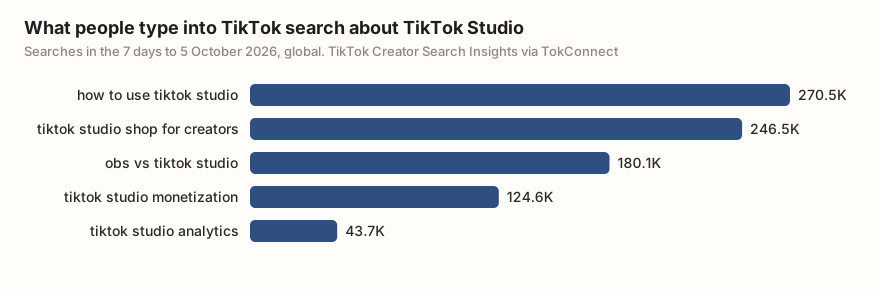
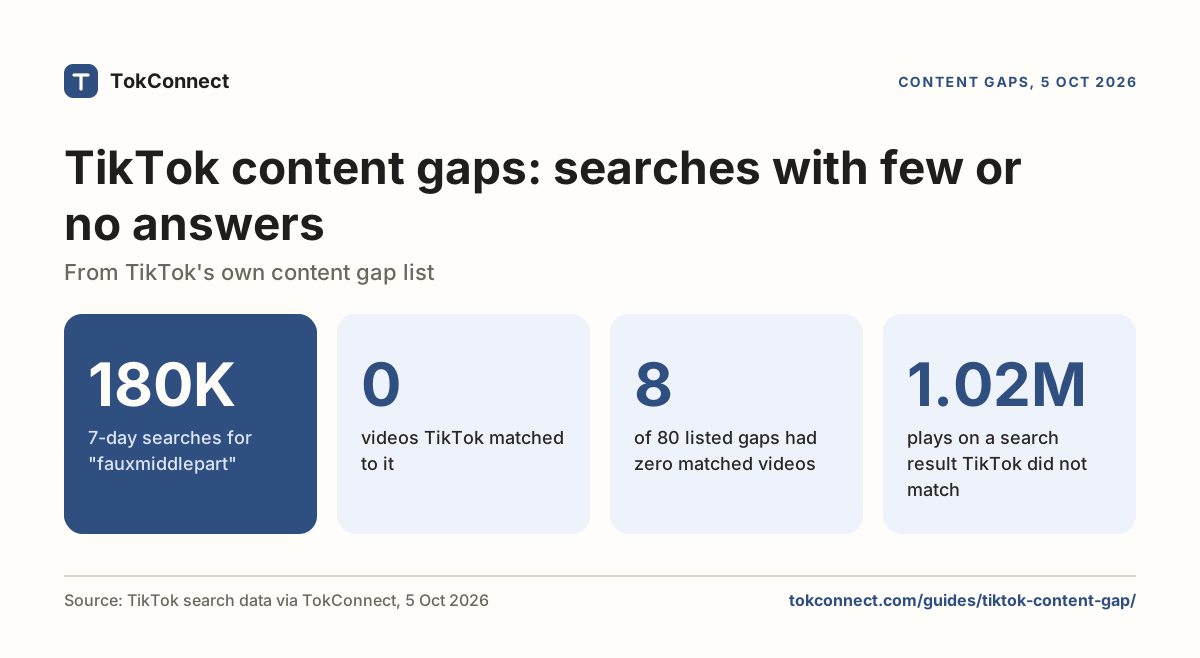
Two of those five had no videos matched to them at all: "tiktok studio shop for creators" and "obs vs tiktok studio". If you make videos about creator tools, those are open questions. Finding gaps like that is what the keyword planner guide and the content gap guide cover.
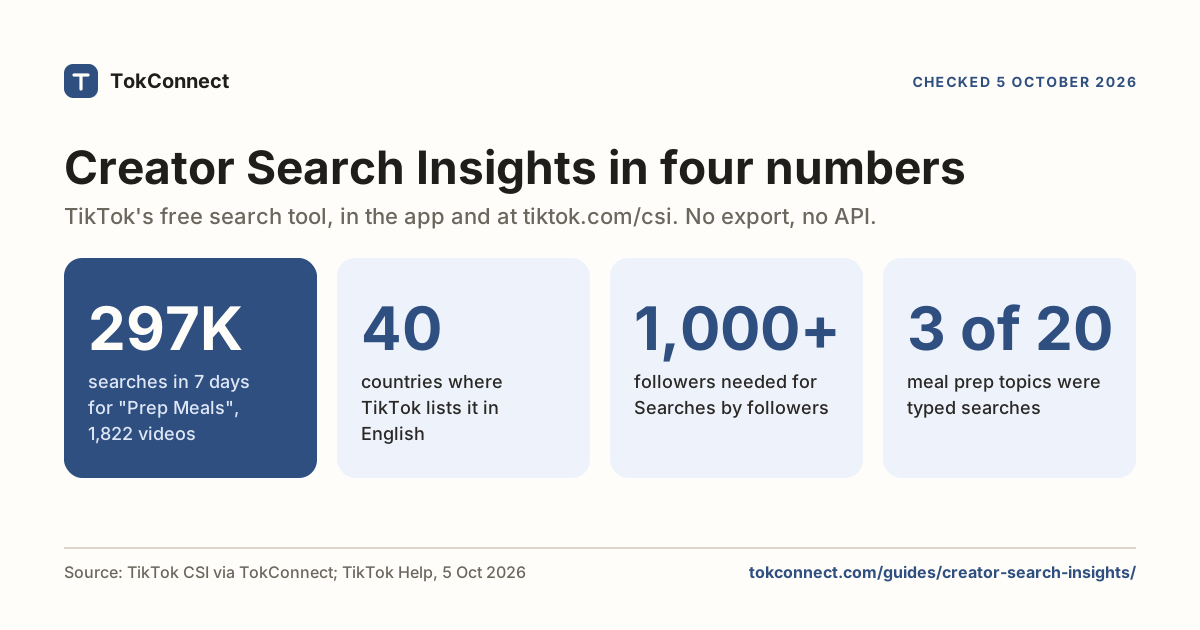
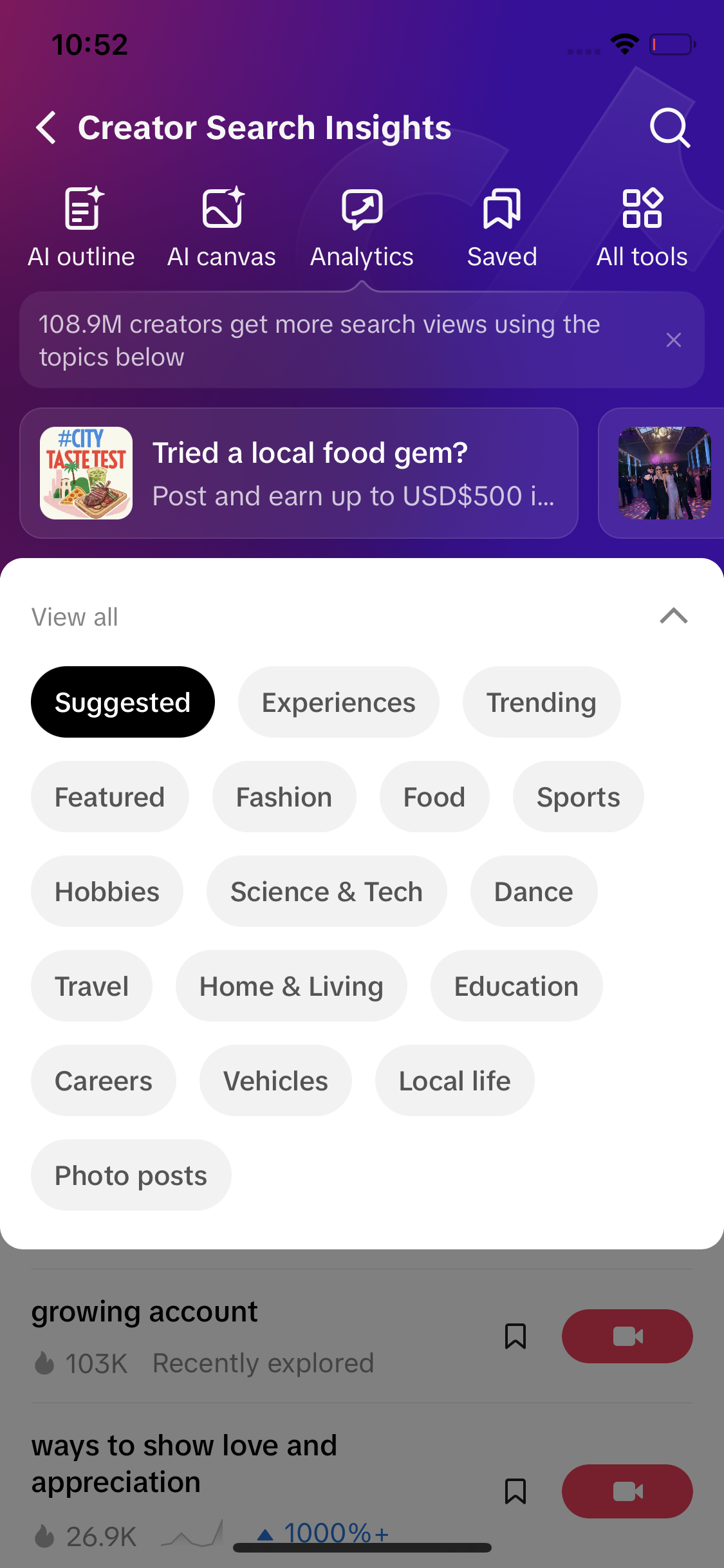
The part worth your time is Creator Search Insights, TikTok's own search-demand tool. It shows what people type into TikTok search, how many searches a topic got in the last seven days, and which topics have demand but few videos. On some accounts it sits inside Studio under Creator tools; on every account you can reach it by searching creator search insights in the app, or on a computer at tiktok.com/csi. The walkthrough with real topic numbers is on Creator Search Insights.
Monetization: Creator Rewards, LIVE, Series
The Monetization tab shows your rewards balance, earnings charts and a card for each program, which TikTok's Creator Academy overview describes as all your earnings and programs in one place. Creators report that each card either lets you apply or names the rule you have not met. The main programs and their published rules:
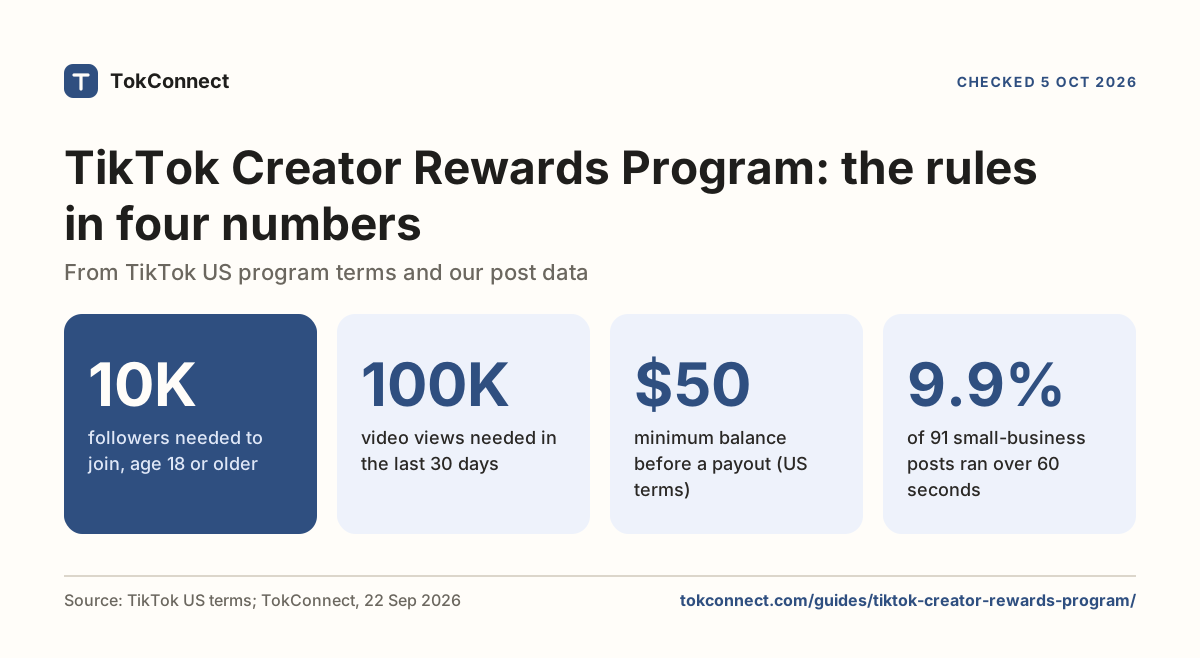
- Creator Rewards Program. Age 18 or over, 10,000 followers, 100,000 video views in the last 30 days, a personal account in good standing, a supported country (TikTok's US program terms, updated 20 July 2026, checked 5 October 2026). Pays per 1,000 qualified views on videos over a minute. Details on the Creator Rewards page.
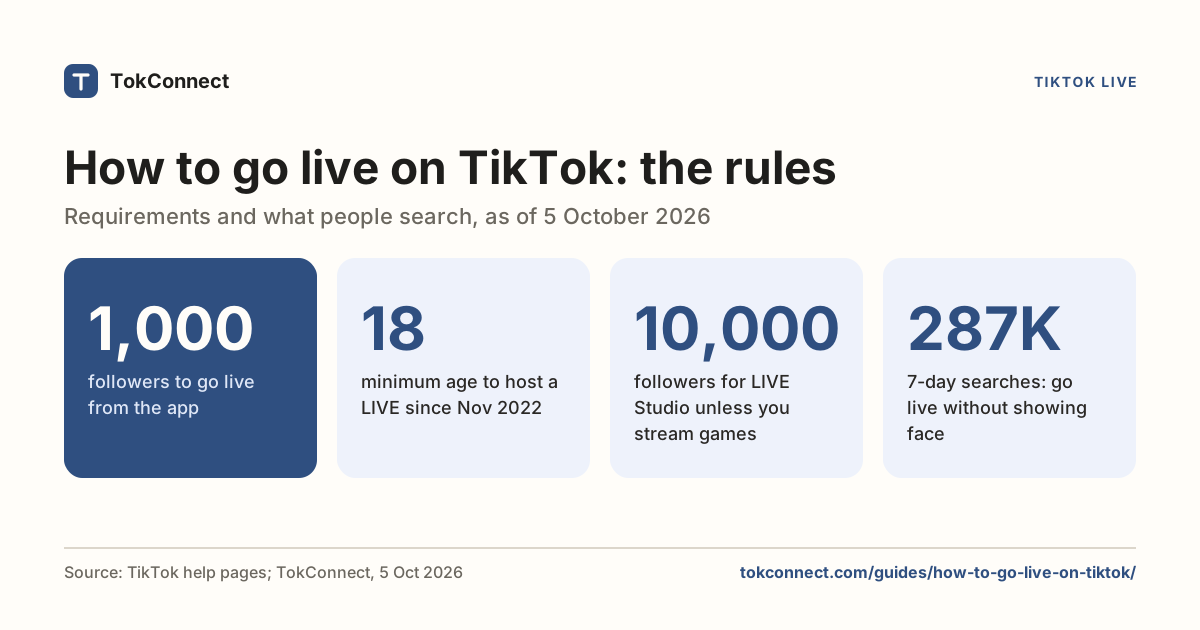
- LIVE. TikTok's published rule for hosting is 1,000 followers and age 18. Steps, and what to do when the LIVE button is missing, are on how to go live on TikTok. Streaming from a computer needs TikTok's separate LIVE Studio app for Windows or a stream key.
- Series. Paid collections of videos behind a price you set. Megadigital's April 2026 guide lists the rules as age 18 (19 in South Korea), an account at least 30 days old and in good standing, 10,000 followers, 1,000 video views and 3 public original videos in the last 30 days, and prices from $0.99 to $189.99. Under 10,000 followers you can apply with proof you sold content elsewhere.
TikTok has not published why the Monetization tab is missing for some accounts. The reasons creators report are an account under 18, an account set to Business (Creator Rewards needs a personal account), or a country where the programs do not run. Our business versus creator account page explains the switch.
Comments and inbox management
The Comments page collects comments from every post in one list, sortable by post, with keyboard replies on desktop. Buffer's 2024 guide called this the Manage tab; eplaybooks' September 2026 comparison still lists cross-post sorting and filtering as a Studio-only feature.
The filters that stop bad comments arriving live in the main app, under Settings and privacy → Privacy → Comments. Filter unwanted comments holds flagged comments in a Review tab, Filter all comments makes every comment wait for approval, and Filter keywords blocks a list you write. Comment guides from 2026, including NapoleonCat's, put the keyword limit at 200 entries. Held comments can be reviewed under View filtered comments or in Studio's Comments page on desktop.
Account health and violations
Account check is the one-tap scan, under TikTok Studio → More tools → Account check in the app and in the left menu on desktop. TikTok's Creator Academy article says it scans your account and last 30 posts for restrictions on logging in, posting, commenting, editing your profile or messaging, for posts marked not eligible for the For You feed, and for posts with a violation. If it finds something, it links to the post or restriction and to the appeal.
Since July 2025 the desktop version also has Content Check Lite, which checks a video before posting for whether it is likely to be eligible for recommendation, per Shortimize's January 2026 guide. Run Account check whenever views fall off a cliff. A clean result means the drop is about the videos, not a penalty.
Key statistics
"how to use tiktok studio" was searched 270,472 times on TikTok in the 7 days to 5 October 2026, with 849 videos matched to it.
"obs vs tiktok studio" was searched 180,081 times on TikTok in the 7 days to 5 October 2026, and TikTok matched 0 videos to it.
TikTok Studio on a computer can schedule a post from 15 minutes to 10 days ahead, and the TikTok phone app cannot schedule posts, according to 2026 guides from Hootsuite and Hopper HQ.
All 5 statistics
In a September 2026 sample of 58 TikTok creators, the middle creator with under 10,000 followers got 215 views on a typical post, and the middle creator with over 1 million followers got 102,450.
TikTok's Creator Rewards Program, shown in TikTok Studio's Monetization tab, requires creators to be 18 or older with 10,000 followers and 100,000 video views in the last 30 days, under TikTok's US program terms updated 20 July 2026.
Creator Academy
The last tab holds TikTok's own articles and short courses on filming, analytics, monetization and rules, also public at tiktok.com/creator-academy. Check a program's rule there before trusting a video that claims otherwise.
Common problems: Studio missing, analytics empty, upload stuck
TikTok Studio is missing. Update the app first; Studio only appears in current versions. Then look in Profile → three-line menu. If the menu says Business Suite, that is your Studio. On a computer, tiktok.com/tiktokstudio works on any logged-in account. If the separate app is not in your store, TikTok has not published a fix or a country list; use the in-app version.
Analytics is empty. Three rules cause almost every case. You need at least one public video. New posts show in the account charts the next day. The Followers tab stays blank until you pass 100 followers. If all three are met and the screen is still blank, wait a day; delays are common and TikTok has not published a fix beyond that.
Upload stuck. TikTok has not published a fix for uploads that hang on processing. Creators report three checks that often work: confirm the file is inside the limits above, turn off any VPN, and open the Posts page before retrying so you do not post the same video twice. If a post says "being processed" for more than an hour, leave it and check Posts later rather than re-upload.
Compare your posts with the benchmarks
Studio never tells you where you sit against accounts your size. An AI agent connected to TokConnect can pull your public post counts and compare them in one go. It sees what anyone sees on your profile (views, likes, comments, shares, saves), not your watch time or traffic sources.
My handle is [@your handle]. Pull the last 30 posts from that account and compare them with the benchmarks on this page. Give me my median views per post and my follower count, then say which tier I am in and how my median compares with these: 215 views under 10k followers, 12,130 for 10k to 100k, 21,800 for 100k to 1M, 102,450 over 1M (September 2026 sample of 58 creators). Flag any post more than double or less than half my own median, and list them with their dates.
Open the flagged posts in Studio's Content tab and read their traffic sources and retention graphs. That is where the reasons live.
How we got these numbers
The search figures come from one search_topics call for "tiktok studio" through TokConnect's MCP server on 5 October 2026, which returned 20 records. Each figure is TikTok's own Search popularity: searches in the last 7 days, worldwide. We kept only typed searches. A record counts as a TikTok topic group, not a typed search, if its 7-day figure is 5,000,000 or more, or 1,000,000 or more with the week's first daily reading under 5% of its last, or TikTok files it as Featured Content; 14 of the 20 were groups. The view benchmarks come from a September 2026 sample of 58 creators surfaced by TikTok search in six niches, each creator's median over their last 10 public posts.
Feature details (tabs, scheduling window, comment filters) come from TikTok's Creator Academy and the 2024 to 2026 guides linked in each section; we have no access to TikTok's internal rules. Data: Studio searches, 5 October 2026, 58-creator sample, autocomplete, 22 September 2026.
Frequently asked questions
What is TikTok Studio?
TikTok Studio is the free creator hub inside TikTok. It puts your uploads, drafts, analytics, comments, monetization programs, Account check and Creator Academy in one place. TikTok launched it in May 2024 to replace the older Creator tools menu and the Creator Center website. It is available inside the TikTok app, on a computer at tiktok.com/tiktokstudio, and as a separate TikTok Studio app for phones.
Is TikTok Studio free?
Yes. TikTok Studio costs nothing, in the app, on the website and as the standalone app, and it has no follower requirement. The programs inside it that pay you, such as the Creator Rewards Program, LIVE gifts and Series, have their own rules on age, followers and views, but there is no charge to use Studio itself.
How do I get TikTok Studio?
You already have it if your TikTok app is up to date. Open your profile, tap the three-line menu in the top right and tap TikTok Studio. Business accounts see Business Suite in the same spot instead. On a computer, log in and go to tiktok.com/tiktokstudio. If you want the separate phone app, search TikTok Studio on the App Store or Google Play; TikTok has not published a list of the countries where it is offered, so if your store does not show it, use the version inside TikTok.
Can I use TikTok Studio on desktop?
Yes, and desktop is where the extra features are. Log in at tiktok.com and open tiktok.com/tiktokstudio. From there you can upload a finished video file, schedule a post up to 10 days ahead, read analytics on a wide screen, reply to comments with a keyboard, and run Account check and Content Check Lite. Scheduling guides from 2026 say only Creator and Business accounts see the schedule option.
Where are analytics in TikTok Studio?
In the app, open TikTok Studio and tap Analytics, or the View all link in the Analytics section under Tools. On desktop, click Analytics in the left menu. You get Overview, Content, Viewers, Followers and LIVE tabs. Nothing shows until you have one public video, new posts appear in the account charts the next day, and the Followers tab stays blank until you pass 100 followers. What each number means is on our TikTok analytics explained page.
What is the difference between TikTok Studio and Creator tools?
They are the same thing under a new name. Creator tools was the menu inside the TikTok app that held analytics, monetization and Creator Search Insights. In May 2024 TikTok folded it, along with the Creator Center website, into TikTok Studio. Some guides and some older app versions still say Creator tools, and a 2026 Series guide still writes "TikTok Studio (formerly Creator tools)". If you see either label, it opens the same hub.
Sources and data
- TikTok Studio (TikTok, login required)
- Unlocking the power of TikTok Studio for creators (TikTok Creator Academy)
- Account check (TikTok Creator Academy)
- Creation inspirations (TikTok Creator Academy)
- Exploring TikTok's monetization features for creators (TikTok Creator Academy)
- Creator Rewards Program Terms, US (TikTok Legal, updated 20 July 2026, checked 5 October 2026)
- TikTok Studio on the App Store (checked 22 September 2026)
- TikTok Studio on Google Play
- TikTok launches management platform for creators (Social Media Today, 27 May 2024)
- TikTok Studio content management app launches in beta (Digital Music News, 24 May 2024)
- How to use TikTok Studio (Buffer, 1 July 2024)
- How to schedule TikTok posts on mobile and desktop (Hootsuite, 10 June 2026)
- How to schedule TikTok posts in 2026 (Hopper HQ, 16 January 2026)
- TikTok analytics 2026: the ultimate guide (Hootsuite, 9 March 2026)
- TikTok vs TikTok Studio (eplaybooks, 11 September 2026)
- TikTok Series monetization for 2026 (Megadigital, 16 April 2026)
- How to tell if TikTok is suppressing your video (Shortimize, 20 January 2026)
- How to manage TikTok comments (NapoleonCat, 17 July 2026)
- Benchmark sample: 58 creators, 572 posts, pulled 21 September 2026 (snapshot)
- TikTok search suggestions for "tiktok studio", pulled 22 September 2026 (snapshot)
- TikTok search topics for "tiktok studio", pulled 5 October 2026 (snapshot)