Free TikTok Hashtag Finder
Look up the TikTok hashtags for your topic and see each tag’s views and video count. Compare them, select the tags that fit your video and copy them into your caption.
Example data checked 8 October 2026 · How we check
Look up hashtags in three steps.
- 01
Type a keyword
Type the subject of your video.
- 02
Compare the tags
Compare each tag’s views and video count.
- 03
Get the list and a CSV
Copy the tags that fit or export the list.
Every hashtag with its views, videos and views per video
Type a topic and the tool lists the hashtags TikTok returns for it. Each row shows total views and the number of videos, so you can see which tags are crowded and which still get attention per video. Select the ones that fit, copy them into your caption or download the list.
The preview uses the real “matcha latte” search from 8 October 2026. Data
Worked example: hashtags for a matcha latte video
We looked up “matcha latte” on 8 October 2026. TikTok returned 10 hashtags and gave view and video counts for eight of them. Here are the six with the most views.
| Hashtag | Views | Videos | Views per video |
|---|---|---|---|
| #matchalatterecipe | 491,755,623 | 28,256 | 17,404 |
| #matchalattes | 138,189,162 | 24,152 | 5,722 |
| #matchalattetutorial | 38,754,718 | 578 | 67,050 |
| #matchalatt | 1,758,456 | 626 | 2,809 |
| #matchalatté | 1,224,577 | 376 | 3,257 |
| #matchalatte🍵✨ | 966,762 | 90 | 10,742 |
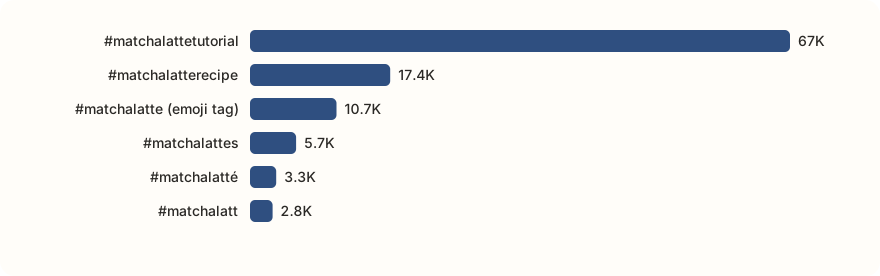
Two of the 10 tags, #matchalatte and #bluematchalatte, came back without counts and are not in the table. Open them on TikTok before you use them. Among the rest, #matchalattetutorial has only 578 videos but 67,050 views per video, nearly four times #matchalatterecipe. For a how-to video, it is the tag to add next to the big one. Views per video is an average across past posts, not a forecast for yours.
Source: TikTok hashtag search, 8 October 2026. Views per video is views divided by videos, rounded. · Data: tiktok-hashtag-finder-matcha-latte-2026-10-08.json
A small tag can beat a big one
Total views favour old, crowded tags. Views per video shows where a new post has a better chance of being seen.
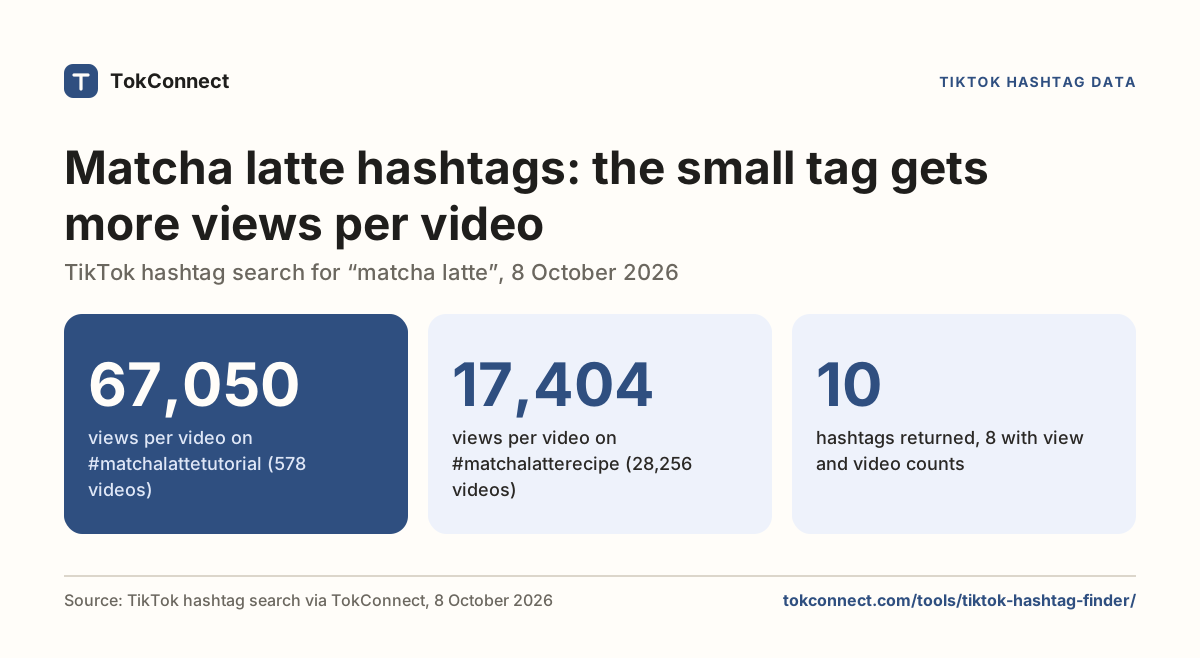
- 67,050views per video on #matchalattetutorial (578 videos)
- 17,404views per video on #matchalatterecipe (28,256 videos)
- 10hashtags returned, 8 with view and video counts
Views per video for six “matcha latte” hashtags
Run this in ChatGPT or Claude.
TokConnect ranks the tags by views and shows the videos winning on them. Connect it once and ask in plain words. 50 free credits, no card. A lookup costs 1 credit and an answer uses about 3.
Connect ChatGPT Connect Claude Building your own agent? Get an API key
Hashtag questions
How do I choose hashtags from the results?
Choose tags that describe the subject and intended audience of your video. Start with a specific topic tag, then consider a broader category where it fits. Open the source pages to see how creators use each tag before including it in your caption.
Should I research keywords as well as hashtags?
Yes. Use keywords to explore how viewers phrase a question, then choose hashtags that describe your answer. For a sourdough tutorial, research the baking problem you solve and select tags connected to that process. Keep hashtag counts separate from keyword search estimates.
Should I pick the biggest hashtag or the most specific one?
Use one broad tag and one or two specific ones. A big tag has more videos competing for the same viewers. See the best TikTok hashtags guide for category lists. On 8 October 2026, #matchalattetutorial had 578 videos and 67,050 views per video, against 28,256 videos and 17,404 views per video for #matchalatterecipe.
Research with TokConnect · Public TikTok data. Source availability and counts can change.