 tokconnect
- A TikTok playlist is a named row of your own public videos on your profile. Viewers tap it and watch the videos in the order you set.
- TikTok and 2026 guides say you need more than 10,000 followers, and TikTok admits even some of those accounts don't have it yet.
- Only public videos can go in, and each video can sit in only one playlist. Names can be up to 25 characters.
- Playlists are free to watch. A Series is paid, and Collections are your saved videos, private unless you make them public.
- Name playlists with the words viewers would search, like "Sourdough for beginners", not "Season 2".
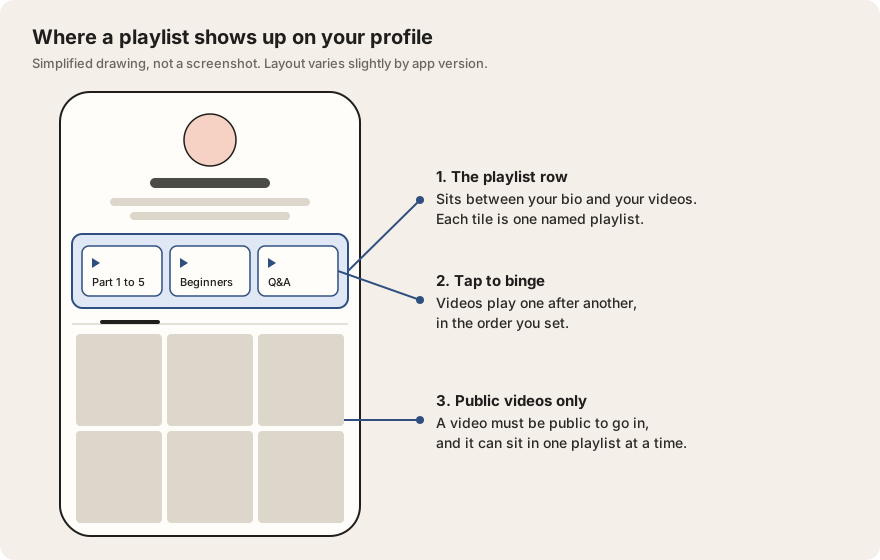
A TikTok playlist is a named group of your own public videos that shows as a row on your profile, between your bio and your video grid. Viewers tap it and watch the videos one after another, in the order you picked. You make one from the Posts tab on your profile, from a video's menu, or in TikTok Studio.
The catch is that not everyone has the button. TikTok's help page and every 2026 guide we checked say playlists are for accounts with more than 10,000 followers, and TikTok admits some of those accounts still don't see it.
What a TikTok playlist is
A playlist puts videos you have already posted under one name, like "Part 1 to 5" or "Beginner workouts". It shows as a tile in a row at the top of your profile. Tap the tile and the videos play in order, so a viewer can watch a whole series without hunting through your grid.
TikTok says viewers can also reach a playlist from its videos in the For You feed (the main feed of videos TikTok picks for each person). So someone who lands on part 3 of your story can jump straight to part 1. That is the real point of the feature: turning one view into several.
A playlist is free to watch and pays you nothing directly. It suits multi-part stories, a format you repeat every week, and a topic you cover often.
Who can make a TikTok playlist in 2026
TikTok hands out playlists slowly, and the sources don't all agree on the rules. Here is what each one says.
| Rule | What we found | Where it comes from |
|---|---|---|
| Followers | More than 10,000 | TikTok Help Center; Nogentech (March 2026); Accio (February 2026) |
| Access | "Not currently available to everyone", even above 10,000 followers | TikTok Help Center |
| Account type | Creator (personal) or Business account | Nogentech and Accio, 2026. TikTok has not published a list. |
| Public account | Playlists are hidden from others if your account is private | TikTok Help Center |
| Standing | Account in good standing under the Community Guidelines | Accio (February 2026) |
| Region | Rolled out country by country | Accio (February 2026). TikTok has not published a country list. |
Checked 27 September 2026 against the TikTok Help Center playlists page, the TikTok Creator Academy playlists article, Nogentech and Accio. TikTok's own pages block automated reading, so we confirmed their wording through search results and recent coverage.
Two disagreements are worth knowing. First, some 2024 guides, including SocialBee's, add a second condition: membership in Creator Next, an older TikTok creator program. No 2025 or 2026 source we found repeats that, so treat it as out of date.
Second, plenty of TikTok videos claim you can get playlists with under 1,000 followers. Those are creator reports, not a TikTok rule. TikTok tests features on a slice of accounts, so a few small creators may really have it. No trick switches it on.
How to make a playlist on TikTok
There are three ways in. They all end at the same screen, where you name the playlist and tick the videos.
From your profile
- Open TikTok and tap Profile.
- In the Posts tab, tap Manage playlists. On older app versions the first prompt reads "Sort videos into playlists".
- Tap Create playlist and type a name. TikTok allows up to 25 characters.
- Tap the circle on each video you want in it. Only public videos show up as options.
- Tap Create.
From one of your videos
- Open a public video from your own profile.
- Tap the three dots, or press and hold the video, and choose Add to playlist.
- Pick an existing playlist, or tap Create playlist to start a new one with this video in it.
From TikTok Studio or while posting
TikTok's help page says you can also create and manage playlists in TikTok Studio, the creator dashboard inside the app. Open the menu at the top right of your profile, tap TikTok Studio, then Playlists. Creators say this route sometimes works when the profile button doesn't show. See our TikTok Studio guide for where everything else sits. You can also add a new video to a playlist on the posting screen, before you publish.
How to add, remove and reorder videos
Everything happens in the playlist's edit screen. Get there from Manage playlists on your profile or from Playlists in TikTok Studio.
- Add videos: open the playlist and tap Add posts, then tick the videos. Or use Add to playlist from a video's menu.
- Remove videos: open the playlist, tap Remove posts, select the videos and confirm. Removing a video from a playlist does not delete it from your profile.
- Reorder: press and hold a video in the edit screen, drag it to its new spot, then leave the screen to save.
- Rename: tap Edit next to the playlist name.
- Move a video to another playlist: remove it from the first one, then add it to the second. A video can only sit in one playlist at a time.
| Limit | What is published |
|---|---|
| Videos per playlist | No cap; up to 100 can be added at once |
| Playlists per account | TikTok has not published this |
| Playlist name | Up to 25 characters |
| Playlists per video | One |
| Which videos | Public videos only |
Sources: TikTok Creator Academy (videos per playlist, one playlist per video) and TikTok Help Center (name length, public videos only), confirmed through search results on 27 September 2026. Steps cross-checked with Nogentech (2026) and SocialBee (December 2024).
Only public videos can be added. A video set to Friends or Only me won't even appear in the picker, which is the most common reason people think the feature is broken. A playlist also shows to others only while it holds at least one public video. If you switch your whole account to private, you can still manage your playlists, but nobody else can see them.
Why can't I make a playlist on TikTok?
TikTok's answer is short: if you don't see the option in the Posts tab, playlists aren't available to you yet. In practice, the reasons line up like this, most likely first.
- You have 10,000 followers or fewer. This is the stated bar, and the usual reason. Our guide on getting followers on TikTok covers what moves that number.
- You qualify but it hasn't reached you. TikTok releases it gradually, by account and by country.
- Your account is private. Switch to public in Settings and privacy, then check again.
- You have no public videos. The picker only lists public posts, so an account of drafts and private videos has nothing to add.
- Your app is out of date. Update TikTok, log out and back in, and look in TikTok Studio as well as your profile.
- Your account has restrictions. Accio notes that features can be limited after repeated guideline violations.
If you pass the bar and still see nothing, report it inside the app: Settings and privacy, then Report a problem. Accio's 2026 guide lists a Profile and Playlists option there.
Under 10,000 followers, you can get most of the effect another way. Many creators save their own videos into a Collection and set it to public; Collections are private by default, but creators report you can switch one to public. You can also pin part 1 of a series to the top of your profile and write "part 2 is on my profile" in the caption of each part.
TikTok playlist vs Series vs Collections
These three sound alike and do different jobs: a playlist is free and public, a Series is paid, and Collections are for saving.
| Playlist | Series | Collections | |
|---|---|---|---|
| What goes in | Your own public videos | Your own videos, up to 80, each up to 20 minutes | Any videos you save, yours or other people's |
| Who can watch | Anyone who visits your profile | Only people who pay to unlock it | Only you, unless you make it public |
| Cost to the viewer | Free | One-time price from $0.99 to $189.99 | Free |
| Who has it | Accounts over 10,000 followers, rolling out | Approved creators, 18 or older, usually 10,000 followers | Everyone |
| Where it sits | Row at the top of your profile | On your profile, behind a paywall | Favorites (bookmark) tab |
| Best for | Letting people binge a free series | Selling a course or deep tutorial | Saving videos to watch or study later |
Sources: TikTok Help Center and Creator Academy for playlists; TikTok's About TikTok Series page and 2026 coverage for Series; TikTok app behaviour and creator reports for Collections. Checked 27 September 2026.
If your videos are free and you want people to watch more of them, use a playlist. If you have something worth paying for, read our TikTok Series guide first; it covers pricing and TikTok's cut. If you mostly want to keep other people's videos for later, that's Collections, which our guide to TikTok saves explains along with what a save tells a creator.
Name playlists with the words people search
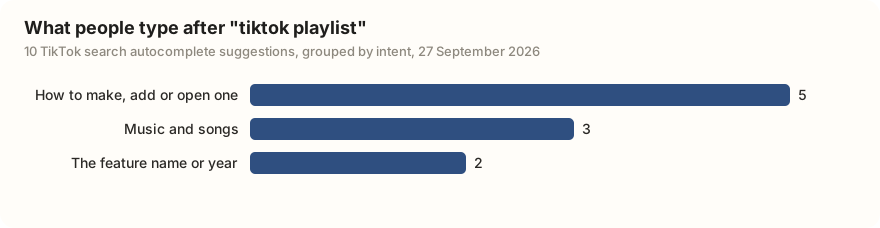
People go looking for playlist help on TikTok itself. We pulled the top 10 search suggestions TikTok shows after someone types "tiktok playlist". Half were about making, adding to or opening one, including how-to phrasings in Hindi, Burmese and Bengali. Three were people after music playlists, and two were just the feature's name or the year.
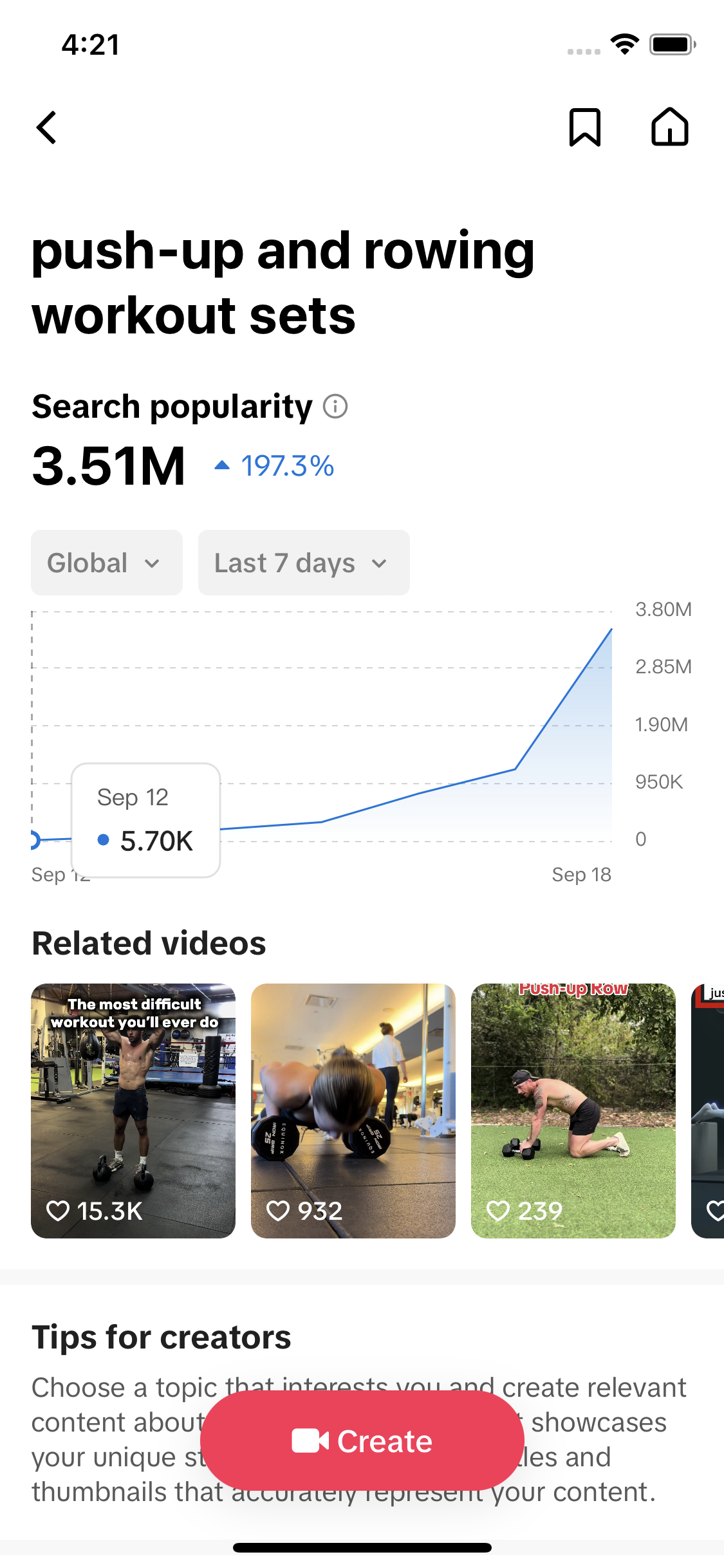
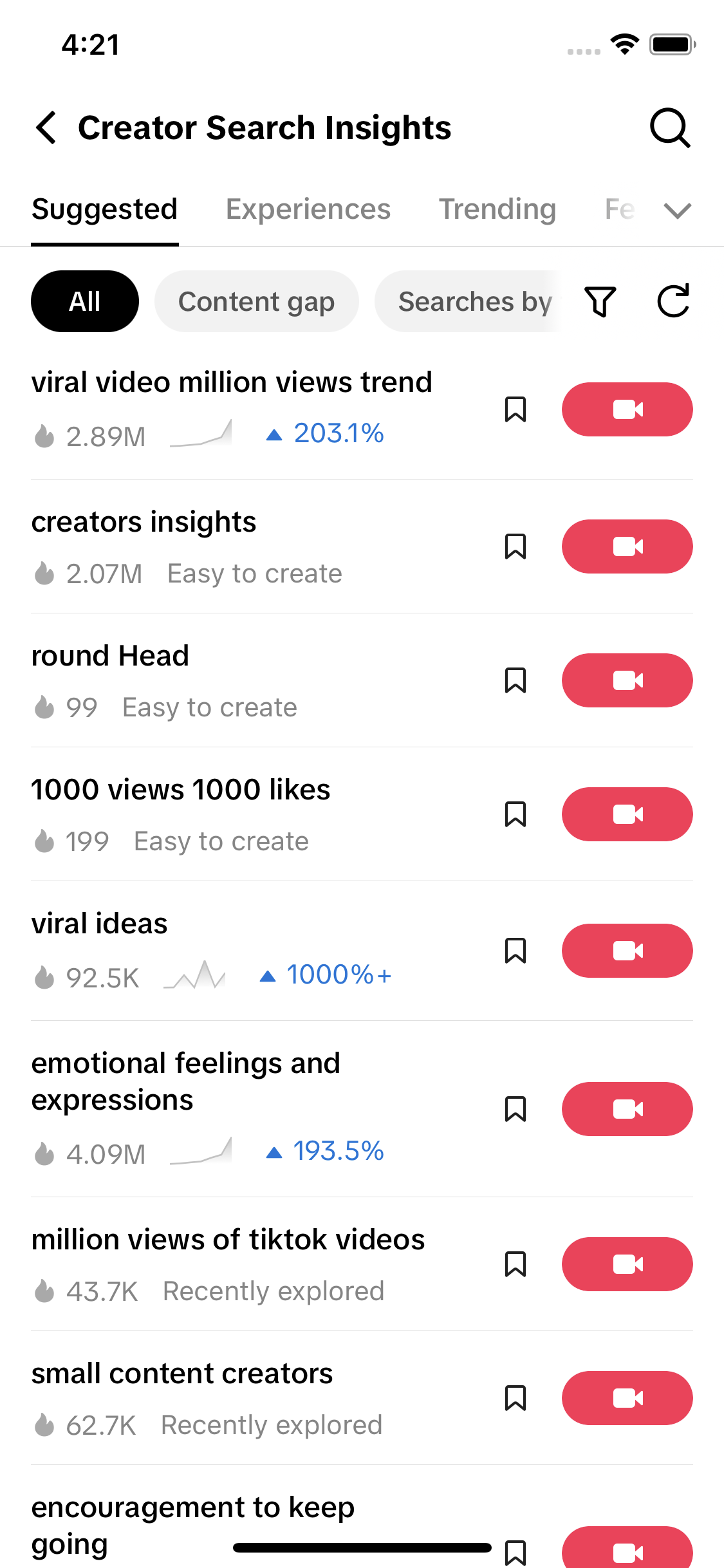
TikTok's own search data shows the same interest. Creator Search Insights, TikTok's free tool that shows what people search on the app, files the feature under app tutorials.
| Topic | Searches in 7 days | Videos matched | Popularity (0 to 100) |
|---|---|---|---|
| tiktok playlists | 203,260 | 1,128 | 72 |
| TikTok playlist | 65,667 | 1,029 | 66 |
Data: TikTok Creator Search Insights via TokConnect, pulled 27 September 2026. Open the snapshot. "Searches in 7 days" is the Search popularity figure TikTok shows on the topic page, worldwide; the daily numbers behind it swing a lot from day to day.
What this means for you: people use TikTok as a search engine, so name playlists the way a viewer would describe them. "Sourdough for beginners" tells a visitor what is inside. "Season 2" does not. TikTok has not published whether playlist names count in search results, but with only 25 characters, a plain name also helps the person already on your profile decide in a second. Our Creator Search Insights guide shows how to check which words your viewers actually type.
An agent can do that check for you, and suggest names that fit the limit.
Look up what people search on TikTok about [my topic]. Show the top searches with their 7-day search volume, then suggest five playlist names under 25 characters that use the words people actually type.
Works in Claude, ChatGPT, Cursor and Gemini once TokConnect is connected. Get a free key (50 credits, no card) or see the setup guides.
Do playlists get you more views?
TikTok says playlists help viewers find related videos, but it has not published any numbers on views or follows from them. Some blogs quote percentage lifts; we couldn't trace those to TikTok or to data we could check, so we left them out.
You can test it yourself. Build a playlist, then compare views on its later parts with similar videos outside it. Our guide to TikTok profile views explains how to see how many people reach your profile, which is where the playlist row lives.
Frequently asked questions
How do you make a playlist on TikTok?
Go to your profile, tap Manage playlists in the Posts tab, then Create playlist. Type a name of up to 25 characters, tick the public videos you want and tap Create. You can also tap the three dots on one of your videos and choose Add to playlist, or open TikTok Studio and go to Playlists.
Why can't I make a playlist on TikTok?
The usual reason is followers: TikTok and 2026 guides say playlists are for accounts with more than 10,000. Even above that, TikTok says the feature is not available to everyone yet. A private account, no public videos or an old app version can also hide the option. Update the app and check TikTok Studio as well as your profile.
How many followers do you need to make a playlist on TikTok?
More than 10,000, according to TikTok's help page and guides from 2026. Some creators on TikTok say they got playlists with far fewer followers. That happens because TikTok tests features on some accounts, but it is not a rule you can rely on.
How do you add videos to a playlist on TikTok?
Open the playlist from Manage playlists on your profile, tap Add posts and tick the videos. Or open a video, tap the three dots and choose Add to playlist. Only public videos can be added, and a video can be in one playlist at a time, so remove it from its old playlist first if you want to move it.
What is the difference between a TikTok playlist and a Series?
A playlist is free: anyone who visits your profile can watch it. A Series is a paid collection of up to 80 videos that viewers unlock with a one-time price between $0.99 and $189.99. Playlists group free videos so people binge them; Series are for selling a course or deep tutorial. See our TikTok Series guide.
Can I put private videos in a TikTok playlist?
No. Only public videos can go in a playlist, and videos set to Friends or Only me won't show in the picker. A playlist only appears to others while it has at least one public video, and if your whole account is private, nobody else can see your playlists.
Sources and data
- Create playlists of your videos (TikTok Help Center)
- Playlists (TikTok Creator Academy)
- About TikTok Series (TikTok Help Center)
- How to Make a Playlist on TikTok (Nogentech, updated March 2026)
- How to Make a Playlist on TikTok: A Full Guide for Users (Accio, February 2026)
- How to make a playlist on TikTok (SocialBee, December 2024)
- TikTok playlist search suggestions and topics, pulled 27 September 2026 (snapshot)