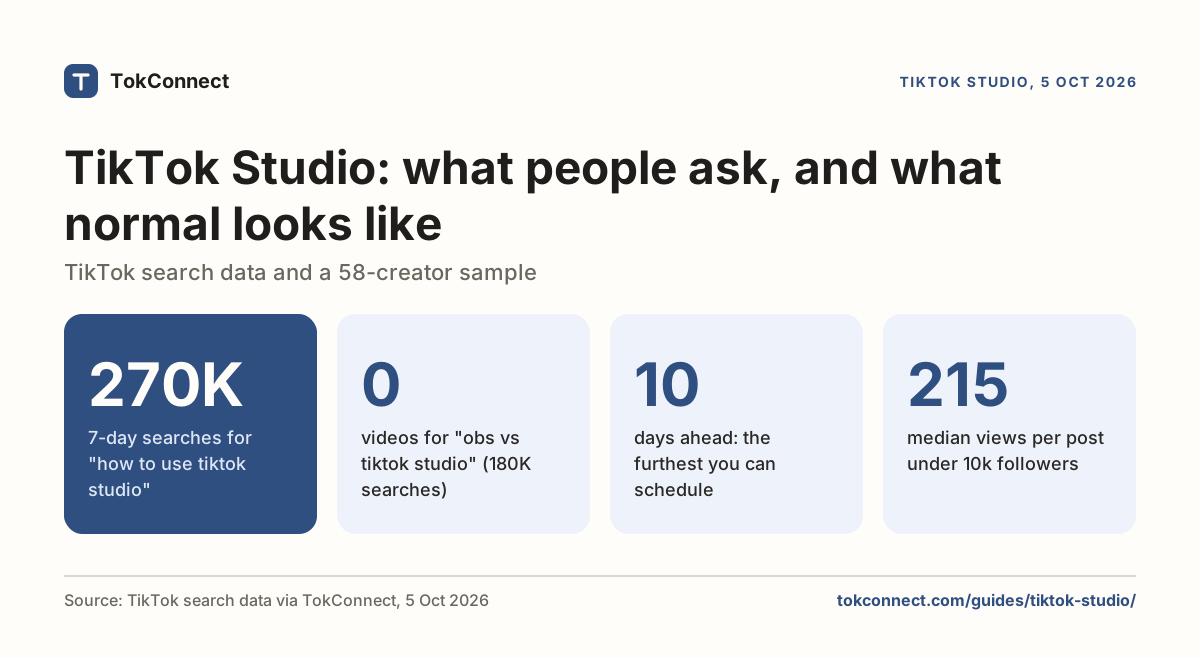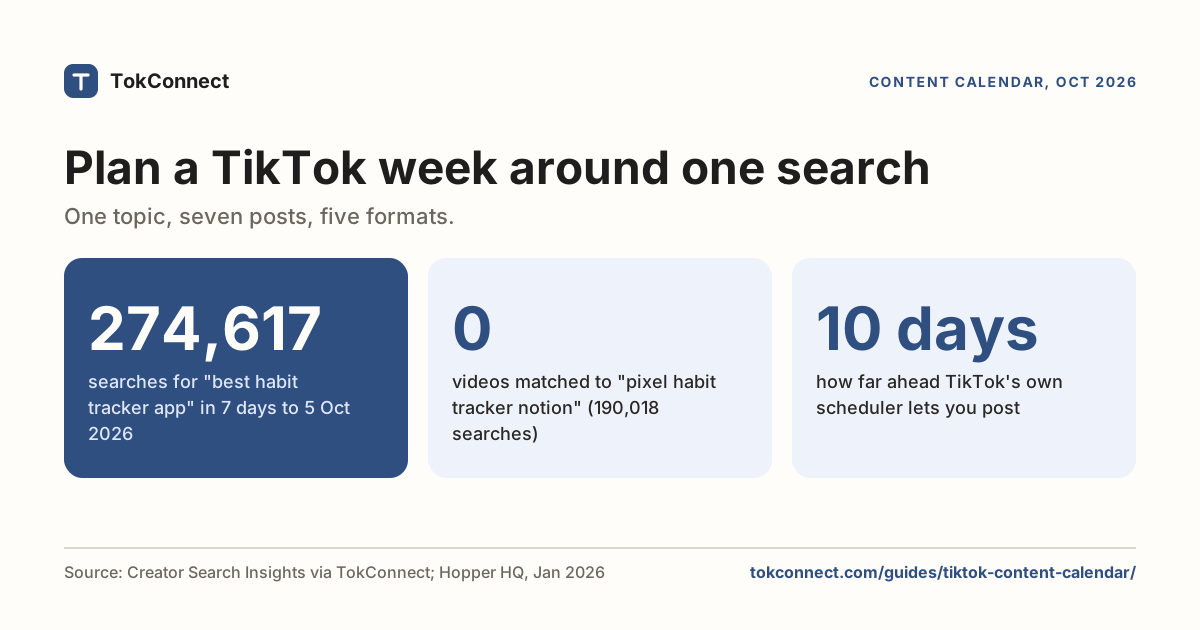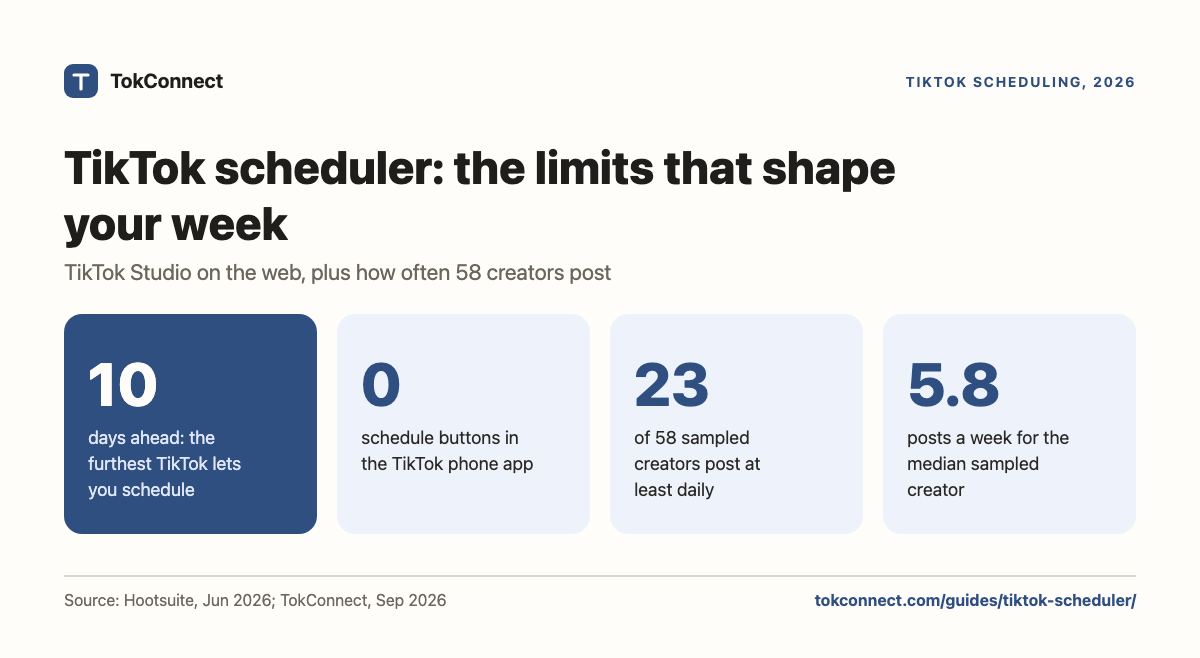

- TikTok has a free scheduler in TikTok Studio on the web. It reaches 10 days ahead, needs a Creator or Business account, and is not in the phone app; use tiktok.com in a browser.
- You cannot add TikTok's in-app effects, filters, stickers or sounds to a scheduled post, so schedule the plain ones and post the rest live. Guides disagree on whether you can edit a scheduled post, so check your own Posts page.
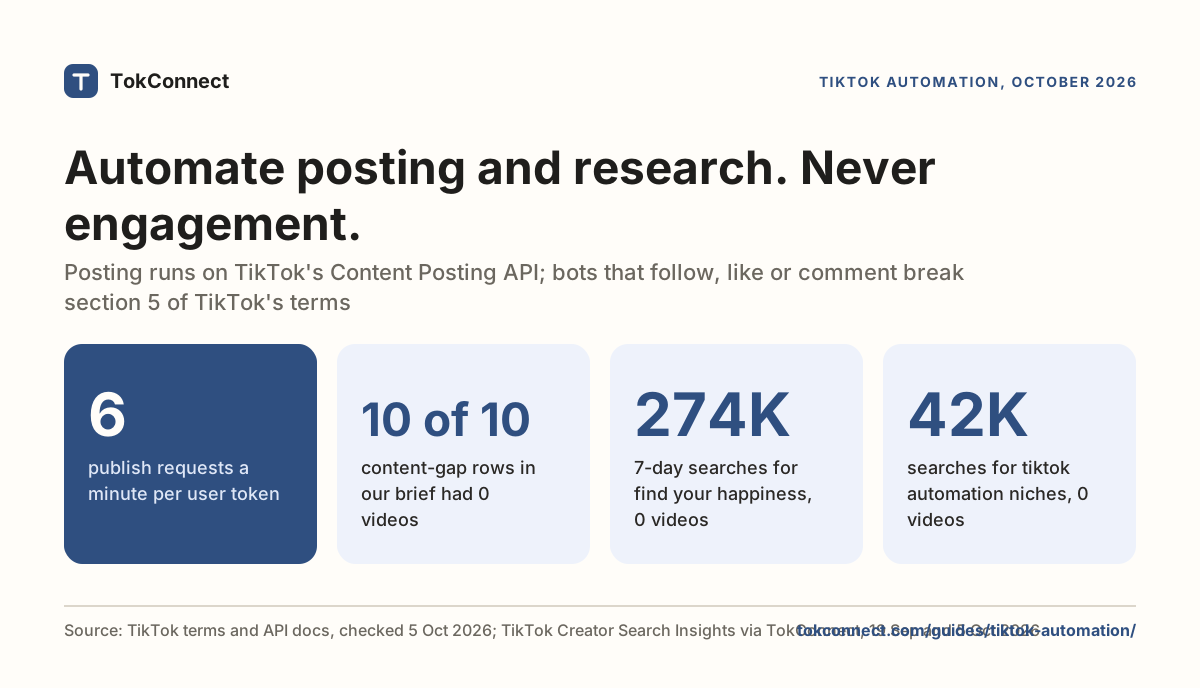
- Third-party tools are built on TikTok's Content Posting API. Only tools that pass TikTok's audit can Direct Post publicly; the rest just drop a draft in your inbox for you to publish by hand.
- TikTok has not said scheduled videos get fewer views, and there is no published evidence they do. The likelier cause of a weak scheduled post is the time it lands, or that people schedule their weaker videos.
- A scheduler that runs while nobody opens the app is a trap. A video's first hour needs replies, so set a reminder to answer comments when each scheduled post goes live.
Yes, you can schedule TikToks for free with TikTok's built-in scheduler, but only from TikTok Studio in a web browser and only from 15 minutes to 10 days ahead. The phone app still has no schedule button, according to Hootsuite's guide updated 10 June 2026. A third-party TikTok scheduler can go further and post for you automatically, but the company that makes it has to be approved by TikTok first.
This page covers both routes, then the question most people ask before either: does scheduling cost you views? The short answer is that TikTok says no and there is no published evidence that it does. The longer answer is that how you schedule can still cost you, and we will show where.
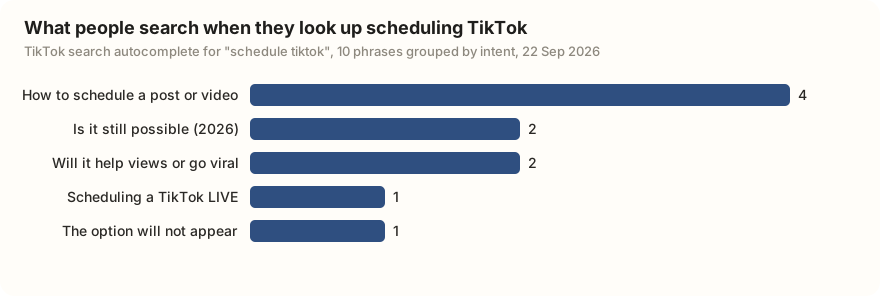
People search for this in a few different ways. Grouping TikTok's own search suggestions for "schedule tiktok" shows what they are really after: how to do it at all, whether it still works this year, and whether it helps or hurts reach.
How does TikTok's own scheduler work?
TikTok's scheduler lives inside TikTok Studio, on the web. Go to tiktok.com in a browser, log in, and upload a video; before you post, you get a toggle that switches from "Post now" to a date and time. That is the whole feature. It is free and it works.
The limits are the important part, because they decide how much of your week you can actually plan.
| Question | What TikTok's scheduler does |
|---|---|
| Where is it? | TikTok Studio on the web (tiktok.com in a browser, or the TikTok Studio desktop app). The phone app has no schedule button. |
| Can I do it from my phone? | Only by opening tiktok.com in your phone's browser, not the TikTok app itself. |
| How far ahead? | From 15 minutes to 10 days. You cannot schedule further out than 10 days. |
| Which accounts? | Creator or Business accounts. Personal accounts do not see the option. |
| Can I edit a scheduled post? | No, says TikTok's Video Scheduler post: you cannot change the video, caption or time once it is scheduled. Delete the scheduled post and upload it again. |
| What can't I add? | Effects, filters, stickers, text and sounds from TikTok's in-app editor. The video has to arrive finished. |
Sources: Introducing Video Scheduler (TikTok for Business, read 2 November 2026) for the 15-minute to 10-day window and editing; Hootsuite's scheduling guide (10 June 2026, re-checked 5 October 2026), Hopper HQ (January 2026) and Brandwatch (November 2024) for the phone app and account types.
That last row trips people up. Because the web uploader has no editor, anything you would normally tap on inside the app has to be baked into the file before you upload, or added by hand later. If a video needs a trending sound or an on-screen caption from TikTok's own tools, the scheduler is the wrong tool for it. Schedule the plain videos, and post the ones that need in-app polish live.
The 10-day ceiling shapes how you use it. You cannot load a month of content and walk away; the furthest slot is always 10 days out, so the tool suits a weekly batch, not a quarterly one. In practice that means sitting down once a week, uploading the finished videos you have, and setting their times. It is enough to stop the daily scramble, and it is free, which is more than most people know they already have.
Third-party tools and TikTok's posting API
Every scheduler that is not TikTok's own is built on TikTok's Content Posting API. Knowing how that API works tells you what any paid tool can and cannot do, so you can judge them without a trial.
The API has two modes. Direct Post publishes straight to the account at the scheduled time, with no tap from you. Upload to inbox only drops the video into your TikTok notifications, and you still have to open the app and hit publish yourself. The second one is not really scheduling; it is a reminder with the file attached.
Which mode a tool can offer depends on approval. TikTok audits every app that wants Direct Post. Until that audit passes, everything the app posts is forced to private, visible only to you, so an unapproved tool cannot publish a public video at all. It is a gate every maker has to clear, and it is why brand-new tools sometimes cannot post publicly on day one.
The upside of a tool that clears the audit is real: true Direct Post schedules further out than 10 days, posts several accounts from one screen, and runs on its own so you are not logging into a browser every morning. That is the same category of tool a small team or an agency reaches for. Whether it is worth paying for depends on how many accounts you run and how far ahead you plan.
So when you look at a scheduler, check two things. First, does it do true Direct Post, or does it only send drafts to your inbox? Second, does it post from its own servers? Posting from a data-center IP address is normal for these tools and TikTok allows it through the API, but it is worth knowing that the post is coming from a machine, not your phone. We keep a fuller breakdown of what is allowed, and what gets accounts banned, in the TikTok automation guide. We do not rank paid tools here. The table shows how three well-known schedulers answer the first check, from their own help pages.
| Scheduler | Publishes for you (Direct Post) | Reminder option | Source |
|---|---|---|---|
| Later | Yes: Auto Publish, on all plans including Free, for personal and business TikTok accounts. Auto-published posts can only use original audio | Send Notification, for trending audio | Later Help Center |
| Buffer | Yes: automatic publishing, on Buffer's current plans. Videos over 10 minutes, music and polls need the reminder | Notify Me | Buffer Help Center |
| Hootsuite | Yes: schedules and publishes TikTok videos from its dashboard | Publish via mobile notification, added 22 July 2026 for tagging and music | Hootsuite, what's new |
Each vendor's own pages, read 2 November 2026.
Does scheduling hurt your views?
TikTok has not said that scheduled videos get fewer views. Its published position is that the For You feed ranks each video on how viewers respond to it, first with a small test audience and then wider, with no separate handling for posts that were scheduled. Hootsuite's June 2026 guide states plainly that there is no evidence TikTok treats scheduled posts differently.
Creators are less sure. In the r/SocialMediaMarketing thread "Scheduling videos on tiktok kills them?" from October 2025, several people reported that videos they scheduled underperformed ones they posted by hand. These are individual accounts of what happened, not a controlled test, and the usual explanations are ordinary: a scheduled video lands at a fixed clock time whether or not your followers are awake, and people tend to schedule the videos they care least about while posting their best ideas live.
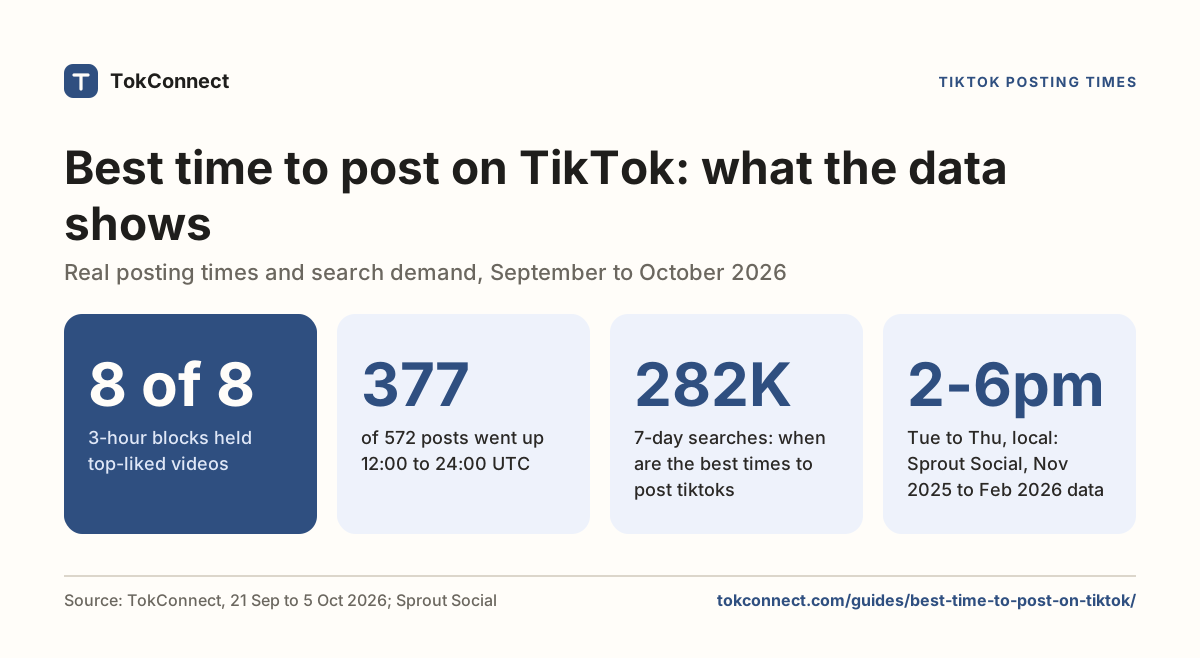
The likelier culprit is timing, not scheduling. Because a video's first hour leans on your followers, the hour it lands matters; our best time to post guide covers how to find yours. If your scheduled posts do worse, compare their median views with your live posts in your analytics before you blame the feature.
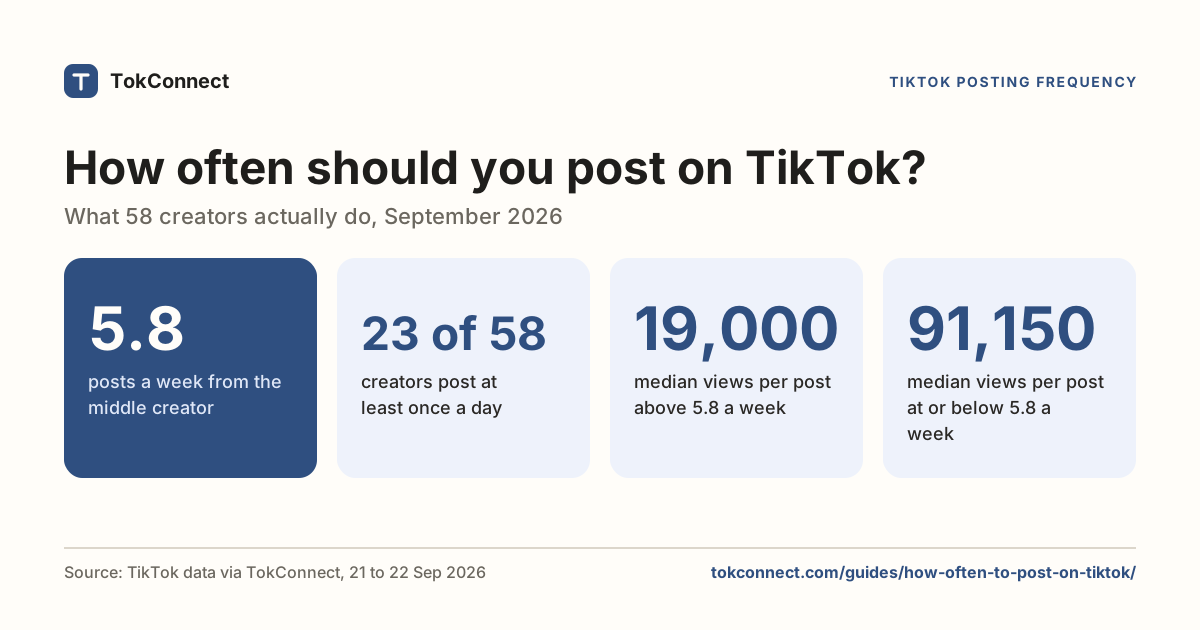
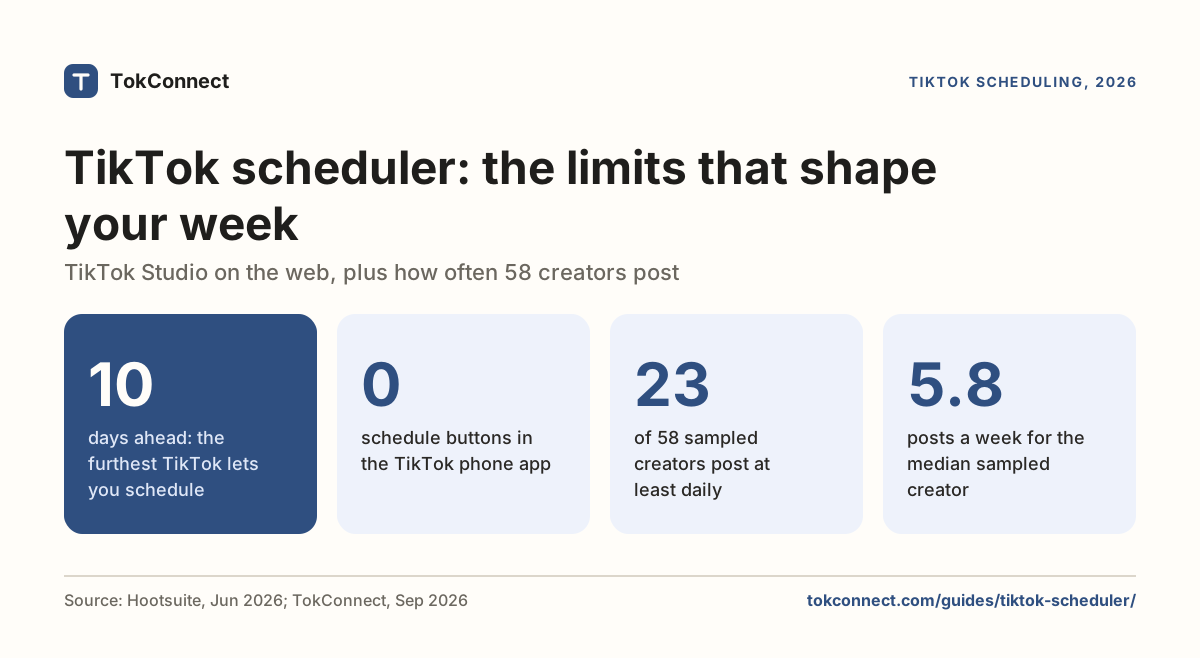
There is a cadence angle too. In a September 2026 sample of 58 creators we measured, 23 of them, about 4 in 10, post at least once a day. Six in 10 post less than that, including some of the biggest accounts. That tells you what a schedule has to hold: if you want to keep pace with the daily posters, you are committing to filling a near-daily calendar every week, and the scheduler only carries 10 days of it. Most creators do not need that pace, and our how often to post guide shows why posting more did not buy more views per video in that sample.
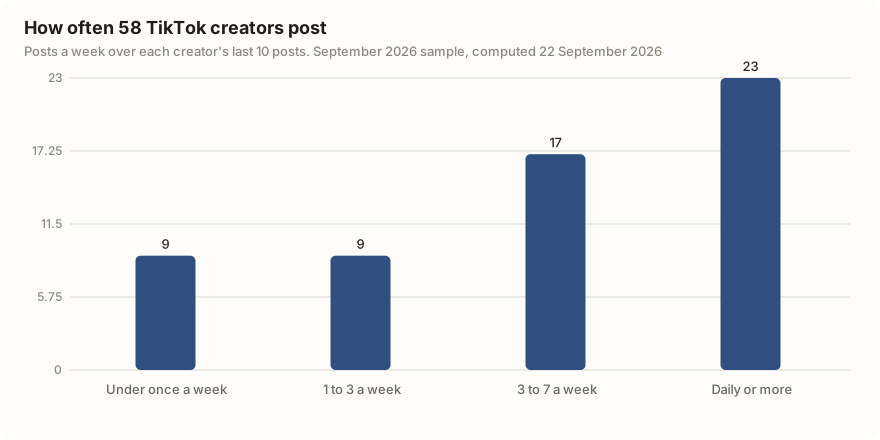
Data: posting cadence of 58 creators, computed 22 September 2026. Open the snapshot. Reddit posts are cited by subreddit and title.
Plan your next 10 days from search
The danger is not the algorithm. It is that you batch a week of videos, schedule them, and then never open TikTok. A video's first hour depends on early comments and replies, and scheduled posts arrive while you are doing something else. If you schedule, set a reminder to open the app when each one goes live and answer the first comments. A queue that runs while nobody is home is worse than posting three videos a week by hand.
I post on TikTok about [your niche]. Look at the search demand for my topics and draft a 10-day posting plan: for each day, give me a topic that has real search interest, a one-line hook, and an on-screen caption using the topic's own wording. Flag which ones need a trending sound added inside the app so I know not to schedule those from the web.
An agent connected to TokConnect can pull the search numbers behind that plan, so the calendar you schedule is built on what people are actually looking for, not guesses.
How we got these numbers
The 10-day window and the editing rule come from TikTok's own Video Scheduler post, read 2 November 2026. TikTok's help pages block automated reads, so the missing phone button comes from Hootsuite (10 June 2026), Hopper HQ (January 2026) and Brandwatch (November 2024), which agree on it. The Direct Post table comes from Later's, Buffer's and Hootsuite's own pages, read the same day.
Our own data comes through TokConnect's MCP server. The cadence figures use a September 2026 sample of 58 creators surfaced by TikTok search in six niches: for each, the posting dates of their last 10 posts, turned into posts per week; 12 creators had last posted before 2026, so the figures describe cadence when they last posted. The autocomplete groups come from TikTok's autocomplete for "schedule tiktok" on 22 September 2026. On 5 October 2026 we also ran a topic search for "schedule tiktok" and "how to schedule tiktok posts" (20 records each); every record met our topic-group rule (a 7-day figure of 5,000,000 or more, or 1,000,000 or more with the week's first daily reading under 5% of its last, or filed as Featured Content), so we quote no search counts for scheduling. Data: cadence, autocomplete, search topics.
Key statistics
TikTok's built-in scheduler, on the web, can schedule a post from 15 minutes to 10 days ahead, according to TikTok's own Video Scheduler post; 2026 guides from Hopper HQ (January) and Hootsuite (10 June) add that the TikTok phone app still cannot schedule posts.
23 of 58 TikTok creators in a September 2026 sample, about 4 in 10, posted at least once a day over their last 10 posts.
The median TikTok creator in a September 2026 sample of 58 posted 5.77 times a week over their last 10 posts.
4 of the 10 phrases TikTok's search bar suggested for "schedule tiktok" on 22 September 2026 asked how to schedule a post or video, and 2 asked whether scheduling helps views.
Frequently asked questions
Can you schedule TikTok posts?
Yes, and for free. TikTok's own scheduler is in TikTok Studio on the web: log in at tiktok.com in a browser, upload your video, and switch from Post now to a date and time before you post. It works on Creator and Business accounts, and lets you schedule from 15 minutes to 10 days ahead. Personal accounts do not see the option, and the phone app has no schedule button.
How do I schedule a TikTok on my phone?
The TikTok app itself cannot schedule posts. To do it from a phone, open tiktok.com in your phone's browser, log in, and use TikTok Studio there, exactly as you would on a computer. The only other way to schedule from a phone is a third-party app that connects to TikTok's posting API and posts on your behalf.
Does scheduling TikToks reduce views?
TikTok has not said so, and Hootsuite's June 2026 guide states there is no evidence TikTok treats scheduled posts differently. TikTok's published position is that the For You feed ranks each video on how viewers respond to it. Some creators report scheduled videos doing worse, but the usual causes are the hour the video lands and the fact that people tend to schedule their weaker videos and post their best ones live. Compare the median views of your scheduled and live posts in analytics before you blame the feature.
How far in advance can I schedule a TikTok?
Up to 10 days ahead, and at least 15 minutes, from TikTok Studio on the web, according to 2026 guides including Hootsuite's (updated 10 June 2026). That suits a weekly batch rather than a whole month. To plan further out you need a third-party tool with true Direct Post, which has to pass TikTok's Content Posting API audit before it can publish public videos.
Can I edit a scheduled TikTok?
No. TikTok's own Video Scheduler post says you cannot change the video, caption or time once a post is scheduled: delete it and upload it again. Either way, TikTok's in-app effects, filters, stickers and sounds cannot be added to a web upload, so they have to be in the video file before you schedule it.
Do I need a paid TikTok scheduler?
Not for one account planning up to 10 days out: TikTok's own scheduler in TikTok Studio is free and hard to beat. For more accounts, longer lead times, or hands-off posting, a paid tool built on TikTok's Content Posting API is the category to look at. Judge them on two things: does it do true Direct Post rather than only sending drafts to your inbox, and are you comfortable that it posts from its own servers. The features matter more than the brand name.
Sources and data
- TikTok Studio (TikTok Help Center)
- Content Posting API (TikTok for Developers)
- How to schedule TikTok posts on mobile and desktop (Hootsuite, updated 10 June 2026, checked 5 October 2026)
- How to schedule TikTok posts in 2026 (Hopper HQ, 16 January 2026)
- How to schedule TikTok posts (Brandwatch, 19 November 2024)
- Introducing Video Scheduler (TikTok for Business blog, read 2 November 2026)
- Schedule & Publish TikTok Posts (Later Help Center, read 2 November 2026)
- Using TikTok with Buffer (Buffer Help Center, read 2 November 2026)
- TikTok scheduling and analytics (Hootsuite, read 2 November 2026)
- TikTok support in mobile push notification publishing (Hootsuite, 22 July 2026)
- Do scheduled posts get less views? (Multilogin, 2026)
- Posting cadence of 58 creators, computed 22 September 2026 (snapshot)
- TikTok search autocomplete for scheduling, pulled 22 September 2026 (snapshot)
- TikTok search topics for two scheduling phrases, pulled 5 October 2026 (snapshot)