tokconnect
- In the app, tap + then Add sound for recommended tracks, or tap the spinning record on any video to open its sound page and see how many videos use it.
- TikTok Creative Center's Trending Songs page is free, needs no login, and ranks songs by country and time period, with New to top 100 and Approved for business use filters.
- Business accounts only see the Commercial Music Library, about 1 million tracks cleared for commercial use. Most chart songs are not in it, and unlicensed music can get a video muted or removed.
- A sound is rising when its video count grows fast over two or three days. Tripling from a few thousand is early; adding the same number to millions is late.
- TikTok has not published what its trending markers mean, or that using a trending sound gets a video more reach.
If you want to know how to find trending sounds on TikTok, start in the app: tap +, then Add sound, and look at the playlists and recommended tracks at the top. Then tap the sound on any video you keep seeing and check how many videos use it. For a ranked list by country, open the free Trending Songs page in TikTok Creative Center. If you post from a business account, you can only pick from TikTok's Commercial Music Library, which leaves out most chart songs.
People search for this constantly, and they want it fresh and local. When we typed "trending sounds" into TikTok's search bar on 27 September 2026, its suggestions included "trending sounds right now", "trending sounds september 2026", "trending sounds jamaica" and "trending sounds in nigeria". A sound can be huge in one country and unknown in the next, so always check where it is trending, not just whether it is.
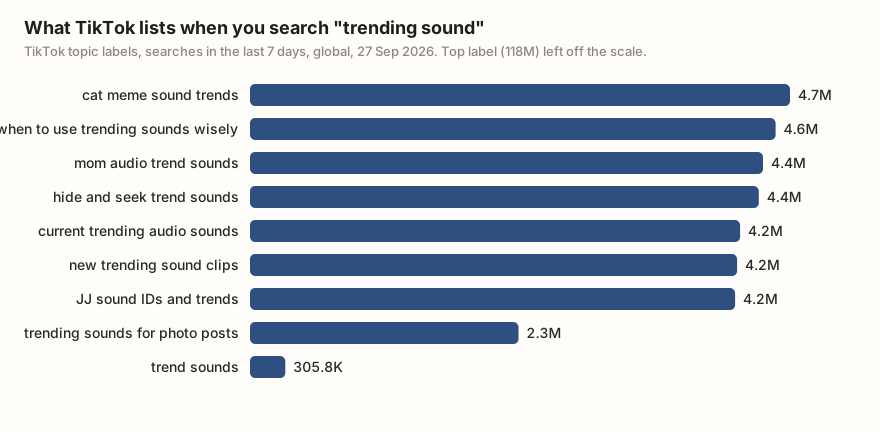
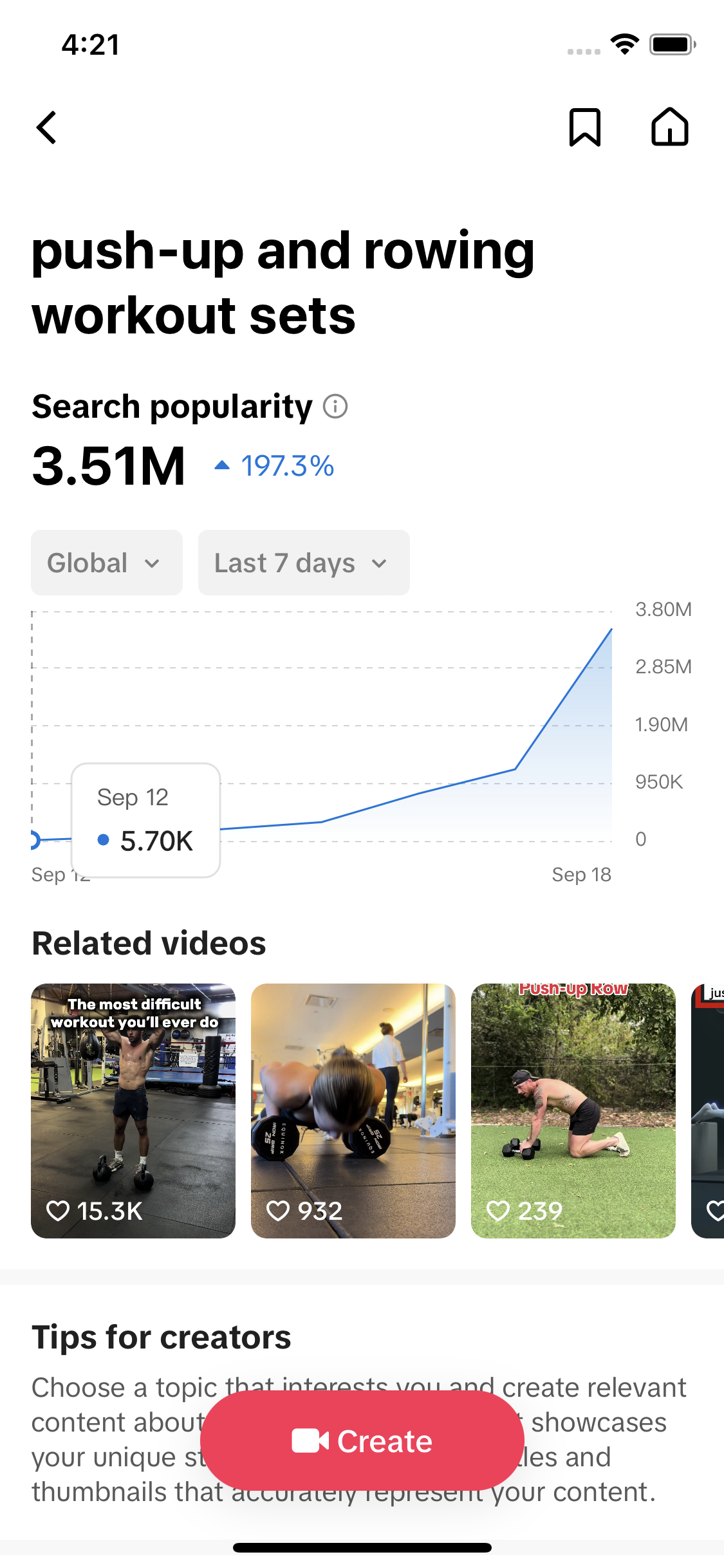
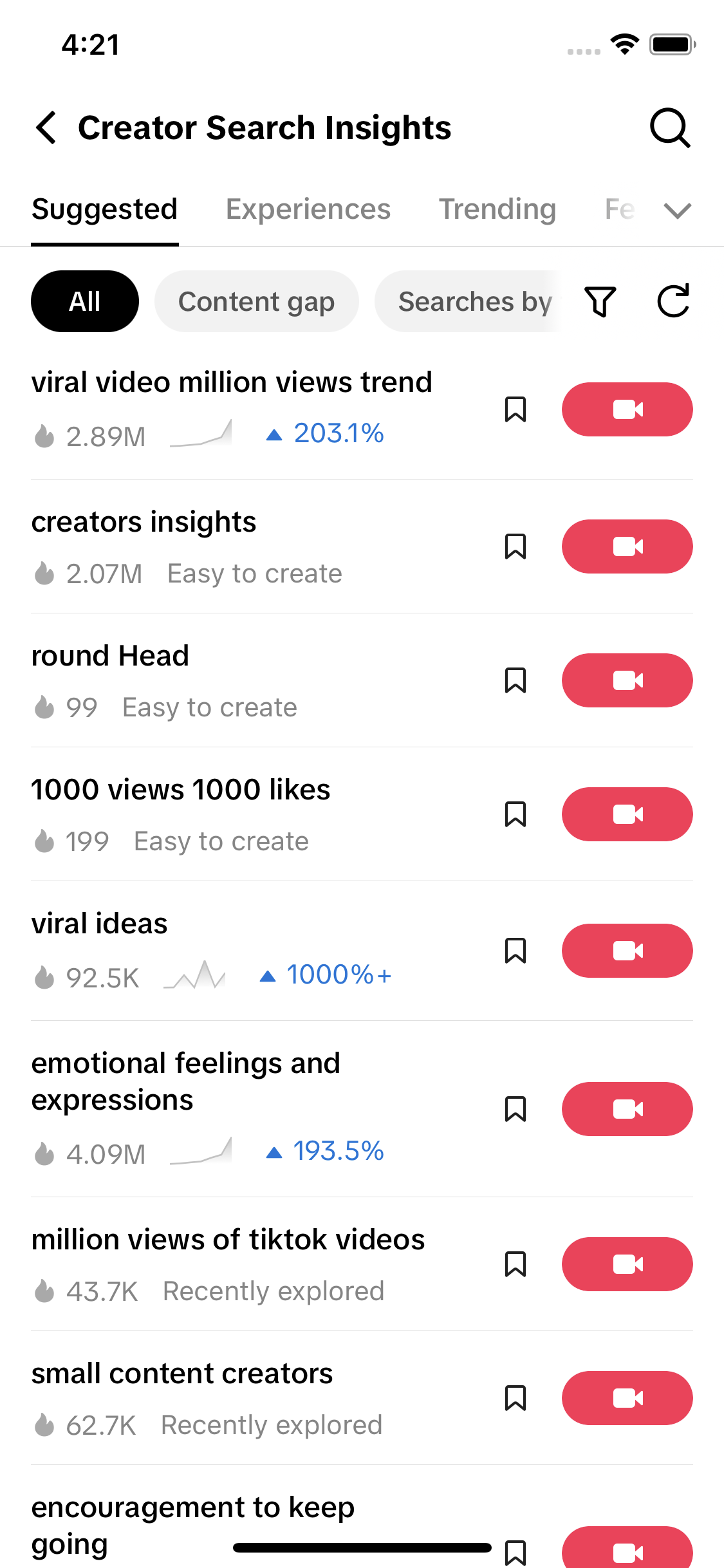
These are TikTok's own names for groups of searches, not phrases we can prove people typed. Seven of the ten started the week near zero and ended it above 2 million, a shape typical of labels TikTok generates. Read them as a sign that sounds are a big search category. The one that looks like real searching is "trend sounds": about 306,000 searches in 7 days and 19,263 videos (what the 7-day figure means).
Where trending sounds show in the TikTok app
The Add sound screen
Tap + to make a video, then Add sound at the top. TikTok shows recommended tracks and playlists. Sprout Social's 2025 guide lists playlists such as TikTok Viral, Featured and New Releases.
The trending marker
Guides disagree on what the marker looks like. Virlo says TikTok flags some sounds in the editor with an upward arrow as a sign they are gaining. Buffer's November 2025 guide says to look for sounds labelled Popular in search results. TikTok has not published what its sound markers mean or how a sound earns one, and the design changes between app versions.
Search, then the Sounds tab
Tap the magnifying glass, type "trending sounds" or "viral song" and switch to the Sounds tab. You get tracks matching the words, not a ranked chart.
The sound page
On any video, tap the spinning record in the bottom right corner. The sound page shows the track, who made it, how many videos use it and those videos. That video count is the number to watch. Sprout Social calls a high count, "especially those created recently", a strong sign a sound is trending.
How to save a sound on TikTok
Save a sound the moment you hear one you might use. A song you scrolled past is hard to find again.
- Tap the spinning record on the video to open the sound page.
- Tap Add to Favorites (on some versions it is a bookmark icon next to the sound name).
- When you make your next video, tap Add sound and open the Favorites tab. Your saved sounds are there.
Buffer's guide gives the same Add to Favorites step, and TikTok's help page on sounds covers the feature. Guides place the saved list in different spots on your profile depending on the app version, so the Favorites tab inside Add sound is the reliable place to look.
TikTok Creative Center: the trending songs list
TikTok Creative Center is a free website TikTok runs for advertisers. Under Trends, then Songs, it ranks the songs used most on TikTok. Creatify and Hawky's July 2026 guide both say no login is needed to browse it.
The filters are what make it useful:
- Country. Pick the country you post for.
- Time period. Buffer lists 7, 30 and 120 days. Some guides mention only 7 and 30. Start with 7 days for what is hot now, then check 30 to see if it lasts.
- New to top 100. Songs that just entered the chart, the closest thing to an early warning TikTok offers in public.
- Approved for business use. Narrows the list to songs a business account can use.
Each song has a rank and a popularity curve, and guides report that it shows how many videos use the song. It covers songs, so a spoken clip or meme audio taking off may not appear. For how Creative Center differs from TikTok's search tool, see Creative Center vs Creator Search Insights.
Can business accounts use trending sounds?
Mostly no. A business account sees only the Commercial Music Library, the TikTok commercial sounds, when it taps Add sound. TikTok's own page (updated July 2025) describes it as a pre-cleared library of 1 million songs, cleared for organic posts and ads, including duets and stitches. Chart hits and the sounds behind most trends are not in it.
The reason is licensing. TikTok's deals with record labels cover people using music for fun. A business promoting itself is commercial use, which needs a different licence. Soundstripe's August 2026 explainer puts it plainly: the general library's licences were negotiated for personal entertainment. The same rule reaches personal accounts too. According to Soundstripe's copyright guide (updated September 2026), a personal account loses the general library for a video the moment it is marked as a paid promotion or branded content.
If a business account posts a song it has no rights to, the video can be muted, taken down, or count toward a copyright strike. Soundstripe notes TikTok can catch it after the video is up, not only at upload. TikTok has not published when it mutes and when it removes. A business that has bought its own licence for a track can upload it and confirm the rights through TikTok's Music Usage Confirmation step.
Switching to a business account removes chart songs from your Add sound screen the same day. Adding the song in another editing app and uploading the finished video does not get around it: the audio can still be detected and muted after posting. If trending songs matter more to you than business tools, stay on a personal or creator account. The business vs creator account guide covers what else changes.
Original sounds: when you can use them
An original sound is audio someone recorded themselves. It shows as "original sound" followed by the creator's name.
On a personal account you can use other people's original sounds freely; that is how most trends spread. On a business account it is less clear, and the sources say it differently. TikTok's Commercial Music Library page tells businesses to check with their legal team before using original sounds or other music from users. Soundstripe goes further and says commercial users should not use original sounds uploaded by someone else. There is also a trap Soundstripe points out: a sound labelled "original" can still contain someone else's copyrighted music, such as a song playing in the background of a clip.
Your own audio is always fine. If you record your voice, play your own music or make your own sound effects, you own it on any account type.
How to tell a sound is rising early
A sound's size tells you it was popular. Its growth tells you it still is. The best sign is how fast the video count on its sound page goes up over a few days.
- Note the count. Open the sound page and write down how many videos use it, with the date.
- Check again in two or three days. Work out new videos per day. For example, a sound that goes from 2,000 to 6,000 videos in two days is adding 2,000 a day and has tripled.
- Compare with where it started. Tripling from 2,000 is early. Adding 2,000 a day to a sound with 3 million videos barely moves it, and you are late.
Buffer and Virlo give the same advice: watch new videos per day and whether that number keeps climbing. Creative Center's New to top 100 filter is the other early signal. Late signs: videos joking that a sound is everywhere, and big brands using it.
One thing is not known. TikTok has not published that using a trending sound gets a video more reach. Creators and marketers widely say it helps; that is their experience, not a stated rule. Pick a sound that fits the video first. The trend research guide covers the other signals worth checking, and what is trending today tracks rising searches daily.
Where to find trending sounds on TikTok, compared
Use the app for what is spreading around you, Creative Center for a ranked list by country, and the Commercial Music Library if you post as a business.
| Where | What it shows | Who can use the sounds |
|---|---|---|
| In the app: Add sound, search, sound page | Recommended tracks and playlists, sounds matching a word, and the video count and videos for any sound | Personal and creator accounts get the full library. Business accounts see only the Commercial Music Library |
| TikTok Creative Center, Trending Songs | Top songs ranked by country over 7, 30 or 120 days, with a popularity curve, a New to top 100 filter and an Approved for business use filter | Anyone can browse, no login. Only songs marked approved are safe for business accounts |
| Commercial Music Library | About 1 million tracks cleared for commercial use, searchable in the app and in Creative Center | Business accounts, and anyone posting branded content or ads |
| An AI agent with TokConnect | Sound search by keyword with video counts, the videos using a sound, and what people search for around a topic, pulled on demand | A research tool, not a music library. Usage rules above still apply |
Checked 27 September 2026 against TikTok's Commercial Music Library page, Creative Center, and 2025 and 2026 guides from Buffer, Sprout Social, Creatify and Soundstripe. Creative Center's time windows are as reported by Buffer; some guides list only 7 and 30 days.
The slow part is checking the same sounds again every few days. An agent can do that and keep the numbers.
Search TikTok sounds for [my niche] and [a related word]. List the top 10 sounds for each with their video counts and today's date, and save the list. When I ask again in three days, pull the same sounds, show how many new videos each gained per day, and rank them by growth. Flag any that tripled. For the top three, show me five recent videos using each sound so I can see how people use it. Tell me which ones are original sounds and remind me that my business account can only use Commercial Music Library tracks.
Works in Claude, ChatGPT, Cursor and Gemini once TokConnect is connected. Get a free key (50 credits, no card) or see the setup guides.
Once you have a sound, you still need an idea to put it under. The video ideas guide starts from what people search for, and artists trying to get a song picked up should read the music promotion guide.
Frequently asked questions
How do I find trending sounds on TikTok?
Tap + to start a video, then Add sound, and look at the recommended tracks and playlists at the top. When a sound keeps coming up on your For You feed, tap the spinning record on the video to see how many videos use it. For a ranked chart, open the Trending Songs page in TikTok Creative Center and pick your country.
How do you know if a sound is trending on TikTok?
Open the sound page and check how many videos use it, then check again two or three days later. Fast growth from a small number means it is rising. Some guides say TikTok marks gaining sounds with an upward arrow and others mention a Popular label; TikTok has not published what its markers mean.
Can business accounts use trending sounds on TikTok?
Only if the sound is in the Commercial Music Library. A business account's Add sound screen shows only that library, and most chart songs and trend sounds are not in it. In Creative Center, tick Approved for business use to see which trending songs a business can use. The account comparison covers the rest of the trade-off.
How do I save a sound on TikTok?
Tap the spinning record on a video to open the sound page, then tap Add to Favorites. Next time you make a video, tap Add sound and open the Favorites tab to find it.
What is the TikTok Commercial Music Library?
It is TikTok's collection of about 1 million songs cleared for commercial use, from independent artists and music companies. Businesses can use it in normal posts, duets, stitches and ads. It is the only music a business account sees when it taps Add sound.
What happens if I use copyrighted music on a TikTok business account?
The video can be muted, taken down, or count toward a copyright strike, and TikTok can catch it after the video is posted. Adding the song in another editing app does not get around this. If you hold your own licence for a track, TikTok's Music Usage Confirmation step at upload lets you confirm it.
Sources and data
- Commercial Music Library (TikTok for Business Help Center, updated July 2025)
- Trending Songs (TikTok Creative Center)
- Sounds (TikTok Help Center)
- How to find trending TikTok sounds in 2026 (Buffer, November 2025)
- How to find trending sounds on TikTok (Sprout Social, June 2025)
- TikTok Creative Center guide (Creatify, 2025, updated 2026)
- TikTok Creative Center: how to use it (Hawky, July 2026)
- Why can I only use commercial sounds on TikTok? (Soundstripe, August 2026)
- TikTok copyright rules for creators (Soundstripe, updated September 2026)
- Trending TikTok sounds (Virlo)
- TikTok topic labels and search suggestions for sound searches, pulled 27 September 2026 (snapshot)