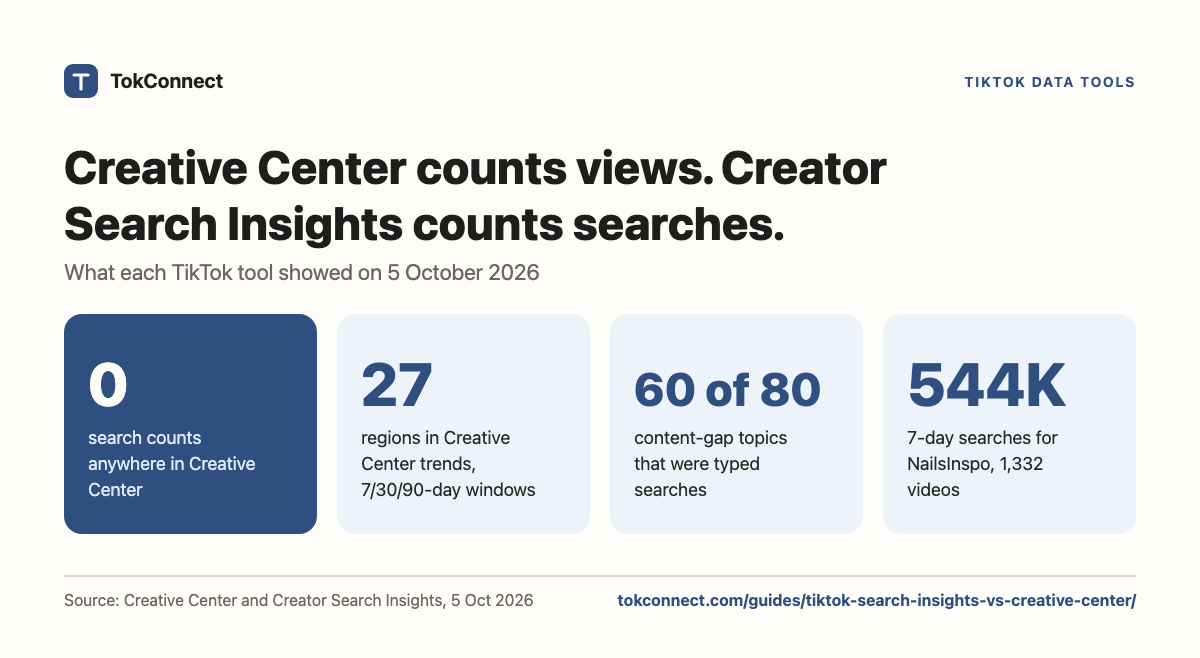

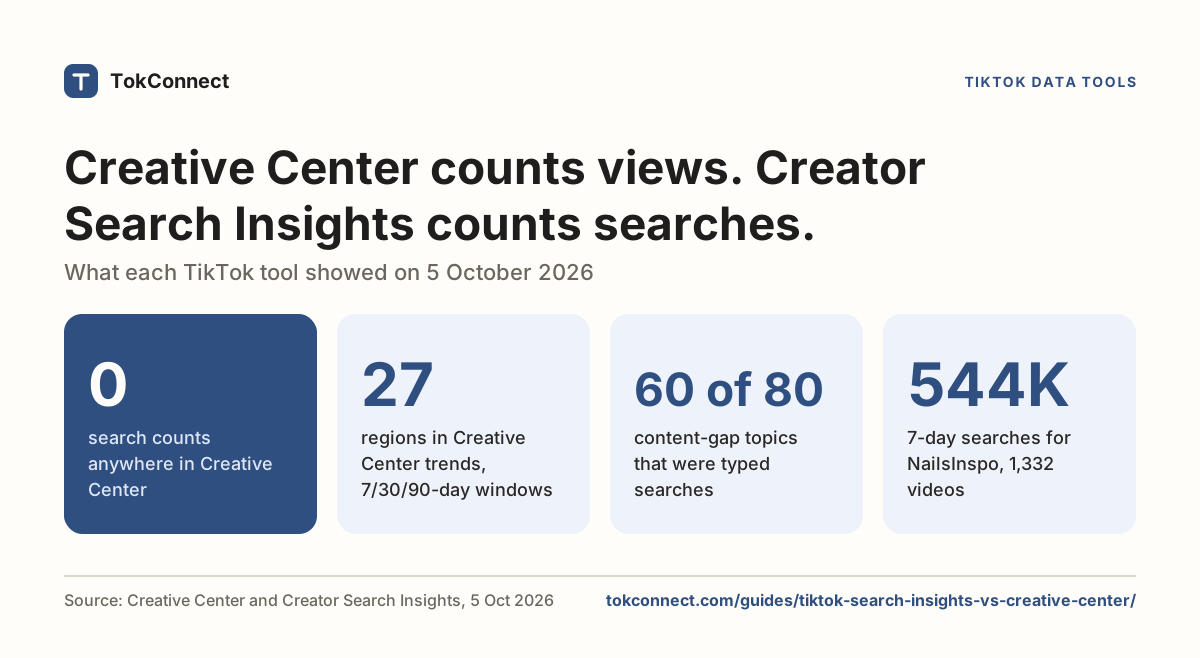
- Creative Center is free and loads signed out, but it measures posts, views and ad performance; on 5 October 2026 it showed no search counts at all.
- Creative Center's trends pages offered 27 regions and Last 7, 30 or 90 days windows.
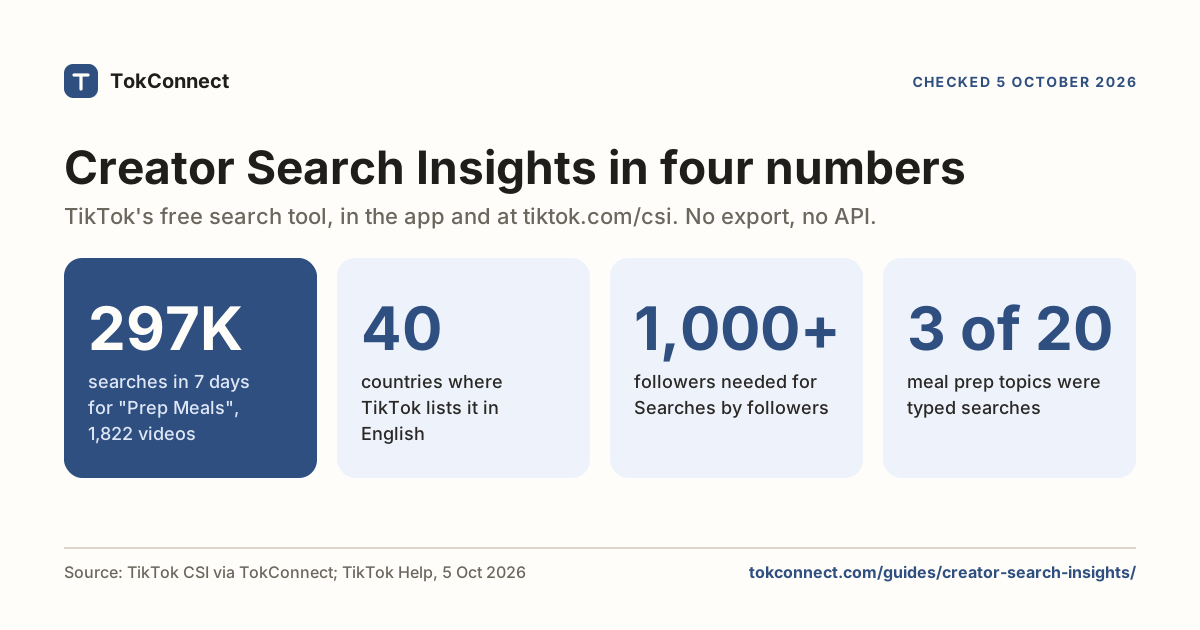
- Creator Search Insights is where TikTok shows organic search counts and content gaps, in the app and at tiktok.com/csi, with no export.
- Keyword Planner in Ads Manager shows search volume shaped for bidding, in 12 markets, for ad accounts only.
- Use Creative Center for hashtags and creative, Creator Search Insights for what people search, and TokConnect when you need those counts for many keywords in a table.
TikTok Creative Center is the free website at ads.tiktok.com that shows trending hashtags, videos and top ads, and on 5 October 2026 it showed no search counts at all. TikTok's search numbers live in Creator Search Insights, in the app and at tiktok.com/csi, one topic at a time. In Creator Search Insights, "NailsInspo" had 543,663 searches in the 7 days to 5 October 2026 and 1,332 matched videos.
A third tool, Keyword Planner in Ads Manager, shows search volume shaped for bidding and opens only for advertisers. Three tools, three questions. This page says which one answers what, with every Creative Center detail re-checked live on 5 October 2026.
The three tools side by side
| Feature | Creative Center | Creator Search Insights | Ads Manager Keyword Planner |
|---|---|---|---|
| Where | ads.tiktok.com, desktop web | TikTok app via search, or tiktok.com/csi | TikTok Ads Manager, Tools tab |
| Who can open it | Anyone; the top rows load signed out | Logged-in TikTok accounts where TikTok offers it | Ad accounts in 12 supported markets, others by allowlist |
| Core question | What content and ads are performing? | What are people searching for? | What should I bid on? |
| Headline metrics | Posts, views, likes, CTR percentile, budget level | Search popularity (7 days), popularity score, video count, content gap | Search volume, competition, performance prediction |
| Organic search counts | No | Yes | A paid-search view of them |
| Time windows | Last 7, 30 or 90 days on trends (signed out); Top Ads defaults to 30 days | Last 7 days headline, with a chart window you can change | Not published by TikTok |
| Geography | 27 regions, plus an industry filter | Global or one country at a time | The ad account's targeting market |
| Getting the data out | Copy from the page; longer lists need a login | None. No export, no API | Into an ad group, not a spreadsheet |
| Cost | Free | Free | Free to open, needs an ad account |
Checked 5 October 2026: Creative Center live and signed out; Keyword Planner from TikTok's help page. Open the snapshot.
What TikTok Creative Center shows in October 2026
TikTok's help page calls Creative Center "a free, public home to an ever-growing suite of creative resources" for ad makers (as we read it; the page would not load for us on 5 October). The site itself has moved. The old trends link now redirects to ads.tiktok.com/creative/creativeCenter/trends, and the browser tab reads "TikTok One Creative Suite". The menu has four items: Top Ads, Trends, Creative Tools and Influencer marketing.
- Trends. Three tabs: Hashtag, Creator ("Coming soon") and Video. Signed out, you get a region picker with 27 countries, an industry filter and a choice of Last 7, 30 or 90 days. We saw no songs tab on the signed-out trends page.
- Video. Trending videos sorted by highest views, highest engagement or highest 6-second views, with a banner pointing to TikTok One "to view more rankings and data".
- Top Ads. Ads filtered by objective, region, placement, likes and duration over the last 30 days by default. TikTok notes these are limited to ads "authorized by advertisers".
- Creative tools. Symphony Creative Studio, Symphony Automation and the Symphony API, all for producing ad assets.
Here is what the hashtag view showed on 5 October 2026, signed out, United States, last 7 days:
| Rank | Hashtag | Industry | Posts | Views |
|---|---|---|---|---|
| 1 | #reggie | News & Entertainment | 79.1K | 890.5M |
| 2 | #cornelluniversity | 51.7K | 467M | |
| 3 | #janedoe | Games; News & Entertainment | 42.6K | 206.1M |
Read from the public Creative Center trends view, 5 October 2026, signed out. Rows four onward sit behind "Log in or sign up". Open the snapshot.
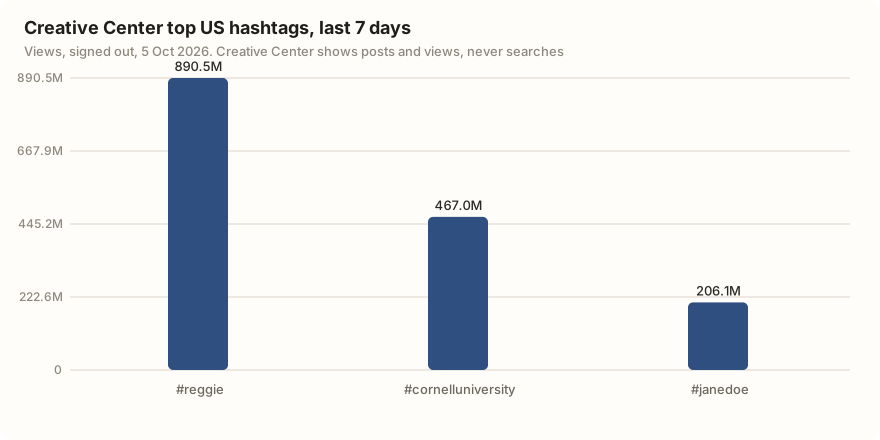
Posts and views tell you what got made and watched. They can't tell you what people typed into the search bar and failed to find, which is the question that decides what to film next. The old Keyword Insights address now redirects to the Creative Center home, so the one keyword view advertisers used to cite is gone from the signed-out site.
Creative Center has a history of empty views. An r/TikTokAds user reported the hashtag page returning no data on 19 May 2026, and an r/AskMarketing user reported broken Top Ads filters on 11 September 2026. Both views loaded for us on 5 October 2026.
Creator Search Insights: where the search counts are
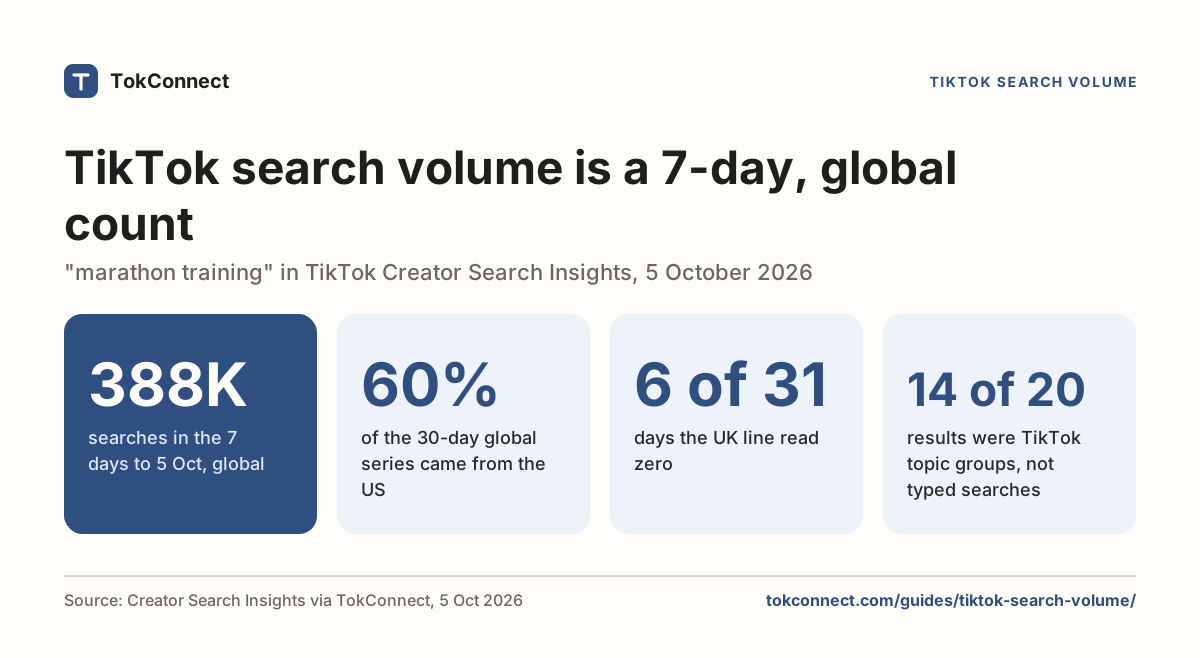
Creator Search Insights is TikTok's search tool for creators, launched in March 2024. Type creator search insights into TikTok's search bar and tap View, or log in at tiktok.com/csi on a computer. Every topic carries a Search popularity figure: searches in the last seven days, global unless you pick a country.
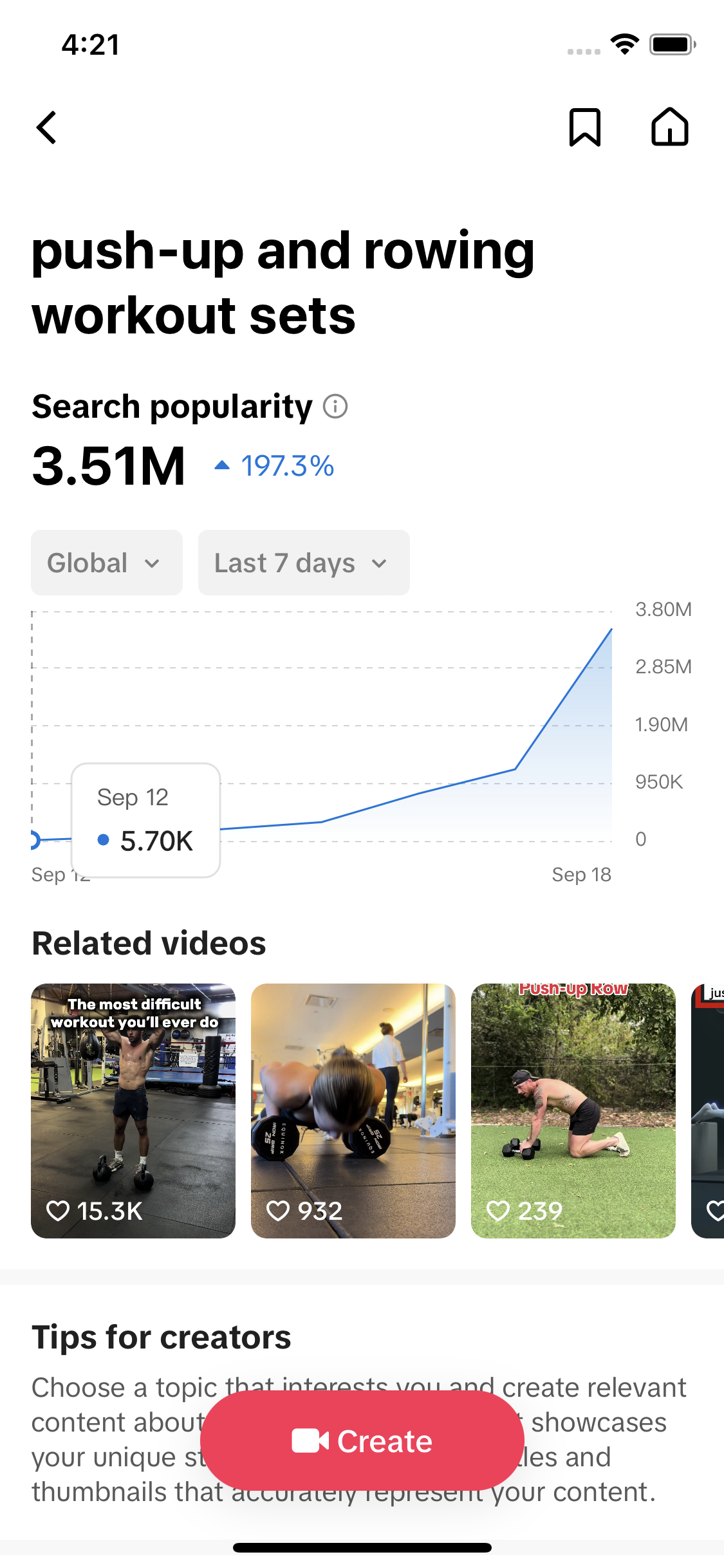
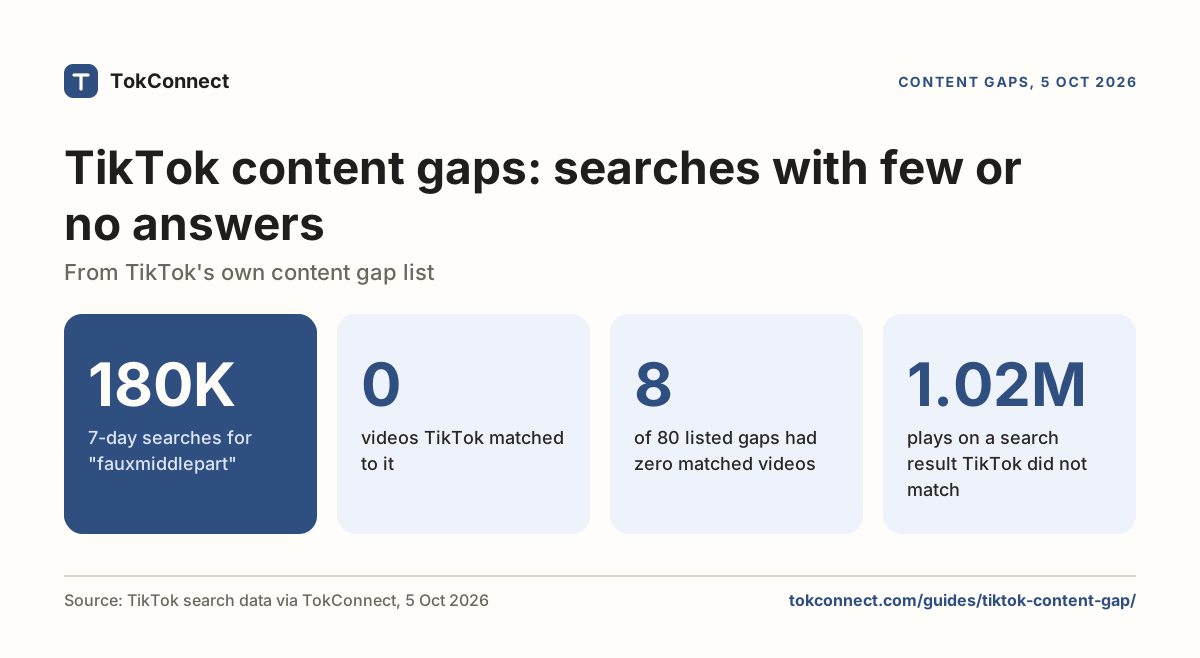
It also has a Content gap channel: topics with search traffic and few matched videos. On 5 October 2026 that channel held 80 topics. 60 were typed searches, phrases people actually type, and 20 were TikTok topic groups that pool many searches under one generated name. Two typed searches had no videos at all: "fauxmiddlepart" (179,953 searches in 7 days) and "korean face shape" (94,471).
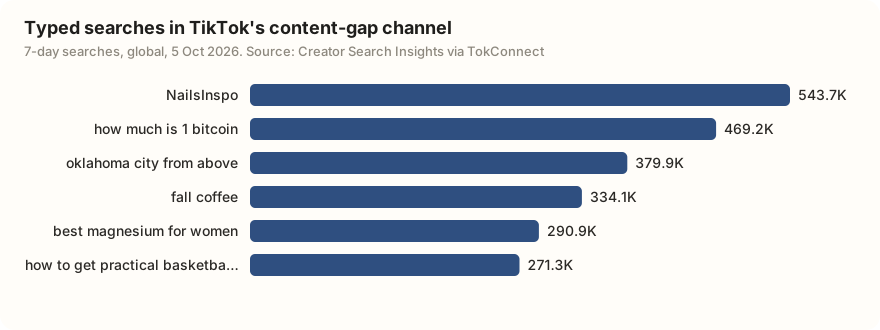
What you give up is everything around the data. There is no export, no API and no history beyond the chart windows, on the app or at tiktok.com/csi. The complete guide covers each tab, and the content gap guide covers the flag.
Keyword Planner, and why you probably can't open it
TikTok Ads Manager has a Keyword Planner for Search Ads campaigns. TikTok says it shows "search volume, competition, and scale and performance prediction". It covers 12 markets: the US, UK, Canada, Germany, France, Italy, Spain, Australia, Mexico, Brazil, Saudi Arabia and the UAE. Accounts elsewhere need allowlist approval.
There is a lighter version inside campaign setup: click Add Keywords on the targeting page and TikTok suggests keywords with monthly impression predictions, which it says are "for reference only". If you buy Search Ads, use it. For organic video, the numbers are the wrong shape. Our Keyword Planner guide covers access and limits, and the KeywordTool.io review covers the autocomplete-based alternative.
When to use which
| You want to know | Open this |
|---|---|
| Which hashtags and videos are climbing in a country over the last 7, 30 or 90 days | Creative Center trends |
| What good creative in my category looks like | Creative Center Top Ads |
| How many people searched a topic, and whether videos exist for it | Creator Search Insights |
| Which topics in my niche have demand and few answers | Creator Search Insights, Content gap |
| What a keyword might cost in Search Ads | Ads Manager Keyword Planner |
| Search counts for 50 keywords in a spreadsheet | None of TikTok's own tools; see the next section, or Creative Center alternatives |
Google's numbers are a separate engine again; the TikTok vs Google search comparison shows the same keywords on both. For tools that track trends over time, see the trend tracker comparison.
The gap none of them fill
Put the three together and one thing is still missing: TikTok's own search counts, for keywords you choose, in a format you can sort. Creative Center is on the desktop but has no search data. Creator Search Insights has the search data but no export. Keyword Planner has search data shaped for bidding, for advertisers only.
That gap is what TokConnect covers. Give it a list of keywords and it hands back TikTok's search counts, video counts and content gaps as one table you can sort. It is free to start, with no card.
Get search counts for my keywords Use it in ChatGPT or Claude
How we got these numbers
On 5 October 2026 we opened Creative Center's trends, video, Top Ads and old Keyword Insights pages in a browser without logging in and recorded the tabs, filters, windows, region list and visible rows. The content-gap figures come from TokConnect's weekly pull of TikTok's Creator Search Insights content-gap channel the same day: 80 topics, global, with search counts for the 7 days to 5 October 2026. We split them into typed searches and TikTok topic groups using our house rule (a group is any record at 5,000,000 or more, or 1,000,000 or more whose week started under 5% of where it ended, or filed under TikTok's Featured Content) and quote only typed searches. Keyword Planner facts come from TikTok's help pages. Signed-in Creative Center views may show more rows and windows than we saw. Download the snapshot; the 19 September check is here.
Key statistics
TikTok Creative Center showed hashtags, posts, views and top ads but no search counts.
Creative Center's trends pages offered 27 regions and Last 7, 30 or 90 days windows to signed-out visitors on 5 October 2026, with the Creator tab marked "Coming soon".
"NailsInspo" was searched 543,663 times on TikTok in the 7 days to 5 October 2026, and TikTok matched 1,332 videos to it.
All 6 statistics
60 of the 80 topics in TikTok's content-gap channel on 5 October 2026 were typed searches; the other 20 were TikTok topic groups that pool many searches.
"fauxmiddlepart" was searched 179,953 times on TikTok in the 7 days to 5 October 2026 with 0 matched videos, one of two typed searches in the content-gap channel with none.
TikTok Keyword Planner covered 12 targeting markets, and opens only inside TikTok Ads Manager.
Frequently asked questions
How do I access the TikTok Creative Center?
Go to ads.tiktok.com/business/creativecenter in a browser. When we checked, it redirected to the new TikTok One Creative Suite address and showed the top three hashtags per region without a login. Logging in unlocks the longer lists and all Top Ads.
What is TikTok Creative Center?
TikTok's free library of trends and ad examples, built for advertisers. On 5 October 2026 it ranked hashtags and videos in 27 regions over 7, 30 or 90 days, showed Top Ads with likes and a CTR band, and hosted TikTok's Symphony creative tools. It is a performance-and-inspiration tool, not a keyword tool.
Does TikTok Creative Center show search volume?
No. Creative Center reports posts, views, likes and ad performance, and its old Keyword Insights page now redirects to the home page. TikTok's search counts appear as Search popularity in Creator Search Insights, where "NailsInspo" had 543,663 searches in the 7 days to 5 October 2026.
Where can I find the TikTok Creator Center?
There is no "Creator Center". People usually mean Creative Center on the web for trends and ads, TikTok Studio for their own analytics, or Creator Search Insights, in the app or at tiktok.com/csi, for what people search. Search-demand numbers only exist in the third.
What time periods does TikTok Creative Center show?
Signed out on 5 October 2026, the trends pages offered Last 7 days, Last 30 days and Last 90 days, and Top Ads defaulted to the last 30 days. TikTok has changed these windows before, so check the dropdown on the day you use it.
Is Creator Search Insights better than Creative Center?
They answer different questions. Creator Search Insights counts searches, global 7-day by default, and flags content gaps; Creative Center counts posts and views and shows ads. Use both, and use Creator Search Insights when the question is what people are looking for.
Sources and data
- TikTok Creative Center: trending hashtags (checked 5 October 2026)
- TikTok Creative Center: Top Ads (checked 5 October 2026)
- About Creative Center (TikTok for Business Help Center)
- About the Keyword Planner tool in TikTok Ads Manager (checked 5 October 2026)
- Search Ads keyword suggestion tool (TikTok for Business)
- Creator Search Insights (TikTok Help Center)
- TikTok Creative Center Hashtag Section is Currently Down (r/TikTokAds, 19 May 2026)
- Why Is TikTok Creative Center So Bad? (r/AskMarketing, 11 September 2026)
- Creative Center and content-gap check, 5 October 2026 (snapshot)