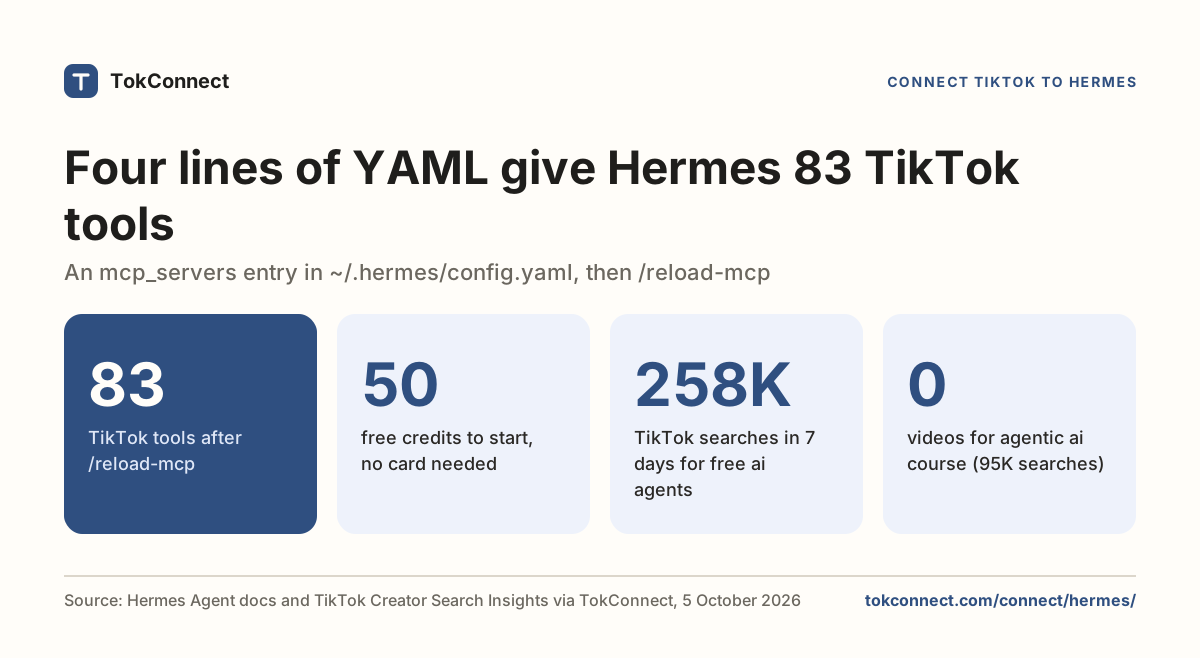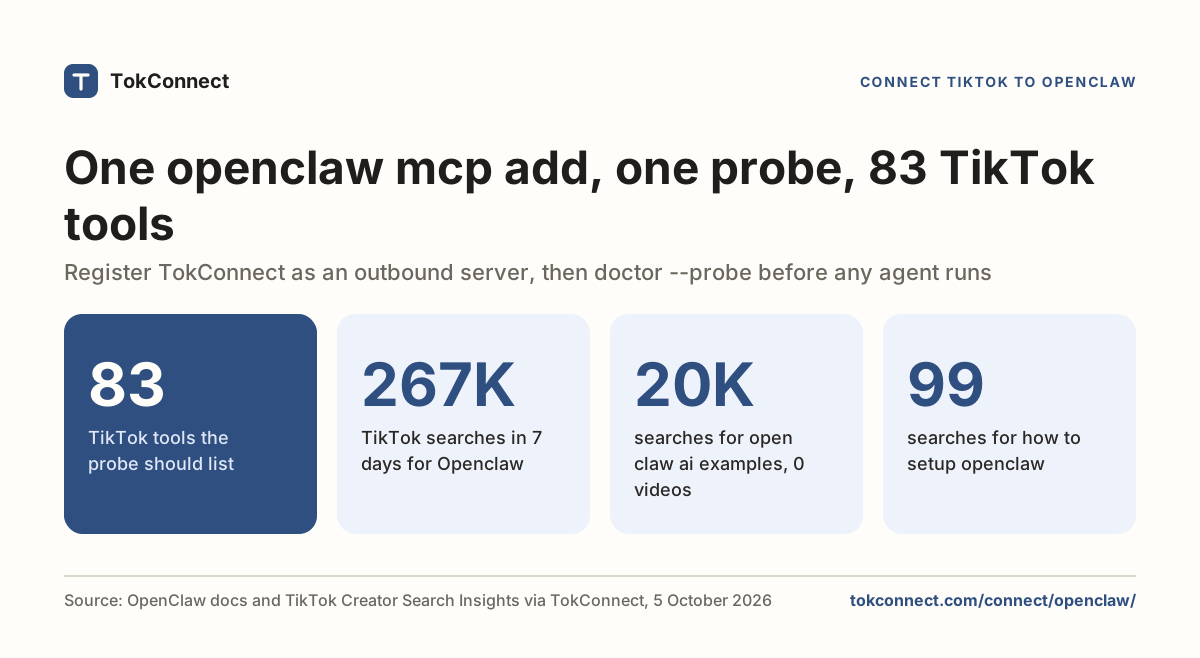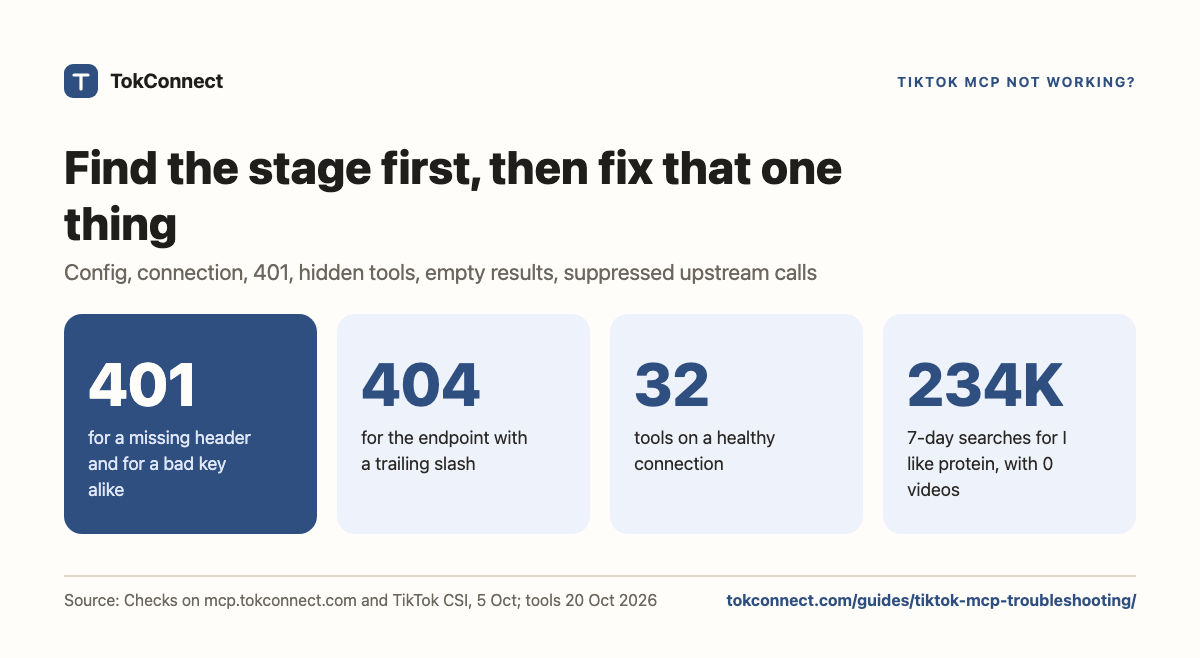

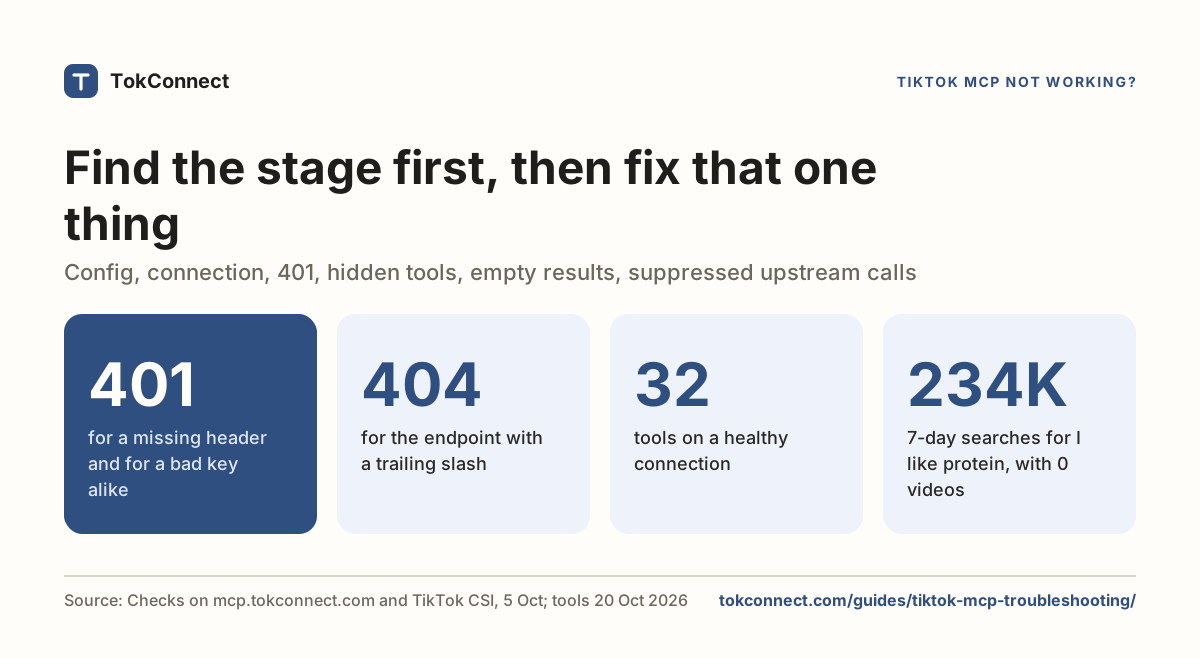
- Find the stage before you change anything. A missing header, a filtered tool list and an empty TikTok result look similar in a chat client and have nothing in common.
- The hosted endpoint returns HTTP 401 and the body
unauthorizedfor both a missing header and a bad key, and 404 for a trailing slash. - A healthy connection lists 34 tools. Fewer means a tool filter, not a blocked key.
- A
videoCountof 0 is not a broken response. "I like protein" had 233,829 TikTok searches in the week to 5 Oct and zero videos: a content gap. - "TikTok returned no video results" means TikTok held back the upstream call, not that your key is wrong. Wait twenty seconds, retry once, then switch to a tool that skips video search.
When a TikTok MCP is not working, find the stage the request died at before you change anything: config, connection, 401, hidden tools, empty results or a blocked upstream call. Fix that one thing and the rest usually falls into place. TokConnect's MCP server gives your AI the same data as the research agent and the API.
A client that never loaded your config fails differently from one that connected and got a 401, which fails differently again from a tool that ran and returned nothing. Changing your keyword cannot repair a missing header, and rotating a key cannot fill an empty result. Six stages below, in the order a request passes through them. Stop at the first that misbehaves.
Which values never change?
Whatever client you use:
URL:        https://mcp.tokconnect.com/mcp
Transport:  Streamable HTTP
Header:     Authorization: Bearer YOUR_TOKCONNECT_KEY
The key comes from your TokConnect account. If you would rather skip it, sign in instead: Claude and ChatGPT connect with OAuth and no header, so stages 1 to 3 below do not apply.
Clients label the URL differently: httpUrl in Gemini CLI, url plus "type": "http" in Claude Code, transport: "streamable-http" in OpenClaw. They all point at the same address, and it ends in /mcp with no trailing slash: /mcp/ returns 404. There are no per-tool REST paths, so a URL like /api/search will fail.
Stage 1: the client never read your config
The server is absent from the status command. Nothing reached TokConnect, so the key is irrelevant here.
Almost always one of three things: the file sits where the client does not look, it does not parse, or the client is still running the session it started before you saved. Restart the client, not the shell. Every client here reads its MCP configuration once, at startup.
Stage 2: the server is listed but will not connect
The client has your entry and cannot open a connection. Read the status line closely: "failed to connect" and "needs authentication" are different stages.
Then read the URL back from the client, not your notes. claude mcp get tokconnect and openclaw mcp show tokconnect print what was stored.
Stage 3: 401
A wrong key does not return an empty answer. It returns a 401, which means the request arrived and the header did not satisfy it. With no Authorization header the server returns HTTP 401 and the body unauthorized, and with an invalid key it returns the same thing. The response will not tell you which mistake you made. A script that gets a 401 can skip MCP altogether: the REST API takes the same key on every paid plan (API docs).
TokConnect server checks · 5 Oct 2026
Three things produce it. Check them in this order:
- A stray newline. A key copied from a browser often carries one. Claude Code's MCP docs say it warns about hidden whitespace in header values in
claude mcp listand/mcpbut does not trim it. Re-copy the key; one space afterBearer, nothing trailing. - An unresolved variable. If your header reads
Bearer ${TOKCONNECT_TOKEN}and the client does not expand variables in headers, the server gets those literal characters. Claude Code expands${VAR}, Cursor expands${env:VAR}and Hermes resolves${VAR}in headers at connect time. Gemini CLI documents expansion only for itsenvblock, OpenClaw points you to its secret storage instead, and Codex uses a dedicated field,bearer_token_env_var. - The wrong process. An export in your terminal does not reach an app launched from the dock, or a gateway that started yesterday.
If your client answers a 401 by suggesting a login command, that is a real option: TokConnect offers OAuth sign-in. It will not fix a bad key, though. If you meant to use a key, fix the header; if you would rather sign in, remove the header and run the client's login.
Stage 4: connected, but the tools are not there
A healthy connection exposes 34 tools. Fewer, or none, and something is filtering them rather than blocking you. Gemini CLI has includeTools and excludeTools. OpenClaw has toolFilter, set by --include. Cursor can show a connected server with every tool switched off. Clear the filter, confirm the full list appears, then put back the names you want.
If the count is right and the agent still calls nothing, name the tool in your prompt. "Call demand_keywords with keyword protein and limit 3" works where "what's trending on TikTok" does not.
A saved prompt or workflow that names an older tool, such as search_topics or search_videos, will not find it in the list. The server still answers the old names, so direct calls from n8n's By ID mode or a script keep working. In a chat client the model only sees the 34 listed tools, so swap in the current name: demand_find_topics for search_topics, video_search for search_videos, video with method comments for video_comments.
Stage 5: the tool ran and came back empty
This is not a failure. It is TikTok's answer.
Check which field is actually empty. A videoCount of 0 is easy to misread. In a topic search for protein, the typed search "I like protein" had 233,829 searches in the week to 5 Oct and videoCount: 0. That is a content gap, often the most useful thing the tool hands you.
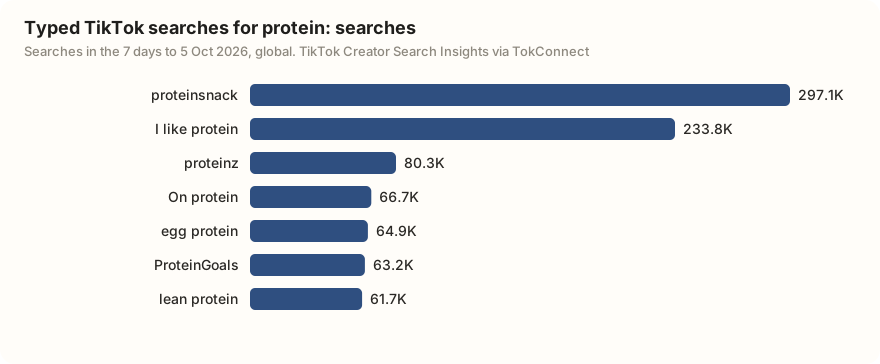
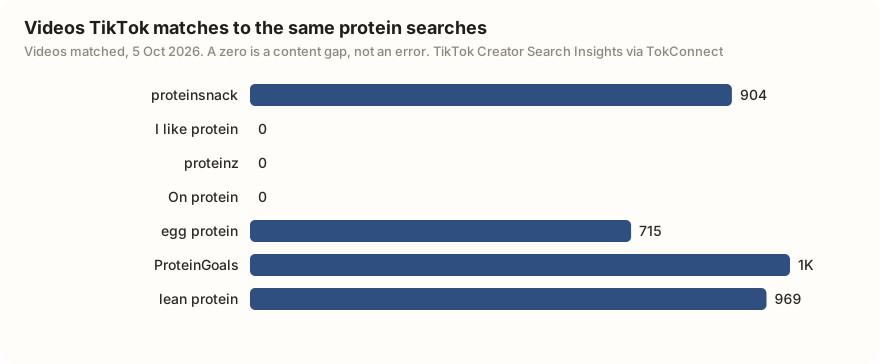
The same call also returns TikTok topic groups, phrases TikTok generates that pool many related searches. One protein run led with the topic group "easy ways to reach daily protein", a pooled figure of 119,559,016 with no videos. A figure that size is not broken data either; it is a group, so read it as a theme and lead with the typed searches.
An empty topics array is different. Shorten the seed phrase, drop the language filter, try again. TikTok's matching is fuzzy, so an invented phrase usually returns adjacent topics rather than nothing.
Stage 6: "TikTok returned no video results"
Some calls come back with this, marked a tool error:
TikTok returned no video results for this search. It sometimes
withholds results briefly; retry shortly or rephrase the keyword
A close cousin reads "TikTok is limiting video search right now. Wait about a minute and retry". Both are the server's own wording.
The request reached TikTok and TikTok returned an empty 200, which is how it signals a block. Your configuration and your key are fine; the tools that lean on video discovery are the ones that hit it.
Wait twenty seconds and retry once. If it persists, switch to a tool that skips video search: demand_find_topics, demand_topic, demand_keywords and the hashtag tools are unaffected, and so are the Shop Analytics tools such as product_top_selling, which read a separate sales feed. Do not replace your key over this.
How do you diagnose a TikTok MCP that is not working in each client?
| Client | Status check | Where the key lives | After an edit |
|---|---|---|---|
| Claude Code | claude mcp list, then /mcp | ~/.claude.json, or ${VAR} in .mcp.json | Start a new session |
| Claude Desktop | Customize → Connectors, then ~/Library/Logs/Claude/mcp.log | No key with the sign-in connector; the env block in claude_desktop_config.json for the older mcp-remote bridge | Quit and reopen the app |
| Codex | codex mcp list, then /mcp | The variable named by bearer_token_env_var | Restart the surface you use |
| Cursor | Customize panel, then MCP Logs (Cmd+Shift+U) | headers in ~/.cursor/mcp.json | Restart Cursor |
| Gemini CLI | gemini mcp list, then /mcp | headers in settings.json | Start a new session |
| OpenClaw | openclaw mcp doctor tokconnect --probe | headers under mcp.servers | openclaw mcp reload |
| Hermes | The tool list after a reload | headers in ~/.hermes/config.yaml, or ${VAR} there | /reload-mcp |
Each client's own help output or documentation · 5 Oct 2026 (Claude Desktop 19 Sep)
OpenClaw's probe goes furthest of these checks: by its docs, it opens a live connection and reports the capabilities it gets back, rather than confirming a file parsed.
What should you send support?
Six things get a case solved on the first reply:
- Client and version, from
--version. - Which stage above you reached.
- The status line your client printed, copied not paraphrased.
- The tool name and the arguments you passed.
- The full error text, with the key removed.
- Whether you restarted the client after your last edit.
Paste this into your agent to diagnose a stage:
Use the tokconnect MCP server. List the tools you can see and how many there are. Then call demand_keywords with keyword "protein" and limit 3 and show me the raw result or the exact error text, without changing anything.
Never paste an Authorization header, a config file containing one, or an unread log. Support does not need your key to reproduce a 401.
Once the connection is healthy, the TikTok MCP guide and keyword research cover what to ask for. Every client has its own page under Connect your AI, and the REST API is in the API docs.
Connected and healthy? Ask your first question
How we got these numbers
On 5 October 2026 we sent tools/list requests to https://mcp.tokconnect.com/mcp with no header, with an invalid key, and with a trailing slash, and recorded the status codes. We read the mcp help output of Claude Code 2.1.138 and Gemini CLI 0.25.0 on the same machine.
The 19 September 2026 run of these checks also reproduced the blocked-search error with search_sounds; we saved its result but not the terminal logs of that day's client tests, so we no longer cite them. Client facts for Cursor, Codex, OpenClaw and Hermes come from their documentation, checked 5 October 2026; the Claude Desktop log path was last read on 19 September 2026.
The protein figures come from one search_topics call (20 records) on 5 October 2026. Searches are TikTok's 7-day global search popularity; videos are the videos TikTok matches to each search. A record counts as a topic group if its 7-day figure is 5,000,000 or more, or 1,000,000 or more with the week's first daily reading under 5% of its last, or TikTok files it as Featured Content. Data: 5 October checks, 19 September checks, protein topics, tool catalog, 20 October 2026.
Key statistics
TokConnect's hosted MCP endpoint returned HTTP 401 with the body "unauthorized" both with no Authorization header and with an invalid key, so the response does not say which mistake was made.
A request to TokConnect's endpoint with a trailing slash (
/mcp/) returns HTTP 404; the working address ishttps://mcp.tokconnect.com/mcp.A healthy connection to TokConnect's MCP server lists 34 tools.
All 5 statistics
Claude Code warns in
claude mcp listand/mcpwhen a header value carries hidden leading or trailing whitespace, and it does not trim the value for you."I like protein" was searched 233,829 times on TikTok in the week to 5 Oct with 0 videos matched, a content gap rather than a failed call.
Frequently asked questions
Why does my TikTok MCP server return 401?
The request reached the server and the header did not satisfy it. In order of likelihood: a newline picked up when you copied the key, a ${VAR} placeholder your client does not expand inside header values, or an environment variable that is set in your terminal but not in the process running the client. The endpoint returns the same unauthorized body for all three.
The tools connected but my agent returns no TikTok results. Is it broken?
Probably not. A tool that runs and returns an empty array is TikTok answering. Shorten the seed phrase and drop the language filter. If the error says TikTok returned no video results or is limiting video search, TikTok held back that upstream call; retry once, then use demand_find_topics or demand_keywords, which do not go through video search.
How many tools should a TikTok MCP connection show?
TokConnect's server lists 34 tools. If your client shows fewer, a tool filter is hiding some: includeTools or excludeTools in Gemini CLI, toolFilter in OpenClaw, or tools switched off in Cursor. Clear the filter and check again.
Does the MCP URL need a trailing slash?
No. Use https://mcp.tokconnect.com/mcp exactly. The same address with a trailing slash returns HTTP 404, and there are no per-tool REST paths under it.
Why does my MCP client ask me to log in?
Some clients answer any 401 by offering an OAuth login. TokConnect supports OAuth sign-in, so signing in is a valid route, but it will not fix a bad key. If you meant to use a key, check the header: one space after Bearer, no trailing newline, and a variable your client actually expands.
Sources and data
- Connect Claude Code to tools via MCP (Anthropic, checked 5 October 2026)
- Model Context Protocol (OpenAI Codex docs, checked 5 October 2026)
- MCP servers with the Gemini CLI (checked 5 October 2026)
- Model Context Protocol in Cursor (checked 5 October 2026)
- MCP (Hermes Agent docs, checked 5 October 2026)
- MCP tools (OpenClaw docs, checked 5 October 2026)
- Transports: Streamable HTTP (Model Context Protocol specification)
- Diagnostic checks run 5 October 2026 (snapshot)