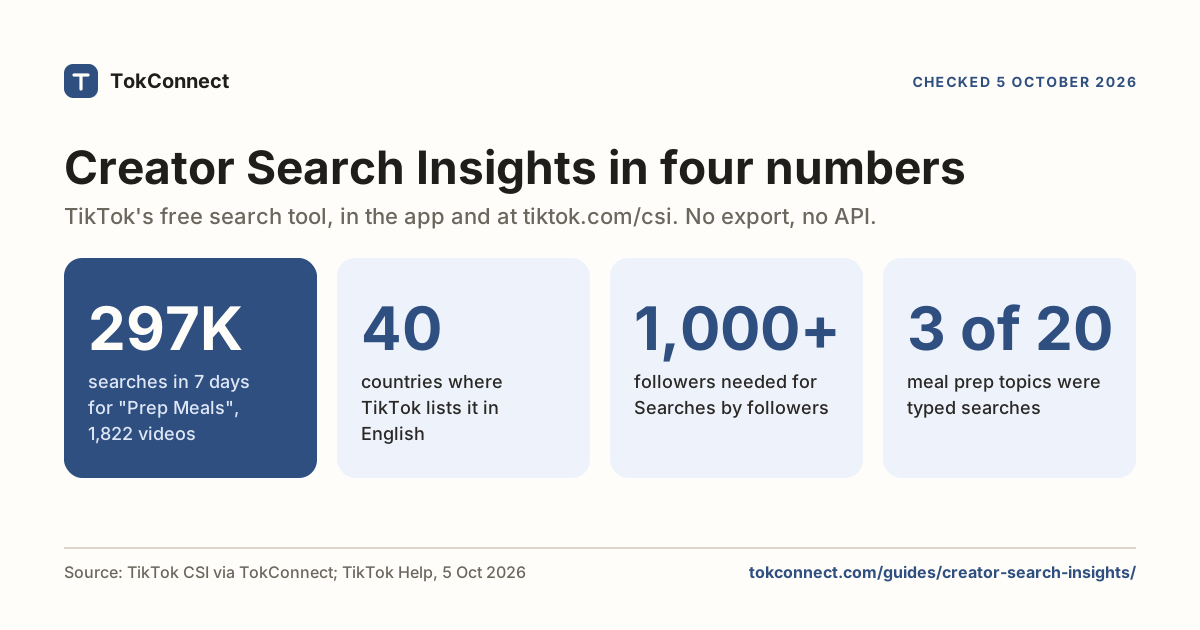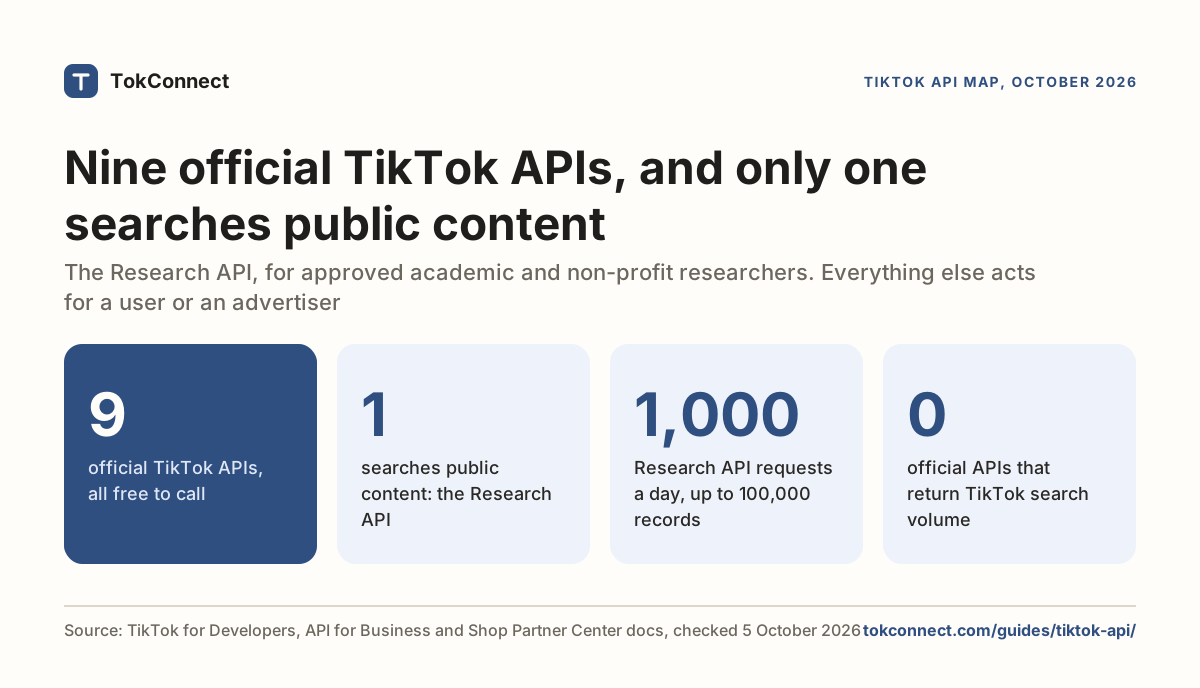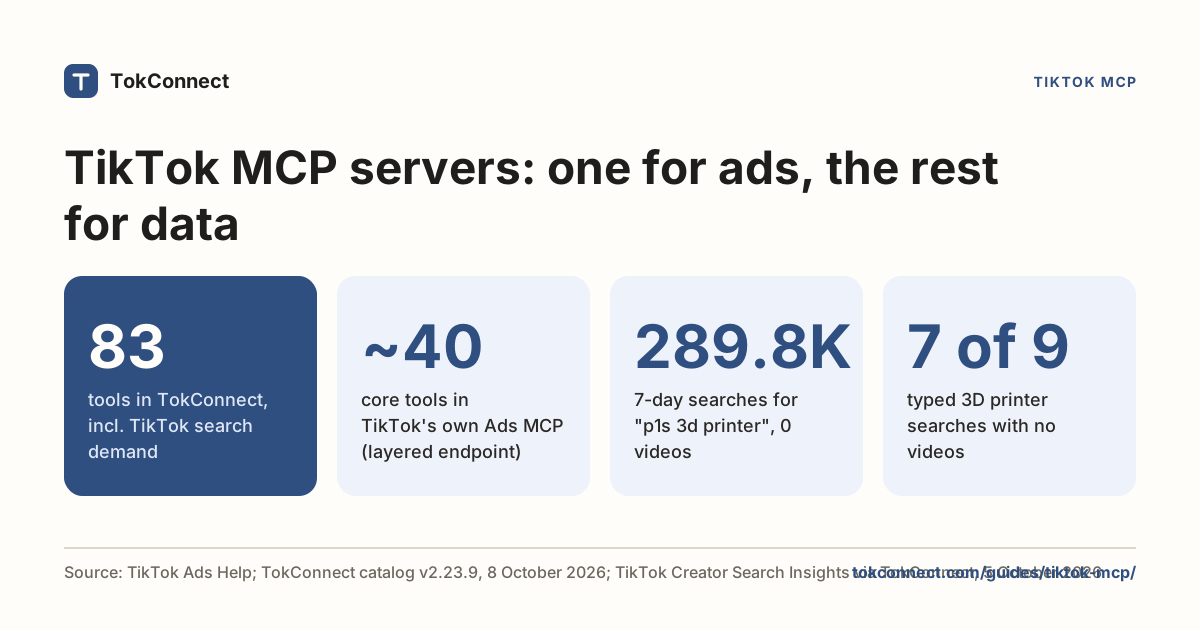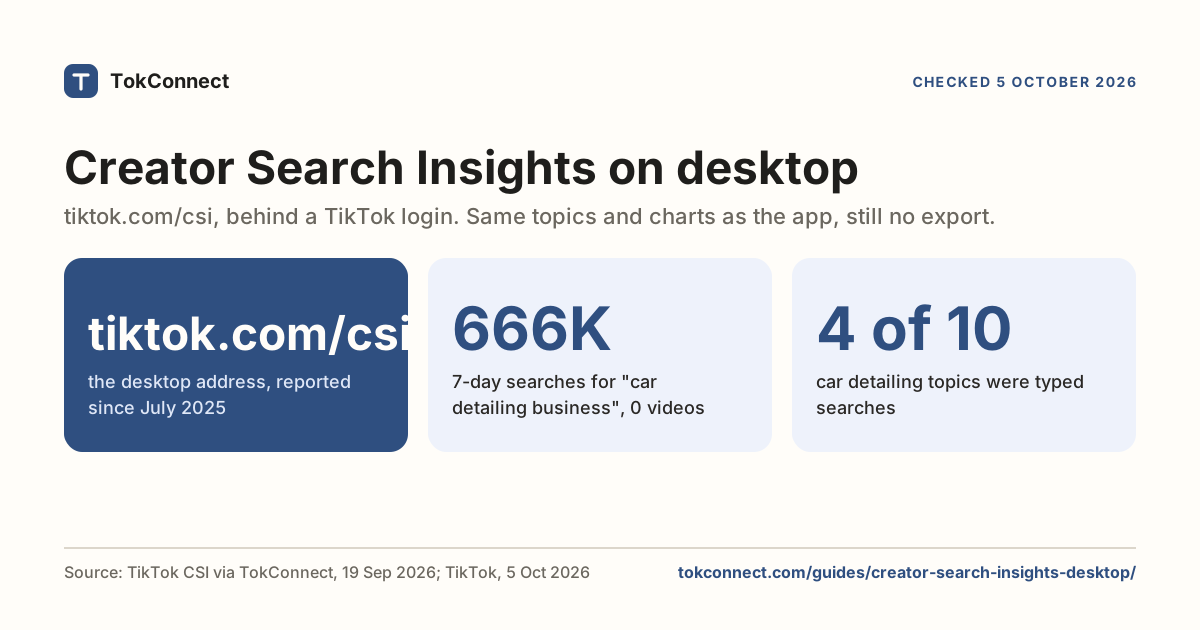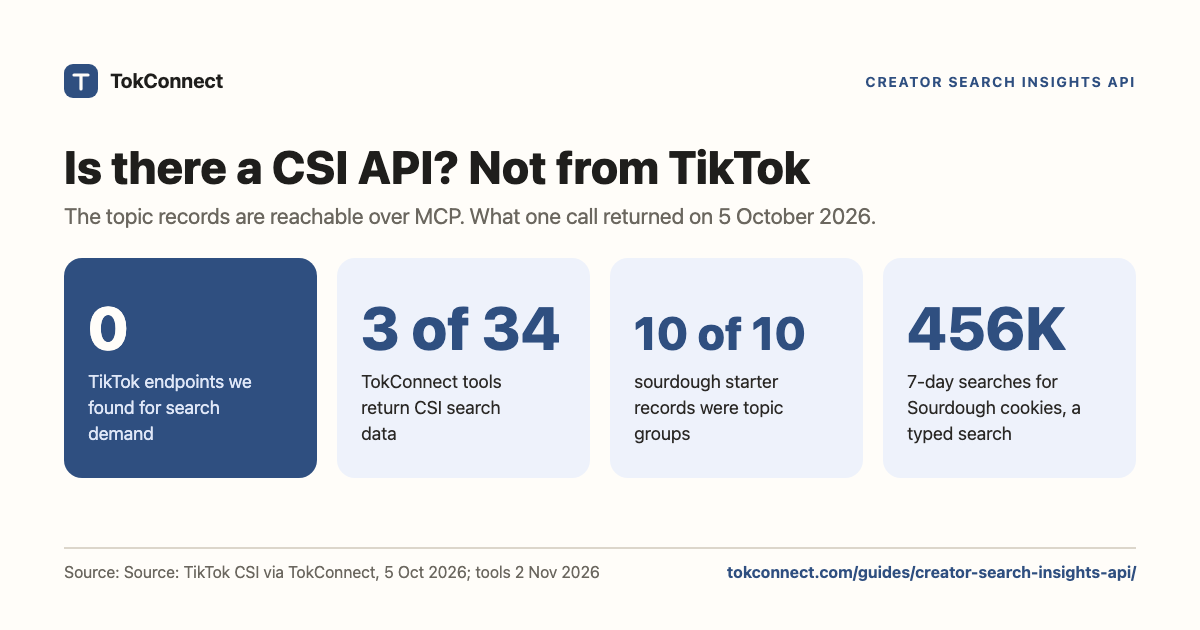

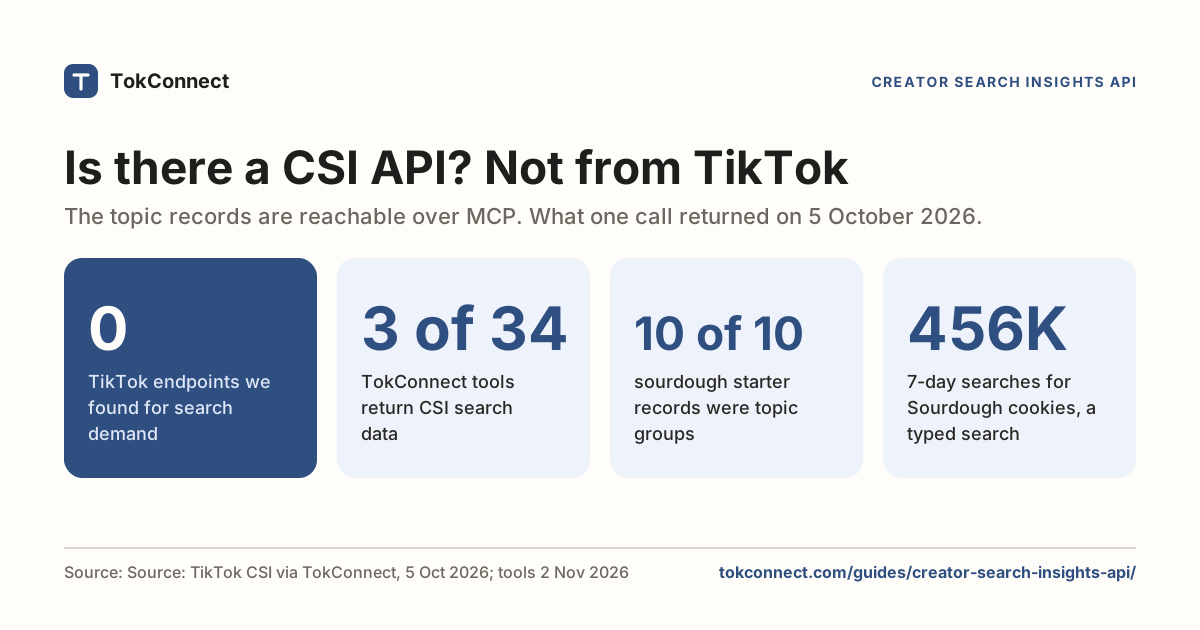
- TikTok does not publish a Creator Search Insights API. The Research API returns videos, comments and user info; the Business API covers ads and Creative Center; neither returns search popularity for a topic.
- You can get the same topic records from code through TokConnect: three of its 34 research tools return Creator Search Insights data, and the Python below runs in one call.
- A Creator Search Insights topic search mixes typed searches with TikTok's generated topic groups. All 10 records for "sourdough starter" on 5 October 2026 were groups, so filter before you use the numbers.
- Every record carries a queryId you pass to demand_topic as id, with method detail, popularity, audience or related.
- Paginate with offset and the nextOffset the response hands back. Every account starts free with no card.
TikTok has no public Creator Search Insights API. The tool lives in the app and at tiktok.com/csi, and nothing in TikTok's developer documentation exposes its search numbers. The way to get them from code is TokConnect: three of its 34 research tools return the same topic records, with 7-day search counts and video counts for any phrase, and a first result takes minutes.
Neither the Research API nor the Business API returns search topics, and no partner tier adds one. Lower down, for developers: the runnable Python, the JSON it returns, a field reference for every value in a topic record, how to tell a phrase people type from one of TikTok's generated topic groups, and the follow-up calls that expand one topic into a cluster.
Why there is no Creator Search Insights API
Creator Search Insights is a creator-facing product, not a developer one. TikTok's developer portal is organised around four surfaces, and none of them touches search demand.
| Official API | What it returns | Search topics? |
|---|---|---|
| Research API | Videos, comments, user info, playlists, reposts, for approved academic and research accounts | No |
| Display API | A logged-in user's own public videos and profile | No |
| Content Posting API | Publishing and draft upload | No |
| Business API | Ad accounts, campaigns, reporting, Creative Center keyword and trend data for advertisers | No, and its keyword insights are ad-side, not organic search popularity |
The Research API comes closest and still cannot answer the question. Its video query specification filters by keyword, hashtag, region and date, and returns videos. It has no concept of a search topic, a 7-day search count or a content gap. You can count how many videos mention sourdough. You cannot learn that "Sourdough cookies" was searched 455,736 times in the 7 days to 5 October 2026.
One 2026 developer blog, Phyllo's, says a "Creator Search Insights API" is now available. It links no TikTok documentation, and the data it describes (followers, engagement rate, audience demographics per creator) is creator profiles, not search demand. We found nothing matching it on TikTok's developer site.
The broader map of every TikTok API and what each one is good for is in the TikTok API guide.
For developers: the TokConnect tools that return topics
TokConnect exposes the Creator Search Insights topic records, plus ordinary TikTok search, over the Model Context Protocol. It is one HTTP endpoint speaking Streamable HTTP and JSON-RPC.
| Setting | Value |
|---|---|
| Endpoint | https://mcp.tokconnect.com/mcp |
| Auth | Authorization: Bearer YOUR_TOKCONNECT_KEY |
| Transport | Streamable HTTP (POST, with SSE responses) |
| Discovery | tools/list after initialize |
TokConnect has two doors. Over MCP you open a session and call demand_find_topics. Over REST (any paid plan) you call one URL:
curl "https://api.tokconnect.com/v1/searches?keyword=sourdough%20starter&limit=10" -H "X-API-Key: $TOKCONNECT_API_KEY"Both cost 1 credit per call; the REST route is documented in the demand API docs. Over MCP, any MCP client library handles that sequence for you, which is the point of using one. If you want the same thing in a chat window rather than a script, the connect pages cover Claude, Codex, Cursor and Gemini CLI, and the TikTok MCP guide explains the protocol.
A Python example that runs
This uses the official mcp package. Install the 1.x line this example was run on with pip install "mcp<2", put your key in TOKCONNECT_KEY, and run it.
import asyncio
import json
import os

from mcp import ClientSession
from mcp.client.streamable_http import streamablehttp_client

URL = "https://mcp.tokconnect.com/mcp"
HEADERS = {"Authorization": f"Bearer {os.environ['TOKCONNECT_KEY']}"}


async def main():
    async with streamablehttp_client(URL, headers=HEADERS) as (read, write, _):
        async with ClientSession(read, write) as session:
            await session.initialize()

            tools = await session.list_tools()
            print([t.name for t in tools.tools])

            result = await session.call_tool(
                "search_topics",
                {"keyword": "sourdough starter", "limit": 10, "language": "en"},
            )
            data = json.loads(result.content[0].text)

            for topic in data["topics"]:
                print(
                    f"{topic['searchVolume']:>10,}  "
                    f"{topic['videoCount']:>6}  "
                    f"{topic['queryText']}"
                )
            print("next offset:", data["nextOffset"])


asyncio.run(main())
The example above uses the Python SDK's 1.x line. In mcp 2.0 and later, which is what a plain pip install mcp installs now, the helper is streamable_http_client, the headers move onto an httpx2.AsyncClient passed as http_client, and the context manager yields two streams. PyPI listed version 2.3.0 as the latest on 5 October 2026.
import httpx2
from mcp.client.streamable_http import streamable_http_client

async with streamable_http_client(URL, http_client=httpx2.AsyncClient(headers={"Authorization": f"Bearer {KEY}"})) as (read, write):
    async with ClientSession(read, write) as session:
        ...
Both forms return the same tool list. Both were run against the server on 19 September 2026; on 2 November 2026 that list had 34 tools.
The example calls search_topics, the v2 name it was tested with, which the server still answers. Since 20 October 2026 list_tools() shows the same search as demand_find_topics (method search, the default), with the same keyword, limit and language arguments. It pages with cursor instead of offset, as described below.
Two things to note. Tool results arrive as text content, so you parse result.content[0].text as JSON rather than reading a typed object. And list_tools() is worth calling once in development: the tool set grows, and the schemas it returns are the authoritative argument list.
The same search_topics call, made on 5 October 2026, printed this:
 2,923,707       0  dry sourdough starter and dough
 3,755,175     544  sourdough starter making and uses
 4,418,725       0  sourdough eating and starter care
 4,685,193       0  sourdough baking and starter care
 4,027,202       0  Vic sourdough starter and recipes
 3,216,221       0  sourdough starter and baking guides
 4,024,606     273  sourdough starter recipe guides
 4,100,009       0  sourdough baking recipes and starter
 4,220,933       0  sourdough recipes and starter guides
 3,146,555     538  day by day sourdough starter guide
next offset: 10
Data: TikTok Creator Search Insights via TokConnect, 5 October 2026 (the 19 September run returned the same kind of list). Open the snapshot.
Every one of those ten is a TikTok topic group: a generated phrase whose pooled figure covers many related searches, not a search for that wording. Their daily series give them away. Each started the week under 5% of where it ended, the same climb from a few thousand to a few million that every group shows. If your code treats these as keywords, it will report demand nobody typed.
Separating typed searches from topic groups
Add a filter before you use the numbers. This is the rule we use on every page, applied to the records the call returns:
def is_topic_group(topic):
    volume = topic.get("searchVolume") or 0
    trend = topic.get("trend7d") or []
    if volume >= 5_000_000:
        return True
    if volume >= 1_000_000 and trend and trend[-1] and trend[0] < 0.05 * trend[-1]:
        return True
    return topic.get("categoryL1") == "TikTok's Featured Content"

typed = [t for t in data["topics"] if not is_topic_group(t)]
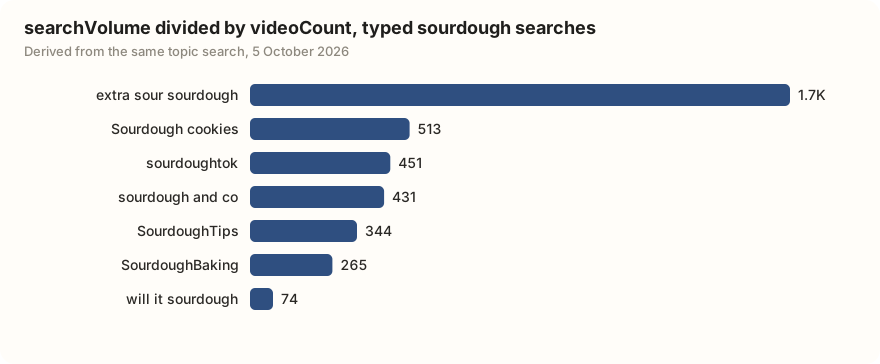
Run over a broader keyword, "sourdough" with limit 20, the filter kept 7 typed searches and dropped 13 groups. These are the ones worth putting in a caption or a dashboard:
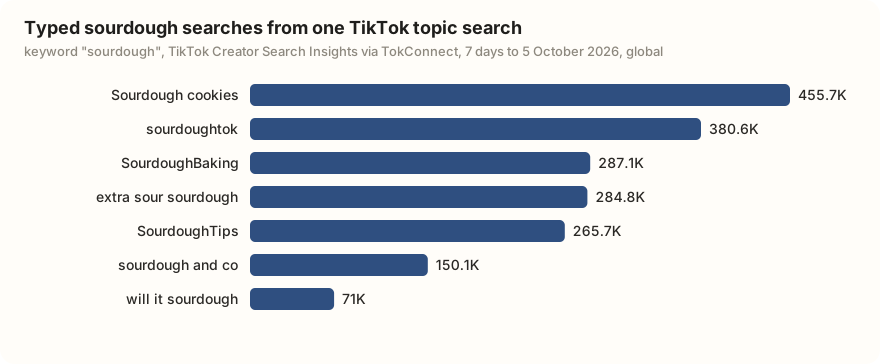
Dividing searchVolume by videoCount is a quick way to rank them for content. "extra sour sourdough" had about 1,736 searches per matched video; "will it sourdough" had 74.
The JSON a topic search returns
Here is one full record from the 19 September call plus the envelope around it, trimmed to a single topic:
{
  "topics": [
    {
      "queryId": "7668817079025287188",
      "queryText": "sourdough baking and starter care",
      "popularity": 87,
      "searchVolume": 4685193,
      "videoCount": 0,
      "trend7d": [9597, 106468, 291212, 442767, 1091572, 1611616, 4685193],
      "trendScore7d": [45, 70, 74, 78, 85, 85, 87],
      "categoryL1": "Gourmet",
      "categoryL2": "Food Tutorials",
      "isFavorited": false,
      "channel": "search",
      "tab": "SEARCH"
    }
  ],
  "hasMore": true,
  "nextOffset": 5,
  "count": 5,
  "channel": "search",
  "tab": "SEARCH"
}
That record is a topic group: trend7d starts at 9,597 and ends at 4,685,193, so its first reading is under 5% of its last. Its searchVolume pools many related searches, and videoCount: 0 on a group is not a content gap you can fill with one phrase. A typed record looks like this one from 5 October 2026, with readings that move around instead of climbing every day:
{
  "queryId": "7394231615091654662",
  "queryText": "Sourdough cookies",
  "popularity": 78,
  "searchVolume": 455736,
  "videoCount": 888,
  "trend7d": [285485, 275182, 288286, 172851, 284985, 117335, 455736],
  "trendScore7d": [74, 74, 74, 71, 74, 70, 78],
  "categoryL1": "Gourmet",
  "categoryL2": "Food Tutorials",
  "categoryL3": "Baking Tutorials",
  "isFavorited": false,
  "channel": "search",
  "tab": "SEARCH"
}
The content gap guide explains what TikTok counts as a match.
Field reference
| Field | Type | Meaning |
|---|---|---|
queryId | string | Topic identifier. Pass it to every follow-up tool. Store it beside the text, because the same phrase can come back with a different id on a later search. |
queryText | string | The topic's text: either a phrase people type or a TikTok-generated topic group (see the filter above). Capitalisation varies and is TikTok's. |
searchVolume | integer | Searches over the last 7 days, global. This is the figure the app prints as "Search popularity". See the search volume guide. |
popularity | integer 0–100 | TikTok's index of how hot the topic is against everything else. Not a percentage and not derived from searchVolume. |
videoCount | integer | Videos TikTok has matched to the topic. Zero is common and is the signal behind the content-gap badge. |
trend7d | array of 7 integers | Daily search counts behind the chart, oldest first. The last value equals searchVolume. |
trendScore7d | array of 7 integers | The same seven days as the 0–100 popularity index. |
categoryL1 … categoryL4 | string | TikTok's category path, L1 broadest. L3 and L4 are present only on topics filed that deeply. |
isFavorited | boolean | Whether the topic is saved on the underlying account. |
channel, tab | string | Which feed the record came from. search/SEARCH for keyword results, other values for browse and trending feeds. |
Keep an absent field absent when you store these. A videoCount of zero and a videoCount that never arrived are different states, and collapsing them ruins any content-gap filter you build on top.
Follow-up tools
Each of these is one demand_topic call: pass the queryId from a topic record as id, plus a method.
| Method | Arguments | Returns |
|---|---|---|
detail | id | Full record for one topic: category path, top countries, related-product signals |
popularity | id, days ("7", "30", "60", "180"), countries | The search series over a longer window, optionally split by country |
audience | id, days | Share of searchers by country, gender and age group |
related | id, limit, cursor | Adjacent topics with their own volumes, for building a cluster from one proven seed |
The same tool also has related_queries, guidance (TikTok's content suggestions) and videos methods. The useful pattern is one broad demand_find_topics call, then follow-ups on the two or three topics that survive your filter. There is no point calling demand_topic method audience on all ten results, because you will drop most of them on volume alone.
Pagination, credits and limits
demand_find_topics takes limit from 1 to 20. The response returns hasMore and next, an opaque cursor; pass next back unchanged as cursor for the following page. The v2 search_topics call in the example returns nextOffset instead, which you pass back as offset: there it came back with nextOffset: 10. Either way, do not compute the step yourself from page numbers, because the server decides it.
Each lookup costs 1 credit and failed lookups are free. Free gives 50 credits once, 60 requests a minute and 2 at once; paid plans from $34.99 a month billed yearly start at 500 credits a month and 120 a minute (pricing).
Two practical notes. Keep the key out of source control and read it from the environment, as the example does. And if a call comes back with an upstream error, wait and retry once before failing the job: these are live TikTok reads, and a transient failure on one topic is not a reason to abandon the batch.
If you would rather ask questions than write a client, the desktop guide shows the same data through ChatGPT or Claude with no code at all.
What if you only need the answer?
If you only need the answer, not a pipeline, paste this into any assistant with TokConnect connected:
Search TikTok topics for "[your keyword]" with limit 20. Drop TikTok's generated topic groups (7-day figure of 5 million or more, or 1 million or more with the first daily reading under 5% of the last), then rank the typed searches by searches per matched video.
How we got these numbers
The outputs on this page come from TokConnect: "sourdough starter" (limit 5) on 19 September 2026 for the JSON record, and "sourdough starter" (limit 10) and "sourdough" (limit 20) on 5 October 2026 for the printed list, the filter results and the charts. searchVolume is TikTok's global search popularity for the last 7 days; searches per video is our division of searchVolume by videoCount. The Python examples were run against the server on 19 September 2026; the 5 October pulls used our own MCP research client with the same arguments. The tool count comes from TokConnect's live tool list, version 3.1.0.
TikTok's developer site returned errors to our automated checks on 5 October 2026, so the descriptions of the Research and Business APIs keep their 19 September reading; we found no announcement of a search-demand API in the meantime. Data: 5 October pulls, 19 September pull, tool catalog.
Key statistics
Three of TokConnect's 34 research tools return Creator Search Insights data, and new accounts start free with no card.
All 10 records that one Creator Search Insights topic search returned for "sourdough starter" on 5 October 2026 were TikTok topic groups that pool many searches, not phrases people type.
All 5 statistics
"extra sour sourdough" was searched 284,785 times on TikTok in the 7 days to 5 October 2026 against 164 matched videos, about 1,736 searches per video.
Frequently asked questions
Is there a TikTok Creator Search Insights API?
No. TikTok documents Creator Search Insights as a creator feature in the app and at tiktok.com/csi, not a developer one. There is no endpoint for it in the Research API, the Display API, the Content Posting API or the Business API, and no scope you can request for search popularity data. One 2026 blog post claims a "Creator Search Insights API" exists, but it cites no TikTok documentation and describes creator profile data.
What fields does a Creator Search Insights topic record have?
A topic search returns a list of records and a pagination cursor. Each record has queryId, queryText, popularity (0 to 100), searchVolume (7-day global searches), videoCount, the trend7d and trendScore7d series, and TikTok's category path. Some records are typed searches and some are TikTok-generated topic groups; on 5 October 2026, 7 of 20 records for "sourdough" were typed.
How much does it cost to pull Creator Search Insights data in code?
Every account starts free with no card, so you can build and test a real pipeline rather than a single hello-world call. After that, paid plans start at $34.99 a month, billed yearly.
How do I tell a typed search from a TikTok topic group in the API?
Check searchVolume and trend7d. We treat a record as a topic group if its 7-day figure is 5,000,000 or more, or 1,000,000 or more with the first daily reading under 5% of the last, or its category is TikTok's Featured Content. On 5 October 2026 that rule kept 7 of 20 records for "sourdough", led by "Sourdough cookies" at 455,736 searches.
Sources and data
- Guide to Using the TikTok Research API (TikTok for Developers)
- TikTok Video Query API specification (TikTok for Developers)
- TikTok API for Business documentation
- Model Context Protocol: Streamable HTTP transport
- Sourdough topic records, 19 September 2026 (snapshot)
- mcp (Python SDK) on PyPI, version 2.3.0 on 5 October 2026
- TikTok content discovery: how developers use the TikTok search API (Phyllo, 2026; claim of a CSI API, unverified)
- Creator Search Insights on desktop (tiktok.com/csi, login required)
- Sourdough topic records, 5 October 2026 (snapshot)