
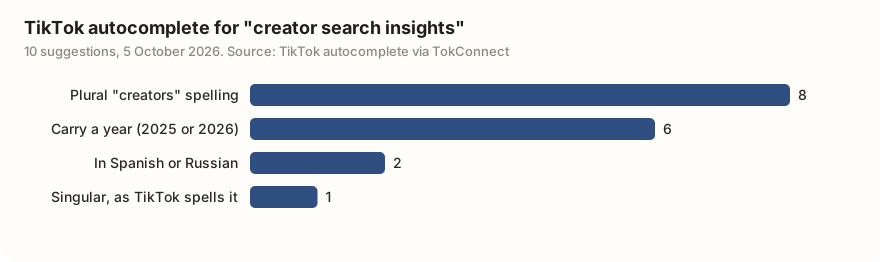
- Search the exact name, Creator Search Insights, and tap View at the top of the results. TikTok's own autocomplete pushes the plural "creators" spelling.
- Update the app before anything else. New features ship with app builds.
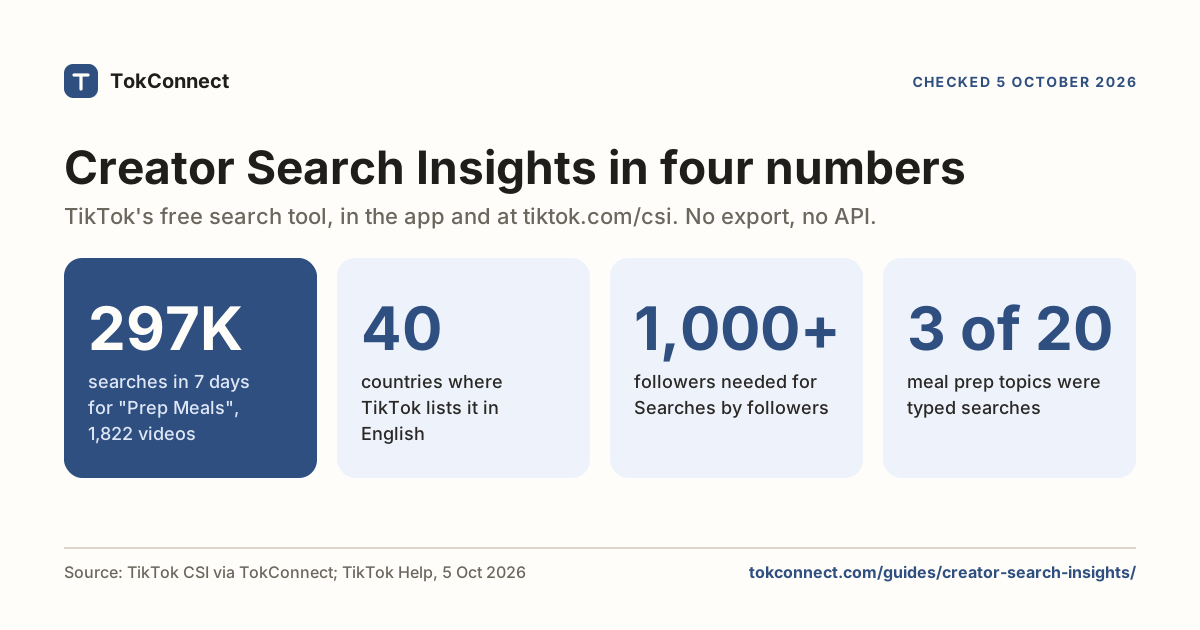
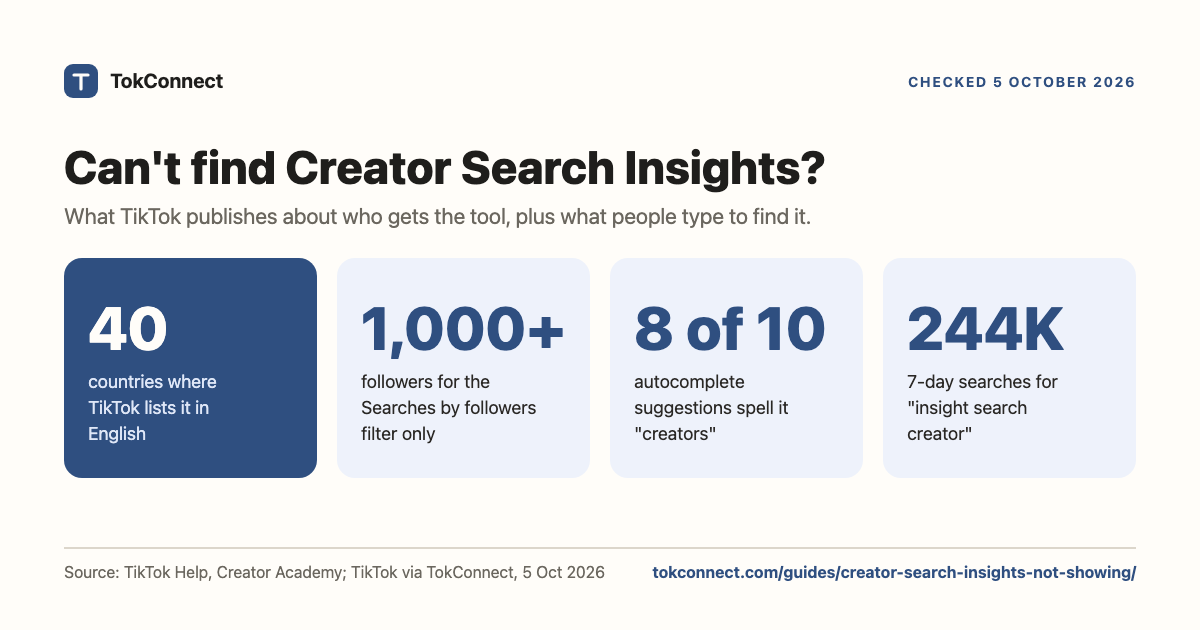
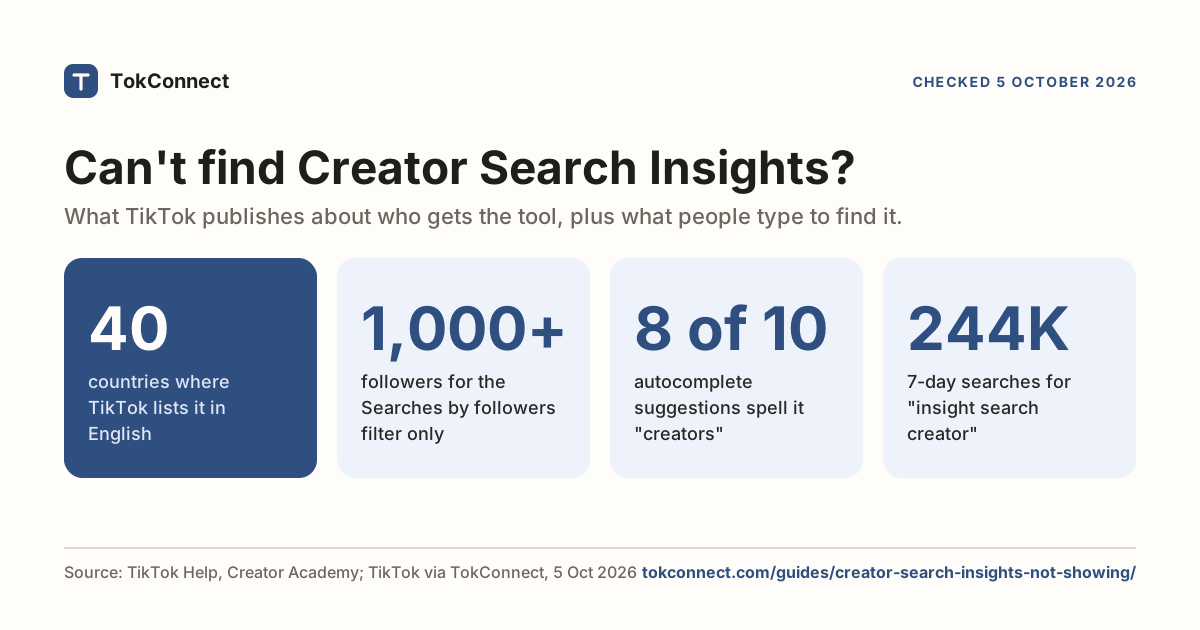
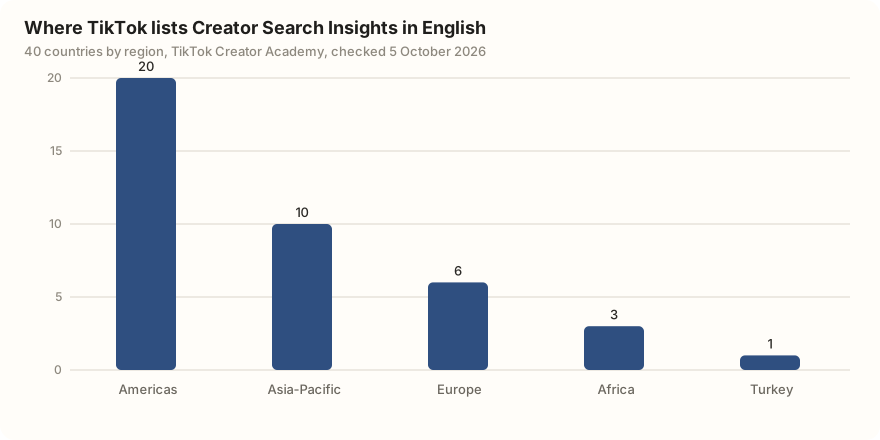
- TikTok's Creator Academy lists 40 countries where the tool works in English, checked 5 October 2026. Outside them there is nothing to request.
- If personalisation is off, TikTok says you won't get personalised topics, so the Suggested list looks empty.
- An empty Searches by followers filter is not a bug. It needs more than 1,000 followers.
Creator Search Insights not showing usually comes down to the search phrase, an old app version or your country. As of 5 October 2026, TikTok's help article says to search "Creator Search Insights" and tap View, its Creator Academy lists 40 countries where the tool works in English, and only the Searches by followers filter has a published threshold (more than 1,000 followers).
Work down the causes below in order. The first two take under a minute to fix. There is no form to fill in and no waitlist to join, so anything that promises to get you access is selling you something.
Key statistics
TikTok's Creator Academy lists 40 countries where Creator Search Insights can be used in English, 20 of them in the Americas, checked 5 October 2026; India is not on the list.
The Searches by followers filter in Creator Search Insights needs more than 1,000 followers, according to TikTok's help article checked 5 October 2026; the rest of the tool has no published follower minimum.
8 of TikTok's 10 autocomplete suggestions for "creator search insights" on 5 October 2026 used the plural spelling "creators search insights".
All 5 statistics
"insight search creator" was searched 243,973 times on TikTok in the 7 days to 5 October 2026, the biggest typed search TikTok returned for the tool's name.
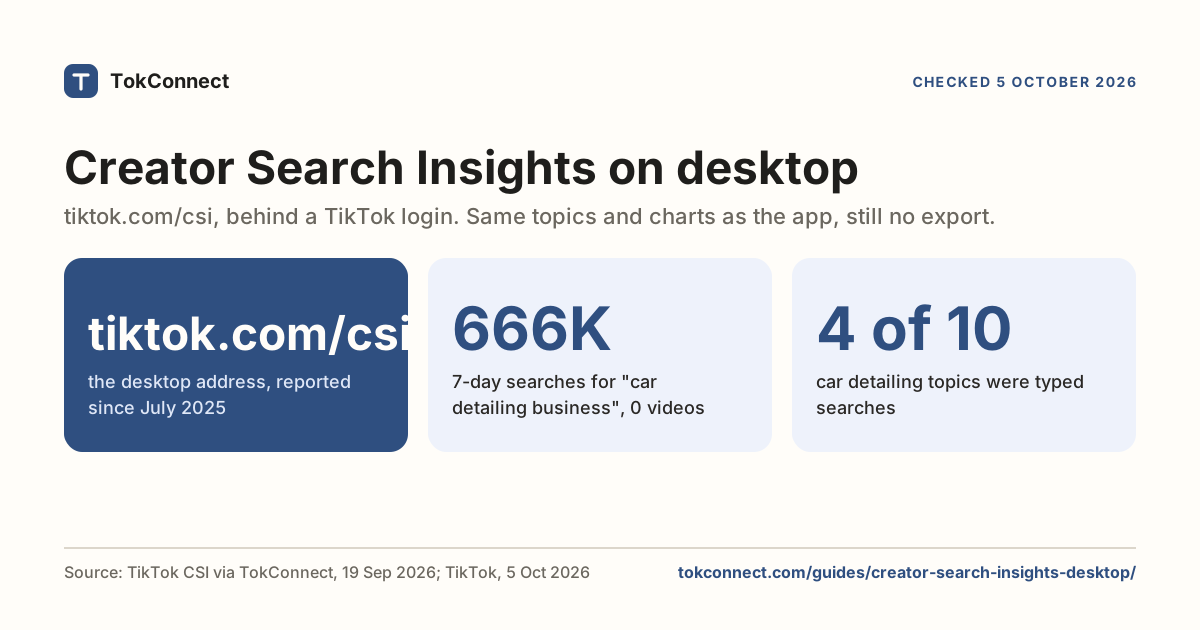
TikTok announced Creator Search Insights on 13 March 2024 as a tool "available in select regions", and creators reported a desktop version at tiktok.com/csi on 12 July 2025.
1. You searched a different phrase
This is the most common one. Creator Search Insights has no icon on most accounts. You reach it by searching for it inside the app, and TikTok's help article spells the steps out: tap Search, search "Creator Search Insights", and tap View at the top of the search results.
People type it all sorts of ways. On 5 October 2026, 8 of TikTok's 10 autocomplete suggestions for the name used the plural "creators search insights", and the biggest typed search around the tool was "insight search creator", with 243,973 searches in a week. If the card does not appear, retype the exact name, then look at the very top of the results page. The card sits above the videos, and on a small screen it is easy to scroll past.
TikTok's 2024 launch post said creators would "soon" find it under Creator Tools in Settings too. Not every account has that entry, so the search route is the reliable one.
2. Your app is out of date
New features arrive with app builds. An account can be in a supported country and still see nothing because the phone runs an old version.
Update TikTok from the App Store or Play Store, force-quit it, and reopen. On Android, if you ever installed TikTok from an APK file, you may be on a build that never updates from the Play Store; reinstall from the store. Then search the name again.
3. Your country is not on TikTok's list
TikTok announced Creator Search Insights on 13 March 2024 as "available in select regions". Its Creator Academy now lists 40 countries where it can be accessed in English, checked 5 October 2026:
- Americas (20): United States, Canada, Brazil, Mexico, Argentina, Bolivia, Chile, Colombia, Costa Rica, Dominican Republic, Ecuador, El Salvador, Guatemala, Honduras, Nicaragua, Panama, Paraguay, Peru, Puerto Rico, Uruguay.
- Europe (6): United Kingdom, Ireland, France, Germany, Spain, Andorra.
- Asia-Pacific (10): Australia, New Zealand, Japan, South Korea, Singapore, Indonesia, Philippines, Vietnam, Thailand, Malaysia.
- Also: Turkey, South Africa, Kenya and Nigeria.
If your country is missing, there is no way to ask for it. TikTok has not said how it decides which region an account belongs to for this tool, and changing your account's region affects far more than one feature. If this is your situation, skip to what to do if it never appears.
Get the same topics without the app
4. Personalisation is turned off
TikTok's help article has one line that explains a lot of "it's empty" complaints: if you turned off your personalisation settings, you won't be served personalised search topics. The tool still opens, but the Suggested list, which is built from your content and your followers' searches, has little to show.
Check Settings and privacy → Content preferences for the personalisation switches. The search bar inside the tool and the Trending tab work either way.
5. You switched account type and your session is stale
TikTok's help and Creator Academy articles set no account-type or age rule for the tool, checked 5 October 2026. TikTok does not document this, but a stale session after switching between personal and business accounts is a common cause: the tools you see are loaded with your session, so an account that changed type an hour ago can keep showing the old list.
Sign out, sign back in, and search the name again.
TikTok publishes the access steps, a list of 40 countries for the English version, and the 1,000-follower rule for one filter. It does not publish an age rule, an account-type rule or a rollout schedule. Anything stricter you read elsewhere is a guess.
6. The tool works, but Searches by followers is empty
This one looks like a fault and is not. Searches by followers shows what your own followers search for. TikTok's help article says you can use it once you have more than 1,000 followers. Below that it stays blank.
Everything else keeps working under 1,000 followers: the search bar, Trending, Content gap and every topic page with its numbers. The Content gap filter matters most for a small account anyway, because it points at searches with too few good videos.
7. You are on desktop without being logged in
On a computer the tool sits at tiktok.com/csi, and it needs a TikTok login. When we checked on 5 October 2026, a signed-out visit showed the login page instead of the tool. Log in, open it again, and you get the same topics, search popularity figures and charts as the app. The desktop guide covers the web version and why the "Creator Search Insights app" downloads are not TikTok's.
Creator Search Insights not showing anywhere? Use the data another way
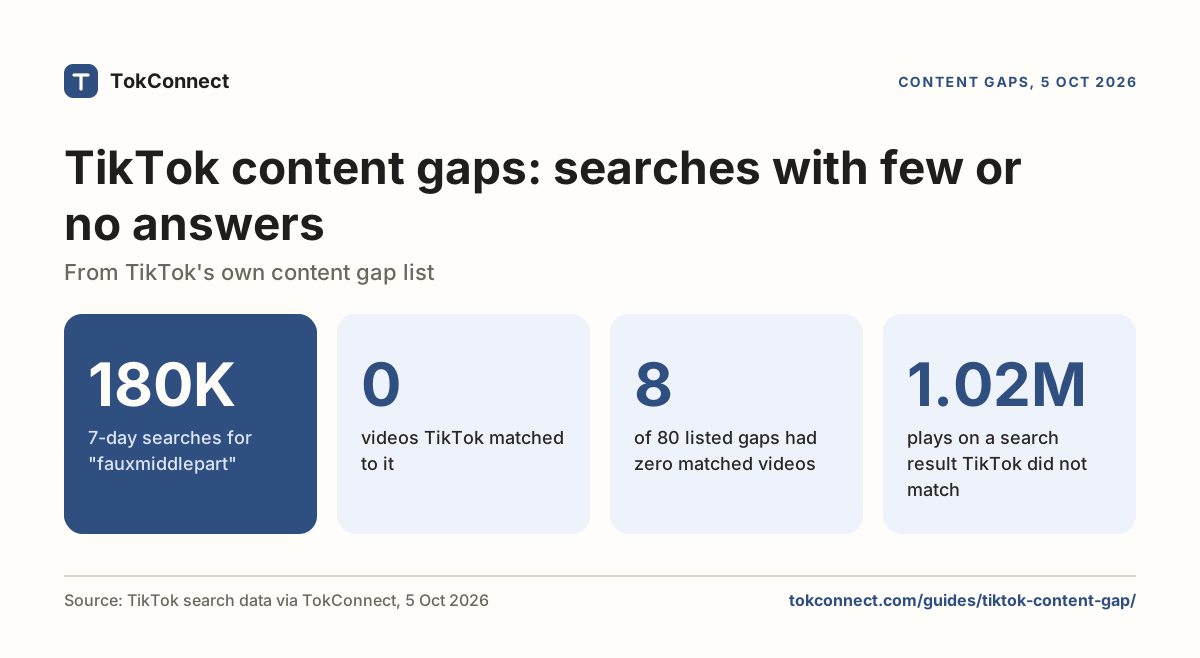
If your country is not on the list, waiting is the only in-app option. The data itself is not locked to your phone, though. Our content gaps page lists this week's under-served searches from the same source, and the biggest movers by category are on trends. Neither needs an account.
For the topics themselves, TokConnect reads Creator Search Insights on your behalf, so a missing card in your own app doesn't matter. You type your niche and get the searches back as a table; it starts with 50 free credits, and the connect pages cover using it from an AI app you already have.
Search TikTok Creator Search Insights topics for [your niche], 20 results. Keep only typed searches, not TikTok's generated topic groups. Table of search, 7-day searches, video count and category, sorted by searches. Then list the ones with fewer than 1,000 videos and suggest a caption for the top three using each search's exact wording.
Whatever route you use to find a search, what earns search views is putting its wording in your caption and on-screen text, which the TikTok SEO guide covers in full. Advertisers have one more official option: the TikTok Keyword Planner in Ads Manager, which covers 12 markets.
One last check before you give up on the app: look at a friend's phone in the same country on the same app version. If the card appears for them and not for you, it is your account or settings. If it appears for neither of you, it is the market.
How we got these numbers
Facts about access, countries and the follower rule come from TikTok's help article, Creator Academy article and Newsroom post, read on 5 October 2026; the desktop date is from a 12 July 2025 post. The search figures were pulled on 5 October 2026 through TokConnect's MCP server: search_topics for "creator search insights" (20 topics, of which 18 were TikTok's generated topic groups and 2 typed searches) and search_suggestions for the same phrase (10 suggestions). Searches are TikTok's 7-day global search popularity; topic groups are left out of every number above. Data: topics and autocomplete, TikTok facts with links.
Frequently asked questions
Why can't I see Creator Search Insights on TikTok?
Check the exact search phrase and update the app first. Then check your country: TikTok's Creator Academy lists 40 countries where the tool works in English, checked 5 October 2026. If personalisation is off, TikTok says you won't be served personalised topics, so the Suggested list looks thin.
How do I get Creator Search Insights on TikTok?
There is no application form and no waitlist. In the TikTok app, tap Search, search Creator Search Insights and tap View at the top of the results. On a computer, log in and open tiktok.com/csi. If no card appears and your country is on TikTok's list of 40, update the app and try again.
Can I get Creator Search Insights data if the tool is not showing for me?
Yes. The content gaps page lists this week's under-served searches from the same source with no account needed, and tools that read Creator Search Insights for you return the topics for any niche as a table, without the card in your own app. TikTok's app and tiktok.com/csi have no export either way.
Is Creator Search Insights available in my country?
TikTok's Creator Academy lists 40 countries for the English version, checked 5 October 2026, including the US, UK, Canada, Australia, Ireland, Japan, Brazil, Mexico, South Africa and Nigeria. India is not on the list. TikTok has not published a schedule for other countries.
Does Creator Search Insights work on a business account?
TikTok's help and Creator Academy articles set no account-type or age rule for the tool, checked 5 October 2026. If you switched account types recently, sign out and back in, because the tools you see are loaded with your session.
Why is my Searches by followers tab empty?
TikTok's help article says the Searches by followers filter needs more than 1,000 followers. Under that it stays blank, while the search bar, Trending, Content gap and topic pages keep working.
Sources and data
- Creator Search Insights (TikTok Help Center, checked 5 October 2026)
- Creator Search Insights, including the 40-country list (TikTok Creator Academy, checked 5 October 2026)
- Get inspired with Creator Search Insights (TikTok Newsroom, 13 March 2024)
- You can now access TikTok's Creator Search Insights on desktop (Jonah Manzano on X, 12 July 2025)
- What you need to know about TikTok's Creator Search Insights (Buffer, 9 July 2024)
- Creator Search Insights direct link (TikTok, login required)