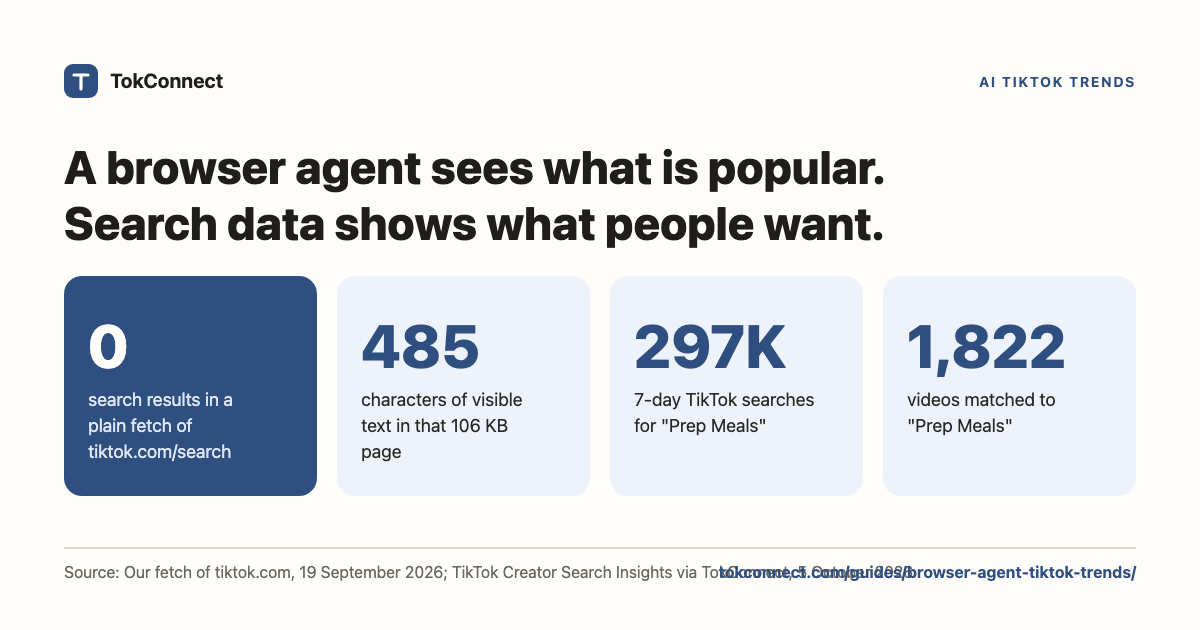

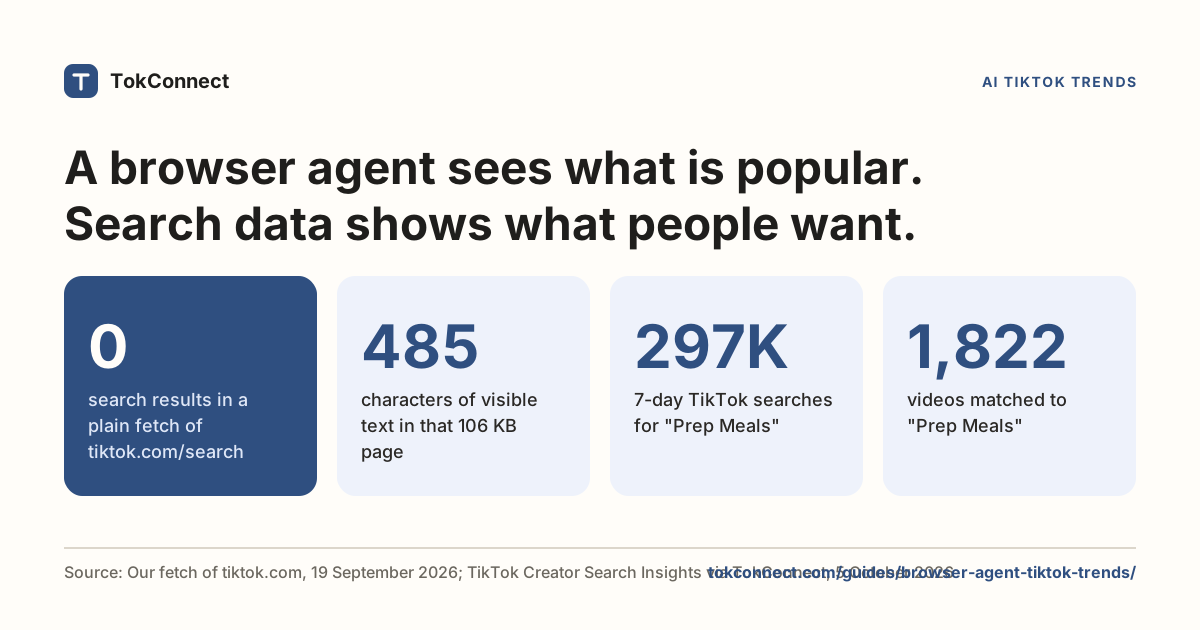
- A logged-out fetch of tiktok.com/search returns a JavaScript shell and no results: 106 KB of page, 84 KB of it script, zero videos (19 September 2026).
- Creator Search Insights is on the web at tiktok.com/csi, but only behind a TikTok login, one topic per page load, with no export and no API.
- Browser agents earn their cost on judgement: watching one video's hook, reading a comment thread, checking a Shop listing. They are the wrong tool for counting.
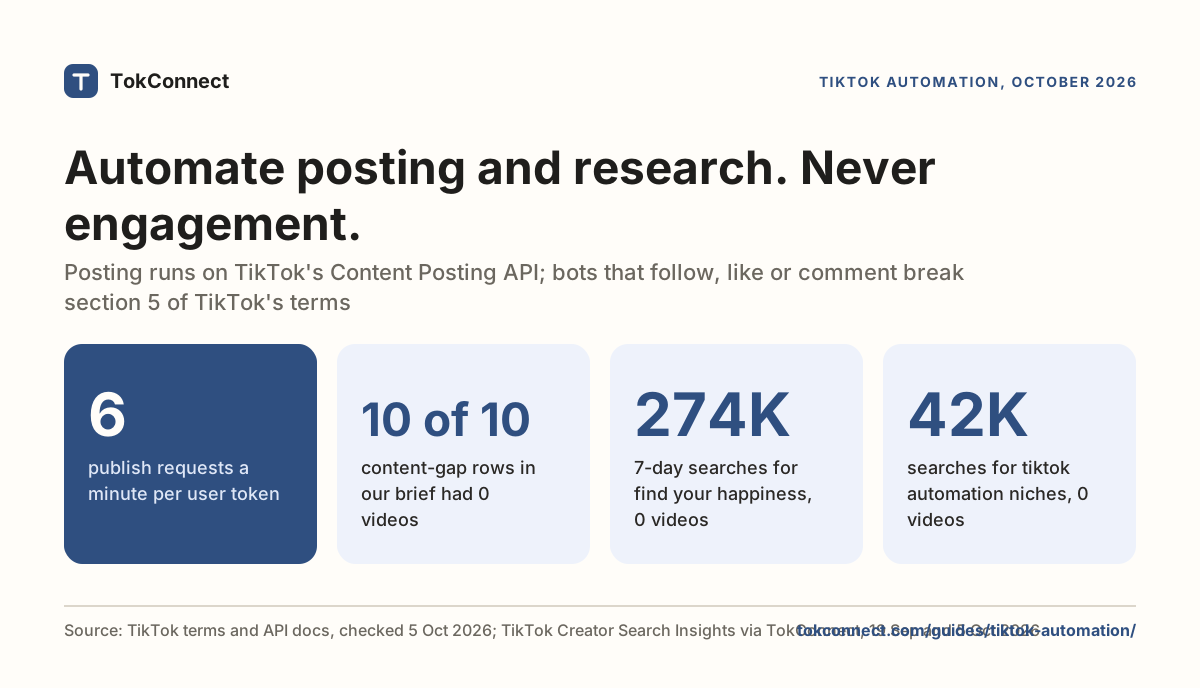
- TikTok's terms of service prohibit using automated scripts to collect information from the Services, and the platform enforces with fingerprinting, captchas and bans.
- The working setup is a split: an API or MCP for the numbers, a browser for the three pages worth looking at.
- Search data shows what a browser cannot: "Meal prep with what you have" went from 1.4 million weekly searches and no videos on 19 September 2026 to 381 videos by 5 October.
A browser agent is good at looking at TikTok and bad at counting it. It can watch a video, read a comment thread or check a Shop listing, but it cannot learn TikTok search trends at scale: a plain fetch of tiktok.com/search on 19 September 2026 returned zero results, and the search numbers sit behind a login, one topic per page. Those numbers exist as data: "Prep Meals" had 296,970 TikTok searches in the 7 days to 5 October 2026, with 1,822 videos matched.
That is the catch in most AI TikTok trends setups. The people wiring agents up to learn TikTok are right about the goal and wrong about the door. Below is what a browser agent gets back from tiktok.com, measured on 19 September 2026, and what the same question returns from TikTok's own search data.
What people are actually building
The pattern is always the same. Give an agent a browser, tell it to open TikTok, scroll the For You page or a hashtag, describe what it sees, and write a trend report. It is appealing for three good reasons: no API key and no approval queue, it sees what a human sees including the video itself, and the same agent works on Instagram and Reddit tomorrow.
The tooling got good fast. Claude in Chrome is generally available on Anthropic's paid plans and drives the browser you are already signed into. Perplexity's Comet put an agent inside a Chromium browser in July 2025 and reached iOS in March 2026. On the open-source side, Browser Use (117k GitHub stars) flattens the DOM into something a model can act on, Stagehand (26k) wraps Playwright in natural-language steps, and Skyvern (23k) drives pages with vision instead of selectors. Playwright itself (97k) is the non-agent baseline everything else sits on. Star counts and Claude in Chrome's availability are from 5 October 2026.
The category is not stable, though. OpenAI announced on 9 July 2026 that it was shutting down Atlas, its own AI browser, and Atlas stopped working on 9 August 2026. TechCrunch quoted the reasoning as "the browser is a feature, not the destination". The benchmarks age too: Browser Use's widely quoted 89.1% on WebVoyager is a December 2024 result on GPT-4o, measured after 55 tasks were dropped as impossible or outdated and some evaluations were re-reviewed by hand.
What does a browser agent see on tiktok.com?
Here is the first hop any browser agent makes, a plain GET with a desktop Chrome user agent, no cookies, no login, no JavaScript, and what came back.
| URL requested | Status | Bytes | Video or search data in the response |
|---|---|---|---|
/search?q=meal prep | 302 → static notice page | 106,029 | None |
/tag/skincare | 302 → static notice page | 106,029 | None |
/api/search/general/full/ | 302 → static notice page | 106,031 | None |
/inspiration | 301 → /csi, then redirected on | 106,031 | None |
/legal/…/terms-of-service/en | 200 | 338,880 | Full text, server-rendered |
curl with a desktop Chrome user agent, no cookies and no TikTok session, 19 September 2026. Open the snapshot.
The first lesson is in the redirects. TikTok decided what to serve this client before it ever looked at the URL, based on the connection it came from. That decision happens before a single model token is spent, and an agent reporting "no trends found" is often an agent TikTok declined to serve.
The second lesson is in the last row. The terms of service came back complete because it is server-rendered. Not one product path did, because they are a client-side app: what we received was 83,929 bytes of JavaScript wrapped around 485 characters of visible text. Get past the redirect and you are inside that app, where the data arrives as JSON inside a hydration script tag and the endpoints worth calling want a session cookie. No raw fetch gives you trends. You need a real browser, and then a real account.
The one thing a browser agent still cannot get
TikTok does publish search volume. It is in Creator Search Insights, and since 2025 it is on the web as well as in the app: log in and go to tiktok.com/csi. Our fetch confirms the plumbing, because /inspiration 301-redirects there. So yes, a logged-in browser agent can reach the numbers.
It cannot use them well, for four reasons.
- It needs your TikTok session. The agent has to be signed into a real account to see anything, and that account carries the risk of every automated click it makes.
- One topic per page load. Search popularity, the 7-day chart, the audience split and the video count each sit on a topic page. Twenty topics means twenty navigations and twenty model calls.
- No export, no API. No download button, no endpoint. Whatever the agent reads it reads as pixels or DOM, and re-reads next week.
- No history. The chart goes back 180 days and forgets. If you did not record a topic last month, last month is gone.
Logged out it is simpler still: tiktok.com search is a verification wall, not a dataset. That is why agents built on the public web can only report what is already popular. Popularity is the output of a trend; search demand is the input, and the input is what tells you what to film on Tuesday. The search volume guide explains the number.
What breaks?
Set the data question aside and the mechanics are still hard. The 2026 scraping guides name the same defences.
- Fingerprinting. TikTok profiles the TLS handshake, headers, cookies and device characteristics before deciding what to serve, according to Scrapfly's August 2026 teardown. A dev.to walkthrough adds canvas, WebGL and navigator properties.
- Signed requests. The XHR endpoints the app calls need tokens minted by TikTok's own JavaScript. Decodo names msToken as one you have to lift from the page, and they rotate.
- Behaviour checks. Request timing, scroll pattern, mouse movement, how long a video plays. An agent that clicks like a metronome is easy to spot.
- Captchas and rate limits. Anonymous browsing hits "Rate Limit Exceeded" quickly, and datacenter IPs get flagged on sight. Captchas are where most agent runs die.
- Account risk. The session that makes it work is the thing you lose. If the agent is signed into the account you post from, a ban costs you the audience, not just the run.
- Cost. Vision or DOM reads per scroll, per topic, per hashtag. The blocked shell we fetched was already 106 KB before a single video appeared. Multiply that by every page and every week.
- Terms. TikTok's terms of service, last updated 1 December 2025, list under section 5 what you may not do. One item: "use automated scripts to collect information from or otherwise interact with the Services".
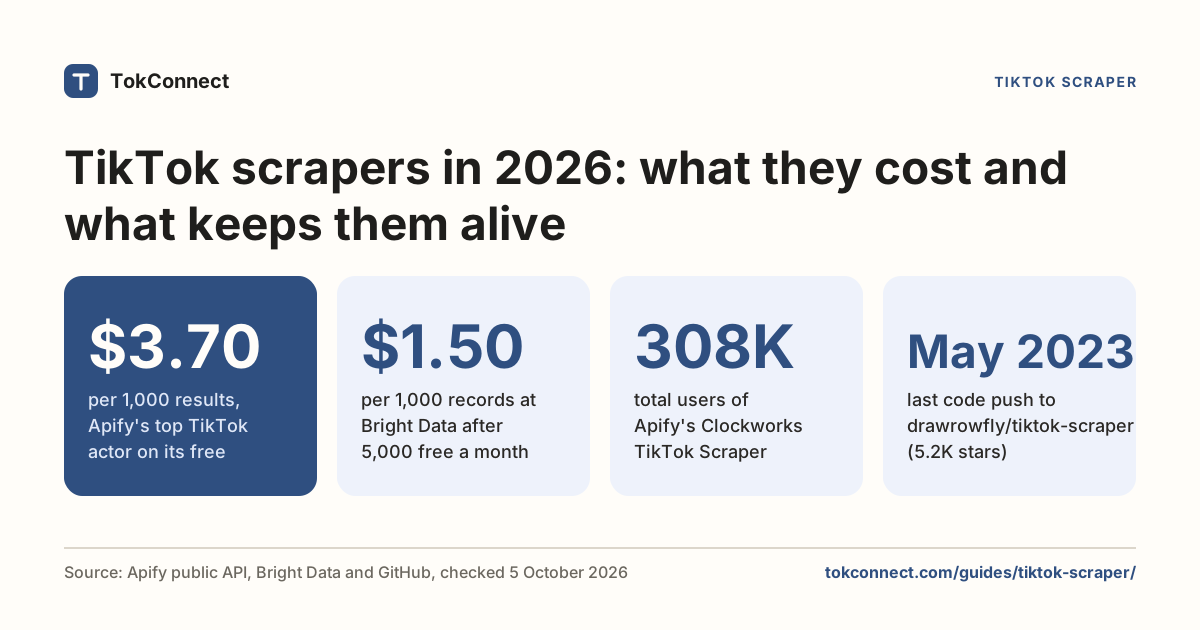
The terms prohibit automated collection, TikTok enforces with blocks and bans rather than lawsuits in most cases, and public data does not mean permitted access. The scraper guide goes through the options.
What are browser agents good for?
None of that makes them useless. It makes them the wrong tool for counting and the right tool for looking. Three jobs where a browser agent beats any API:
- Watching one video and describing the hook. What happens in the first two seconds, what the on-screen text says, when the product appears. No data feed gives you that; a model watching the video does.
- Reading a comment thread the way a person reads it. Which replies stack under which, what the tone is, which question keeps coming back.
- Checking a Shop listing or a profile link. Price, stock, whether the link in bio resolves. One page, one answer, no pipeline.
The shape is the same each time: one page, human judgement, no repetition. That is where the per-page cost earns itself.
Browser agent vs scraper vs MCP
| TokConnect (research MCP) | Browser agent | Scraper API | |
|---|---|---|---|
| What you get | TikTok's own search counts from Creator Search Insights, plus videos, creators, comments, hashtags and Shop listings as JSON | Anything on screen, described in words | Videos, profiles, hashtags, comments as JSON |
| Search volume | Yes, TikTok's own counts, as a field | Only by clicking topic pages in a logged-in session | No |
| Content-gap flag | Yes | Visible in the app, not extractable at scale | No |
| TikTok login required | No | Yes, for anything past the wall | No |
| Cost shape | A monthly plan or per call | Model tokens per page, forever | Per request |
| Fragility | Low: the server absorbs it | High: layout changes, captchas, bans | Medium: signatures rotate |
| Setup | One config line, or the research agent with no setup | Browser, profile, proxies, retries | API key |
| Best for | Demand, gaps, planning | Judgement about one thing | Volume of public records |
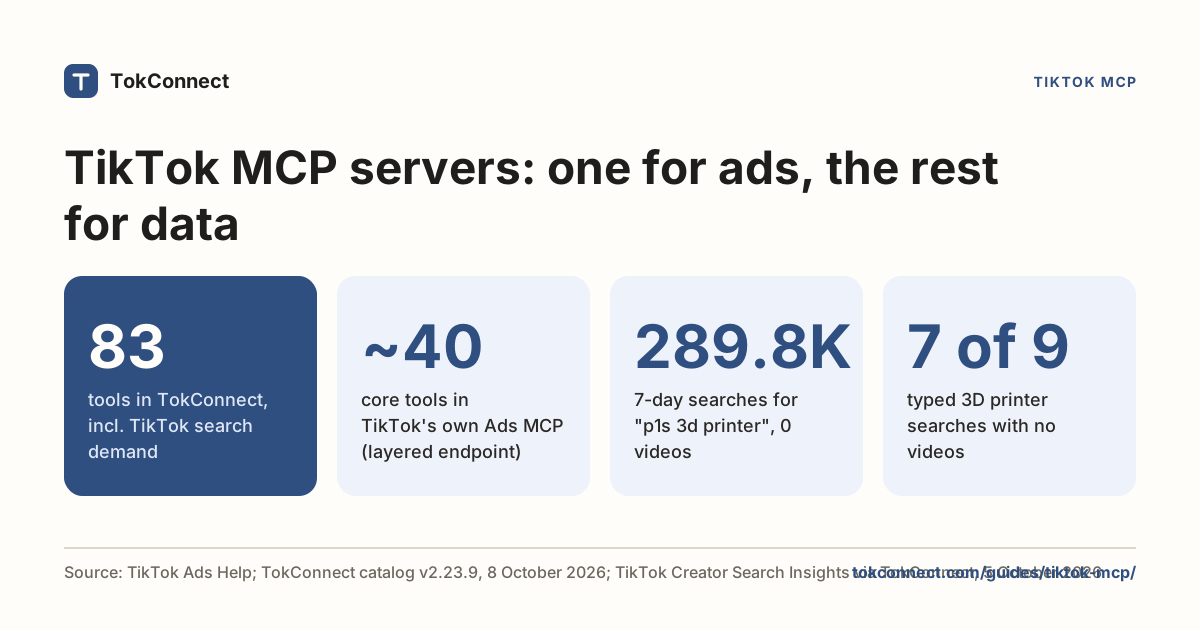
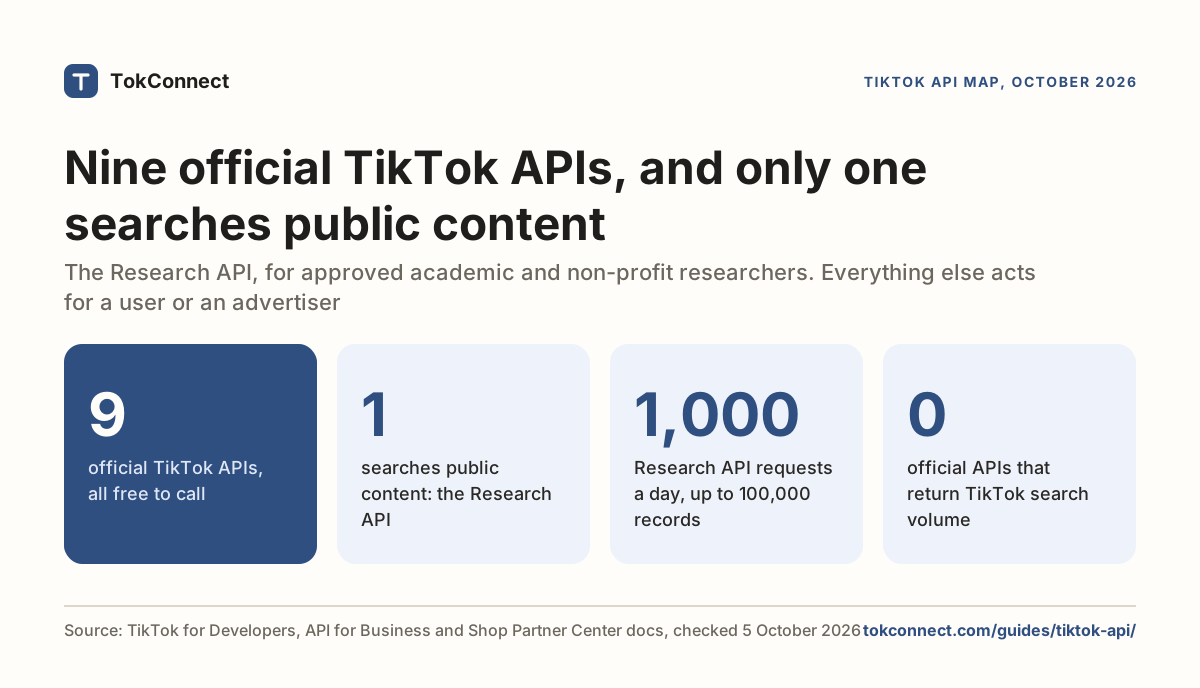
Use TokConnect, a research MCP that carries Creator Search Insights data, when you want TikTok's own search counts, content gaps and trend history in an agent. Use a browser agent to watch one video, and a scraper API for bulk public records. TokConnect also has a REST API on every paid plan, which covers the scraper-API job: see the API docs. The API map covers the official routes, and the MCP guide compares the servers.
AI TikTok trends without a browser
Here is the same question we sent to tiktok.com, asked instead through the Creator Search Insights data. We searched meal prep on 19 September 2026 and again on 5 October 2026, and kept only the typed searches:
| Typed search | 7 days to 19 Sep | Videos then | 7 days to 5 Oct | Videos now |
|---|---|---|---|---|
| Prep Meals | 201,379 | 0 | 296,970 | 1,822 |
| fun meal prep | not returned | n/a | 208,937 | 736 |
| Meal prep with what you have (borderline: its wording describes a theme) | 1,376,537 | 0 | 89,308 | 381 |
Data: TikTok Creator Search Insights, 19 September and 5 October 2026. Search counts are TikTok's 7-day global figure. "Meal prep with what you have" is borderline: a single phrase above a million is rare, so treat it with the same caution as in 32 ChatGPT prompts for TikTok. Snapshots: 19 September, 5 October.
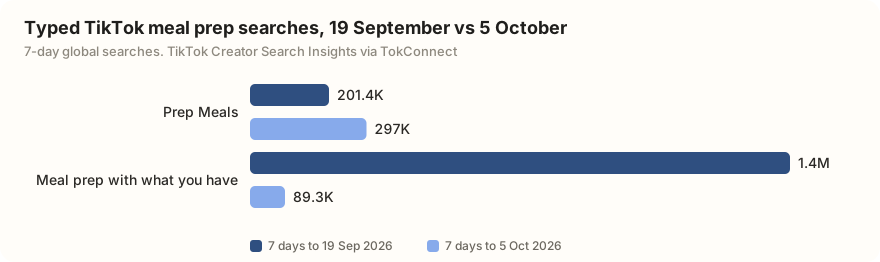
The two dates show a gap closing. On 19 September, "Meal prep with what you have" had 1.4 million searches a week and zero matched videos. Sixteen days later it had 381 videos and its searches had fallen to 89,308. A browser agent scrolling the meal-prep hashtag on 19 September would never have surfaced it, because there was nothing there to scroll past. Absence is invisible to eyes and obvious to data. The content gaps page lists each week's.
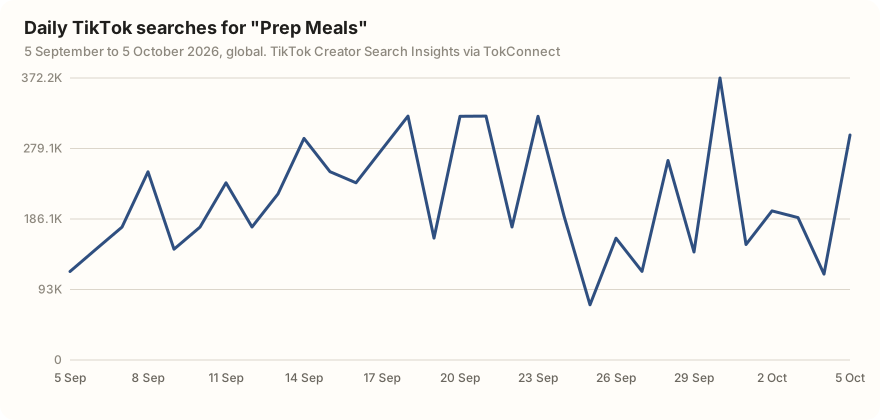
A dated series like this is the other thing a browser cannot give you. Creator Search Insights shows the chart on screen; an API returns it as numbers you can compare next week.
The "meal prep" pull also returned 17 topic groups TikTok generates, such as "gym meal prep and cooking", each with a figure that pools many related searches. One on 19 September showed 156 million. We leave them out of every number above.
The combination that actually works
Use the data path for the numbers and the browser for the eyes. In one agent session that looks like this.
To run only the data half, ask the research agent or any agent with TokConnect connected:
Search TikTok topics for "[your niche]" and list each typed search (not TikTok's topic groups) with 7-day searches and video count. Pick the three with the highest searches per video.
For an agent that can also browse, use the full three-step version:
Step 1, data: search TikTok topics for "meal prep" and list each typed search (not TikTok's topic groups) with its 7-day searches and video count. Pick the three with the highest searches-per-video ratio.
Step 2, eyes: for each of those three, open the top-performing video for that phrase on tiktok.com, watch the first five seconds, and tell me the hook, the on-screen text and whether a product appears.
Step 3: write me three video briefs that use the topic's exact wording in the caption and on-screen text, with a hook modelled on what you saw.
Step 1 is a database query. Step 2 is the one job a browser is better at than anything else. Step 3 is writing. Each tool does the part it is good at, and the expensive per-page loop runs three times instead of two hundred.
If you want this on a schedule rather than in a chat, the automation guide has a weekly version, and the trends hub publishes the same brief every week. Setup for the data half is one config block in Claude Code.
Connect TokConnect to your agent or call it from code with an API key
How we got these numbers
The browser test ran on 19 September 2026: a plain curl GET with a desktop Chrome user agent, no cookies, no TikTok login and no JavaScript, against five tiktok.com paths. We recorded status codes, redirects, bytes, script bytes and visible text for each. It shows the first hop an agent makes; a full headless browser with a logged-in session would get further, which is the point of the "one topic per page load" section.
The search figures were pulled through TokConnect: search counts for "meal prep" on 19 September and 5 October 2026, and the 30-day search curve for "Prep Meals" on 5 October. Search counts are TikTok's global 7-day "search popularity" from Creator Search Insights; videos matched is how many videos TikTok lists for the search.
We separate typed searches from TikTok's topic groups with our house rule: a record is a group if its 7-day figure is 5 million or more, or 1 million or more with the week's first daily reading under 5% of its last, or it sits in TikTok's Featured Content, or its wording describes a group. GitHub star counts were read from the GitHub API on 5 October 2026. Data: fetch test, 19 September search snapshot, 5 October search snapshot.
Key statistics
A plain fetch of tiktok.com/search for "meal prep" with a desktop Chrome user agent and no login returned 0 search results on 19 September 2026: 106,029 bytes, 83,929 of them JavaScript, and 485 characters of visible text.
"Prep Meals" was searched 296,970 times on TikTok in the 7 days to 5 October 2026, with 1,822 videos matched to it.
Daily TikTok searches for "Prep Meals" ranged from 72,882 on 25 September to 372,161 on 30 September 2026 over the 30 days to 5 October.
All 5 statistics
"fun meal prep" was searched 208,937 times on TikTok in the 7 days to 5 October 2026, with 736 videos matched to it.
TikTok's terms of service, last updated 1 December 2025, say users may not "use automated scripts to collect information from or otherwise interact with the Services".
Frequently asked questions
Can ChatGPT browse TikTok?
ChatGPT can open a tiktok.com URL, but what it gets back is a JavaScript app, not video data. Logged out, TikTok search is a verification wall. OpenAI also retired Atlas, its own AI browser, on 9 August 2026, so the browsing story there has moved. For TikTok's search counts, videos and comments in a chat, connect TokConnect instead of asking it to surf; the ChatGPT setup shows how.
Can Claude read TikTok?
Yes, two ways. Claude in Chrome can read a TikTok page in a browser you are signed into, which is good for watching one video or one comment thread. For search volumes, content gaps and topic data, Claude reads them through a TikTok research connector rather than the page. See the MCP guide.
How do AI agents find TikTok trends?
The ones that work read TikTok's own search data through an MCP tool rather than scrolling the feed. That gives the agent a search's 7-day count, its video count and whether it is a content gap: "Prep Meals" showed 296,970 searches and 1,822 videos in the 7 days to 5 October 2026. Scrolling only shows what is already popular.
Can a browser agent see TikTok search volume?
Only when signed into a TikTok account and clicking through Creator Search Insights at tiktok.com/csi, one topic per page load. There is no export, no API and no history beyond the windows TikTok shows. A logged-out fetch of tiktok.com/search returned 0 results in a 19 September 2026 test.
Which browser agents work with TikTok?
Claude in Chrome (on all paid Claude plans), Perplexity's Comet, and open-source tools such as Browser Use (117k GitHub stars), Stagehand and Skyvern can all open TikTok in a real browser. They are good at watching one video or reading one thread, and poor at counting across hundreds of pages.
Sources and data
- TikTok Terms of Service, section 5 (last updated 1 December 2025)
- How to Scrape TikTok in 2026 (Scrapfly, August 2026)
- How to Scrape TikTok: Complete Guide (Decodo, January 2026)
- OpenAI is shutting down Atlas (TechCrunch, 9 July 2026)
- OpenAI explains what will happen when ChatGPT Atlas shuts down (9to5Mac, 4 August 2026)
- Claude in Chrome (Anthropic, 5 October 2026)
- Comet (browser) (Wikipedia)
- Browser Use WebVoyager technical report (December 2024)
- browser-use/browser-use (GitHub)
- What a plain fetch of tiktok.com returns, 19 September 2026 (snapshot)
- Meal prep search, 5 October 2026 (snapshot)