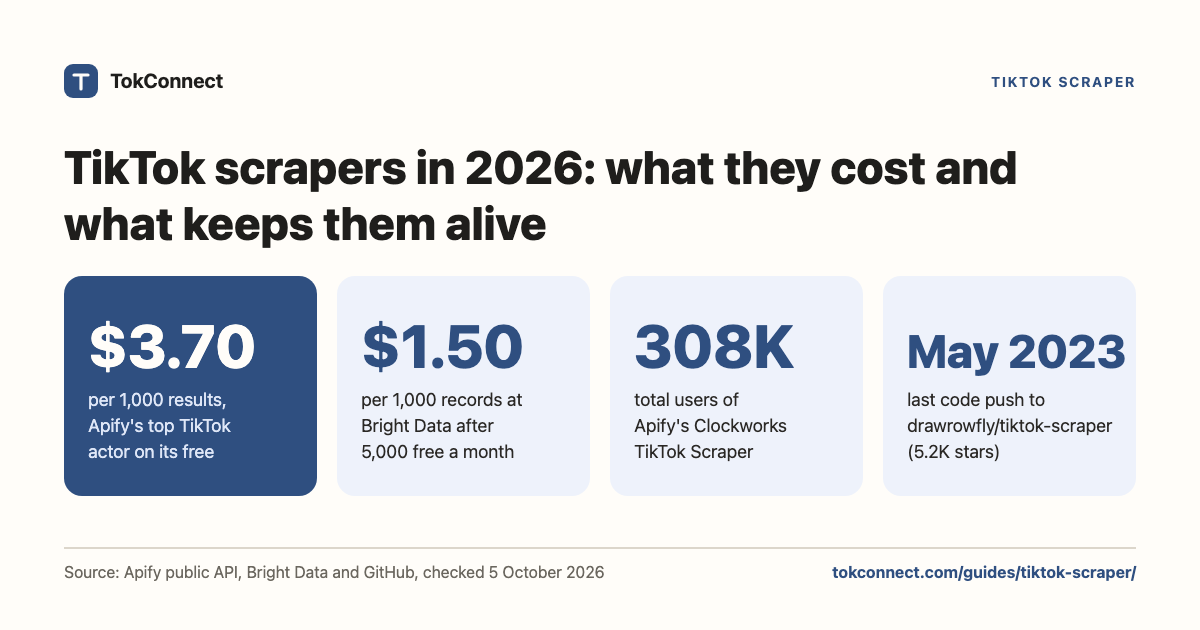

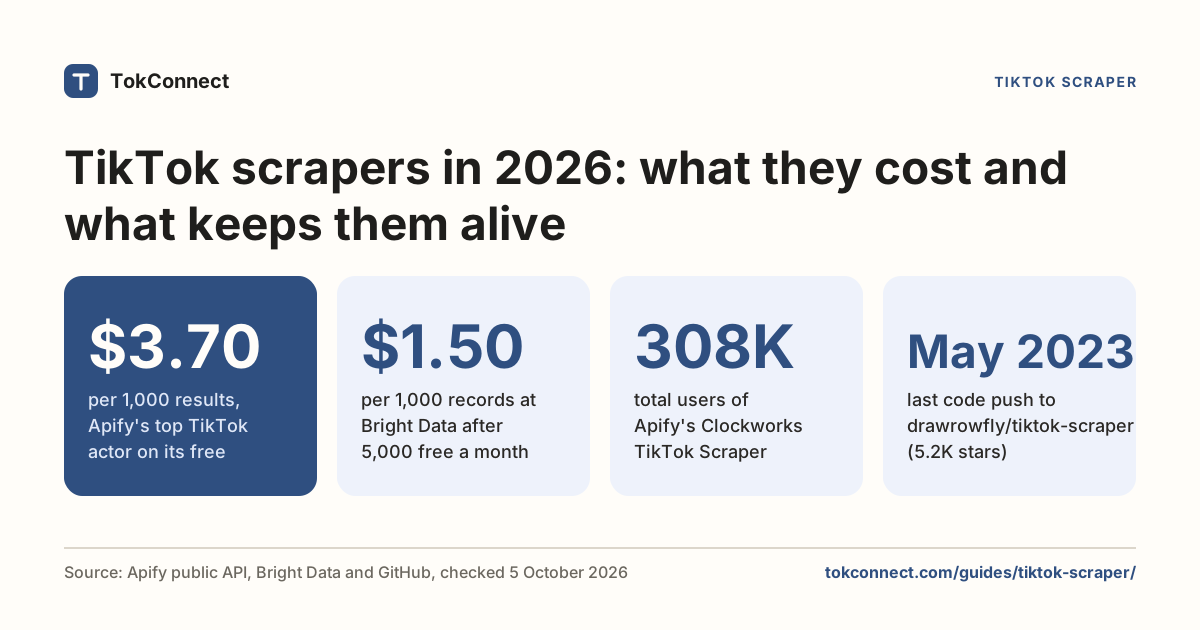
- Hosted actors (Apify, Bright Data, HasData) work because someone else maintains the signature and blocking layer. You pay about $1.50 to $3.70 per 1,000 records on entry plans.
- Free GitHub scrapers are cheaper and more fragile. drawrowfly/tiktok-scraper has 5.2k stars and no code pushed since May 2023; davidteather/TikTok-Api is still maintained but needs Playwright, an ms_token cookie and residential proxies.
- TikTok's Terms of Service prohibit automated extraction without written permission, and TikTok enforces with signature checks, captchas and bans. Scraping from a logged-in account risks that account.
- If you want search demand, comments, trend data or TikTok Shop sales estimates rather than raw HTML, TokConnect gets you there through one MCP server and API key, with no scraper to maintain.
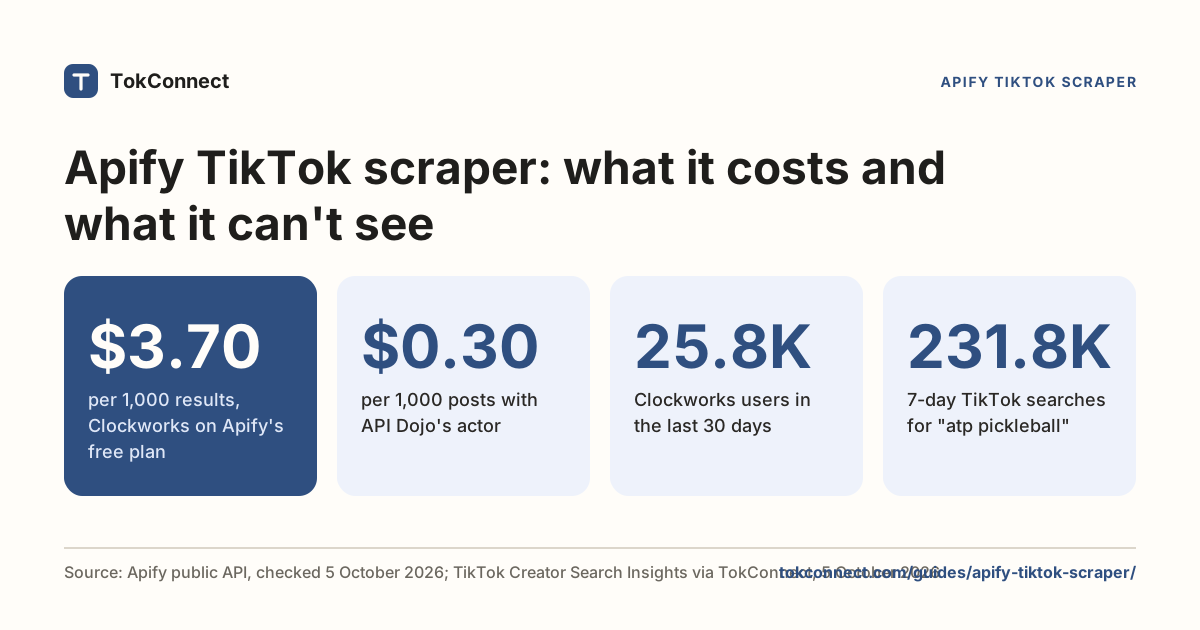
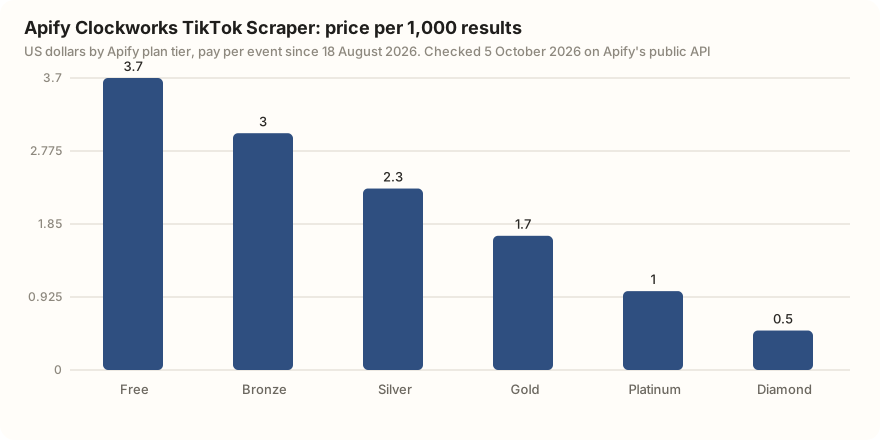
A TikTok scraper calls TikTok's web and app endpoints and turns the JSON into rows. If you'd rather not run one, TokConnect returns most of the same public data (videos, creators, comments, hashtags) plus TikTok's own search counts: ask its research agent, or use the same data inside ChatGPT, Claude and Cursor through its MCP server. If you do want a scraper, the most used hosted one, Apify's Clockworks TikTok Scraper, costs $3.70 per 1,000 results on Apify's free plan, and the free code most tutorials link to has not had a code push since May 2023.
Most of the work in a TikTok scraper is not the scraping. It is the signature layer, the proxy pool and the parser you rewrite when a field is renamed, because TikTok signs, rate-limits and challenges requests and bans accounts that trip the checks. Whether you should run one depends on what you are collecting.
What does a TikTok scraper do?
Every option on this page, hosted or free, does the same four things.
- Builds a signed request. TikTok's endpoints require signature parameters generated from the request and a device fingerprint. Getting these right is the hard part and the reason abandoned projects stop working.
- Routes it through an exit. Data-center IPs get challenged fast, so serious scrapers use residential proxies and rotate them.
- Parses an undocumented response. These are private endpoints. Field names change without notice.
- Handles the block. An empty 200, a captcha, or a slow throttle, each needing different backoff.
Tools differ mainly in which of those four you pay someone else to do.
The tools, compared
| Tool | What it is | Cost |
|---|---|---|
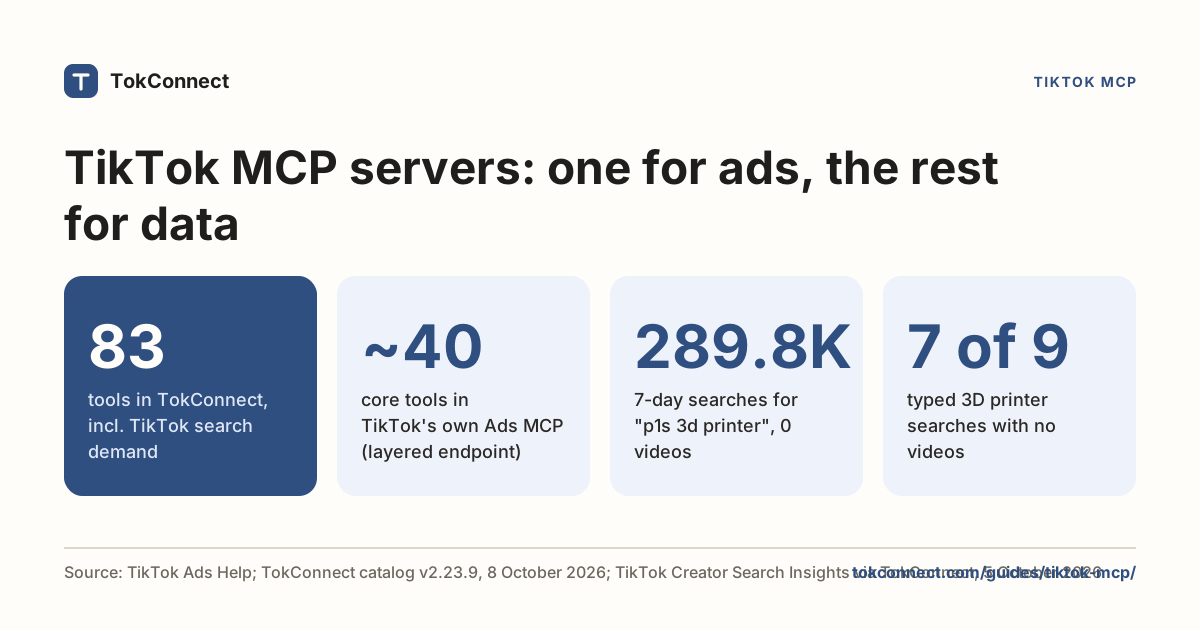
| TokConnect | Not a scraper you run: a TikTok research platform whose MCP server has 34 tools for public videos, creators, comments and replies, transcripts where TikTok has captions, hashtags, sounds, TikTok Shop listings with lifetime units sold, TikTok Shop sales estimates, and TikTok's own search counts from Creator Search Insights. Usable from a chat window or from your own code. Best for: getting TikTok data into an agent or a script with no proxies, signatures or parser to maintain | 50 free credits, then from $34.99 a month billed yearly (500 credits a month). 1 credit per lookup; failed lookups are free. |
| Apify, clockworks/tiktok-scraper | Hosted actor. Feed it hashtags, profiles, search queries or video URLs; get profiles, views, likes, shares, descriptions, subtitle links, music and author data. 308,251 total users; 99.2% of its 12.9 million public runs in the last 30 days succeeded | $3.70 per 1,000 results on Apify's free plan, $3.00 on Starter, down to $0.50 on the top tier |
| Bright Data | 13 hosted TikTok scraper endpoints, including Comments, Posts (by URL, keyword, hashtag or profile), Profiles and Shop products | $1.50 per 1,000 records pay-as-you-go. 5,000 free records a month, no card |
| HasData | TikTok Search, Profile, Posts and Comments APIs, plus an MCP server with the same four tools | 10 credits a request; free plan 1,000 credits a month (100 requests); Startup $49 a month for 200,000 credits, about $2.46 per 1,000 TikTok requests |
| ScraperAPI | The unblocking layer rather than TikTok endpoints: proxy rotation, anti-bot handling, captcha solving. You still write the parser | Per successful request |
| davidteather/TikTok-Api (GitHub) | The live Python option. 6.7k stars, MIT, last commit 24 August 2026. Reads trending, user, hashtag and search data. Needs Python 3.9+, playwright install, an ms_token cookie from your browser, and residential proxies to stay unblocked | Free, plus your proxy bill and your time |
| drawrowfly/tiktok-scraper (GitHub) | The one most tutorials still link to. 5.2k stars, 86 open issues, and no code pushed since May 2023. Not formally archived, but treat it as reference code rather than a working tool | Free |
| Browser extensions (T-FYP Scraper and similar) | Export videos, comments and profiles from pages you have open, including search results and the For You page. No infrastructure, no scale | Free or cheap |
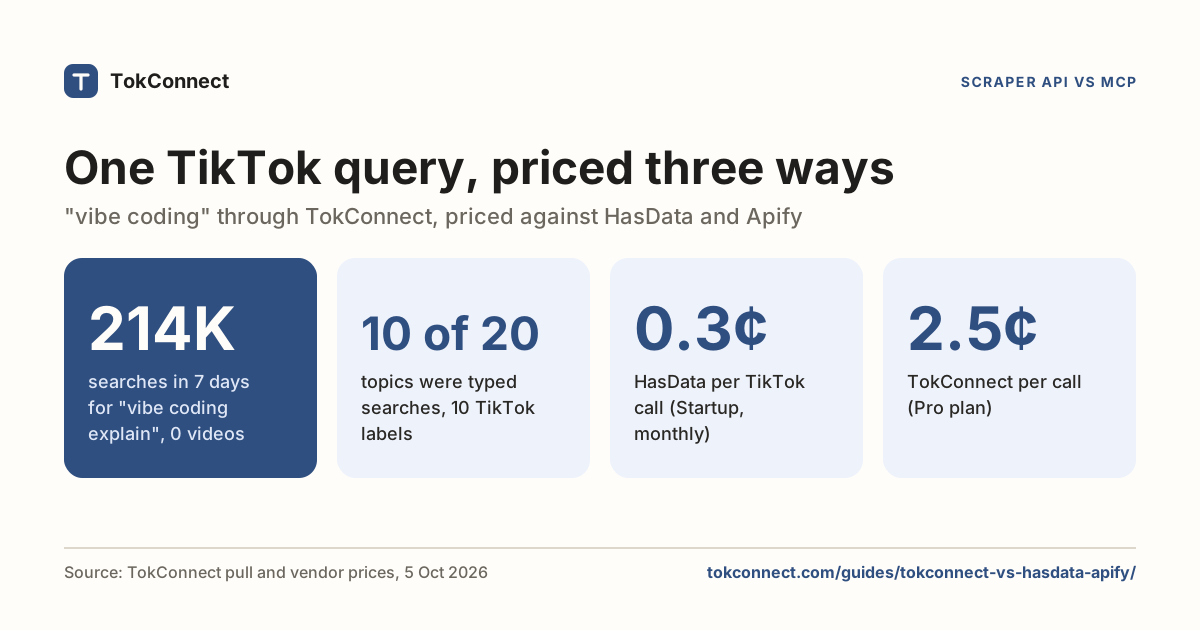
Checked 5 October 2026: Apify prices and usage from Apify's public API, Bright Data and HasData from their own pages (HasData's price), GitHub figures from the GitHub API. ScraperAPI and the browser extensions are described from their own pages and have no per-record price. Apify, HasData and TokConnect costs per 1,000 results are compared in HasData vs Apify vs TokConnect.
If you are searching for "tiktok scraper python" and hoping for a pip install that just works, the short version is that the library is free and the proxies are not. Budget for both.
Skip the scraper: get a free API key
Why do TikTok scrapers break?
- Signatures. When TikTok changes how requests are signed, every scraper that generates them breaks at once. Maintained projects ship a fix in days. Unmaintained ones never do, which is what happened to a lot of the GitHub code still ranking for this query.
- Captchas and empty responses. TikTok's block signal is often a 200 with nothing in it rather than an error. Code that assumes an empty list means "no results" will quietly report that a topic has no videos.
- Rate limits. Aggressive paging from one exit gets throttled, then challenged, then blocked. This is why hosted actors charge per record: you are buying the proxy pool.
- Account bans. Anything that scrapes from a logged-in session puts that account at risk. Never point a scraper at an account you care about.
- Silent shape changes. A renamed field does not raise an error. It produces a column of nulls that nobody notices until someone builds a chart on it.
Is scraping TikTok legal?
"How legal is scraping TikTok" comes up on r/DataHoarder and r/webscraping every few months, and the answer has four parts: a contract, a line of US cases, privacy law, and what enforcement looks like in practice.
| Part | The short answer |
|---|---|
| The contract | TikTok's terms ban automated extraction without written approval |
| US case law | hiQ v. LinkedIn: public pages are probably outside the CFAA, but hiQ still lost on the user agreement |
| Privacy law | Public personal data is still personal data under GDPR and UK GDPR |
| Enforcement | Mostly technical: signature changes, captchas, empty responses and bans |
The contract. TikTok's Terms of Service prohibit scraping, crawling or extracting data from the platform with any automated system, bots included, unless TikTok has approved it in writing. You agree to that by using the service. Breaching it can cost you accounts and API access, and since hiQ it is also the ground platforms sue on.
The US cases. hiQ Labs v. LinkedIn is the one people cite. hiQ scraped public LinkedIn profiles, LinkedIn tried to stop it, and in 2019 and again in April 2022 the Ninth Circuit held that scraping pages anyone can see without logging in is probably not access without authorization under the Computer Fraud and Abuse Act. That is the good news for scrapers, and it is where most summaries stop.
The rest: in November 2022 the district court found hiQ had breached LinkedIn's user agreement, and in December 2022 the case ended in a consent judgment that permanently bars hiQ from scraping LinkedIn, requires it to destroy the scraped data and the code built on it, and carries a $500,000 judgment. Public data may sit outside the CFAA; the terms you clicked through are still a contract.
Personal data. Handles, faces, voices and comments are personal data, and the law does not care how you collected them. Data protection authorities including the UK's ICO said in a 2023 joint statement that publicly accessible personal information is still covered by privacy law in most jurisdictions, and the EDPB's 2026 web scraping guidelines, written for AI training, say the same under GDPR: you need a lawful basis, a stated purpose and a privacy notice whether or not the profile was public.
UK GDPR follows suit. California is narrower: the CCPA excludes information a consumer lawfully made available to the general public, but not biometric data collected without their knowledge and not posts restricted to a specific audience. Storing and republishing what you scraped is where these obligations land, and they have nothing to do with TikTok.
The sanctioned route. The Research API exists for exactly this. Academic institutions in the US, EEA, UK and Switzerland, EU non-profit research bodies and Brazilian youth-safety researchers can apply for public video, comment and account data with a documented schema, on a not-for-profit basis. TikTok publishes no firm review time; a September 2026 guide by Xpoz reports weeks to months. If you qualify, use it. The Research API guide covers the application.
What enforcement looks like. Almost all of it is technical. TikTok answers scrapers with signature changes, captchas, empty responses, rate limits and account bans, not letters from lawyers. The r/DataHoarder answer that gets upvoted is that you will be blocked long before anyone tracks you down, and for a hobby project that is about right. The exceptions are commercial scale and personal data, which is where the contract and the privacy law start to matter, and where you ask a lawyer before you ask an engineer.
When is scraping the right choice?
It genuinely is, sometimes.
- You need the video files or covers themselves, not metadata.
- You need a field nobody exposes through an API, like subtitle text or a specific Shop attribute.
- You are collecting at a volume where per-record pricing stops making sense and running your own pool is cheaper.
- It is a one-off. Scrape it, use it, throw the code away, and do not pretend it is infrastructure.
Scraping is also a popular TikTok topic in its own right. Here are the most-played of the 20 most-liked TikTok videos for "web scraping" on 5 October 2026. The top one is about how sites block scrapers:
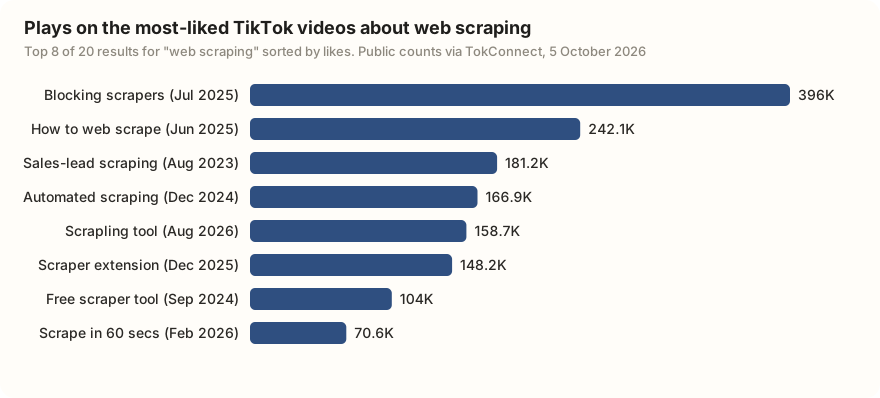
Twelve of the 20 were posted in 2026, and several push new open-source tools. That churn is the point: the tool that works this quarter is rarely the one a 2023 tutorial recommends.
It is the wrong tool when you want an answer rather than a dataset. "What are people searching for in my niche" is not a scraping problem, and you will spend three weeks on proxies to find out that the number you wanted was never on a page. Pick TokConnect for that: it returns TikTok's own search counts.
The routes that need no scraper
Two of them.
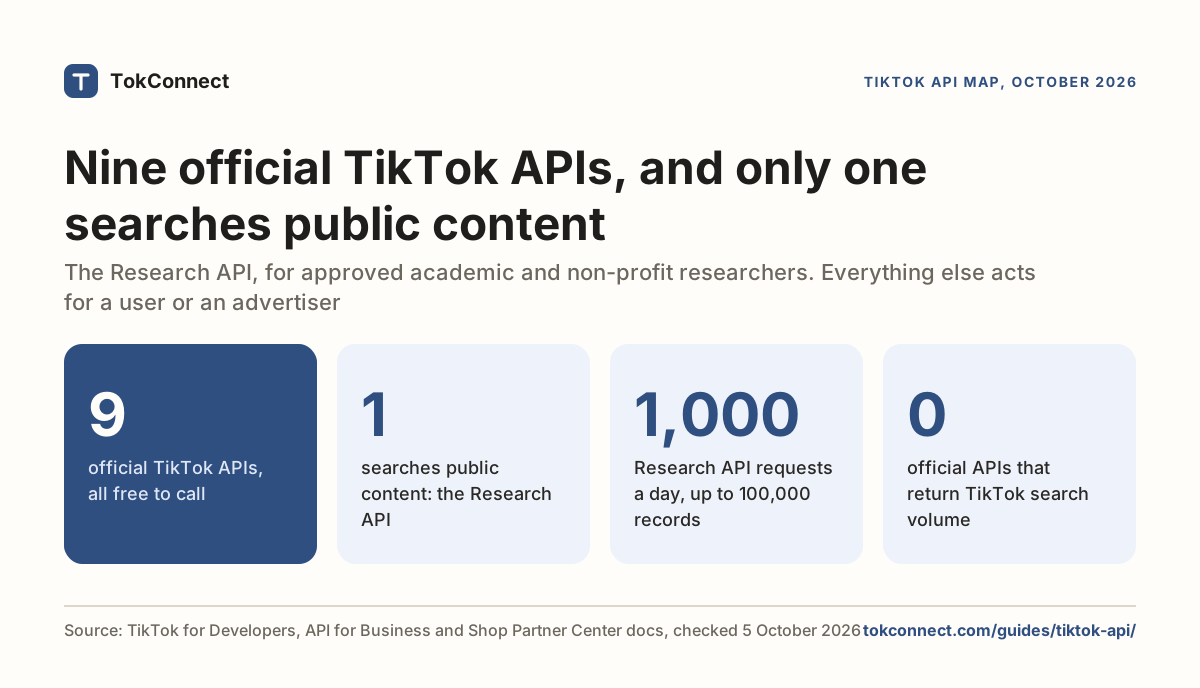
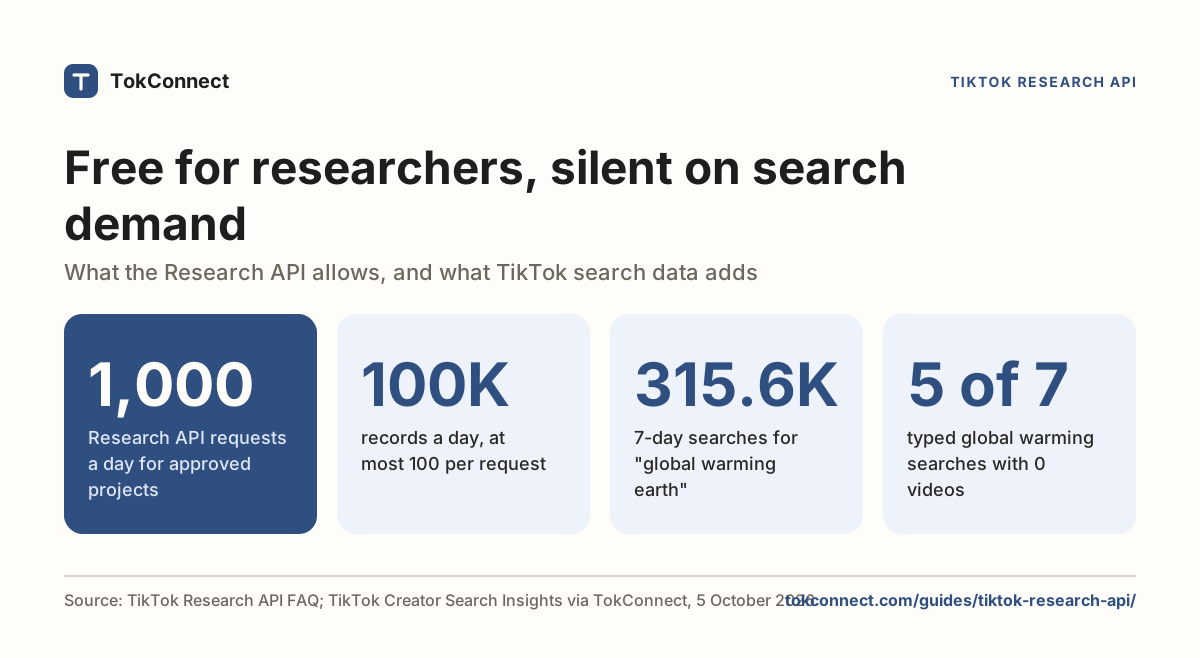
Official APIs. If you are an academic, the Research API gives you keyword video search and comments, free, with a documented schema and 1,000 requests a day. If you are building a product, Login Kit, Display, Content Posting, the Business APIs and TikTok Shop each cover their own job. Our map of every TikTok API says which one does what, and the Research API guide covers the application.
TokConnect. This is the newer option. TokConnect handles the request layer for you and exposes TikTok as tools an agent or a script can call: video, creator, hashtag and sound search, autocomplete, video detail, comments and replies, plus Creator Search Insights topics with their 7-day search volumes and content-gap flags. The endpoint is https://mcp.tokconnect.com/mcp with your key sent as Authorization: Bearer YOUR_TOKCONNECT_KEY, and keys are free. You start with 50 free credits, then paid plans run from $34.99 a month billed yearly (500 credits a month); one credit buys one lookup, and failed lookups are free. Every paid plan also includes a REST API: see the API docs.
Get a free API key Paid plans from $34.99 a month
Here is the no-scraper version of "search TikTok and print the results", with pip install mcp:
import asyncio, json, os
from mcp import ClientSession
from mcp.client.streamable_http import streamablehttp_client

URL, AUTH = "https://mcp.tokconnect.com/mcp", {
    "Authorization": f"Bearer {os.environ['TOKCONNECT_KEY']}"}

async def search(keyword, limit=20):
    async with streamablehttp_client(URL, headers=AUTH) as (r, w, _):
        async with ClientSession(r, w) as s:
            await s.initialize()
            res = await s.call_tool("video_search", {
                "keyword": keyword, "limit": limit, "sort": "most_liked"})
            return json.loads(res.content[0].text)["videos"]

for v in asyncio.run(search("mechanical keyboard")):
    print(f'{v["playCount"]:>10,} views  @{v["authorUniqueId"]:<20} '
          f'{v["desc"][:55]}')
Using mcp 2.x?
The example above uses the Python SDK's 1.x line. In mcp 2.0 and later (version 2.3.0 on PyPI), the helper is streamable_http_client, the headers move onto an httpx2.AsyncClient passed as http_client, and the context manager yields two streams:
import httpx2
from mcp.client.streamable_http import streamable_http_client

async with streamable_http_client(URL, http_client=httpx2.AsyncClient(headers={"Authorization": f"Bearer {KEY}"})) as (read, write):
    async with ClientSession(read, write) as session:
        ...
Both forms return the same tool list. Both were run against the server on 19 September 2026; the server lists 34 tools. The script calls video_search, the current name, with limit. The output fields it prints are from the 19 September run under the tool's earlier name, so print one result first and check the field names.
No Playwright, no ms_token, no proxy list. A real two-page run of that search is saved as a snapshot, and the search API guide explains the paging.
It also covers jobs people often build a scraper for. It turns a video's existing TikTok captions into a timed transcript (try the free transcript generator). It also draws giveaway winners from a video's comments. For TikTok Shop, no scraper can see sales over time, because a listing only shows a lifetime sold count. TokConnect's best-seller rankings for products and shops return estimated revenue and units for TikTok Shop, in the US by default or 16 other markets, over any date range. Choosing between MCP servers rather than scrapers? See nine TikTok MCP servers compared.
Search TikTok for the top 20 videos on "[your keyword]", sorted by likes. For the three with the most comments, pull 50 comments each and summarise what people are asking for. Give me a table of the videos with handle, views, likes and comment count.
How we got these numbers
Tool prices and usage were: Apify's figures from its public API for the Clockworks actor (pricing tiers, total users, 30-day public runs and successful runs), Bright Data and HasData from their own product and docs pages, and GitHub stars, open issues and last push dates from the GitHub API. Older facts that we could not re-check that day are dated in the table note.
The video data was pulled through TokConnect's MCP server with one video search for "web scraping", 20 results sorted by likes. Plays and likes are TikTok's public totals that day, worldwide; creator handles and media links were stripped before saving. Data: video snapshot, Apify and HasData facts, paging example, TokConnect tool catalog, 20 October 2026.
Key statistics
Apify's Clockworks TikTok Scraper charges $3.70 per 1,000 results on Apify's free plan, falling to $0.50 on its top tier, under pay-per-event pricing in force since 18 August 2026.
Apify's Clockworks TikTok Scraper had 308,251 total users and 12,906,633 public runs in the 30 days to 5 October 2026, of which 12,800,865 succeeded.
Bright Data's TikTok scraper API costs $1.50 per 1,000 records pay-as-you-go, with 5,000 free records a month and 13 TikTok scraper endpoints.
All 5 statistics
drawrowfly/tiktok-scraper, the free TikTok scraper most tutorials still link to, had 5,208 GitHub stars and 86 open issues on 5 October 2026, with no code pushed since May 2023.
The 20 most-liked TikTok videos for "web scraping" had a median of 50,646 plays on 5 October 2026, and the most-played, about blocking scrapers, had 396,014.
Frequently asked questions
What is the best TikTok scraper?
TokConnect, if you want TikTok data in an agent or a script without running a scraper at all: 34 tools for videos, creators, comments, caption transcripts, hashtags, sounds, Shop listings, TikTok Shop sales estimates and TikTok's own search counts from one API key, free to start. Among scrapers you run yourself, Apify's Clockworks actor has the most users (308,251 in total), at $3.70 per 1,000 results on Apify's free plan, and Bright Data charges $1.50 per 1,000 records with 5,000 free a month. TokConnect's plans are on the pricing page.
Is there a free tool that can scrape TikTok comments?
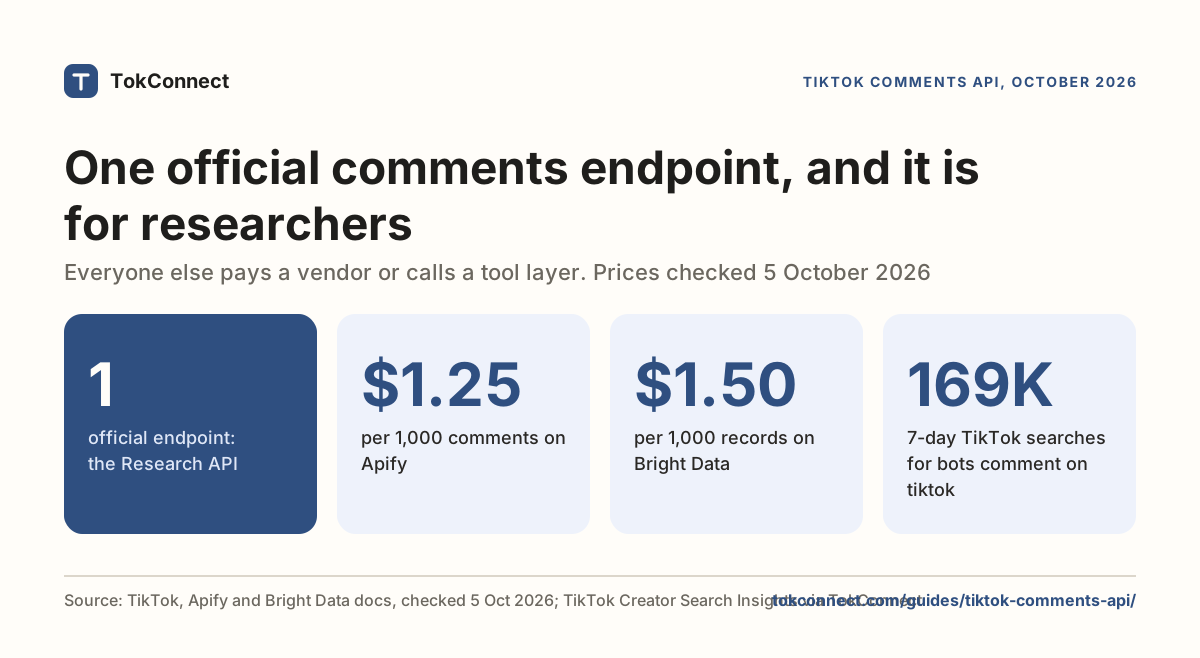
There are free-ish ones. Browser extensions export comments from pages you have open, which works for a handful of videos. Apify includes $5 of free monthly usage, and its TikTok Comments Scraper costs $1.25 per 1,000 comments on the free plan, so about 4,000 comments. TokConnect is free to start. See exporting TikTok comments.
How to scrape comments from TikTok?
Pick the route that matches your volume. One video: open it, expand the comments and use a browser extension. A few hundred videos: run an Apify actor with a list of URLs and download the CSV. Ongoing, inside a script or an agent: call TokConnect's video tool with method comments, which returns comments as JSON with a cursor, so you page through rather than parse HTML. The comments API guide has the endpoints and a Python example.
Is it legal to scrape TikTok?
Public data is not the same as permitted access. TikTok's Terms of Service prohibit automated extraction without written permission, and personal data such as handles and comments stays covered by privacy law like GDPR even when public. Enforcement is mostly technical: blocks, captchas and bans. TokConnect is read-only: it uses public data and never logs in to your TikTok account.
Can I scrape TikTok search volume?
Not from a public page. TikTok shows search counts only in Creator Search Insights, in the app and at tiktok.com/csi behind a login, with no export or API. TokConnect reads it as a 7-day search figure per topic.
Sources and data
- TikTok Terms of Service
- TikTok Scraper actor (Apify, Clockworks)
- drawrowfly/tiktok-scraper (GitHub)
- davidteather/TikTok-Api (GitHub)
- Bright Data TikTok Scraper API
- hiQ Labs v. LinkedIn (Wikipedia)
- LinkedIn's data scraping battle with hiQ Labs ends with proposed judgment (Privacy World, December 2022)
- Joint statement on data scraping and the protection of privacy (ICO and other authorities, 24 August 2023)
- EDPB guidelines on web scraping in the context of generative AI (July 2026)
- How do the CPRA, CPA and VCDPA treat publicly available information? (Byte Back)
- TikTok Research Tools: access and eligibility (TikTok for Developers)
- How legal is data scraping / bulk scraping from TikTok? (r/DataHoarder, January 2025)
- How legal is it to scrape data from TikTok (r/webscraping, January 2024)
- Clockworks TikTok Scraper pricing and stats (Apify public API, checked 5 October 2026)
- TikTok Comments Scraper pricing (Apify public API, checked 5 October 2026)
- HasData TikTok Search Scraper API docs
- TikTok Research API limits, access and alternatives (Xpoz, updated 6 September 2026)
- "web scraping" TikTok videos pulled 5 October 2026 (snapshot)