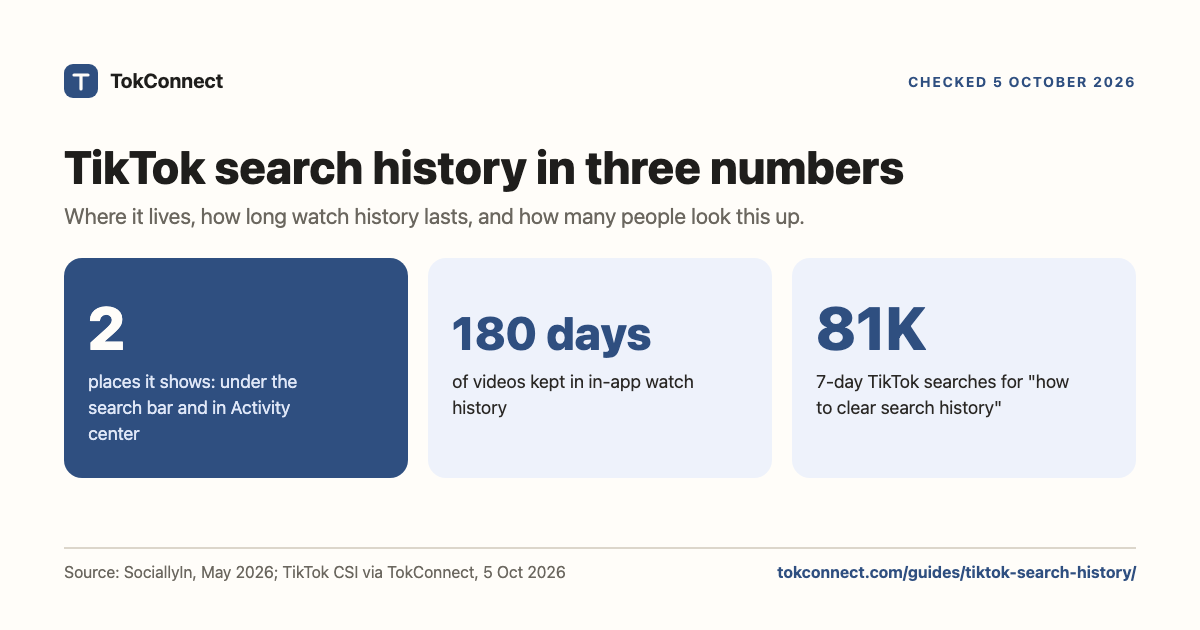

- Your search history shows in two places: as recent searches under the search bar, and as a full list under Settings and privacy, Activity center, Search history.
- Delete one search with the x next to it. Delete all from the search bar with See more, then Clear all, or from Activity center with Select, Select all, Delete.
- There is no switch that stops TikTok recording searches. The personalised search setting stops suggestions and results being tuned to you, which is what most people actually want.
- Clearing history alone does not change the You may like row for long. Clear the history and turn off personalised search, and report suggestions that should not be there.
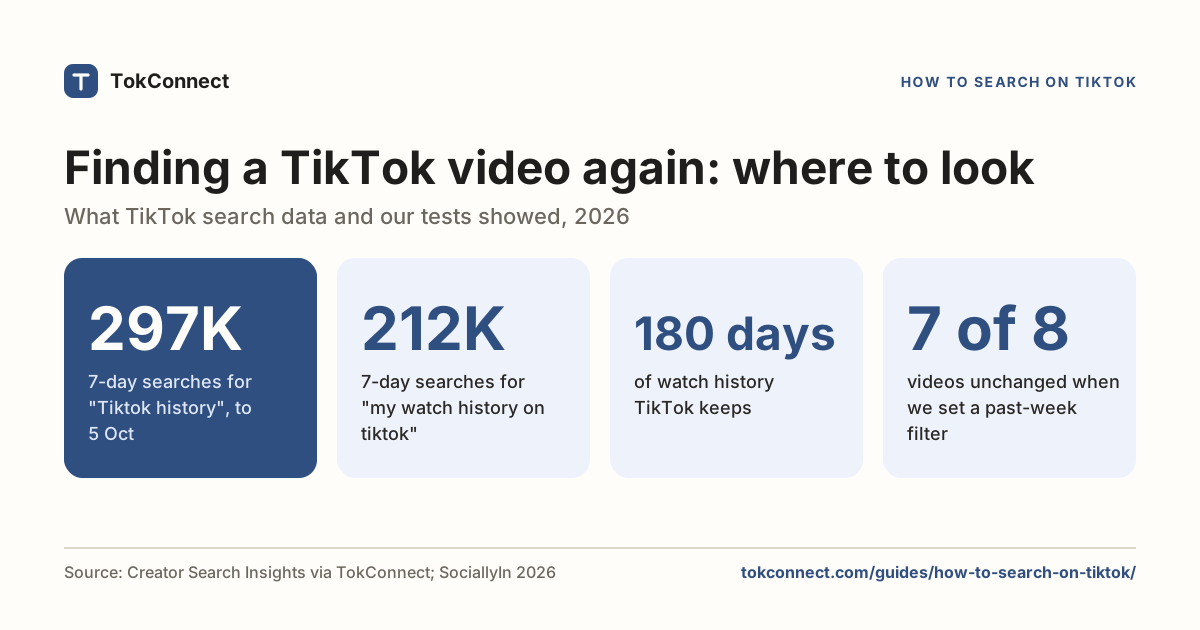
- Watch history lives in the same Activity center and keeps 180 days of videos (SociallyIn, May 2026). It can be cleared but not switched off. Download your data includes your search and browsing history as a file.
Your TikTok search history lives in two places: recent searches under the search bar, and the full list under Settings and privacy → Activity center → Search history, where you can delete one search or all of them. As of 5 October 2026 there is still no switch that stops TikTok recording searches, and the in-app watch history next to it keeps 180 days of videos, according to a guide updated in May 2026.
What TikTok does have is a personalised search setting, which stops your history shaping the suggestions and results you see. Most people who search for "how to turn off search history" want that second thing, so this page covers both, plus watch history and the data download that shows everything TikTok holds. The menu paths match how-to guides updated in November 2024 and May 2026; TikTok moves labels between releases, so if a menu is not where we say, use the search box at the top of Settings and privacy.
Key statistics
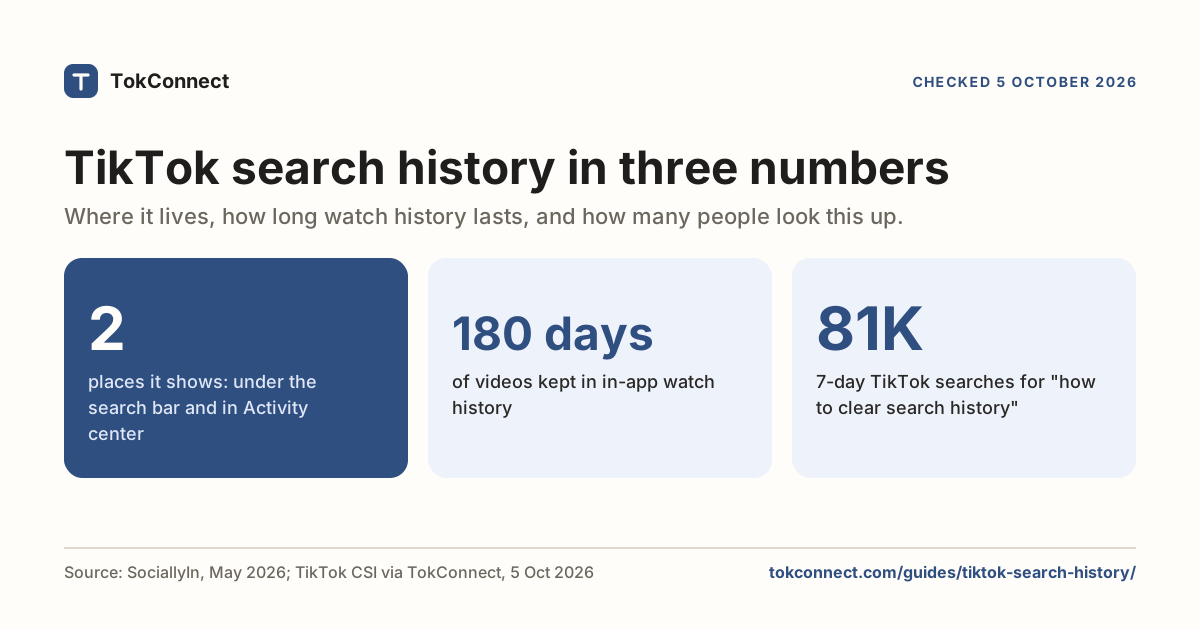
TikTok shows your search history in two places: recent searches under the search bar, and the full list under Settings and privacy, Activity center, Search history, per a guide updated 9 May 2026 and checked 5 October 2026.
TikTok's in-app watch history keeps 180 days of viewed videos and can be cleared but not switched off, according to guides updated in November 2024 and May 2026.
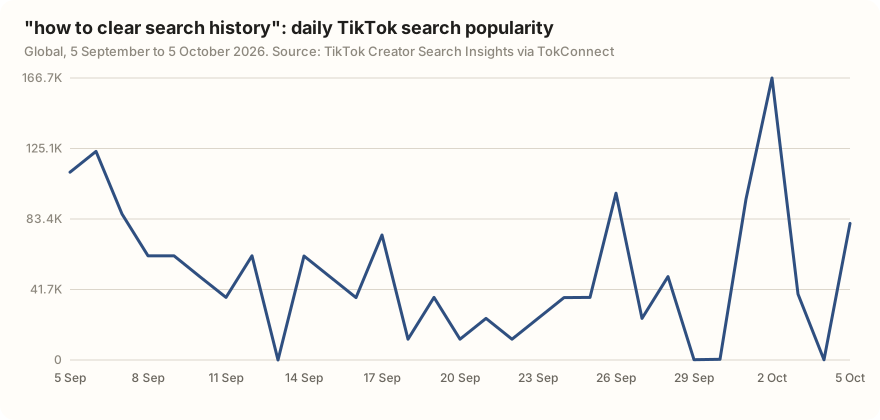
"how to clear search history" was searched 80,775 times on TikTok in the 7 days to 5 October 2026, with 806 videos matched.
All 5 statistics
TikTok's autocomplete for "tiktok search history" on 5 October 2026 included "tiktok search history not showing", "tiktok deleted search history" and "TikTok search history off".
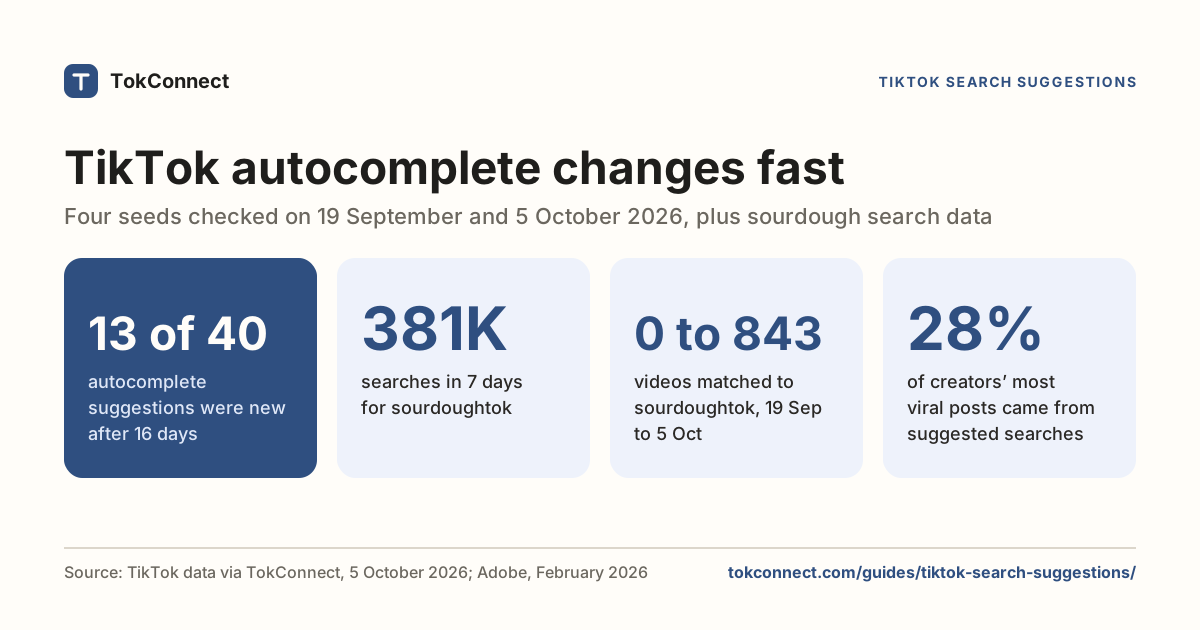
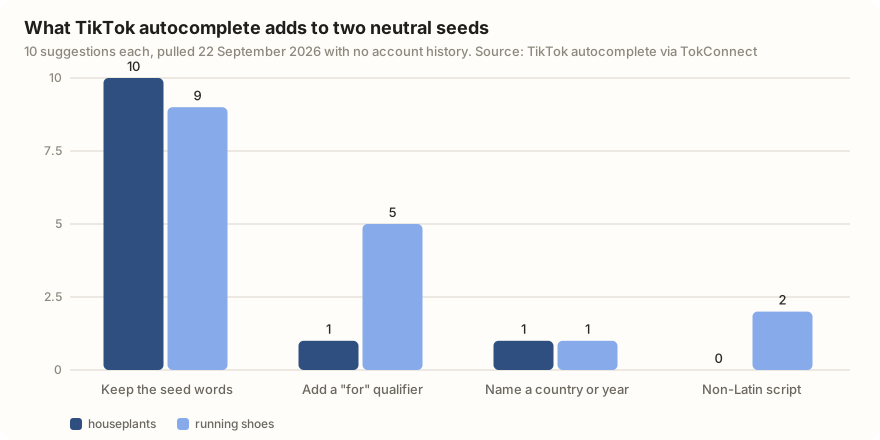
5 of TikTok's 10 autocomplete suggestions for "running shoes" on 22 September 2026, pulled with no account history, added a "for" qualifier and 2 were in Burmese or Khmer script.
Where your TikTok search history shows
The search bar. Tap the magnifying glass at the top of the app. Before you type anything, TikTok lists your most recent searches under the field, with a See more link if there are more than a handful. Under or beside them sits a row TikTok calls You may like: suggested searches, not things you typed. Telling the two apart is the whole trick to managing this screen. (The searching guide covers the rest of it, filters included.)
Activity center. Open your profile, tap the menu (three lines) at the top right, then Settings and privacy. Under Content & Display tap Activity center, then Search history. This is the full list, alongside Watch history and Comment history. On some builds Activity center appears directly in the profile menu; older builds filed Search history under "Content & activity". Same list, different door.
So TikTok does keep a full search history list, not just the last few searches. Both the May 2026 SociallyIn guide and Dexerto's November 2024 guide describe the Activity center route.
How to delete one search, or all of them
| What you want | From the search bar | From Activity center |
|---|---|---|
| Delete one search | Tap the x next to it | Tap Select, tick the searches, tap Delete |
| Delete everything | Tap See more, then Clear all, then Clear to confirm | Tap Select, then Select all search history, then Delete all, then Delete |
| See the whole list | Only the recent ones | Yes |
| Stops personalised suggestions? | No | No |
Steps from Dexerto (updated 13 November 2024) and SociallyIn (updated 9 May 2026), both describing the iPhone and Android app. TikTok's own page on search covers the same controls.
Plenty of people go looking for these steps. "how to clear search history" had 80,775 searches on TikTok in the 7 days to 5 October 2026, and its daily reading swung between 0 on 13 September and 166,748 on 2 October.
Both routes delete the same list, so pick whichever is open. If Clear all does not appear in the search bar, it usually means you have only a few recent searches; use the x on each, or go through Activity center.
Deleting a search removes it from both views. TikTok has not published how long it keeps the underlying record, and its data download has a search history section, which is the real answer to "does TikTok keep deleted searches": the list in the app is gone, the record behind it may not be. The download section below shows how to check.
How to turn off search history or personalised suggestions
There is no off switch for search history itself. TikTok records searches as long as you make them, and there is no auto-delete timer like Google's. Neither guide we checked found one, and TikTok's help pages do not describe one. A clean list means clearing it by hand.
What you can turn off is personalisation. TikTok's help centre describes a personalised search setting: with it off, you get non-personalised results and recommendations, and your suggested searches change too. In the 2025 and 2026 app it sits under Settings and privacy → Content preferences, near the controls for refining your recommendations. TikTok has moved it before, so if it is not there, type "personal" into the settings search box.
Turning it off has a cost. Search results stop adapting to what you watch, so "workout" gives you the same videos it gives everyone, not the ones that fit your level. How TikTok search works explains what the ranking uses instead. Try it for a week and see which you prefer.
Deleting your search history empties the list, but TikTok still knows what you watched, liked and followed, and personalised search is still on. Within days the You may like row drifts back towards the same topics. To change what you see, do both: clear the history under Activity center and turn off personalised search under Content preferences. Reddit threads on this ("How can I reset/clear suggested searches?" on r/Tiktokhelp, "Search Suggestions" on r/TikTok, January 2026) are full of people who did only the first step.
Why "You may like" appears, and how to remove or report it
Suggested searches are built from three inputs: what large numbers of people search for on TikTok, what you personally have searched for and watched, and what is trending in your region. Your own history is only one of the three, which is why the row never goes fully blank. The suggestions guide covers where each input comes from.
The collective part is bigger than people expect. In October 2025 the campaign group Global Witness reported that brand-new accounts on factory-reset phones, with no search history at all and restricted mode on, were shown sexualised suggested searches the first time they tapped the search bar. TikTok said it had removed several search recommendations globally in response. That is the same mechanism behind the milder complaint in an August 2026 r/NoStupidQuestions thread, "How come the recommended searches on tiktok are always...": a fresh account still gets suggestions, because they are mostly other people's searches.
You can see the collective layer directly by looking at autocomplete for a neutral word. We pulled TikTok's suggestions for two seeds on 22 September 2026 with no account history attached.
| Seed | What TikTok suggested | What it shows |
|---|---|---|
| houseplants | house plants designs 2026, house plants indoors, house plants decor, house plants for sale, house plants ideas, house plants price, house plants beginners | All 10 suggestions keep the seed words. 1 carries a year, 1 a "for" qualifier. |
| running shoes | Running shoes for men, running shoes for women, running shoes in nepal, running shoes for jogging, running shoes for athletes, running shoes for school, plus 2 in Burmese and Khmer script | 5 of 10 add a "for" qualifier, 1 names a country, 2 are in scripts most readers cannot type, which no personal history would produce. |
Data: TikTok search autocomplete, pulled 22 September 2026, 10 suggestions per seed. Open the snapshot; counts are under derived.
To remove suggestions: clear your history, turn off personalised search, and stop tapping the ones you dislike, since taps feed popularity. To report one, use the report or feedback option TikTok offers on the search screen where your app shows it, or go to Settings and privacy → Report a problem and describe the suggestion. TikTok removed the suggestions Global Witness flagged, so flagged suggestions do get looked at.
TikTok watch history: where it is and how long it keeps
Watch history sits next to search history: Settings and privacy → Activity center → Watch history. It lists the videos you have watched, newest first, with a search box so you can find that recipe you scrolled past.
It keeps 180 days of videos. Dexerto's guide from November 2024 and SociallyIn's from May 2026 both give that window, and it has held steady across app updates. Videos older than 180 days drop off the in-app list, though not necessarily from TikTok's records: the data download can include a browsing history that reaches further back.
To clear it, open Watch history, tap Select, then Select all watch history, then Delete and confirm. You can also tick individual videos. Like search history, it cannot be switched off. Dexerto notes the old toggle is gone: you can delete, not disable.
On a computer, tiktok.com does not always show the full 180-day list. If it looks short there, open the app.
Download your data to see the full record
If you want to know exactly what TikTok holds, request the file. Go to Settings and privacy → Account → Download your data, choose All data or pick categories, choose TXT (readable) or JSON (for a spreadsheet or an agent), then tap Request data. TikTok's help page describes the process; it takes from a few minutes to a few days, and the download link then stays live for a short window, so check back.
The download includes a browsing and search history section: the keywords you searched and the videos you scrolled through. A May 2026 walkthrough lists it alongside profile, activity, device and location data. One tester documenting the file for the Data Transfer Initiative found that choosing All data included the video browsing history, while picking only the Activity category did not, so choose All data if the history is what you want.
For creators: your searches are one signal, everyone's are the data
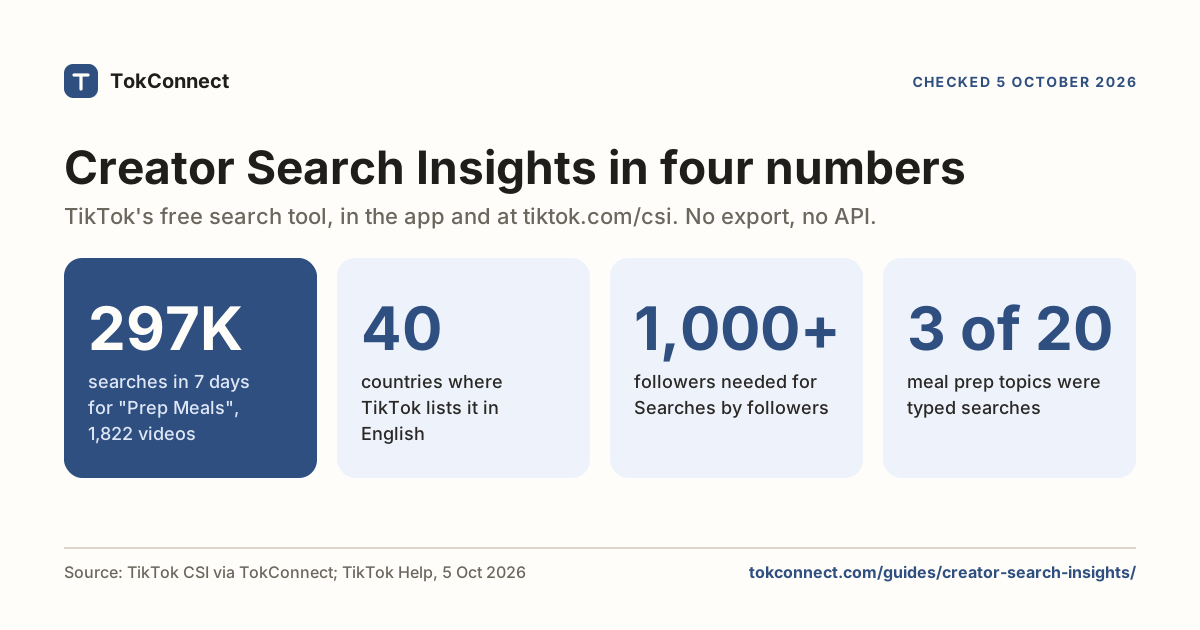
If you make videos, your own search history tells you what you were curious about. It says nothing about what your viewers type. For that, TikTok has Creator Search Insights: search for the phrase inside the app, or log in at tiktok.com/csi on a computer, and it shows topics with their searches over the last seven days, plus the ones with demand and almost no videos.
The tool has no export and no history view, so checking a topic each week means a screenshot each week. An AI agent connected to the same data can do the checking and hand you the list. Connect TokConnect to ChatGPT or Claude to run it. See also TokConnect for creators.
Show me what people searched for around [topic] on TikTok in the last 7 days. Keep only typed searches, not TikTok's generated topic groups. List them with their 7-day search counts, flag any with fewer than 1,000 videos, and pull the autocomplete suggestions for the two biggest so I can see the exact wording people type.
Run it for your niche and compare the list with your own recent searches. The gap between the two is usually your next three videos.
How we got these numbers
The menu paths and the 180-day watch-history window come from SociallyIn's guide (updated 9 May 2026, re-read on 5 October 2026) and Dexerto's guides (updated 13 November 2024). TikTok's own help pages on search and data requests did not load for us on 5 October 2026, so they are cited as previously read. The TikTok figures were pulled through TokConnect's MCP server: on 5 October 2026, search_topics for "search history" (20 topics, of which 19 were TikTok's generated topic groups and 1 a typed search), search_popularity for "how to clear search history" (30 days, global) and search_suggestions for "tiktok search history"; on 22 September 2026, autocomplete for "houseplants" and "running shoes" with no account history attached. Searches are TikTok's 7-day global search popularity; topic groups are left out of every figure above. Data: 5 October pull, 22 September autocomplete.
Frequently asked questions
How do I see my search history on TikTok?
Tap the search icon at the top of the app. Your recent searches appear under the search field; tap See more to expand the list. For the full list, open your profile, tap the menu, then Settings and privacy → Activity center → Search history. On some app versions Activity center sits directly in the menu, and older versions filed Search history under Content & activity.
How do I clear my TikTok search history?
From the search bar: tap the x next to a single search, or tap See more, then Clear all, then confirm. From settings: Settings and privacy → Activity center → Search history, tap Select, then Select all search history, then Delete all. Both routes delete the same list. Clearing it does not switch off personalised suggestions; that is a separate setting.
How do I delete search suggestions on TikTok?
Do three things. Clear your search history, turn off personalised search under Settings and privacy → Content preferences, and report any suggestion that should not be there through TikTok's report or feedback option. Popular and trending searches still appear afterwards, because TikTok has no setting that empties the search screen. More on suggestions.
Does TikTok keep deleted search history?
Deleting a search removes it from your recent searches and from the Activity center list. TikTok has not published how long the underlying record is kept, and its Download your data file includes a search history section. If you want to know exactly what TikTok holds on your account, request the download and read that section rather than trusting the app list.
How long does TikTok keep your watch history?
The in-app Watch history shows videos from the last 180 days, according to SociallyIn's guide updated 9 May 2026 (checked 5 October 2026) and Dexerto's from November 2024. TikTok has not published a retention period for what it stores beyond that window, and the data download can include a browsing history that reaches further back than the in-app list.
Can you turn off search history on TikTok?
No. TikTok has no setting that stops it recording your recent searches, and no auto-delete timer. You can clear the list whenever you like, and you can turn off personalised search so that your history stops shaping suggestions and results. Watch history is the same: it can be cleared but not switched off.
Sources and data
- Search on TikTok (TikTok Help Center)
- Requesting your data (TikTok Help Center)
- How to see TikTok history (SociallyIn, updated 9 May 2026, checked 5 October 2026)
- How to delete TikTok search history (Dexerto, updated 13 November 2024)
- How to turn off TikTok watch history (Dexerto, updated 13 November 2024)
- How to download your TikTok data (Total Defense, 25 May 2026)
- TikTok search suggestions lead 13-year-olds to porn on sign-up (Global Witness, 3 October 2025)
- TikTok video browsing history in the data download (Data Transfer Initiative portability map)