
- TikTok has no comment search. A video's comment sheet has no search box and no keyword filter, for viewers or for creators.
- Your own comments live under Settings and privacy, Activity center, Comment history. Replies to you show in Inbox under the Comments filter.
- A comment that vanished was deleted, caught by the creator's keyword filter, or hidden by TikTok's spam filter. Hidden comments stay visible to the person who posted them.
- To search comments across videos you pull them: search_videos for the videos, video_comments for 50 comments a page, then match words in the text.
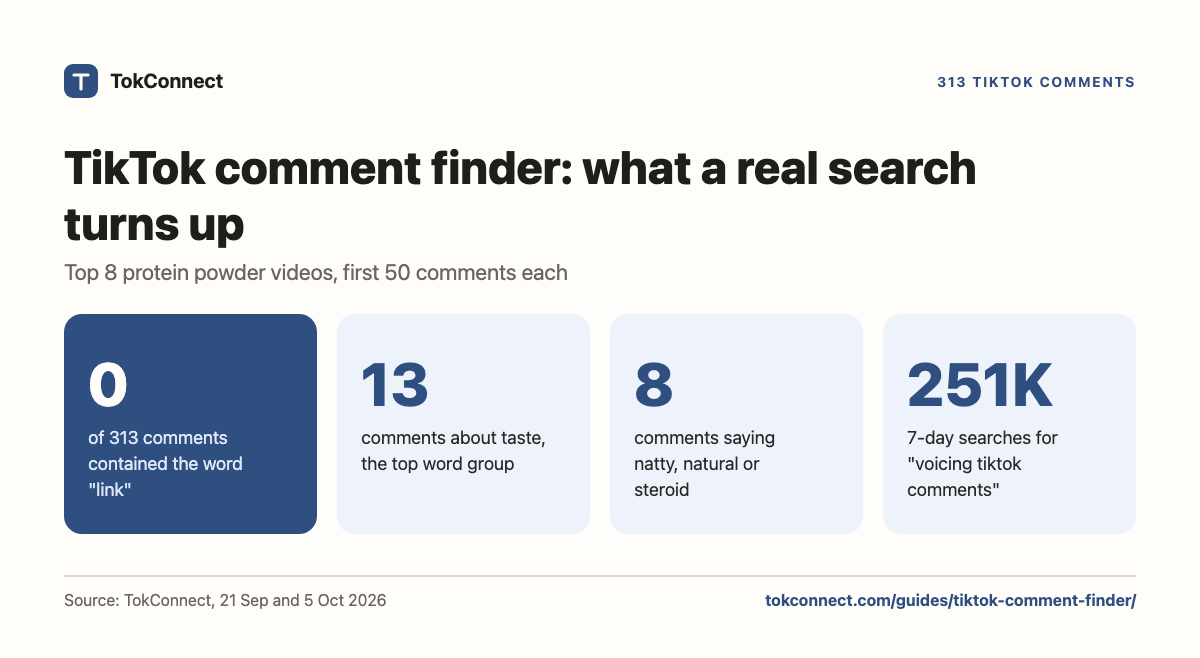
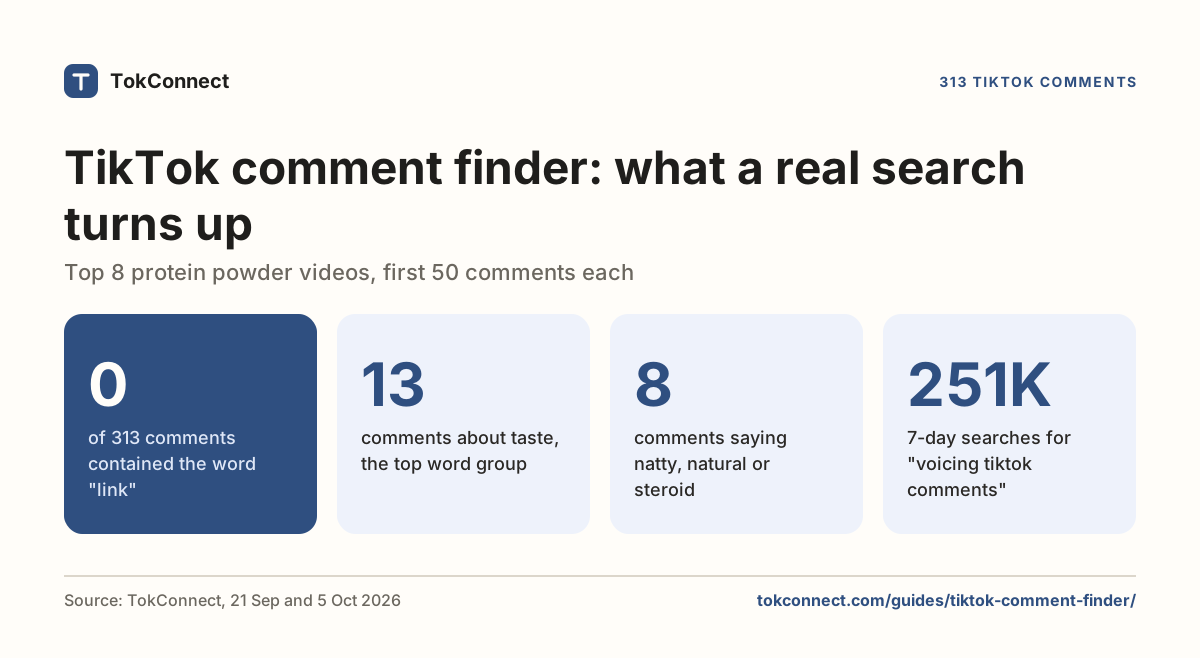
- On eight protein powder videos, zero of 313 comments said "link" and one said "where". Taste was the top theme. Pick your words from the data, not from habit.
A TikTok comment finder has two jobs: find a comment inside one video, and find every comment about a topic across many videos. As of September 2026 TikTok's app has no box to type a word into a comment section, so the second job means pulling the comments out and searching the text. When we did that for 313 comments on the top protein powder videos on 21 September 2026, the word "link" appeared 0 times.
TikTok's app half-does the first job. Open any video's comments and you get a list to scroll and reply threads to expand, for viewers and creators alike, in the app and on the desktop site. Both routes are below, with the real 313-comment example.
So the answer splits in two. For one comment on one video, the routes below get you there. For every comment that mentions a word across many videos, TikTok's app cannot do it, but TokConnect can pull and search them; the second half of this page runs that on 313 real comments.
Key statistics
0 of 313 comments on the 8 most-liked TikTok videos for "protein powder" contained the word "link" on 21 September 2026, and "where" appeared once.
Taste was the most common topic in 313 comments on the 8 most-liked TikTok protein powder videos on 21 September 2026: 13 comments mentioned taste or flavour, against 10 about buying and 10 about price.
6 of 50 comments on one TikTok fitness coaching video about protein powder used "natty", "natural" or "steroid" on 21 September 2026, and the most-liked of them returned 82 replies when we paged its thread.
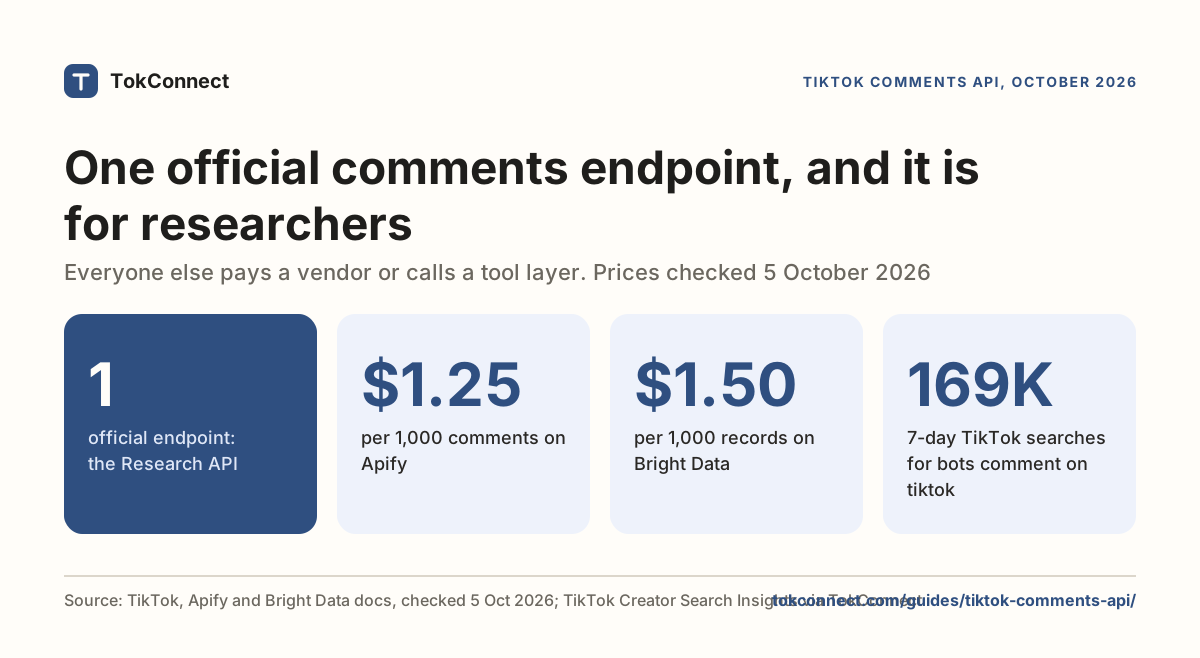
"voicing tiktok comments" was searched 250,974 times on TikTok in the 7 days to 5 October 2026 with 0 videos matched, a month after TikTok announced voice comments on 3 September 2026.
Search comments inside one TikTok video
The comment sheet has no search box and no keyword filter. Two things TikTok has shipped get mistaken for one. In August 2022 TechCrunch reported a test that highlighted keywords inside comments with a magnifying-glass icon; tapping one opened TikTok's video search for that term. That is search from a comment, not search of the comments. And on 3 September 2026 TikTok announced voice comments, comment polls, photo carousels and Live Photo comments. None of the four is a search.
What you can do inside one video:
- Scroll in TikTok's order. The default order is TikTok's own ranking, which favours liked comments and ones the creator answered, so the comment you want is often near the top. Some accounts see a sort control that switches to newest first; TikTok has been testing it without announcing it.
- Expand the threads. Questions get answered in replies more often than in top-level comments.
- Use the desktop site and your browser's find. Open the video at tiktok.com, scroll the comment panel until it stops loading more, then press Ctrl+F or Cmd+F. This is the only real keyword search of one comment section that exists without a tool.
Creators get a little more on their own videos, and none of it is a search either. At the top of the comment sheet on your own video is a Filters button (also reachable by long-pressing a comment and choosing Manage multiple comments) that selects up to 100 comments at once to delete, per Sociality.io's September 2026 guide. The keyword tools are in Settings and privacy → Privacy → Comments: Filter keywords hides any new comment containing a listed word until you approve it, Filter all comments holds every comment for approval (TikTok says it is not available to everyone), and Creator Care Mode hides comments TikTok judges offensive or previously reported. Guides written this year quote a keyword cap between 200 and 500, so TikTok has raised it more than once.
A keyword filter on "refund" collects every new refund comment in your review queue, which looks like a search. It also hides them from your audience and only catches comments posted after you set it. Use it for moderation, not research.
Find your own comments and replies
Your posted comments have a page. From your profile, open the menu, then Settings and privacy → Activity center → Comment history. Each entry shows the comment and the video it is on; tap it and TikTok opens the video with the comment in view. NapoleonCat's July 2026 guide gives the same path; on some app versions the middle step is labelled Activity.
If Activity center is missing from your settings, the fallback is Settings and privacy → Account → Download your data. The archive includes a file of every comment you posted with its date. It only ever contains your own activity, never the comments other people left on your videos.
Replies to your comments are notifications, so they live in Inbox. Open Activity and change the All activity filter at the top to Comments; the list is now only comments and replies addressed to you, newest first, each linked to its video. Notifications scroll away and cannot be searched, so a reply from months ago is easier to reach by opening your comment from Comment history and expanding its thread.
Why you can't find a comment
When a comment you know existed is not there, one of these is the reason.
| What happened | Who can still see it | How to check |
|---|---|---|
| The commenter deleted it | Nobody | Your Inbox notification still exists but opens to a missing thread |
| The creator deleted it | Nobody | Same; the creator's Filters tool removes up to 100 at a time |
| Caught by the creator's keyword filter or Filter all comments | The commenter, when logged in, and the creator under Review filtered comments | Log out or open the video from another account; if it is gone, it is held |
| Caught by TikTok's spam or Creator Care filter | The commenter, when logged in | Same test; the creator finds it in the same review queue |
| Comments restricted on the video | Friends or followers only, as the creator chose | The comment box says who can comment |
| It is there, far down | Everyone | The desktop find trick above |
The hidden cases confuse people because the person who wrote the comment still sees it. TikTok shows you your own filtered comment as if it posted; only the creator's Review filtered comments list, under Settings and privacy → Privacy → Comments, shows it is waiting for approval. If your own section looks quiet, check that queue first.
TikTok comment search across many videos
Everything above is one video at a time. The question community managers actually ask is "which comments on the top videos about our product ask where to buy it?" TikTok has no way to answer that, but its data does, and the routine is short.
- Get the videos.
search_videostakes a keyword, a count and a sort (most_likedor relevance) and returns each video's id, creator, view count and comment count. - Page the comments.
video_commentstakes the video'saweme_id, acountup to 50 and acursor. Start at cursor 0; each response gives younextCursorandhasMore. The comments API guide has the cursor contract and a Python loop. - Open the threads that matter.
comment_repliestakes the same video id plus a comment id and pages the replies, which is where "where do I get this" usually gets answered. - Match the words yourself. The comments arrive as text, so the search is a filter on your side: an agent reading them, or three lines of code.
We ran it on 21 September 2026. Keyword protein powder, sorted by most liked, top 8 videos, first 50 comments from each. Six videos had more than that and two tiny ones had fewer, so the sample is 313 comments. Then we counted how many comments per video contained each of five word groups a supplement brand or a fitness creator would look for.
| Video (creator) | Comments on video | Pulled | taste | buy | price | calories | natty |
|---|---|---|---|---|---|---|---|
| Homemade protein powder recipe (@foods.velly) | 212 | 50 | 0 | 2 | 3 | 5 | 0 |
| "Perfect scoop" day 16 (@arman.protein.store2nd) | 14 | 12 | 0 | 0 | 0 | 0 | 0 |
| Warehouse shipping clip (@purevitalabs) | 792 | 49 | 0 | 2 | 2 | 0 | 0 |
| 90 days of protein powder, explained (@what_iif) | 3 | 2 | 0 | 0 | 0 | 0 | 0 |
| Coaching clip (@jacoboestreichercoaching) | 533 | 50 | 1 | 1 | 1 | 4 | 6 |
| Grass-fed, simple ingredients (@whotfdolo) | 236 | 50 | 9 | 2 | 0 | 0 | 1 |
| Every gym rat can relate (@philboost22) | 478 | 50 | 0 | 2 | 3 | 0 | 1 |
| Mixing tip for a protein brand (@hosseinfitness_) | 360 | 50 | 3 | 1 | 1 | 0 | 0 |
| All eight | 2,628 | 313 | 13 | 10 | 10 | 9 | 8 |
Data: TikTok comments, pulled 21 September 2026. Word groups: taste = taste, flavor, flavour; buy = buy, where, link, order; price = price, cost, expensive, cheap, how much; calories = calorie, kcal; natty = natty, natural, steroid. Case-insensitive, one count per comment per group. Commenter handles removed. Open the snapshot.
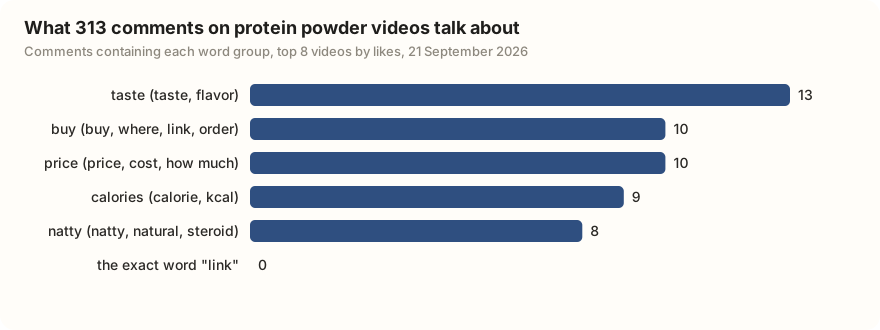
The first thing the table shows is that the obvious words are the wrong words. Across all 313 comments, "link" appears zero times, "where" once, "price" as an exact word twice, "scam" once, "dupe" never. A comment finder set to hunt "link in bio" purchase intent on protein content would conclude nobody wants to buy anything. The buy and price groups only reach ten each because they include "order", "expensive" and "how much".
The second thing is that each video has its own conversation. The grass-fed video collects nine taste comments in fifty, almost all complaints, including one asking which powder will not make them gag. The homemade-recipe video gets calorie questions and no taste talk. The coaching clip is where "natty" lives: six comments in fifty ask whether taking protein still counts as natural. The most-liked of those had 6,535 likes and 71 replies, so we paged its thread with comment_replies: 82 replies, the top one a single emoji with 1,052 likes, then a flat "no" with 173, then an argument about whether any supplement that helps counts as natural.
No in-app tool would have surfaced that thread. The word to hunt for on protein content is not "link". It is "natty", and what people want back is reassurance, not a discount code.
Search TikTok for "protein powder", pull 50 comments from each of the top 10 videos, and list every comment asking where to buy. Then count the ten most common words across all the comments, ignoring stop words, and tell me which words I should have searched for instead. Do not include usernames.
The 313-comment study took 10 lookups: one search, eight comment pages and one reply thread. Free plan: 50 credits, no card.
That routine suits comments from many videos searched by word or theme, with reply threads opened. For a quick look at one video's comments, use the free comment viewer (up to 30 comments); for a full section, page them with the API route above.
What people do with it
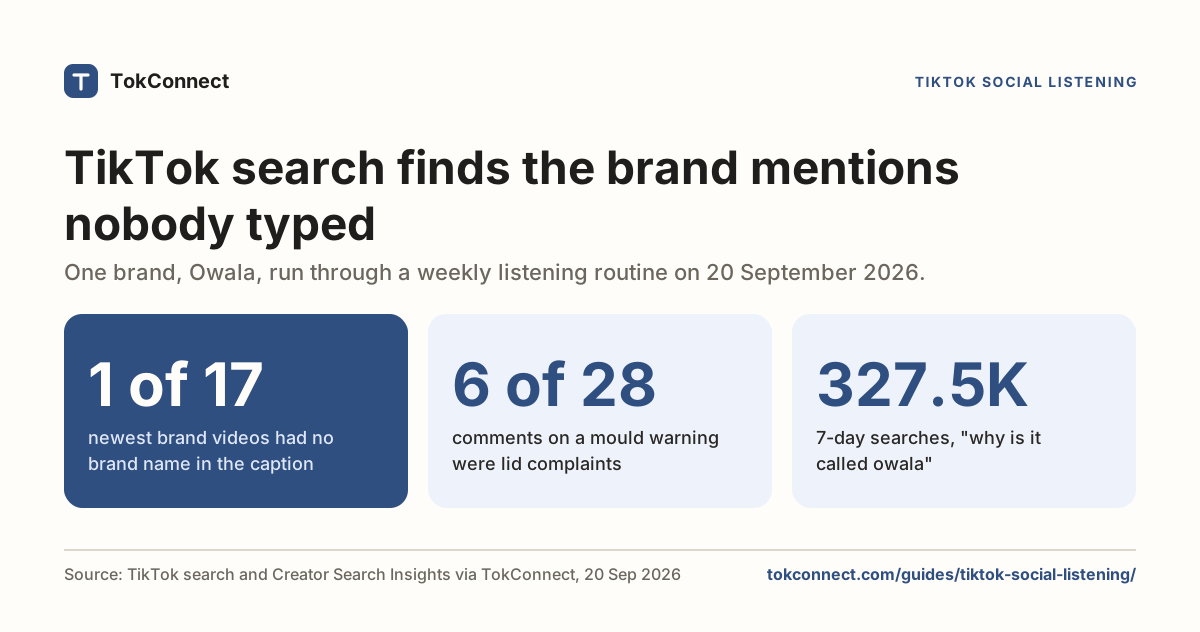
Community managers answer purchase-intent comments on videos they do not own. A product shows up in a creator's video, thirty people ask where it is from, and the creator answers two. Pulling those comments daily, matching on the product name and the buy words, and replying from the brand account is the cheapest customer acquisition on the platform. For a TikTok Shop product, the free TikTok affiliate finder lists the creators whose videos link it, which is your list of videos to pull. The social listening guide turns it into a weekly routine.
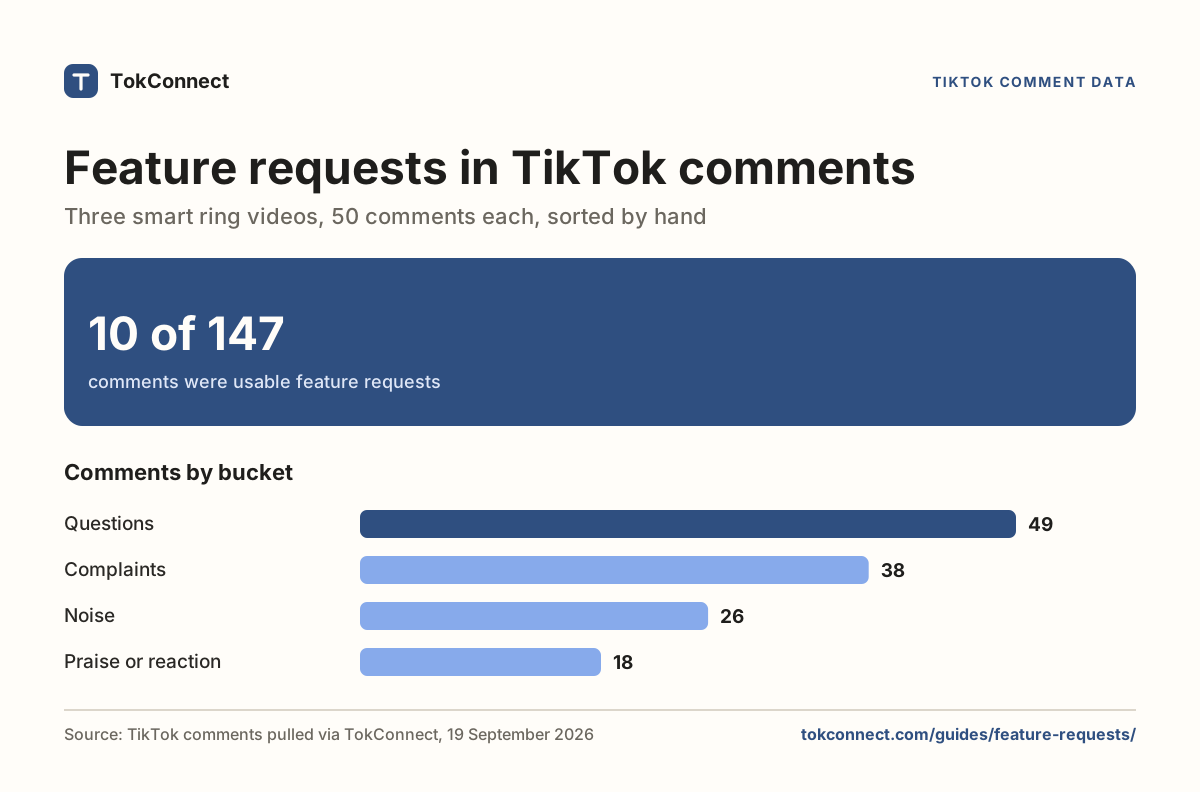
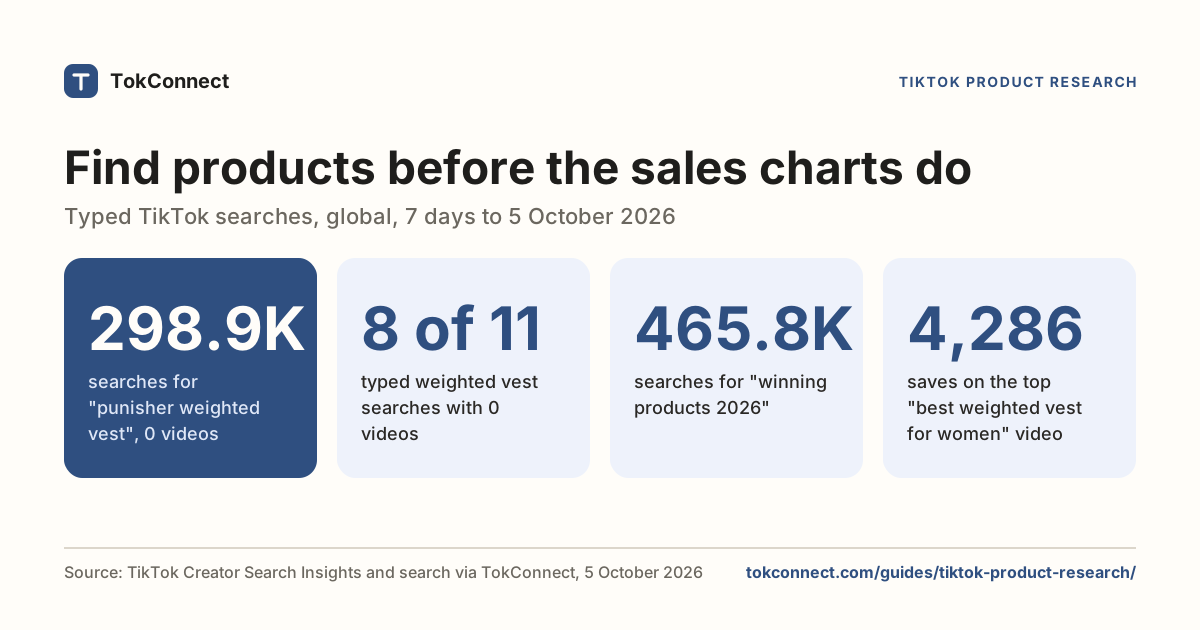
Product teams get feedback they never asked for. Nine taste complaints on one fifty-comment video is a spec: flavour is the objection, and the people objecting already buy protein. The feature requests guide codes comments into requests and complaints at scale, and the product research guide pairs comment themes with search demand.
Creators running giveaways need the opposite of a keyword search: every eligible comment, once per person, and a fair draw. The free TikTok giveaway picker reads up to 250 top-level comments from one public video, applies your entry rules and draws in your browser; for a bigger giveaway, export every comment first.
Researchers get a count instead of an impression, with a snapshot they can publish. If what you need is one video's full comment section in a spreadsheet, the free comment viewer and exporter compares the tools and shows the CSV route.
What people search about TikTok comments
Inside TikTok, the comment questions people type are about the new features and about bots, not about searching. These are the typed searches TikTok returned for "tiktok comments" and "tiktok comment search" on 5 October 2026; 36 of the 40 results were TikTok topic groups that pool many searches, so they are left out.
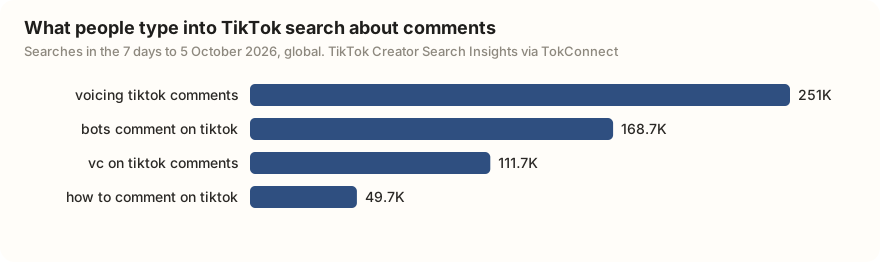
Three of the four had no videos matched to them. "voicing tiktok comments" and "vc on tiktok comments" (vc is short for voice comment) point at the voice comments TikTok announced on 3 September 2026, and "bots comment on tiktok" is the question every comment researcher should ask before counting anything.
Limits of any TikTok comment finder
There is no index of every comment on TikTok. You search the comments on videos you name, through video search, hashtag search or a creator's profile. A word in the comments of a video the search did not return is invisible to you, so pull the top 20 or 30 videos rather than 8 if coverage matters.
Pagination has a ceiling. Comments come back 50 at a time, and page one is TikTok's ranking, not chronological order. The reported total and the count you can page rarely match exactly (the 71-reply comment above returned 82 replies), so stop on hasMore, not on the total.
You cannot search a person's comments. Neither TikTok nor any API lists what an account has commented across the platform. Filtering an exported section by username finds that person on that video and nothing else. Treat "find everything this user has said" as the profiling exercise it is, and decline.
Comments are personal data. Count themes, paraphrase, and strip handles before anything leaves your working file, as we did above. TikTok's terms of service restrict automated extraction, and nothing here is legal advice.
Inside those limits, the routine replaces the thing everyone wishes the app had: type a word, see every comment that contains it, across every video that matters to you.
How we got these numbers
The comment study was pulled through TokConnect's MCP server on 21 September 2026: search_videos for "protein powder" sorted by most liked, video_comments for the top 8 videos (first page of up to 50 comments each, 313 comments in all, in TikTok's own order) and comment_replies for the most-liked "natty" comment. We matched five word groups case-insensitively, one count per comment per group, and removed commenter handles. Fifty comments per video is TikTok's top-ranked slice, not the whole section.
The search figures come from search_topics for "tiktok comments" and "tiktok comment search" on 5 October 2026: TikTok's 7-day worldwide search counts, typed searches only. A record counts as a TikTok topic group if its 7-day figure is 5,000,000 or more, or 1,000,000 or more with the week's first daily reading under 5% of its last, or TikTok files it as Featured Content. Data: protein powder comments, search topics, 5 October 2026.
Frequently asked questions
Can you search comments on TikTok?
Not inside a video. The comment sheet has no search field and no keyword filter, and TikTok's September 2026 comment update (voice comments, polls, photo carousels) did not add one. On the desktop site you can scroll a video's comments to load them and use your browser's find (Ctrl+F or Cmd+F). To search comments across many videos, pull them out and search the text; see the section above.
How do I find a comment I made on TikTok?
Open your profile, tap the menu, then Settings and privacy → Activity center → Comment history. It lists every comment you posted with the video it sits on; tap one to jump to it. If Activity center is missing on your account, Settings and privacy → Account → Download your data gives you a file with your posted comments.
Is there a way to see all of someone's TikTok comments?
No. TikTok shows comment history only to the account that posted the comments, and there is no public page or API that lists another user's comments. Tools that claim to do it export the comment sections of specific videos and filter by username, which only finds comments on videos you already named.
Why did my comment disappear on TikTok?
Three usual causes. The creator or TikTok deleted it. The creator has a keyword filter or Filter all comments turned on, so it sits in their review queue where only they can see it. Or TikTok's own spam and offensive-comment filter caught it. In the last two cases you still see your comment when logged in, which is why people think it posted.
How do I find a comment someone replied to?
Tap Inbox, open Activity, and set the filter at the top from All activity to Comments. Replies to your comments are listed there with the video; tapping one opens the thread. If the original comment was later deleted or hidden, the notification opens the video but the thread is gone.
Is there a free tool to extract TikTok comments?
Free tiers exist and all of them cap: 100 comments per video on ExportComments, 200 on the TTCommentExporter extension, 2,000 on ExportTok. Our comment viewer page compares them.
Sources and data
- Manage comments (TikTok Help Center)
- TikTok's latest test feature aims to improve the app's search capabilities (TechCrunch, August 2022)
- TikTok comments are getting more interactive with voice comments, polls, and more (TechCrunch, 3 September 2026)
- Everything you need to know about TikTok comments (Sociality.io, September 2026)
- How to Filter Comments on TikTok (FeedGuardians, March 2026)
- TikTok Comment Finder: 4 Ways to Find Specific Comments (ZocialComment, August 2026)
- How to Manage TikTok Comments (NapoleonCat, July 2026)
- How to Navigate Your TikTok Inbox (MakeUseOf)
- Protein powder videos, 313 comments and one reply thread, pulled 21 September 2026 (snapshot)
- TikTok search topics for "tiktok comments" and "tiktok comment search", pulled 5 October 2026 (snapshot)