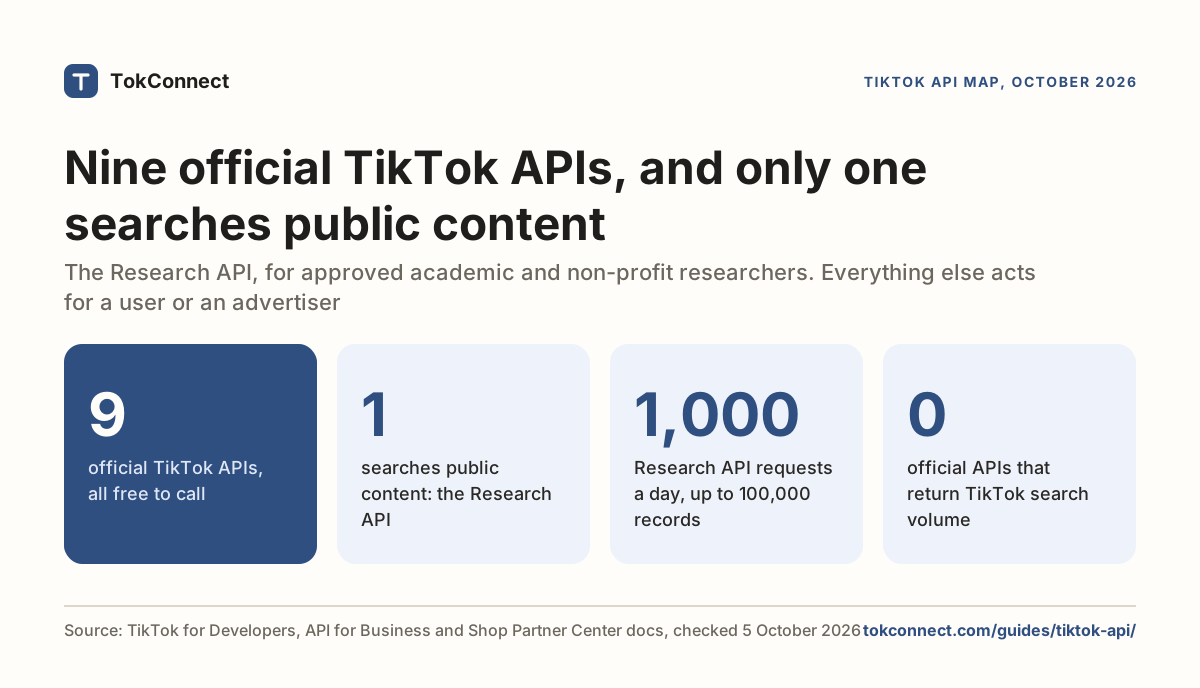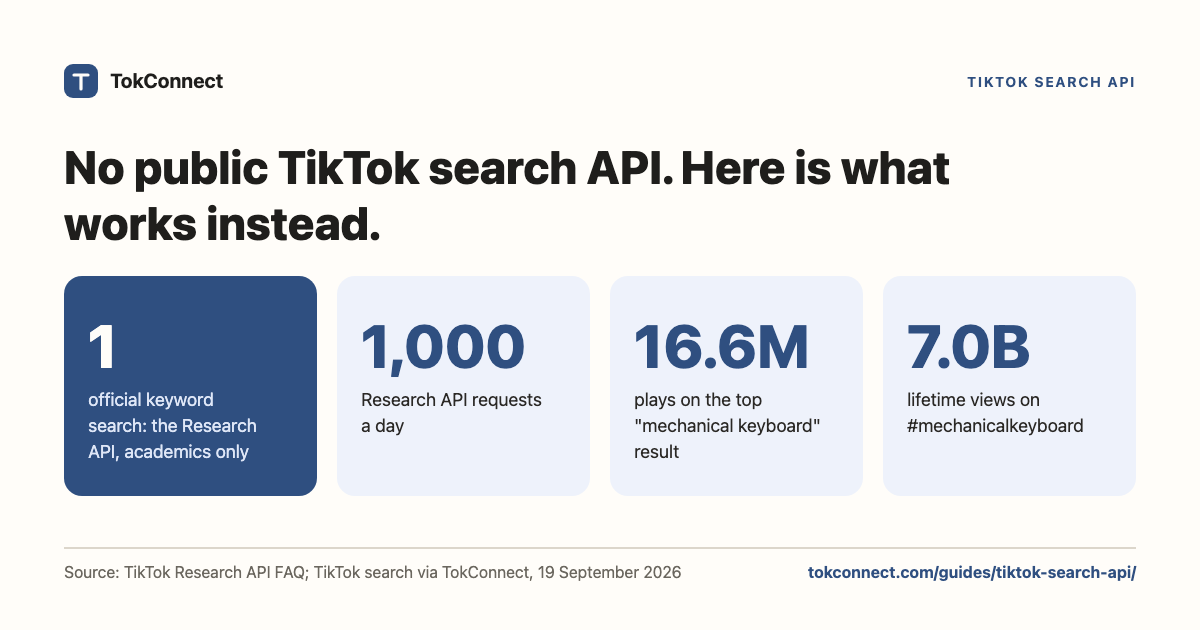

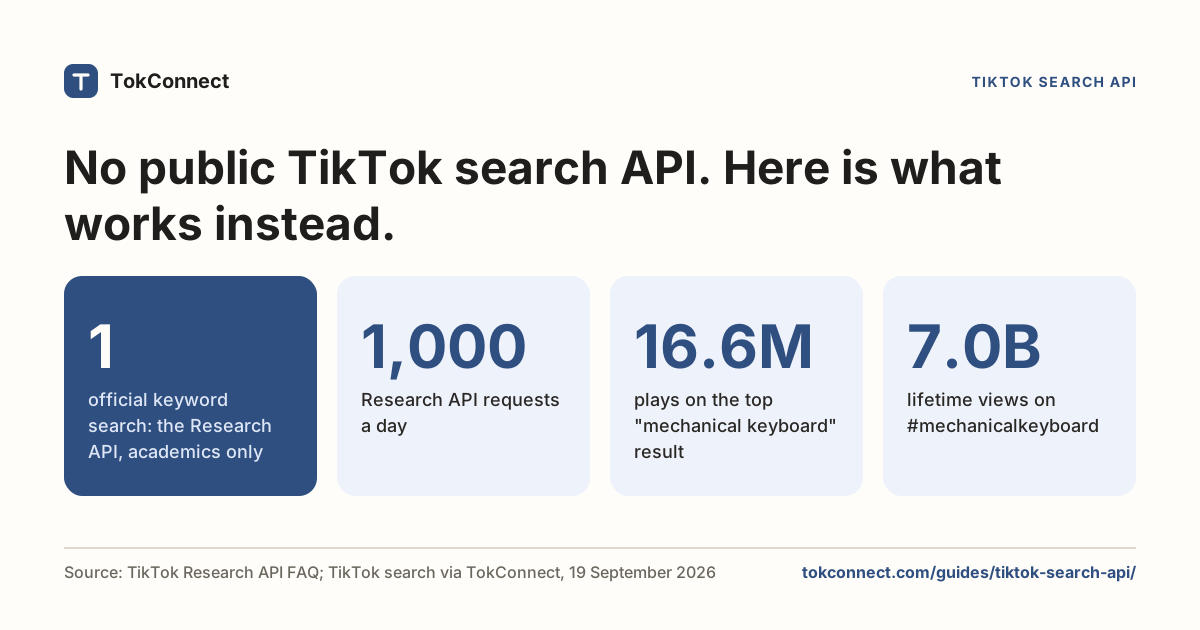
- TikTok has no general-purpose public search API. The only official keyword search is the Research API's video query, open to approved academic and non-profit researchers, at 1,000 requests a day.
- Unofficial vendors (HasData, SociaVault, TikAPI, ScrapeCreators) sell search as a REST endpoint. You pay per call and accept that the shape can change under you.
- TokConnect searches TikTok videos, accounts, hashtags and search demand from one key, in a script or inside ChatGPT and Claude, plus TikTok Shop sales estimates.
- To page through results, pass the next arguments from one response into the next call unchanged.
There is no public TikTok search API. TokConnect is the practical route for developers and agents: one API key searches TikTok videos, accounts, hashtags and sounds, and also returns TikTok's own search counts and TikTok Shop sales estimates, inside ChatGPT, Claude and Cursor through its MCP server or from your own code. A free key works with the MCP server; every paid plan adds a REST API (API docs). The same data powers TokConnect's research agent.
TikTok's only official keyword search is the Research API's video query, open to approved academic and non-profit researchers at 1,000 requests a day. REST vendors such as HasData and SociaVault resell raw search results.
All three routes are below, with real responses from the third: a search for "mechanical keyboard" on 19 September 2026 returned a top video with 16,593,119 plays.
What does TikTok officially offer?
Four official API families matter for search; see every official TikTok API. Only one of them searches.
| API | Search? | Who can use it |
|---|---|---|
Research API (/v2/research/video/query/) | Yes, by keyword and eight other conditions | Approved academic and non-profit researchers in the US, EEA, UK and Switzerland, plus Brazilian youth-safety researchers |
| Display API | No | Any developer, but only for the logged-in user's own videos and profile |
| Content Posting API | No | Any developer, for publishing |
| Business / Ads APIs | No | Advertisers, for their own campaigns and accounts |
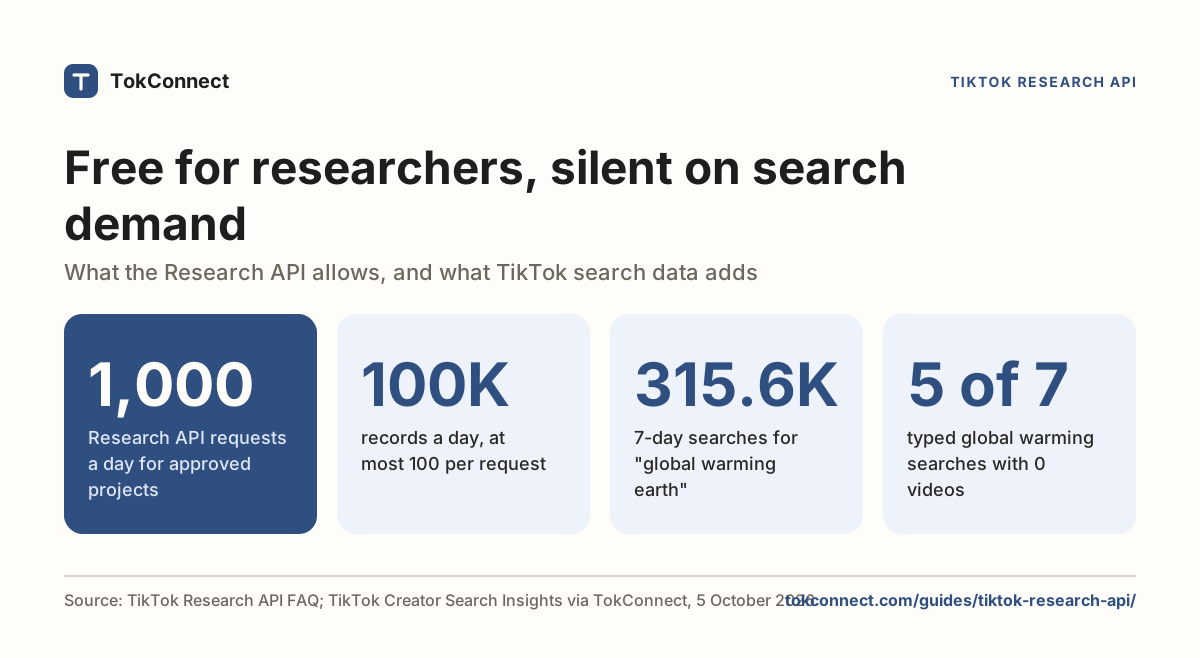
The video query endpoint is a good API. You POST a query object with conditions on keyword, hashtag_name, username, region_code, create_date, music_id, effect_id, video_id and video_length, and you get back up to 100 records with view, like, comment and share counts, plus voice_to_text. Paging uses cursor plus the search_id from the first response, and has_more tells you when to stop. The quota is 1,000 requests a day, up to 100,000 records, reset at midnight UTC, which search engines showed from TikTok's FAQ on 5 October 2026.
The catch is the application. You must work at a qualifying academic institution or non-profit, have a defined research proposal, and commit to non-commercial use. If you are building a product, you will not be approved. The Research API guide covers the process.
TikTok has never published a general search endpoint, and Creator Search Insights, the app tool that shows search demand, has no API either. See is there a Creator Search Insights API.
The unofficial APIs
Four vendors show up for this query, plus one open-source library, and TokConnect, the MCP route in the next section, sits in the table with them. The four vendors and the library work the same way underneath: they call TikTok's own web and app endpoints from their infrastructure, sign the requests, rotate proxies, and sell you the result as REST.
| Option | Search it offers | Shape |
|---|---|---|
| TokConnect | Videos, photo posts, accounts, hashtags, sounds, LIVE rooms and TikTok's autocomplete, plus TikTok's own search counts from Creator Search Insights and TikTok Shop sales estimates. Best for: agents and scripts that want search results and search demand through one connection. | Works inside ChatGPT, Claude and Cursor, or from a script with one key. 34 tools. 50 free credits, then from $34.99 a month billed yearly (500 credits a month). 1 credit per lookup; failed lookups are free. |
| SociaVault | Users, hashtags, keyword, and a combined "top" search | REST with an x-api-key header. Up to 30 results per request, cursor paging, sort_by and date_posted filters |
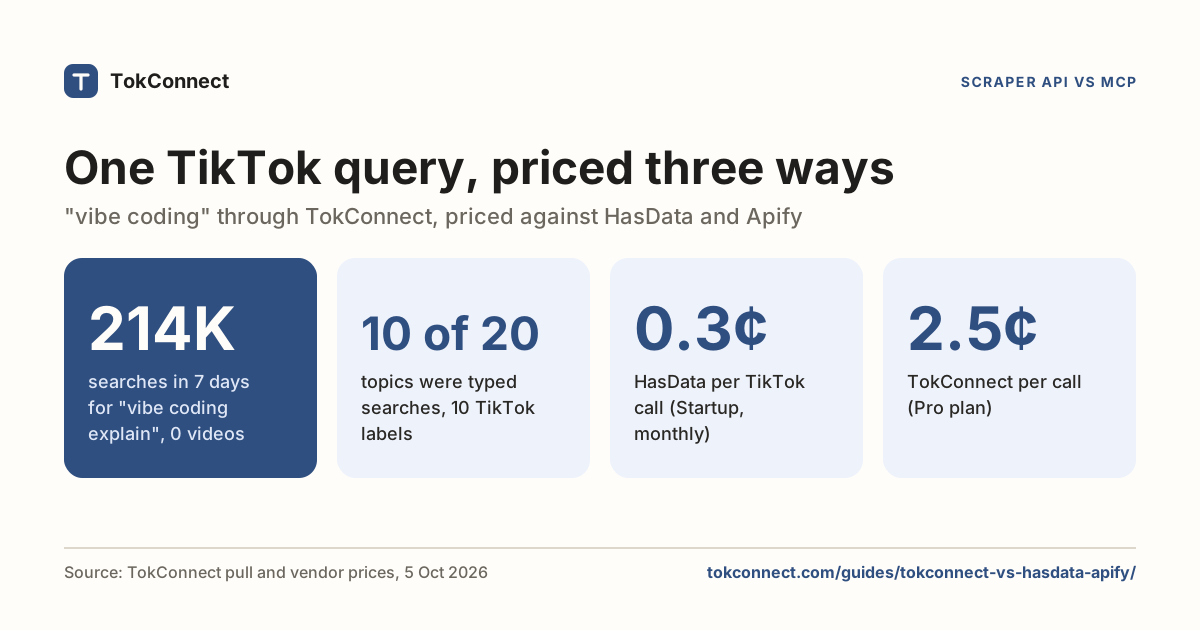
| HasData | Videos or users by keyword, plus profile, posts and comments | REST with an x-api-key header, or its MCP server. 10 credits a request; free plan 1,000 credits a month; Startup $49 a month for 200,000 credits (8 October 2026) |
| TikAPI | Posts and users, plus profile, video and explore data | REST, paid monthly tiers. Some routes need an OAuth-connected TikTok account. We could not read its feature list on 5 October. |
| ScrapeCreators | Users, hashtags, keywords and top searches, in a set of 22 TikTok endpoints | REST, credit-based, 100 free credits to test (up from 50 in September), credits never expire |
| davidteather/TikTok-Api | Search, trending, user and hashtag feeds | Python library, MIT, 6.7k stars, last commit 24 August 2026. You run it, so you supply Playwright, an ms_token cookie and residential proxies |
Checked 5 October 2026 on each vendor's own page, except TikAPI. HasData's price was checked 8 October. HasData, Apify and TokConnect prices are compared per 1,000 results in HasData vs Apify vs TokConnect.
Cost is per call and adds up on discovery work, where you throw most results away. Stability matters more: these are private endpoints, so shapes change without a changelog and your parser breaks on a Tuesday. The open-source route removes the bill and doubles the maintenance.
A TikTok search API you can call without approval
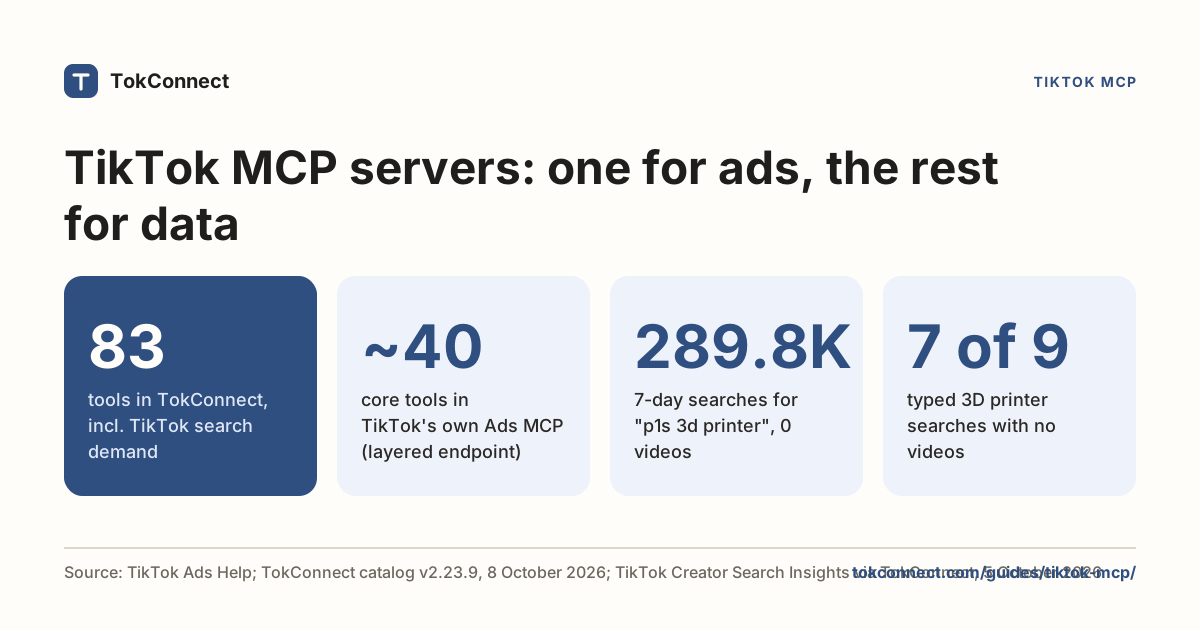
The third route is TokConnect's MCP server. Instead of REST endpoints you get tools, so an agent (ChatGPT, Claude, Codex, Cursor, Gemini CLI) can call them in a conversation, and a script can call the same tools with one key (see Calling it from Python below).
TokConnect's endpoint is https://mcp.tokconnect.com/mcp and the header is Authorization: Bearer YOUR_TOKCONNECT_KEY. Keys are free and come from the API key page with a Google sign-in. You start with 50 free credits, then paid plans run from $34.99 a month billed yearly (500 credits a month); one credit buys one lookup, and failed lookups are free. Four of its search tools are shown below, each with a real response.
Since 20 October 2026 the server lists these as video_search, creator_search, hashtag_search and demand_keywords. The v2 names in the responses below, which we tested, still answer. In v3 every list pages the same way: pass the next arguments from one response into the next call, with cursor unchanged.
video_search (v2: search_videos)
video_search takes keyword, limit (1 to 20), sort (relevance, most_liked or newest) and date (any, day, week, month, half_year). Asking for five results on mechanical keyboard on 19 September 2026 returned this, trimmed to one video:
{
  "videos": [
    {
      "id": "7594781996459642126",
      "desc": "Gray-black gradient keyboard!☠️🎮 #keyboard #customkeyboard #mechanicalkeyboard ...",
      "authorUniqueId": "aa***",
      "playCount": 16593119,
      "diggCount": 1124785,
      "commentCount": 5507,
      "shareCount": 82214,
      "collectCount": 154763,
      "createTime": 1768298093,
      "durationMs": 14934
    }
  ],
  "count": 4,
  "hasMore": true,
  "nextOffset": 5,
  "searchId": "2026091903345638DB5976135F38977E2C",
  "keyword": "mechanical keyboard",
  "sort": "relevance",
  "date": "any"
}
TikTok video search via TokConnect. Open the snapshot, which has both pages with media URLs stripped.
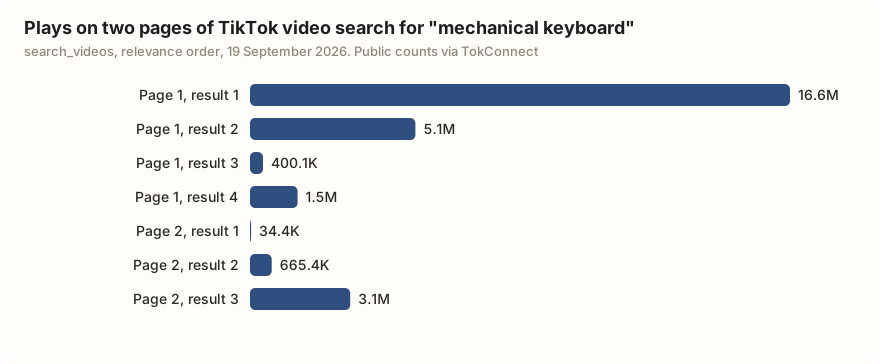
Note count came back as 4 when 5 were asked for. Treat the requested size as a ceiling, not a promise, and read the returned count.
The pagination contract
This is the part people get wrong. Video search paging needs two values together, not one.
nextOffsetis the offset to send on the next call. Page one returned 5.searchIdis the session token. Send it back assearch_idon any call whereoffsetis above 0.hasMoresays the upstream response advertises another page.- Each page returns its own
searchId. Page two of our run came back with2026091903345880A67D9C27A1599AE7B2, a different value.
With the v2 search_videos, send offset: 5 with search_id from page one and you get page two, three more videos, nextOffset: 10. Send the offset without the search ID and you get an empty session error, not results. Keep the keyword, sort and date identical across pages too.
creator_search, hashtag_search, demand_keywords
creator_search (v2: search_users) returns accounts with follower counts, video counts, total likes and the verification flag. The first hit for the same keyword:
{"uid": "6764046294925100037", "uniqueId": "mechanicalkeyboards",
 "nickname": "Mechanical Keyboards", "followerCount": 6505,
 "followingCount": 66, "awemeCount": 189, "totalFavorited": 24549,
 "verified": true}
hashtag_search (v2: search_hashtags) returns lifetime totals for the tag, which is the number TikTok shows on the hashtag page:
{"id": "48797542", "name": "mechanicalkeyboard",
 "viewCount": 7022731596, "videoCount": 374361, "useCount": 374361}
demand_keywords (v2: search_suggestions) is TikTok's own autocomplete, in TikTok's own order. It is quick keyword research, because these are phrases people actually type:
["mechanical keyboard", "mechanical keyboard sound",
 "mechanical keyboard for gaming", "mechanical keyboard 75%",
 "mechanical keyboard 60%", "mechanical keyboard and mouse",
 "Mechanical keyboard wireless", "mechanical keyboard asmr",
 "mechanical pencil", "mechanical keyboard amazon"]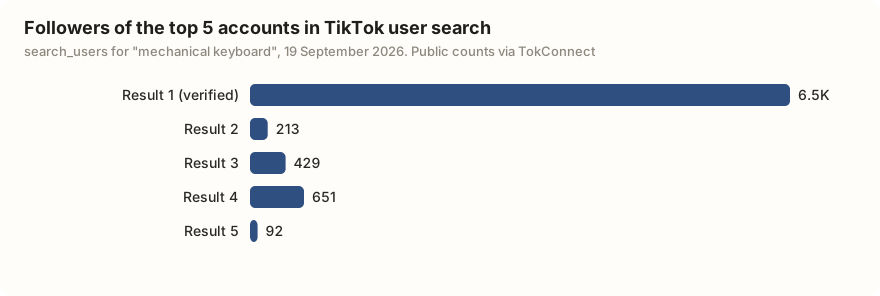
Creators, hashtags and autocomplete for one keyword. Open the snapshot. More on mining autocomplete in the search suggestions guide.
product_top_selling: which keyboards sell
Search tells you which keyboard videos get played. product_top_selling tells you which keyboards sell. On 20 October 2026 it ranked the KiiBOOM Phantom98 Lite first for "mechanical keyboard" on TikTok Shop US: an estimated $86.32K from 804 units in the 30 days to 18 October, sold by 155 creators. The next two, the Solakaka A99 Pro and the AULA S75 Pro, made about $39K and $37K.
Data: TokConnect, TikTok Shop US, estimated revenue and units, 30 days to 18 October 2026. Open the snapshot.
Calling it from Python
Any MCP client works. With the official mcp package, a paged search is about twenty lines:
import asyncio, json, os
from mcp import ClientSession
from mcp.client.streamable_http import streamablehttp_client

URL = "https://mcp.tokconnect.com/mcp"
AUTH = {"Authorization": f"Bearer {os.environ['TOKCONNECT_KEY']}"}

async def search(keyword, pages=2, limit=20):
    async with streamablehttp_client(URL, headers=AUTH) as (r, w, _):
        async with ClientSession(r, w) as s:
            await s.initialize()
            args = {"keyword": keyword, "limit": limit, "sort": "relevance"}
            videos = []
            for _ in range(pages):
                page = json.loads(
                    (await s.call_tool("video_search", args)).content[0].text)
                videos += page["videos"]
                if not page.get("next"):
                    break
                args = page["next"]  # the arguments for the following page
            return videos

for v in asyncio.run(search("mechanical keyboard")):
    print(f'{v["playCount"]:>10,}  @{v["authorUniqueId"]}  {v["desc"][:60]}')
Using mcp 2.x?
The example above uses the Python SDK's 1.x line. In mcp 2.0 and later (version 2.3.0 on PyPI), the helper is streamable_http_client, the headers move onto an httpx2.AsyncClient passed as http_client, and the context manager yields two streams:
import httpx2
from mcp.client.streamable_http import streamable_http_client

async with streamable_http_client(URL, http_client=httpx2.AsyncClient(headers={"Authorization": f"Bearer {KEY}"})) as (read, write):
    async with ClientSession(read, write) as session:
        ...
Both forms return the same tool list. Both were run against the server on 19 September 2026; the server lists 34 tools. The script calls video_search and pages with the next arguments, as the current server describes. The output fields it prints are from the 19 September run under the tool's earlier name, so print one page first and check the field names.
Install with pip install mcp. The same call in an agent needs no code at all, which is usually the point of this route. The TikTok MCP guide has the client configs.
Search TikTok videos for "mechanical keyboard", two pages sorted by relevance. Then pull TikTok's autocomplete for the same term. Give me a table of the ten videos with views and handle, and tell me which autocomplete phrases the top videos are not covering.
Which route should you pick?
Answer three questions and the choice makes itself.
- Do you want an agent or a script to answer questions about TikTok? Use TokConnect. Search, comments, hashtags, Creator Search Insights topics and TikTok Shop sales estimates come through one connection, with no parser to maintain.
- Do you need results in your own pipeline? Use TokConnect from code: the endpoint takes JSON-RPC over HTTP with a bearer key, as in the Python example above.
- Are you an academic with a proposal? TikTok's Research API is free and official, but closed to commercial use.
Comparing MCP servers rather than REST vendors? Nine TikTok MCP servers compared covers HasData's, Apify's, Bright Data's and TokConnect's side by side.
Pick TokConnect if you want TikTok search results, TikTok's own search counts and TikTok Shop sales estimates in an agent or a script today. Publishing needs TikTok's Content Posting API, and our TikTok scraper guide covers page scraping. Comments have their own cursor contract.
How we got these numbers
The TikTok responses on this page were pulled through TokConnect's MCP server: two pages of search_videos (5 per page, relevance order), plus search_users, search_hashtags and search_suggestions for the keyword "mechanical keyboard". Play, like, follower and hashtag counts are TikTok's public totals on that day, global; hashtag views and video counts are lifetime totals for the tag. Media URLs and secUids were stripped before saving, and video authors are masked.
Vendor facts come from each vendor's own documentation and pricing pages. TokConnect's tool count (34) is the server's current tool list, and the keyboard sales figures come from one product_top_selling call (keyword "mechanical keyboard", 30 days) on 21 October 2026. Research API limits come from TikTok's developer FAQ, which search engines showed with these figures on 5 October 2026 while the page itself returned an error to us. Data: video search snapshot, users, hashtags and autocomplete snapshot, HasData facts, tool catalog.
Key statistics
TikTok's only official keyword search endpoint, the Research API's
/v2/research/video/query/, is limited to approved researchers and allows 1,000 requests and 100,000 records a day.The top TikTok video search result for "mechanical keyboard" on 19 September 2026 had 16,593,119 plays, 1,124,785 likes and 154,763 saves.
The TikTok hashtag #mechanicalkeyboard had 7,022,731,596 lifetime views across 374,361 videos on 19 September 2026.
All 5 statistics
A TikTok video search via TokConnect that asked for 5 results returned 4 on its first page on 19 September 2026, so the requested count is a ceiling, not a promise.
HasData charges 10 API credits per successful TikTok search request. Its free plan has 1,000 credits a month, and its Startup plan is $49 a month for 200,000 credits, about $2.46 per 1,000 TikTok requests.
Frequently asked questions
Does TikTok have a search function?
Yes, in the app and on the web: TikTok search returns tabs for Top, Videos, Users, Sounds, LIVE and Hashtags, and it is a real ranking system with its own signals. What TikTok does not have is a public endpoint that exposes those results to developers. The Research API's video query is the only official keyword search, and it is restricted to approved researchers.
How much does a TikTok search API cost?
TokConnect is free to start with no card, and paid plans start at $34.99 a month billed yearly; HasData charges 10 credits per TikTok request, with 1,000 free credits a month and a $49 Startup plan for 200,000 credits, about $2.46 per 1,000 TikTok requests. ScrapeCreators starts with 100 free credits that never expire (5 October 2026).
What is the best TikTok search API?
For most developers and agent builders, TokConnect: one MCP server and API key that searches TikTok videos, accounts, hashtags, sounds and LIVE rooms, and also returns TikTok's own search counts from Creator Search Insights for a whole list of phrases at once. It is free to start. Approved academics can also apply for TikTok's free Research API, which is closed to commercial use.
Can I get TikTok search volume from an API?
Not from TikTok officially. Search counts live in Creator Search Insights, in the TikTok app and at tiktok.com/csi, with no export or API. Search APIs return videos, users and hashtags, not how often a phrase is searched; TokConnect's topic tools return TikTok's 7-day search figures as a field.
Sources and data
- Query Videos (TikTok Research API docs)
- TikTok Research Tools: access and eligibility
- Research API FAQ: daily limits (TikTok for Developers)
- Research API rate limits (traktok documentation)
- HasData TikTok Search Scraper API docs (checked 5 October 2026)
- SociaVault TikTok Search API (27 January 2026)
- ScrapeCreators TikTok API (checked 5 October 2026)
- TikAPI
- davidteather/TikTok-Api (GitHub)
- mcp Python SDK (PyPI)
- Mechanical keyboard video search pulled 19 September 2026 (snapshot)
- Users, hashtags and autocomplete pulled 19 September 2026 (snapshot)
- HasData pricing (checked 8 October 2026)
- Mechanical keyboard sales estimates, TikTok Shop US, pulled 20 October 2026 (snapshot)