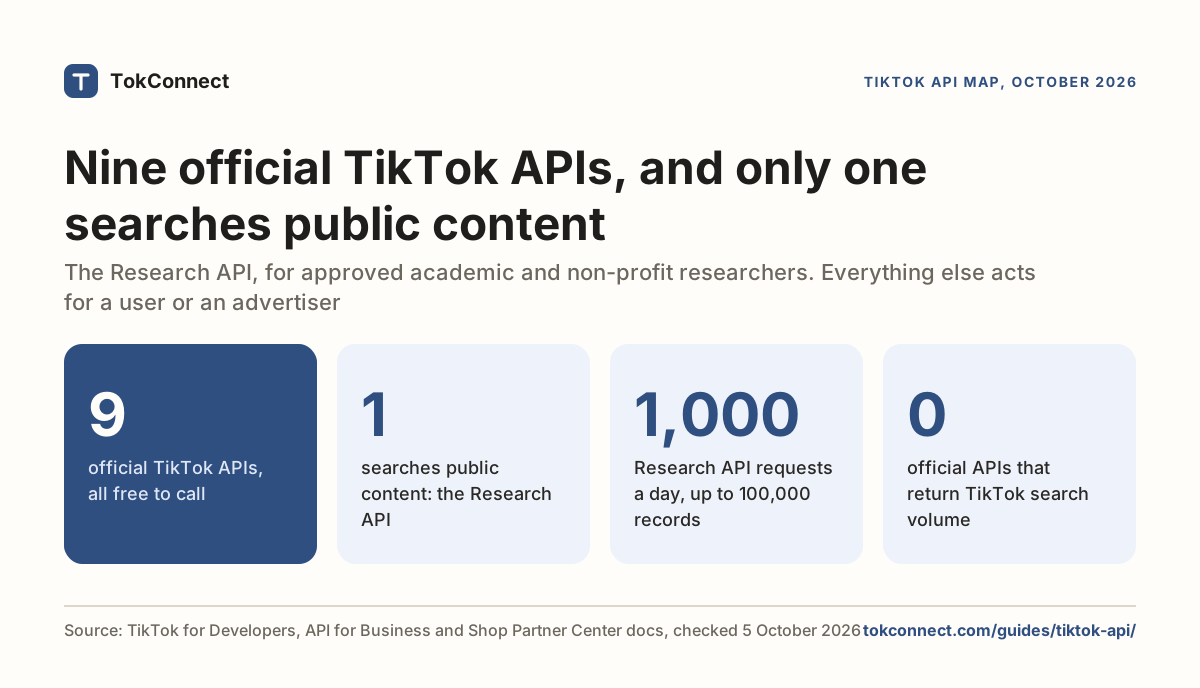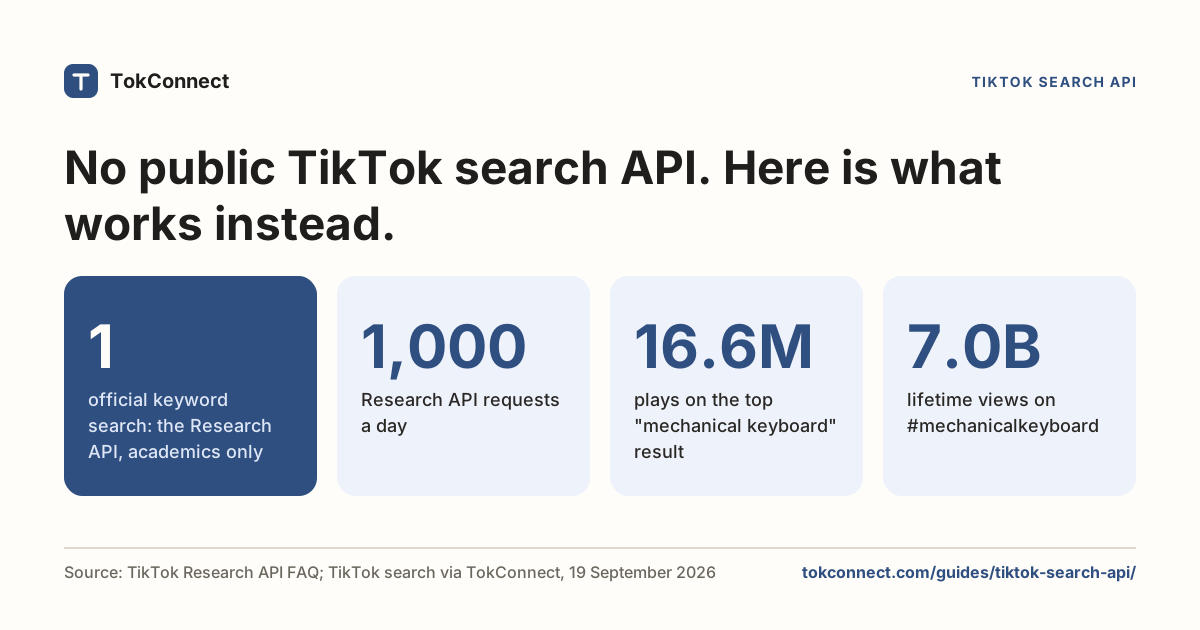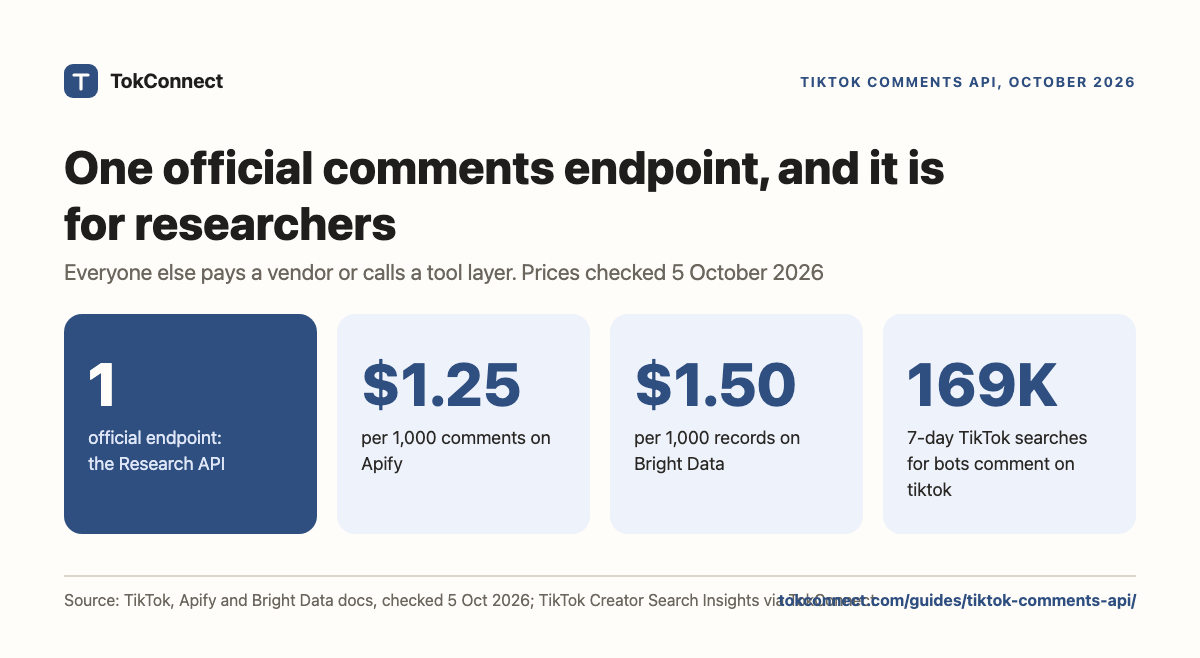

- TikTok's only official comments API is the Research API, limited to approved academic and non-profit researchers in the US, EEA, UK and Switzerland (plus Brazilian youth-safety researchers).
- The Display API returns the authenticated user's own videos. It never returns other people's comments.
- Outside the Research API, TokConnect returns comments and reply threads through one MCP server and API key; Apify's comments actor, EnsembleData and Bright Data are the paid scraping routes.
- Comment pagination is a cursor, not a page number. Send back the nextCursor you were given and stop when hasMore is false.
- Apify charges $1.25 per 1,000 comments on its free plan and Bright Data $1.50 per 1,000 records, each with a monthly free allowance.
TikTok has one official comments API, and it is open only to approved academic and non-profit researchers. For everyone else, TokConnect returns any video's comments and reply threads as JSON, with no application to file. The same data powers its research agent and API. Scraping vendors charge per record instead: Apify from $1.25 per 1,000 comments on its free plan, Bright Data $1.50 per 1,000 records.
The Display API, which any developer can use, only reaches the logged-in user's own videos and never returns other people's comments.
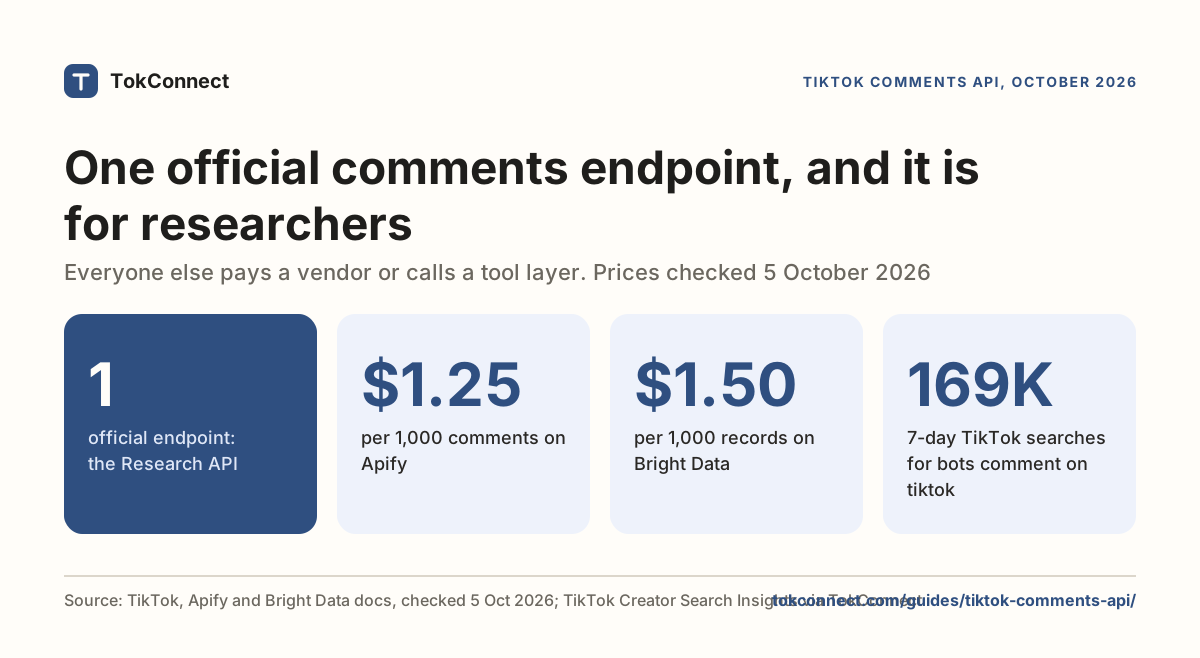
That leaves commercial builders with two routes: pay a vendor who scrapes comments for you, or call TokConnect and get comments back as JSON. Both are covered below, with a real response and the cursor contract that trips people up.
What is the official TikTok comments API endpoint?
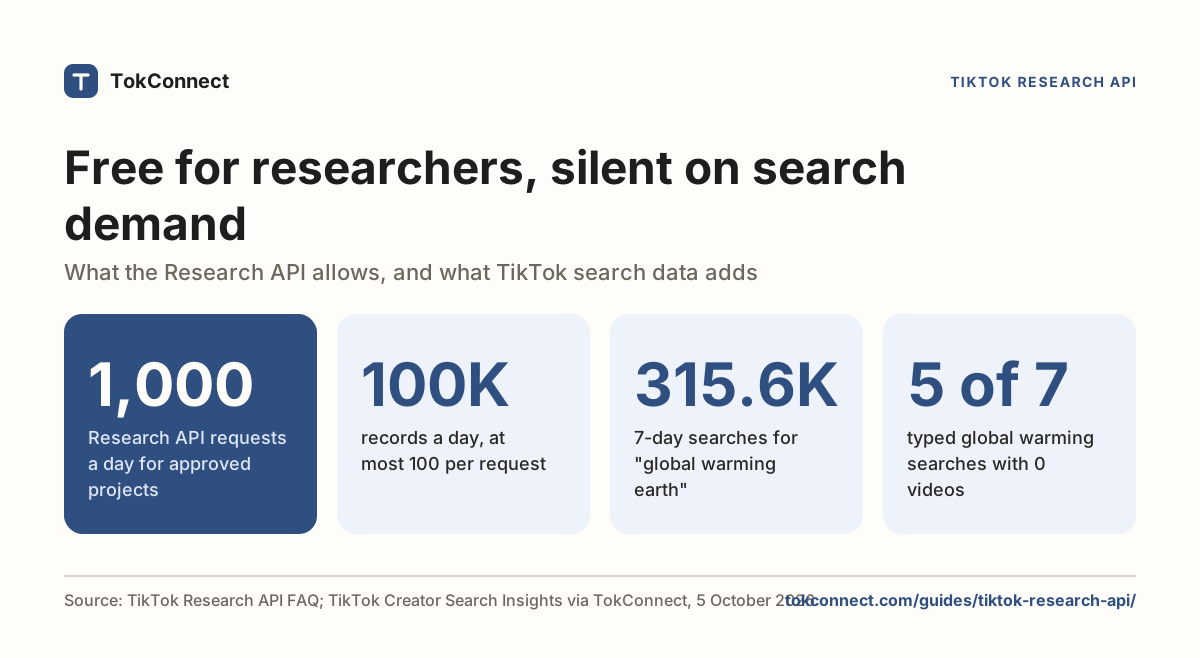
The Research API's comment query takes a video_id, a max_count and a cursor, and returns comment text with like count, reply count and creation time. Paging is a cursor plus a has_more flag, and TikTok's own Python and R wrapper exposes it as query_video_comments() with a fetch_all_pages option. The daily quota across the Research API is 1,000 requests, up to 100,000 records, resetting at midnight UTC.
Eligibility is the whole story. TikTok accepts academic researchers in the US, EEA, UK and Switzerland, EU-registered non-profits, and Brazilian academic or non-profit researchers studying youth safety. You need a research proposal, no conflicts of interest and a commitment to non-commercial use, and approval takes about four weeks. Product teams do not qualify. Our Research API guide walks through the application.
It is the API behind "connect your TikTok account" buttons. It returns the authenticated user's profile and video list. There is no comment read in it, not even for your own videos.
Which paid vendors offer a TikTok comments API?
| Option | What it gives you | Price |
|---|---|---|
| TokConnect | Comment text, likes, reply count, creator-reply flag and the full reply thread under any comment, from a video id or link, in one call. The same key also searches videos, so you can go from a keyword to comments. Best for: agents and scripts that need comments and replies without an application or a scraper. | Free to start, no card; paid plans from $34.99 a month, billed yearly |
| Apify comments scraper | Comment text, author, timestamp, likes, reply count and reply content, from video URLs or a username. Caps per post and per comment are inputs | $0.00125 per result on the free plan, so $1.25 per 1,000, falling to $0.50 per 1,000 on higher plans. $5 of free credit a month on the free plan |
| EnsembleData | Post comments in bulk, including replies, alongside profile, hashtag and music endpoints | 50 units a day free with no card; paid plans from $100 a month for 1,500 units a day |
| Bright Data | A dedicated comments scraper in a set of 13 TikTok datasets, with comment text, dates and reply counts | From $1.50 per 1,000 records, 5,000 free records a month. Also an MCP server with a comments tool |
| davidteather/TikTok-Api | Comments via a Python library you run yourself | Free and MIT, but you supply Playwright, an ms_token cookie and proxies |
Each vendor's own page · 5 Oct 2026
Apify's own documentation says full reply extraction is not guaranteed, which is worth knowing before you build a thread-reconstruction feature on top of it.
TokConnect is the pick for comments and reply threads in an agent or a script today, with no application.
Is there a TikTok comments API you can call without approval?
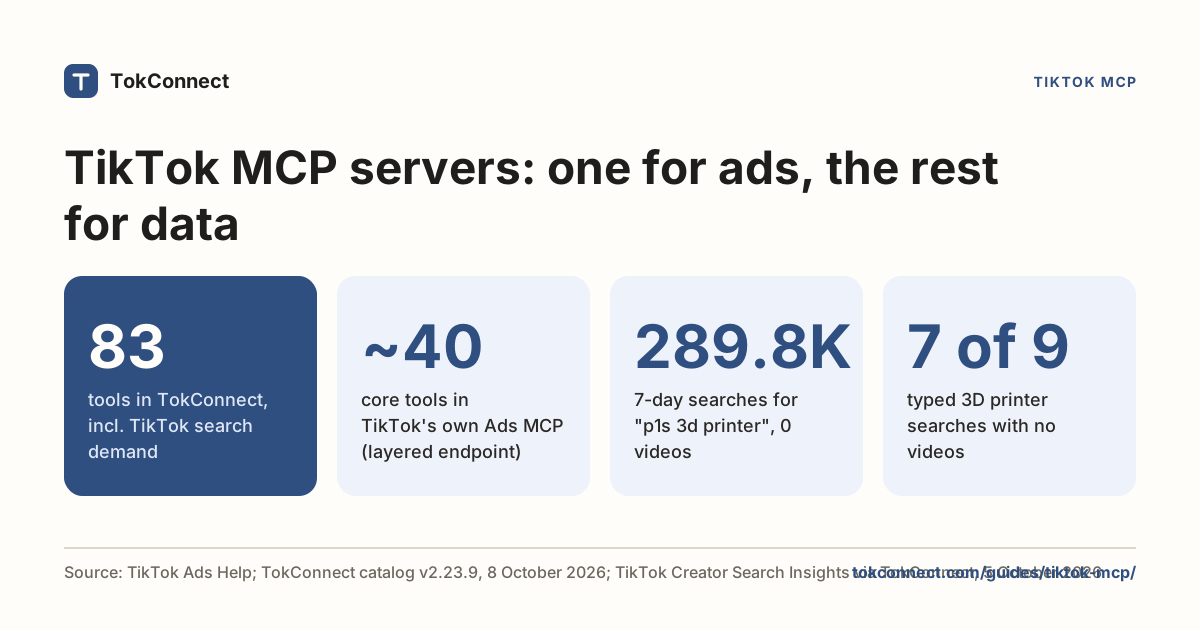
Yes: TokConnect. Here is the part for developers. The MCP route gives an agent or a script one tool with two methods, video with method: "comments" and method: "replies", one of TokConnect's 34 tools. The older names, video_comments and comment_replies, which produced the responses below, still answer. The server address is https://mcp.tokconnect.com/mcp with Authorization: Bearer YOUR_TOKCONNECT_KEY. Keys come from app.tokconnect.com/api-key. Free to start, no card. The REST API is on every paid plan. Paid plans from $34.99 a month, billed yearly. Every plan, Free included, works in ChatGPT, Claude and Cursor. Client setup is in the TikTok MCP guide.
Method comments takes id (the video id or its link), limit (1 to 50), sort (relevant or newest) and cursor; the older video_comments took aweme_id and count. We searched learn to code by most liked, took the top video (a 470-comment HTML guide with 697,600 views), and asked for ten comments:
{
  "comments": [
    {
      "id": "7571850576905454347",
      "text": "Can use HTML,CSS & JS to create a whole working system?",
      "createTime": 1762958989,
      "diggCount": 74,
      "replyTotal": 2,
      "authorUniqueId": "[handle removed]",
      "authorNickname": "[name removed]",
      "isAuthor": false,
      "awemeId": "7556520311135407382"
    }
  ],
  "count": 10,
  "hasMore": true,
  "nextCursor": 10,
  "total": 470,
  "awemeId": "7556520311135407382"
}
TikTok comments on the top "learn to code" video · 19 Sep 2026
Three fields do most of the work. total is the comment count TikTok reports for the whole video, so you know up front how many pages you are in for. diggCount is likes on the comment. isAuthor marks the video creator's own replies, which is how you separate the conversation from the host.
The cursor contract
Comment paging is a cursor, not a page number. Send cursor: 0 first, then send back whatever nextCursor you were given. Our second call used cursor: 10 and returned ten more with nextCursor: 20. Stop when hasMore is false, not when you hit total: deleted and hidden comments mean the two rarely line up exactly.
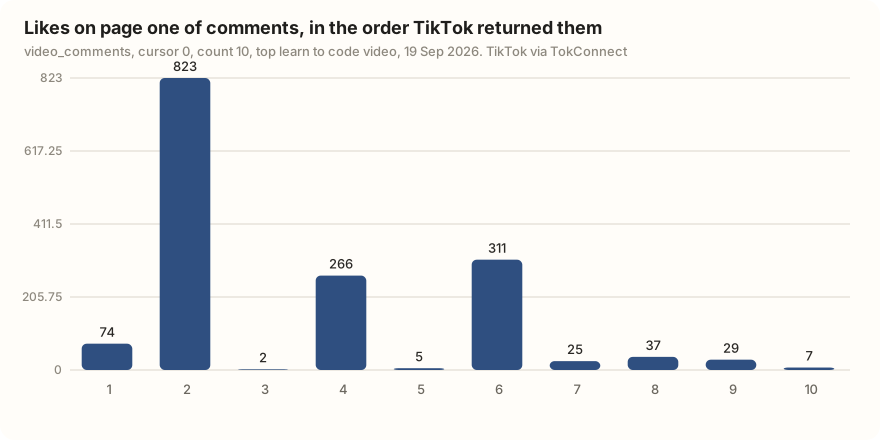
There is no separate "top comments" tool, and you do not need one. Results come back in TikTok's own order, which is not a like ranking. On page one the second comment had 823 likes and the third had 2. Pull two or three pages and sort by diggCount yourself.
Replies
Method replies takes the same id, a comment_id from the list above, a limit and a cursor. The most-replied comment on that video was a complaint about being taught in Notepad first, with 823 likes and 14 replies. The thread under it:
[
  {
    "text": "notepad isn't bad😁",
    "diggCount": 18
  },
  {
    "text": "it asss brr😂🤝 writing every single code and debugging the whole shi not knowing u made a mistake with just spacing",
    "diggCount": 55
  },
  {
    "text": "we learn in vscode",
    "diggCount": 9
  }
]
That is the reason to read replies rather than just top-level comments. The parent is a joke. The replies are three beginners telling you which editor they were actually taught in, which is the kind of thing you cannot get from view counts.
How do you get an aweme_id from a URL?
Every comments call needs a video id. TikTok calls it an aweme_id and it is sitting in the URL.
- Standard link.
https://www.tiktok.com/@creator/video/7556520311135407382. The digits after/video/are the id. - Short link.
vm.tiktok.com/…andvt.tiktok.com/…redirect. Thevideotool takes the short link as it is; with the older tools, follow the redirect and read the id off the final URL. - From search.
video_searchreturns each result'sid, which is the same value. That is how you go from a keyword to a set of videos to their comments without touching a browser.
How do you call it from Python?
With the official mcp package (pip install mcp), paging every comment on a video is short:
import asyncio, json, os
from mcp import ClientSession
from mcp.client.streamable_http import streamablehttp_client

URL, AUTH = "https://mcp.tokconnect.com/mcp", {
    "Authorization": f"Bearer {os.environ['TOKCONNECT_KEY']}"}

async def comments(video_id, max_pages=10):
    async with streamablehttp_client(URL, headers=AUTH) as (r, w, _):
        async with ClientSession(r, w) as s:
            await s.initialize()
            out, cursor = [], 0
            for _ in range(max_pages):
                page = json.loads((await s.call_tool("video", {
                    "method": "comments", "id": video_id, "limit": 50,
                    "cursor": cursor})).content[0].text)
                out += page["comments"]
                if not page.get("hasMore"):
                    break
                cursor = page["nextCursor"]
            return sorted(out, key=lambda c: -c["diggCount"])

for c in asyncio.run(comments("7556520311135407382"))[:20]:
print(f'{c["diggCount"]:>6} {c["replyTotal"]:>3} replies {c["text"][:70]}')The example above uses the Python SDK's 1.x line. In mcp 2.0 and later (2.3.0 is the current release on PyPI, checked 2 November 2026), the helper is streamable_http_client, the headers move onto an httpx2.AsyncClient passed as http_client, and the context manager yields two streams:
import httpx2
from mcp.client.streamable_http import streamable_http_client

async with streamable_http_client(URL, http_client=httpx2.AsyncClient(headers={"Authorization": f"Bearer {KEY}"})) as (read, write):
    async with ClientSession(read, write) as session:
        ...
Both forms return the same list of 34 tools. The loop calls video with method: "comments"; the older video_comments name still works.
Ten pages of 50 is 500 comments. Write the list to CSV and you have the export TikTok does not give you; the comment viewer page compares the ways to get it, and the search guide covers finding the videos in the first place.
Paste this into an assistant with TokConnect connected:
Find the three most-liked TikTok videos for "learn to code", pull 50 comments from each, and group them into the questions people ask, the complaints, and the requests. Quote the five comments with the most likes and say how many replies each one got.
What do people search about TikTok comments?
If you build on comment data, note that "bots comment on tiktok" drew 168,749 searches in 7 days with no videos matched, so a pipeline that filters out automated comments is worth more than one that counts them. The full search table, and a 313-comment study, are in the TikTok comment finder guide.
The free comment viewer reads up to 30 comments on one video without code, and the giveaway picker draws winners from up to 250.
One limit worth stating plainly: comments are written by real people. Whichever route you pick, how you store and republish them is a privacy question as much as an engineering one, and TikTok's Terms of Service restrict automated extraction.
How we got these numbers
The comment examples come from TokConnect's MCP server on 19 September 2026, under the tool names it had then (now search and video): one search_videos call for "learn to code" sorted by most liked, one video_detail call, two video_comments pages of 10 and one comment_replies call. Commenter handles and names are removed.
The search figures come from one search_topics call for "tiktok comments" (20 records) on 5 October 2026; searches are TikTok's 7-day global search popularity, and we left out TikTok's topic groups (a 7-day figure of 5,000,000 or more, 1,000,000 or more with the week's first daily reading under 5% of its last, or TikTok's Featured Content category).
Vendor prices come from Apify's, Bright Data's and EnsembleData's own pages on 5 October 2026. Research API quota and eligibility come from TikTok's developer FAQ and 2026 coverage. Data: comments, "tiktok comments" topics, facts checked, TokConnect tool catalog.
Key statistics
TikTok's only official comments endpoint is
/v2/research/video/comment/list/in the Research API, which allows 1,000 requests and up to 100,000 records a day for approved academic and non-profit researchers.Apify's TikTok Comments Scraper charges $0.00125 per comment, or $1.25 per 1,000, on Apify's free plan, which includes $5 of usage a month; the rate falls to $0.50 per 1,000 on higher plans.
Bright Data's TikTok scrapers, which include a comments scraper, cost $1.50 per 1,000 records after 5,000 free records a month.
All 5 statistics
On the top TikTok video for "learn to code", the first page of 10 comments came back in TikTok's own order, with 823 likes on the 2nd comment and 2 on the 3rd, so a like ranking needs your own sort.
"bots comment on tiktok" was searched 168,749 times on TikTok in the week to 5 Oct, and TikTok matched 0 videos to it.
Frequently asked questions
Is it possible to scrape TikTok comments?
Technically yes, and people do it every day with browser extensions, Apify actors and vendor APIs. Legally it is a different question: TikTok's Terms of Service prohibit using robots, spiders or other automated means not provided by TikTok to access the service or extract data. Comments are also personal data about real people in most jurisdictions, so how you store and publish them matters as much as how you get them.
What are the ways to pull TikTok comments as data?
There are three practical routes, because TikTok gives you no export button for the comments on your own videos and TikTok Studio does not have one either: a browser extension, an Apify actor at $1.25 per 1,000 results, or TokConnect, which returns the comments as JSON you can write straight to CSV. Our export guide walks through all three.
How do I get the most liked comments on a TikTok video?
Pull the comments and sort them yourself. TikTok returns comments in its own order, not by likes: on one video, the second comment on page one had 823 likes and the third had 2. Pull two or three pages of 50 with a cursor, then sort by diggCount.
What is the best TikTok comments API?
TokConnect: one MCP server and API key that returns a video's comments in pages of 1 to 50, plus the full reply thread under any comment, with no application, free to start. TikTok's own Research API endpoint is free but open only to approved academic and non-profit researchers.
How many comments can I pull at once?
TokConnect returns 1 to 50 comments per page. TikTok's Research API caps the whole account at 1,000 requests and 100,000 records a day.
Sources and data
- Query Video Comments (TikTok Research API docs)
- TikTok Research API wrapper (official, Python and R)
- TikTok Comments Scraper (Apify, Clockworks, checked 5 October 2026)
- EnsembleData TikTok API
- TikTok Terms of Service
- Research API FAQ (TikTok for Developers)
- TikTok Scraper API pricing (Bright Data, checked 5 October 2026)
- EnsembleData pricing (checked 5 October 2026)
- Bright Data MCP server (GitHub)
- TikTok API rate limits in 2026 (Phyllo, July 2026)