
Give your OpenClaw agent all of TikTok. One command connects TokConnect, and OpenClaw can then read live TikTok searches, videos, comments, creators and TikTok Shop sales.
- Get your key. Sign in with Google at app.tokconnect.com/api-key and copy your API key.
- Add TokConnect. In a terminal, run
openclaw mcp add tokconnect --url https://mcp.tokconnect.com/mcp --transport streamable-http --header "Authorization: Bearer YOUR_TOKCONNECT_KEY", with your key in place ofYOUR_TOKCONNECT_KEY. - Probe, then ask. Run
openclaw mcp doctor tokconnect --probe. When it lists TokConnect's tools, ask your agent, for example, "What are people searching on TikTok about AI agents that no video answers yet?"
The probe opens a live connection and prints what it found, so you know where you stand before an agent ever runs. The saved config, the key handling and the first call are in the setup details below.
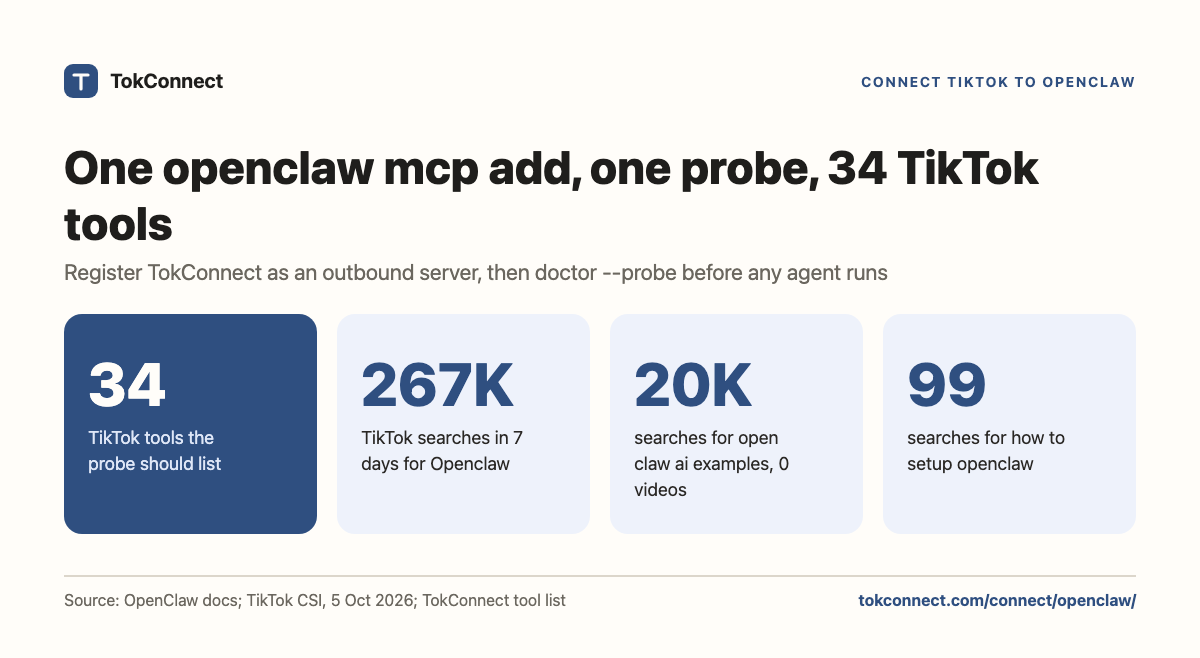
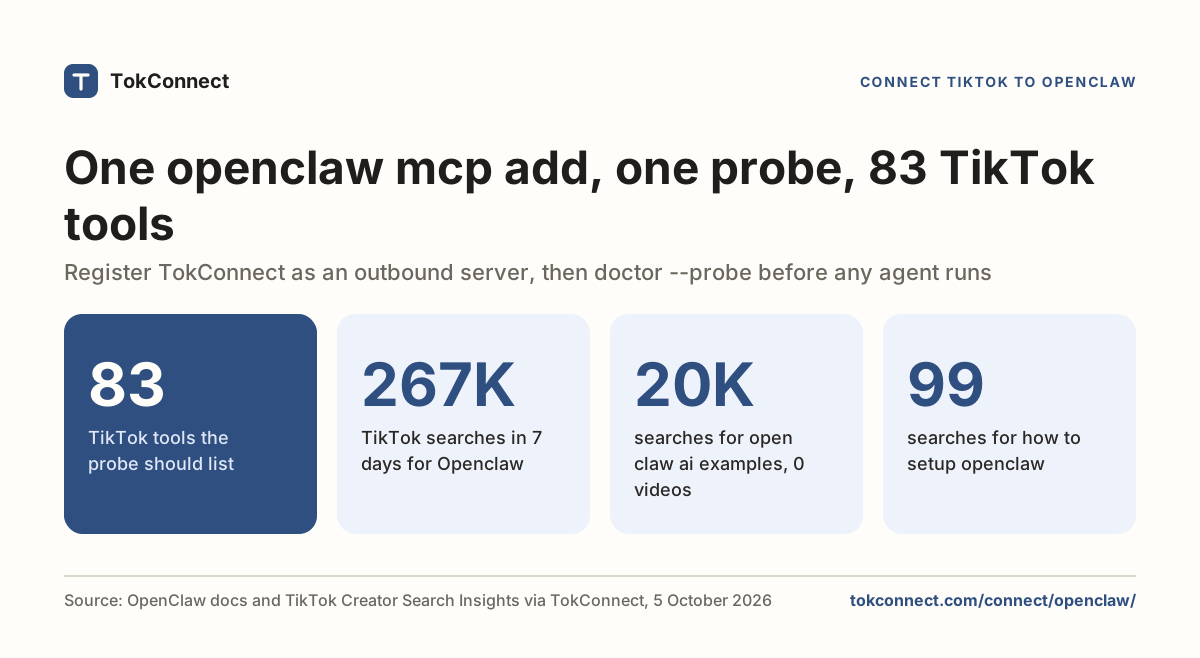
Every plan, Free included, gets all 34 tools. Free gives 50 credits once, one credit pays for one lookup and failed lookups cost nothing. Paid plans start at $34.99 a month billed yearly ($49 billed monthly), with 500 credits a month on Starter.
- One command:
openclaw mcp add tokconnect --url https://mcp.tokconnect.com/mcp --transport streamable-http --header "Authorization: Bearer ...". openclaw mcp doctor tokconnect --probeopens a live connection and should list TokConnect's 34 TikTok tools.- OpenClaw's docs say to avoid committing literal bearer tokens and prefer OAuth where a server supports it. TokConnect supports OAuth sign-in; with a header, keep the config out of version control.
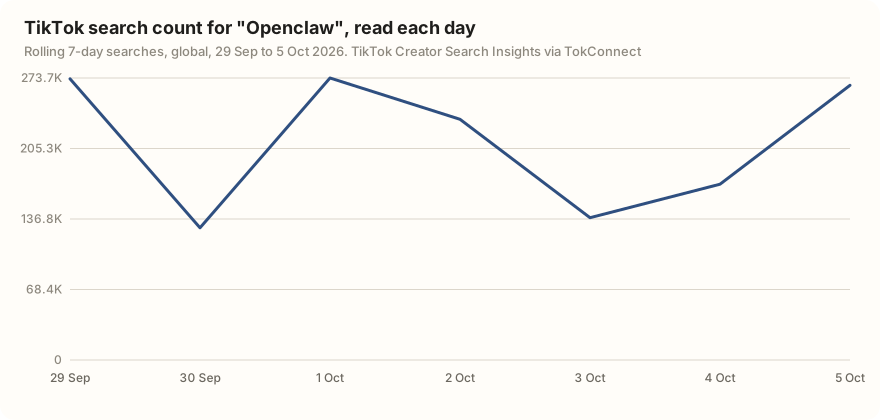
--includewrites a tool filter. If the probe passes and the agent sees nothing, clear the filter first.- On TikTok, "Openclaw" had 266,579 searches in the 7 days to 5 October 2026, and "open claw ai examples" had 19,993 with no videos.
What you can ask once connected
What do people search on TikTok about [your niche] that no video answers yet?
Paste it into OpenClaw once TokConnect is connected.
What's selling on TikTok Shop in [your niche] this month, and who sells it?
Paste it into OpenClaw once TokConnect is connected.
Which creators drive the most sales for [a brand], and what do their videos open with?
Paste it into OpenClaw once TokConnect is connected.
Steps follow OpenClaw's MCP documentation and registry reference, checked 5 October 2026. TokConnect tested its OAuth sign-in end to end on 28 September 2026 with a script acting as the client (test notes); the example results below come from the TokConnect server over MCP rather than from an OpenClaw session.
Setup details: the config
openclaw mcp add tokconnect \
  --url https://mcp.tokconnect.com/mcp \
  --transport streamable-http \
  --header "Authorization: Bearer YOUR_TOKCONNECT_KEY"
The saved entry lands under mcp.servers in your OpenClaw configuration, which is JSON5:
{
  mcp: {
    servers: {
      tokconnect: {
        url: "https://mcp.tokconnect.com/mcp",
        transport: "streamable-http",
        enabled: true,
        connectionTimeoutMs: 5000,
        requestTimeoutMs: 20000,
        headers: {
          "Authorization": "Bearer YOUR_TOKCONNECT_KEY",
        },
      },
    },
  },
}
The two timeouts mirror the example in OpenClaw's MCP docs. Raise requestTimeoutMs if you plan to run wide video searches. Twenty seconds is comfortable for topic and autocomplete calls and tight for anything that pages through results.
openclaw mcp serve exposes OpenClaw's own conversations to another MCP client. That is the opposite direction and it will not add TokConnect. You want mcp add, which writes to the outbound registry.
Where the key goes
In the headers map, as Bearer, a space, then the key. OpenClaw's docs push back on literal tokens: the registry reference recommends OAuth where a server supports it and says to avoid committing literal bearer tokens, and the MCP page says to store sensitive headers through OpenClaw's supported secret mechanisms. This page uses the key route. Use OpenClaw's secret storage if you have it set up, and keep the configuration file out of version control either way.
openclaw mcp status --verbose tells you whether a credential is present for the server without printing it.
Your first TikTok MCP call in OpenClaw
Probe before you prompt:
openclaw mcp doctor tokconnect --probeThat validates the definition, opens a real connection and reports what it gets back. It should list TokConnect's 34 tools. openclaw mcp tools lists them, and openclaw mcp show tokconnect prints the saved definition if you want to check what OpenClaw actually read.
Then make the smallest call:
Use the tokconnect MCP server. Call demand_keywords with keyword "protein" and limit 3, and show me the raw result.
Paste it into OpenClaw once TokConnect is connected.
Here is what came back:
{
  "count": 3,
  "suggestions": [
    { "text": "protein" },
    { "text": "protein for gym" },
    { "text": "protein recipes" }
  ]
}
Data: TikTok autocomplete via TokConnect, pulled 19 September 2026. Open the snapshot. Autocomplete is live, so your third line may differ.
After that, demand_find_topics gives you TikTok's own search counts, its feed method gives you content gaps, and product_top_selling gives you TikTok Shop sales estimates. The TikTok MCP guide maps all 34 tools, and our TikTok MCP server comparison covers the alternatives.
The 34 tools cover TikTok's search demand (demand_find_topics, demand_topic, demand_keywords), videos, comments and captions (video_search, video), creators, sounds, hashtags, places and LIVE, the live TikTok Shop catalogue (shop_browse, product, shop) and Shop Analytics: TikTok Shop sales estimates from product_top_selling, shop_top_selling, creator_top_selling, video_top_selling, live_top_selling and category_trends. The server also ships six MCP prompts: winning products, find affiliates, competitor shop, product deep-dive, niche research and content ideas. Clients that support MCP prompts list them next to the tools.
Use TokConnect. Call product_top_selling for "[your product]" with window 30d and limit 10. Show each product's price, estimated revenue, estimated units and number of creators selling it, then call product with method creators on the top one and list who drove its sales.
Paste it into OpenClaw once TokConnect is connected.
What TikTok users search about OpenClaw
A quick test of what the connection is for: we asked TikTok's search data about OpenClaw itself. People search the name a lot and ask almost nothing about setup.
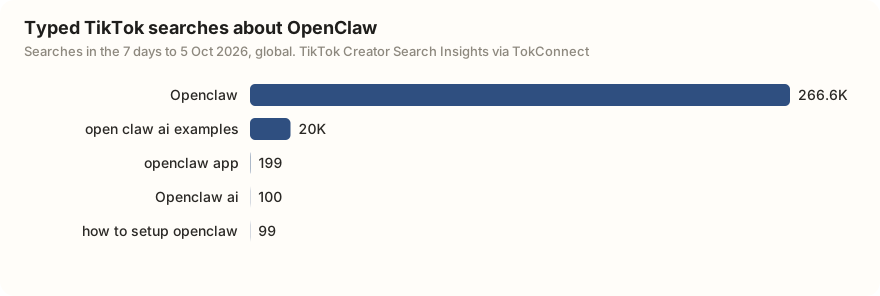
"open claw ai examples" had 19,993 searches and no matched videos. If you make videos about agents, that is a gap with a clear brief: show OpenClaw doing something real.
Three errors, and what they mean
| What you see | Cause | Fix |
|---|---|---|
doctor passes, agent sees no tools | A tool filter. --include writes a toolFilter.include list that narrows what the runtime sees. | Run openclaw mcp show tokconnect and read toolFilter. Clear it, re-probe, then add the names back. |
| 401 on probe | The header did not survive the shell, or the key is stale. | openclaw mcp status --verbose confirms a credential is there. Re-add the server with a fresh key if it is not. |
| Connection times out | connectionTimeoutMs is too low for your network; the docs' example uses 5000. | Raise it, and raise requestTimeoutMs too if the failure happens mid-call rather than at connect. |
A tool that returns an empty list is TikTok answering, not a broken setup. The troubleshooting guide takes the stages in order.
Remove it, or rotate the key
OpenClaw does not use remove. The command is openclaw mcp unset, and openclaw mcp reload picks up the change. Confirm with openclaw mcp status before you assume the key is out of use.
To rotate, make a new key on the API key page, run openclaw mcp set on the header (or edit the headers map), then reload and probe again. If a long-running gateway holds the old configuration, restart it: a changed file does not reach a process that already started.
Same endpoint elsewhere: Claude Code, Hermes, Gemini CLI.
How we got these numbers
Commands and config fields come from OpenClaw's MCP documentation and registry reference, read on 5 October 2026. The autocomplete result is a search_suggestions call made on 19 September 2026. On 5 October 2026 we ran one search_topics call for "openclaw" (20 records) through TokConnect's MCP server. Search figures are TikTok's 7-day global search popularity, and the line chart plots the daily readings of that 7-day count. We left out TikTok's topic groups, records that pool many related searches: a 7-day figure of 5,000,000 or more, a figure of 1,000,000 or more whose first daily reading is under 5% of its last, or TikTok's Featured Content category. Five of the 20 records were topic groups, and several typed searches ("Open class", "OpenInvite") were unrelated words TikTok matched loosely, which we also left out. The tool list in the evidence file is a snapshot of version 3.1.0 read on 21 October 2026; the current server lists 34 tools.
Data: "openclaw" topics, tool catalog (21 October snapshot), autocomplete call.
Key statistics
OpenClaw registers a remote MCP server with
openclaw mcp add <name> --url <url> --transport streamable-http --headerand saves it undermcp.serversin its JSON5 configuration.TokConnect's MCP gives OpenClaw 34 TikTok tools, from Creator Search Insights search demand to TikTok Shop sales estimates.
"Openclaw" was searched 266,579 times on TikTok in the 7 days to 5 October 2026, with 296 videos matched to the search.
All 5 statistics
"open claw ai examples" was searched 19,993 times on TikTok in the 7 days to 5 October 2026, and TikTok matched 0 videos to it.
"how to setup openclaw" was searched 99 times on TikTok in the 7 days to 5 October 2026, so OpenClaw setup questions are rare on TikTok compared with the 266,579 searches for the name itself.
Frequently asked questions
How do I add an MCP server to OpenClaw?
Run openclaw mcp add <name> --url <url> --transport streamable-http --header "Authorization: Bearer YOUR_KEY". OpenClaw saves the entry under mcp.servers in its JSON5 configuration. Check it with openclaw mcp doctor <name> --probe, which opens a live connection.
Why does doctor pass but my agent see no tools?
A tool filter. --include writes a toolFilter into the saved entry, and the runtime only sees what survives it. Run openclaw mcp show tokconnect, clear the filter, re-probe to confirm the full list of 34 tools, then add back the names you want.
OpenClaw's docs say to avoid static bearer tokens. Can I use OAuth?
Yes. TokConnect supports OAuth sign-in, and OpenClaw's registry reference recommends OAuth where a server supports it. This page follows the header route from OpenClaw's docs. If you keep the header, store it through OpenClaw's secret mechanism, keep the configuration file out of version control, and use openclaw mcp status --verbose to confirm a credential is present without printing it.
How do I remove an MCP server from OpenClaw?
Run openclaw mcp unset tokconnect, then openclaw mcp reload, and confirm with openclaw mcp status. OpenClaw has no remove subcommand. Restart any long-running gateway so it drops the old configuration.
Do people search for OpenClaw on TikTok?
Yes. "Openclaw" was searched 266,579 times on TikTok in the 7 days to 5 October 2026, with 296 videos matched. "open claw ai examples" had 19,993 searches and no matched videos, while "how to setup openclaw" had only 99.
Sources and data
- MCP tools (OpenClaw docs, checked 5 October 2026)
- openclaw mcp registry reference (checked 5 October 2026)
- openclaw mcp CLI reference
- openclaw/openclaw (GitHub)
- Transports: Streamable HTTP (Model Context Protocol specification)
- JSON5 data interchange format
- TikTok autocomplete pulled 19 September 2026 (snapshot)