
- A TikTok content calendar works best when every day points at a topic people actually search, not a theme like Motivation Monday.
- Use the one-topic-a-week method: pick one searched topic, then split it into five to seven posts using its real search variants.
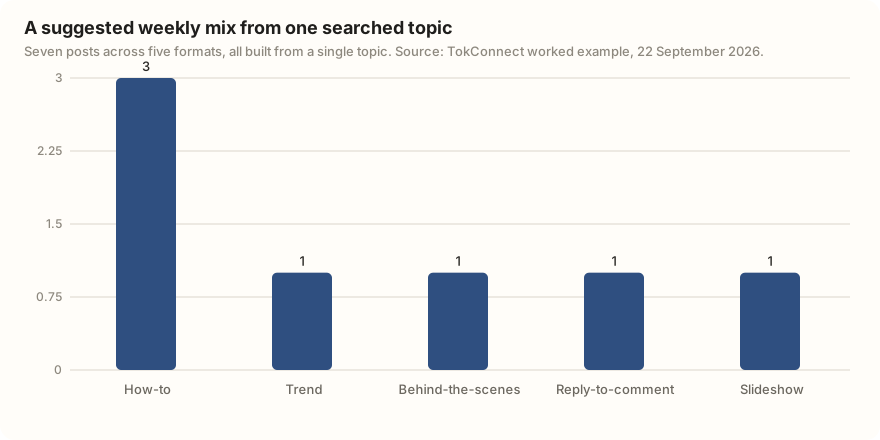
- Five formats carry most niches: how-to, trend, behind-the-scenes, reply-to-comment and slideshow. Most days are how-to.
- Copy the weekly table on this page, change the topic to your own, and keep the same seven slots each week.
- Batch filming in one block, schedule from a computer up to 10 days ahead at your follower-active times, then plan the next week from your analytics.
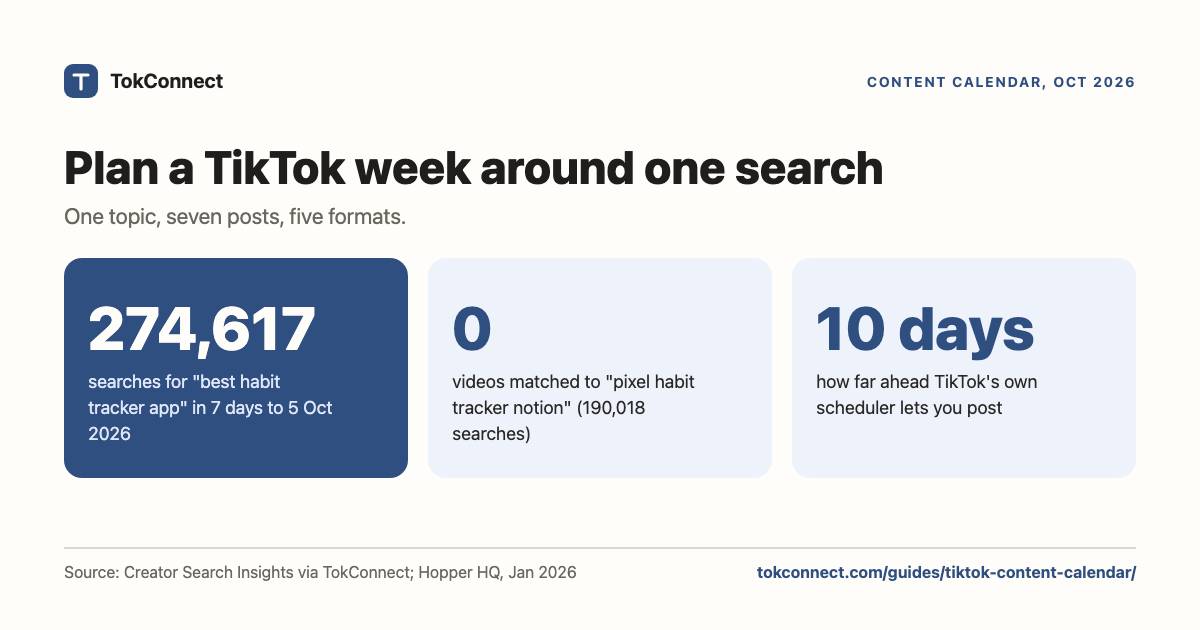
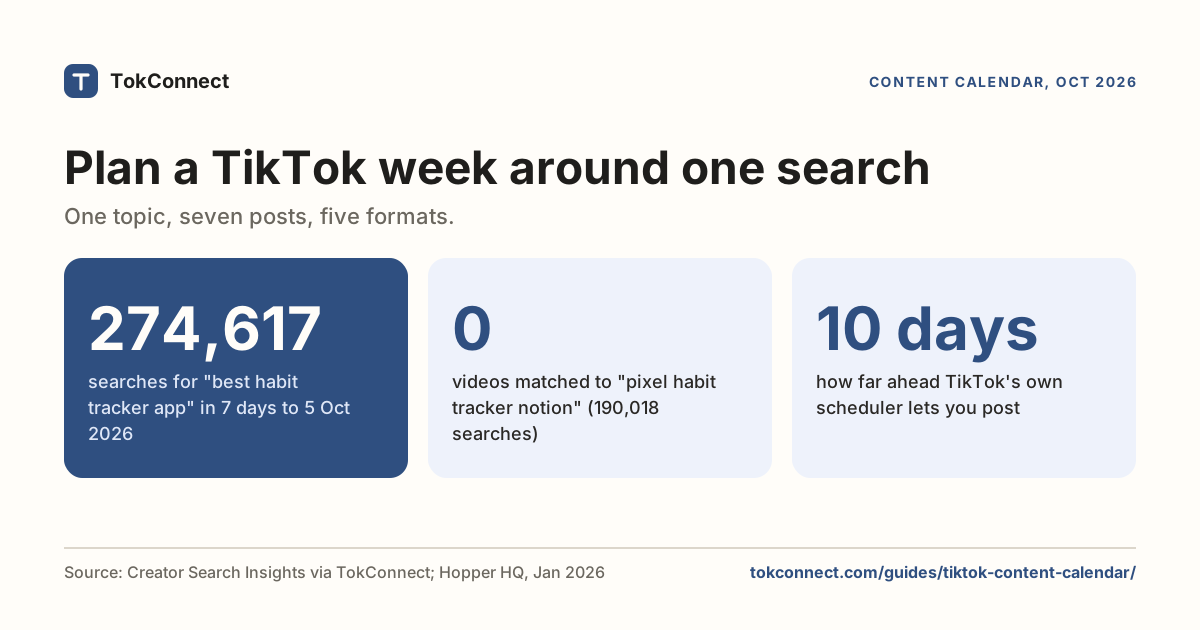
A TikTok content calendar is a plan for what you will post and when, and the version that works is built around what people actually search on TikTok, not around themes you picked out of the air. For example, "best habit tracker app" was searched 274,617 times on TikTok in the week to 5 Oct: pick one searched topic like that a week, break it into five to seven posts, and publish them at the times your own followers are awake.
This page gives you a copyable weekly template, filled with real example rows, and the method behind it. Every day on the calendar points at a topic that already has demand, so you are not guessing what to make.
Why plan a TikTok content calendar at all?
Two reasons, and neither is about being organised for its own sake.
First, a plan holds your cadence. The hard part of TikTok is not one good video, it is posting steadily for two months. A calendar decides the videos in advance, so a bad week does not mean an empty week.
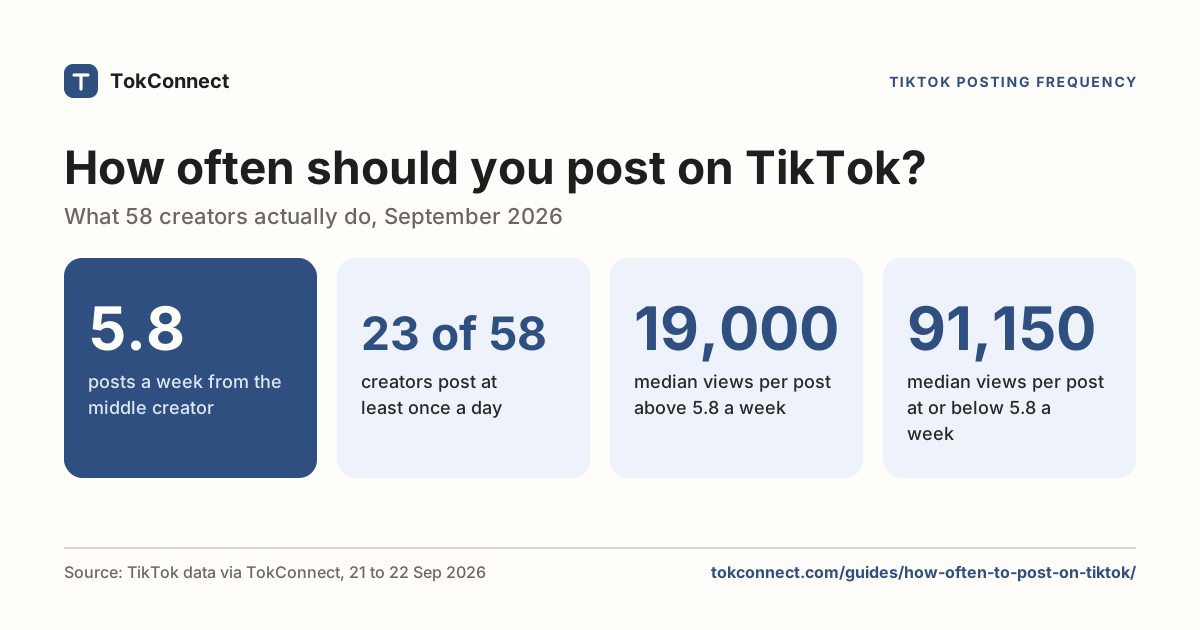
Pick a number of posts you can keep up, not a number that looks impressive. Our guide on how often to post on TikTok has the data: in a September 2026 sample of 58 creators, the middle creator posted under once a day, and the heavy posters did not get more views per video.
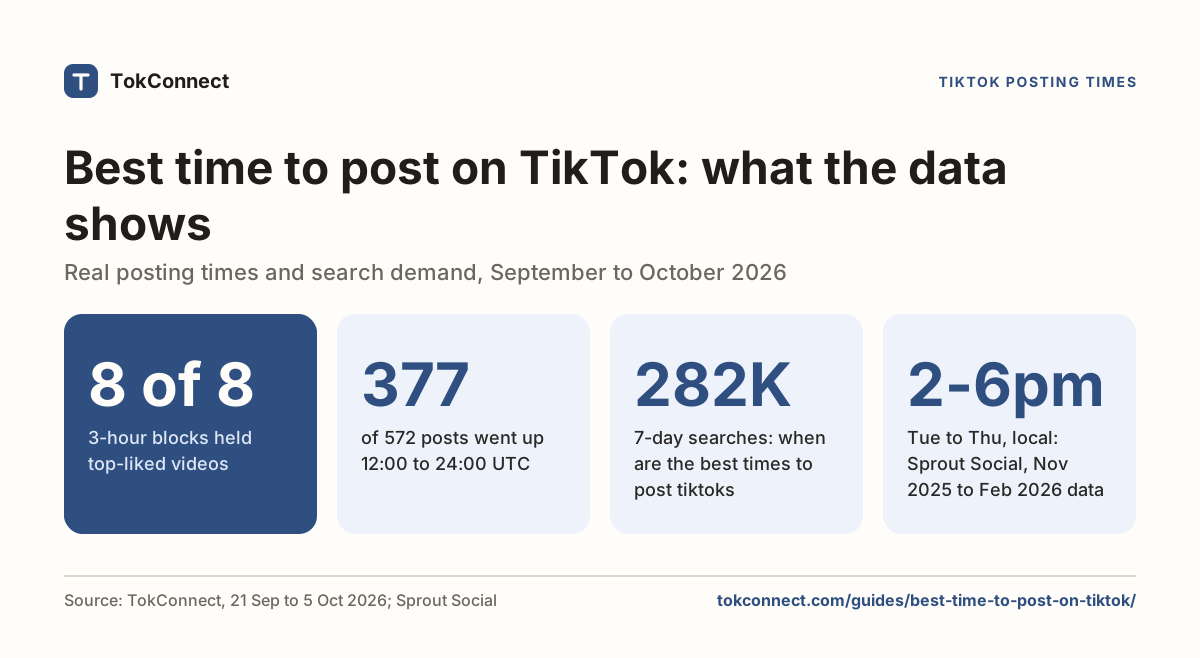
Second, a plan lets you post at the right time. A calendar tells you what to post; your analytics tell you when. Post when your own followers are active, which is a time only your account can show you, not a chart from a blog. The best time to post on TikTok guide shows where to find your follower-active hours and how to read them.
How does the one-topic-a-week method work?
Here is the method the template is built on. It takes about ten minutes to set up a week.
Step one: pick a topic people search for. Not a theme like "motivation", a real search like "habit tracker". You find these in TikTok's own search data, where each topic shows how many times it was searched in the last seven days and how many videos already answer it. A topic with lots of searches and few videos is a content gap, and it is the easiest way to get found. Our TikTok keyword research guide and the walkthrough of Creator Search Insights show you how to pull that list.
Step two: split the topic into a week of angles. One topic is not one video. It is five to seven. Type your topic into TikTok's search bar and read what it suggests. When we searched habit tracker on 22 September 2026, TikTok's autocomplete returned "habit tracker app", "habit tracker notion", "habit tracker google sheet", "habit tracker journal", "habit tracker journaling" and "habit tracker apps". Each of those is a separate search, and each becomes a day on your calendar.
Then turn each angle into a format. The five that carry most niches:
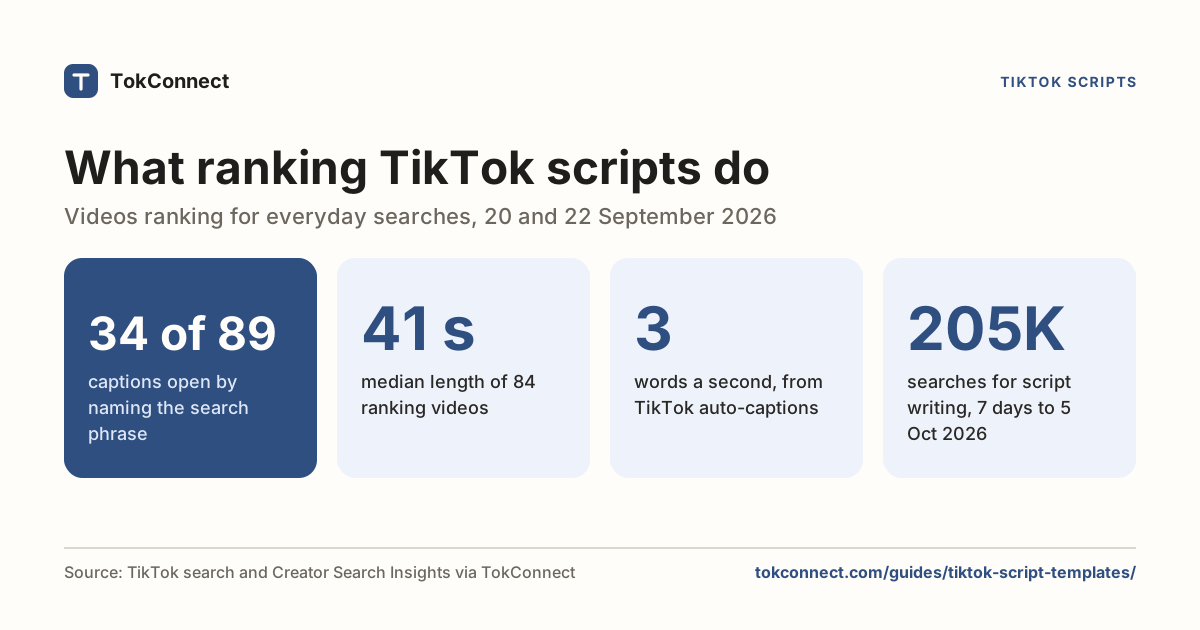
- How-to. Answer the search directly. "How to set up a habit tracker in Notion." This is your bread and butter; most days are these. See TikTok script templates for a structure that holds attention.
- Trend. Ride what is moving this week. "Day 1 vs day 60 of tracking one habit," set to the week's trending sound.
- Behind-the-scenes. Show the working. "My real habit journal, coffee stains and missed days included."
- Reply-to-comment. Answer a real question someone left you. TikTok turns it into a video with the comment pinned on screen, and it targets the exact words a viewer typed.
- Slideshow. A photo post you swipe through. Good for lists and layouts, and it often gets saved. Our TikTok slideshow guide covers when to use one.
Seven slots, five formats, one topic. That is a week's plan, and you researched it once.
What does a weekly TikTok content calendar template look like?
Copy the table below and change the topic to your own. It is filled with the habit-tracker example so you can see the shape. Each row is one post: the day, the format, the exact search it targets, a hook for the first line, and a call to action for the caption.
| Day | Format | Search topic it targets | Hook (first line on screen) | Call to action |
|---|---|---|---|---|
| Mon | How-to | habit tracker app | "[I tested 3 habit tracker apps for 30 days. One stuck.]" | Comment the habit you keep dropping |
| Tue | How-to | habit tracker notion | "The free Notion habit tracker I actually open every day" | Follow, template link in bio |
| Wed | Trend | habit tracker | "Day 1 vs day 60 of tracking one habit" (over the week's trending sound) | Save this for your day 1 |
| Thu | Behind-the-scenes | habit tracker journal | "My real habit journal, coffee stains and missed days included" | Tell me the habit you keep dropping |
| Fri | How-to | habit tracker google sheet | "Build a habit tracker in Google Sheets in 4 minutes" | Save it, copy the sheet tonight |
| Sat | Reply-to-comment | habit tracker apps | "You asked: paper or app? Here is when each one wins." | Drop your next question below |
| Sun | Slideshow | habit tracker journaling | "6 habit tracker layouts to steal (swipe)" | Save the one you will try this week |
A hook in square brackets claims an experience. Use it only if it is yours, or swap in a test you have run.
The "topic" column is real TikTok autocomplete for habit tracker, and "best habit tracker app" had 274,617 searches in the week to 5 Oct. TikTok's own search data · 22 Sep and 5 Oct
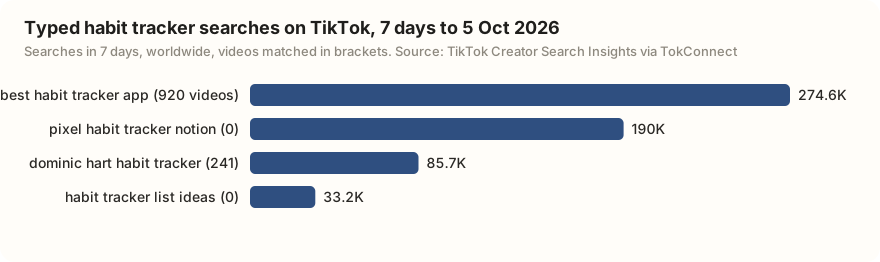
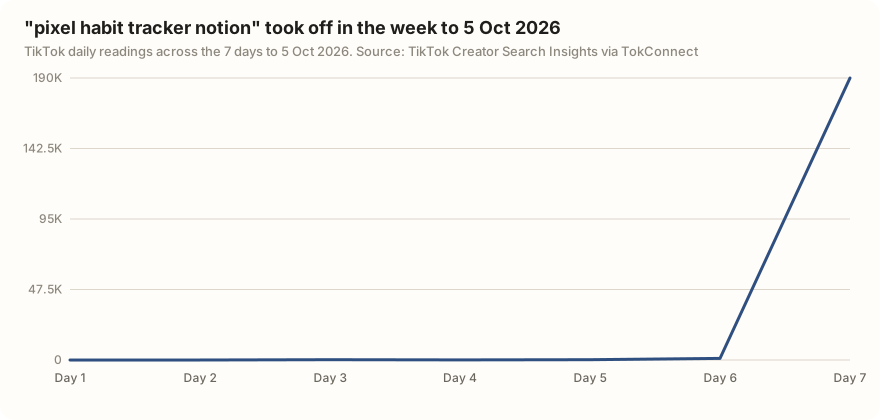
Two of the four have no videos matched at all. The bigger one, "pixel habit tracker notion", barely existed at the start of the week and ended it at 190,018 searches. A searched angle with no videos is the best slot on the calendar, so it would be the Tuesday Notion post in the week after 5 October.
Gaps close fast. "best habit tracker app" had 263,720 searches and 0 videos on 19 September 2026; by 5 October TikTok matched 920 videos to it.
Use the template as a repeating week. Next week, pick a new topic, keep the same seven slots, and change the rows. The formats stay; only the topic moves.
TokConnect pulls the typed searches, their 7-day counts and video counts for any niche, so each Monday's topic takes one message instead of an hour.
The common way to fail is to sit down and plan 30 posts around themes you invented, like "Motivation Monday" or "Fun Fact Friday". Nobody searches those. You will make 30 videos and wonder why none of them get found. Plan around searches instead, and every post has a chance of showing up when someone looks for it.
How do you batch and schedule the week?
A week planned in advance is a week you can film in one sitting. Set the topic on the weekend, film all seven hooks and clips in one block, then edit them across the week. Batching keeps the quality even, because you are not making a video at 11pm because the calendar says so.
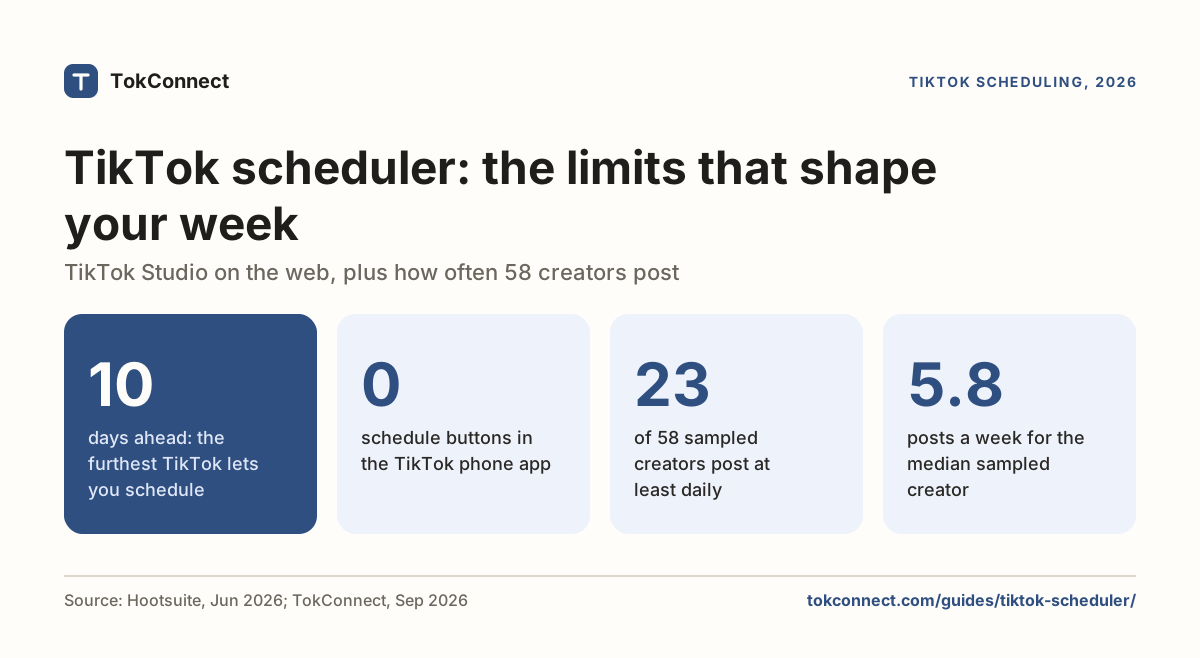
Once they are made, set your TikTok posting schedule. TikTok's own scheduler lets Creator and Business accounts pick a publish time when you upload from a computer, up to 10 days ahead, so you can load a week and walk away (Hopper HQ, January 2026). The phone app has no built-in schedule button. The TikTok scheduler guide covers the built-in tool and the third-party ones, and whether scheduling changes how a video does.
Line the schedule up with your follower-active hours, not a round number like noon. If your followers are busiest at 7pm, that is when the calendar publishes.
How do you track what worked and plan the next week?
The calendar is a loop, not a one-off. After a week, open your analytics and look at views and, more useful, saves and shares per post. The formats that got saved are the ones to repeat; the ones that flopped are the ones to drop or rework. Our TikTok analytics explained guide shows which numbers to trust and which to ignore.
Feed that back in. If "how-to" posts on your topic keep winning, weight next week toward more of them. If a reply-to-comment video took off, the comment it answered is a topic in its own right. The calendar gets better every week because it learns from the last one.
Paste this into your agent:
Give me 5 searched TikTok topics in [your niche] from the last 7 days, typed searches only (skip TikTok's topic groups of 1 million or more), and turn each into a day's post. For every topic, use the real search wording, then write a format (how-to, trend, behind-the-scenes, reply-to-comment or slideshow), a first-line hook, and a caption call to action. Return it as a table I can drop into my content calendar.
Free to start, no card.
How we got these numbers
Angles. On 22 September 2026 we pulled TikTok's autocomplete for "habit tracker" and "side hustle" with TokConnect's autocomplete; the template's search column uses the habit tracker suggestions (snapshot).
Demand. On 5 October 2026 we ran topic search for "habit tracker" (20 results). The figure is searches in the last 7 days, worldwide; the video figure is how many videos TikTok has matched; the daily readings are the seven points behind the topic's chart. 15 of the 20 results were TikTok-generated topic groups that pool many searches (and some, like GPS trackers, are off topic), so we quote only typed searches (snapshot).
Scheduling. The 10-day limit comes from Hopper HQ's January 2026 guide, re-checked on 5 October 2026; TikTok's own help pages block automated reads. The week mix in the first chart is our worked example, not measured data.
Key statistics
"best habit tracker app" was searched 274,617 times on TikTok in the 7 days to 5 October 2026, with 920 videos matched to it.
"pixel habit tracker notion" was searched 190,018 times on TikTok in the 7 days to 5 October 2026, and TikTok matched 0 videos to it.
TikTok's daily readings for "pixel habit tracker notion" went from 0 to 190,018 across the 7 days to 5 October 2026, the shape of a search that is just taking off.
All 5 statistics
TikTok's autocomplete for "habit tracker" on 22 September 2026 returned 10 suggestions, including app, Notion, Google Sheet, Excel and journal versions, each a separate angle for a day's post.
TikTok Studio's built-in scheduler lets Creator and Business accounts schedule a post up to 10 days ahead, from a computer only.
Frequently asked questions
Do I need a content calendar for TikTok?
You do not need one to post, but you need one to post steadily. The hard part of TikTok is keeping a cadence for two months, and a calendar decides your videos in advance so a busy week does not become an empty one. It also lets you plan around what people search instead of guessing each day. A weekly table is enough; you do not need software.
How do I plan TikTok content?
Pick one topic people search for, using TikTok's own search data or keyword research. Type it into TikTok's search bar to see the variants people actually search, then turn each variant into a post in a different format: how-to, trend, behind-the-scenes, reply-to-comment or slideshow. That gives you a full week from one piece of research.
What should I post each day on TikTok?
One angle of your weekly topic, in a set format. A workable week is three how-to posts, one that rides a trend, one behind-the-scenes, one reply-to-comment and one slideshow. Each day targets a specific search, so the topic column on your calendar holds the exact wording people type, like "habit tracker notion" rather than just "habit tracker".
How far ahead should I plan TikTok content?
Plan one week at a time in detail and keep a rough list of topics beyond that. TikTok search demand and trends move fast, so a calendar planned two months out in detail goes stale. Planning a week, filming it in one batch, and re-checking search demand before the next week keeps the plan current without constant work.
Can I schedule the TikTok calendar?
Yes. TikTok's own scheduler lets Creator and Business accounts set a publish time when uploading from a computer, up to 10 days ahead, so you can load a whole week. Third-party schedulers do the same across accounts. Line the publish times up with your follower-active hours rather than a round number. Our TikTok scheduler guide compares the options.
Sources and data
- Introducing Video Scheduler (TikTok for Business blog)
- Get inspired with Creator Search Insights (TikTok Newsroom, March 2024)
- How to schedule TikTok posts on mobile and desktop (Hootsuite, June 2026)
- How to Schedule TikTok Posts in 2026 (Hopper HQ, 16 January 2026)
- How TikTok recommends videos #ForYou (TikTok Newsroom, 18 June 2020)
- Habit-tracker search suggestions and content-gap demand, pulled 22 September 2026 (snapshot)
- Habit tracker search demand pulled 5 October 2026 (snapshot)