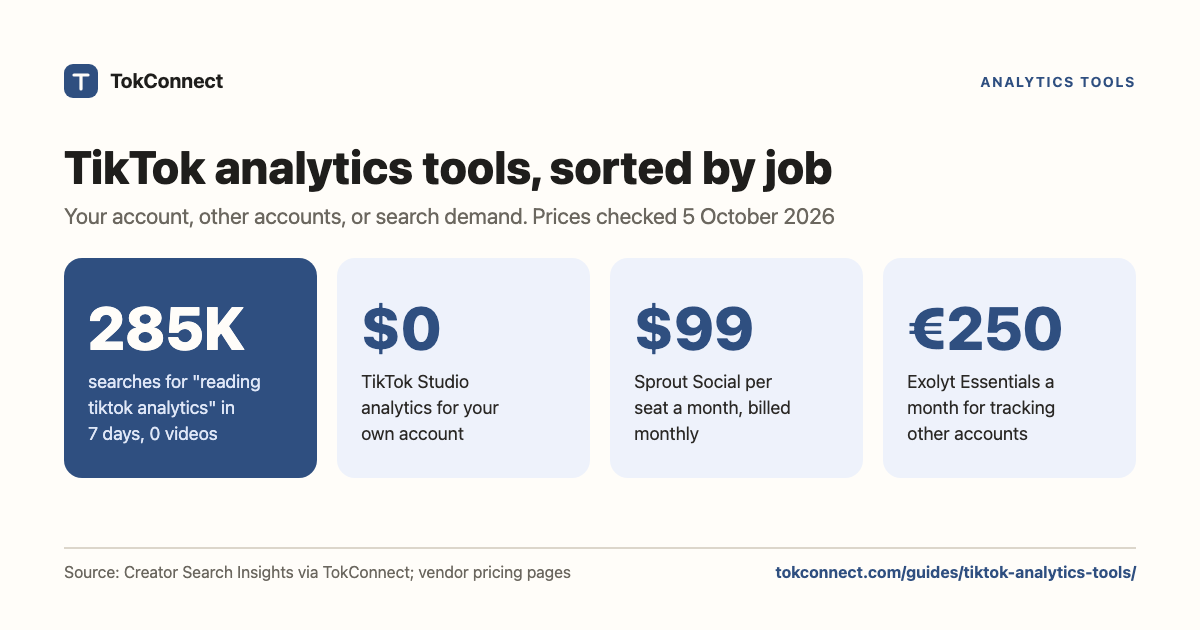

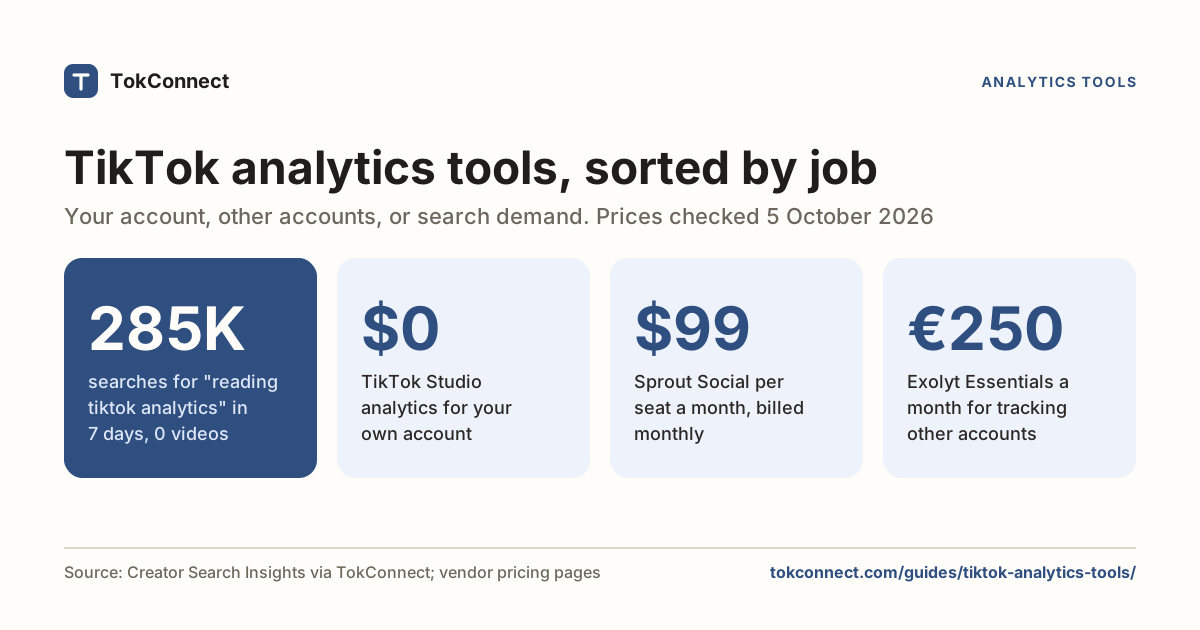
- Decide which job you need first: your own account, other people's accounts, or search and trend demand. The shortlist drops from 17 tools to two.
- For your own account, TikTok Studio is free and more accurate than anything third party. Pay only for scheduling, multiple accounts or client reports.
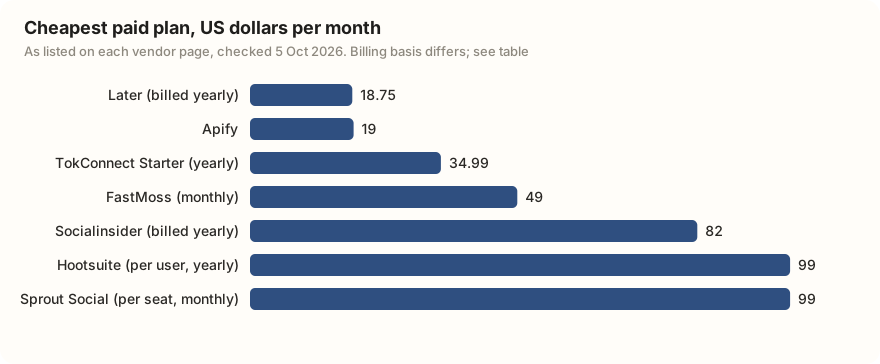
- Sprout Social starts at $79 per seat a month billed yearly ($99 monthly) and Hootsuite at $99 per user billed annually; Metricool has a free plan.
- No tool can show another account's watch time or demographics. "Competitor analytics" means public numbers plus arithmetic.
- Search demand is the job the listicles skip: "reading tiktok analytics" had 285,257 TikTok searches in a week and no videos.
The best TikTok analytics tool depends on the job. For your own account's watch time and traffic, TikTok Studio is free and built in. For other people's accounts, search demand and TikTok Shop sales, the pick is TokConnect: ask in its research agent or inside ChatGPT and Claude. It starts free with no card. The other tools on this page run from free to €250 a month for Exolyt Essentials, and most cover only one of the three jobs below.
What three jobs do TikTok analytics tools do?
Job one: your own account. Views, watch time, retention, follower demographics, traffic sources, best time to post. This data only exists because you own the account, and TikTok gives you all of it free.
Job two: other accounts. Competitors, influencers you are about to pay, brands in your category. Here you get public numbers only: follower counts, views, likes, comments, captions, hashtags. Nobody can see a stranger's watch time. A tool that offers "competitor analytics" is reading the same public figures you can and doing the arithmetic.
Job three: demand. What people are searching for and what is rising, before a video exists. This is the one the listicles skip, and it is the only one that tells you what to make.
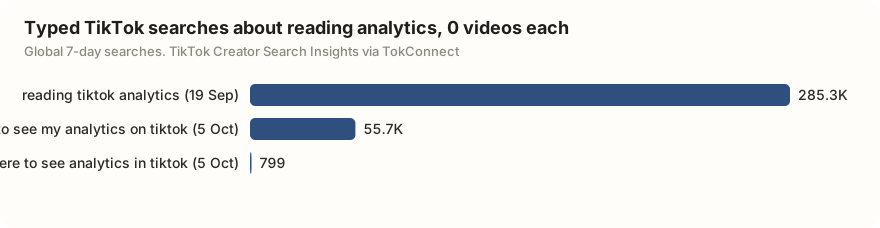
People want help with the first job and are not finding it. All three typed searches below had no videos matched.
Our TikTok analytics explained guide covers what each number in TikTok Studio means.
Job one: which tools cover your own account?
Start with the free tools, because for this job they are the most accurate ones that exist.
TikTok's native analytics is built into the app under Profile → Menu → TikTok Studio → Analytics, and on a computer at tiktok.com/tiktokstudio when you are logged in. You get overview, content, viewers and follower tabs, per-video breakdowns including traffic sources, and date ranges of 7, 28 or 60 days plus a custom range (Sprout's walkthrough has the current layout). It costs nothing and no third party matches its accuracy, because everyone else works from what TikTok chooses to publish.
You buy a third-party tool when you need scheduling, several accounts, several networks, or a report a client will read. What they cost:
- Metricool has a free plan for one brand and paid plans from €16 a month ($20 in US dollars) for up to five brands, per its pricing page. It is the cheapest way to get TikTok reporting alongside Instagram and the rest.
- Later starts at $18.75 a month billed yearly, with a 14-day trial (pricing). Its Starter plan keeps up to 3 months of analytics history; Growth keeps a year.
- Socialinsider starts at $82 a month billed yearly ($990 a year) and is built around benchmarking and exportable reports, with a 14-day trial and no free plan (pricing).
- Hootsuite lists Standard at $99 per user per month billed annually, up to $399 for Advanced, with a 14-day trial (plans).
- Sprout Social Essentials is $99 per seat a month billed monthly ($79 billed yearly), and Standard is $199 per seat a month billed yearly, with a 30-day trial (pricing). It is an enterprise suite, priced like one, and TikTok is one tab in a bigger dashboard. Our Sprout Social vs TokConnect page compares the two in detail.
Several of these vendors show local currency and promotional rates, so check the number you will actually be charged before you commit.
Analyze a competitor's account on TokConnect
Job two: which tools cover other people's accounts?
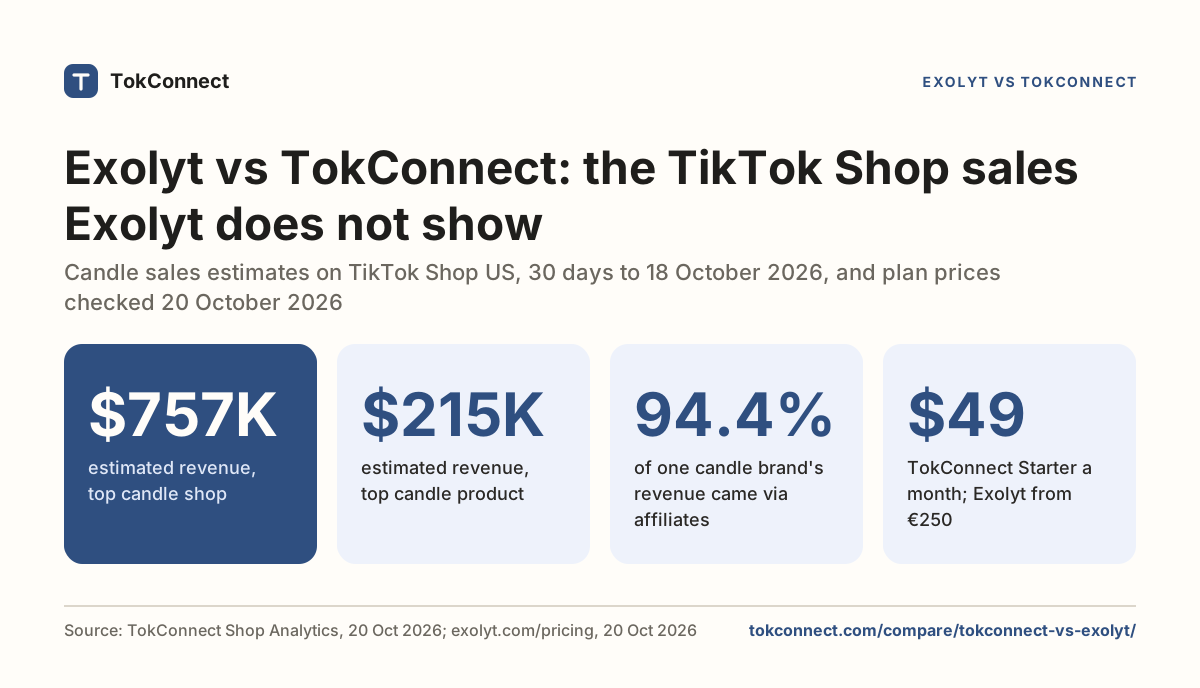
TokConnect reads any public account on demand: profile, posts, reposts, comments and followers, plus TikTok Shop sales for creators and shops, inside ChatGPT or Claude. Exolyt is a TikTok-only tracker with a free Basic tier and Essentials at €250 a month (€210 billed yearly). Our Exolyt vs TokConnect comparison puts the two side by side, and the account analyzer guide shows what a post-level account check returns; the free account analyzer tool runs one.
Socialinsider does the same work across networks rather than in depth on one. Analisa.io is still listed everywhere for TikTok profile and hashtag reports; its site did not respond, so confirm it is running before you rely on it.
Pentos appears in many "best TikTok analytics tools" lists published this year, and its domain did not resolve. For TikTok Shop sales, TokConnect has estimates for 17 markets (see the ecommerce pick below). Kalodata shows no prices on its site without an account; its US App Store listing starts from $45.99 a month for Basic. FastMoss's page confirms a 7-day free trial, and a September 2026 review lists Basic at $49 a month after a $29 first month.
For raw public data at scale, Apify (free plan with $5 of monthly usage, paid from $19 a month, plus per-result charges on each scraper) and Bright Data (Web Scraper API at $1.50 per 1,000 records pay-as-you-go) sell you profiles, posts and comments as files. No dashboard, no interpretation, and you write the code.
Job three: which tools cover search and trend demand?
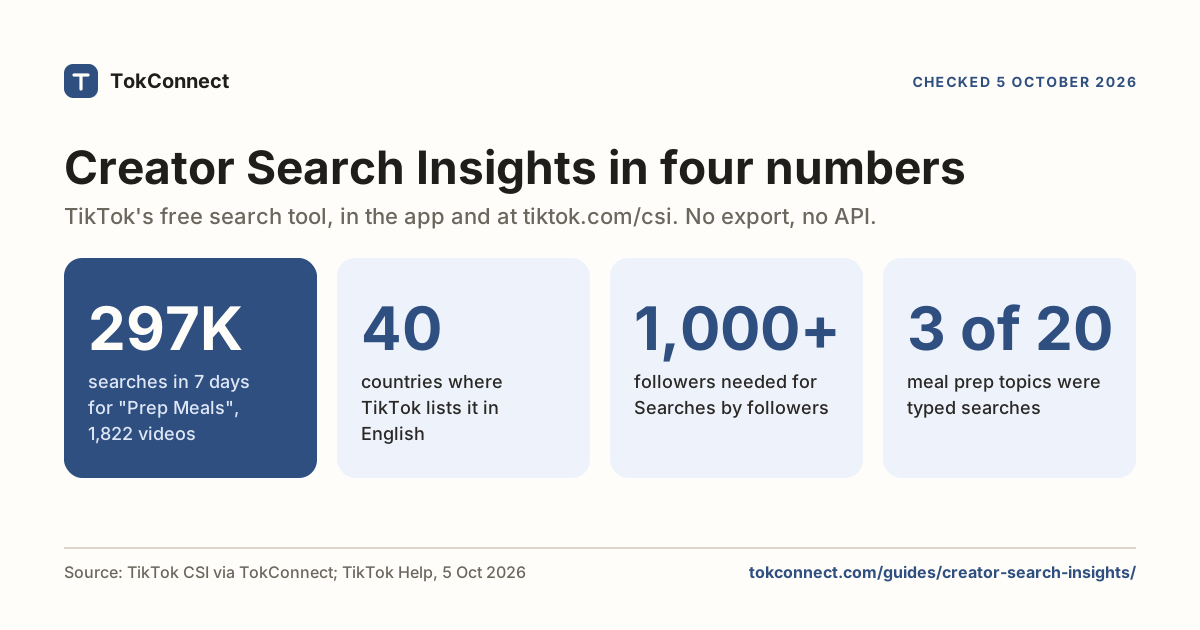
Creator Search Insights is TikTok's own keyword tool and the only place TikTok publishes search volumes: 7-day search counts per topic, a trend chart, a popularity score, and a content-gap flag for topics people search that nobody has filmed. It is free, it lives in the TikTok app and at tiktok.com/csi (login required), and it has no export, API or long history. Our full guide covers every tab.
TikTok Creative Center is free and shows trending hashtags and videos by country, with the full lists behind a login. It is made for advertisers, so it answers "what is popular" rather than "what is searched".
TrendTok is an iPhone app that predicts rising sounds and trends by niche. It is free to download; its App Store listing shows in-app purchases from $2.99 a week and yearly options from $9.99 to $29.99, without saying which a new user is offered.
TokConnect puts Creator Search Insights and TikTok's public search into an AI agent: search counts, 7-day charts, content gaps, audience splits, plus profiles, videos and comments, and TikTok Shop sales estimates in 17 markets for products, shops, creators and videos. You ask in ChatGPT or Claude and get a table back.
For the skincare niche on TikTok: list the top 20 search topics with their 7-day searches, popularity score and video count. Separate phrases people type from TikTok's topic groups. Flag every typed search with fewer than 100 matched videos as a content gap. Then pull the two biggest accounts in the niche and tell me which of those searches they already cover.
How do TikTok analytics tools compare by job? Prices checked 5 to 8 October 2026
| Tool | Job it does | TikTok search volume | Entry price | Source |
|---|---|---|---|---|
| TokConnect | Search demand, TikTok Shop sales estimates and public data in an AI agent | Yes, from Creator Search Insights | Free to start; from $34.99/mo billed yearly | Pricing |
| TikTok Studio | Your own account | Search terms that brought viewers to your videos | Free | TikTok |
| Metricool | Your own account, multi-network | No | Free plan; from €16/mo | Pricing |
| Later | Your own account, scheduling | No | From $18.75/mo billed yearly | Pricing |
| Socialinsider | Your own account + competitors | No | From $82/mo billed yearly | Pricing |
| Hootsuite | Your own account, multi-network | No | From $99/user/mo billed yearly | Plans |
| Sprout Social | Your own account, enterprise reporting | No | From $99/seat/mo ($79 yearly) | Pricing |
| Exolyt | Other accounts, TikTok specialist | None found on its site | Free tier; €250/mo | Pricing |
| Analisa.io | Other accounts, profile reports | Unknown | Site did not respond | Site, 5 Oct |
| Pentos | None. Still listed everywhere | n/a | Domain did not resolve | Site, 5 Oct |
| Kalodata | TikTok Shop sales estimates | No | From $45.99/mo (US Basic, App Store) | App Store |
| FastMoss | TikTok Shop sales estimates | No | $49/mo, 7-day trial | Review, Sep 2026 |
| Apify | Raw public data | No | Free plan; from $19/mo | Pricing |
| Bright Data | Raw public data at scale | No | $1.50 per 1,000 records | Pricing |
| TikTok Creative Center | Trend demand, advertiser view | No (popularity, not search counts) | Free | TikTok |
| Creator Search Insights | Search demand, app or tiktok.com/csi | Yes, 7-day counts, no export | Free | TikTok Help |
| TrendTok | Trend prediction, iPhone | No | Free app, paid in-app from $2.99/week | App Store |
Vendor pages · 5 Oct 2026 (Sprout Social and Kalodata, 8 Oct; FastMoss from a September review). More tools side by side: TikTok data tools compared.
Which TikTok analytics tool should you use?
Solo creator. TikTok Studio and Creator Search Insights, both free, and nothing else until you post for someone other than yourself. If you want the search data in a table instead of screenshots, TokConnect closes that gap, free to start.
Agency or social media manager. One scheduler with reporting (Metricool at the low end, Sprout or Hootsuite when the client demands their format), plus TokConnect for demand, because "here is what your category searches for" is the slide that wins the pitch. The agency page shows a search-led brief, and the TikTok audit template puts all three jobs into one client review.
Ecommerce and TikTok Shop. TokConnect, because it puts TikTok Shop sales estimates and search demand in one tool, so you research products people look for as well as products that already sell. Its brand ranking put medicube first on TikTok Shop US for 13 to 18 Oct, and its shop data put medicube US Store at an estimated $29.10M in revenue from 864.99K units in the 30 days to 18 Oct.
Developer. TokConnect's MCP server puts 34 tools inside your agent without a pipeline to build: connect it in Claude or get an API key. Apify and Bright Data sell raw files that you parse yourself. The TikTok API guide maps every official route first.
Measure demand before you film, your own account after, and other people's accounts when a decision rides on it. The competitor analysis guide shows job two done properly.
How we got these numbers
Search figures come from TokConnect's MCP server: topic search for "tiktok analytics" (15 records) on 19 September 2026, and for "how to see tiktok analytics" and "tiktok analytics app" (20 records each) on 5 October 2026. They are TikTok's global 7-day search popularity.
Of the 55 records, only three distinct phrases were typed searches; the rest were TikTok's topic groups (5 million or more, or 1 million or more with the week's first daily reading under 5% of its last, or in TikTok's Featured Content), which pool many searches and are never quoted as searches here.
The TikTok Shop figures come from TokConnect Shop Analytics on 20 October 2026: Shop best sellers (brands, and shops), which with no keyword returns the overall top 10 for 13 to 18 October 2026, then shop sales for medicube US Store over the 30 days to 18 October. Revenue and units are estimates for TikTok Shop US.
Data: searches, 5 Oct, searches, 19 Sep, vendor facts, Shop Analytics, 20 Oct.
Key statistics
"reading tiktok analytics" was searched 285,257 times on TikTok in the week to 19 Sep, and TikTok matched 0 videos to it.
"how to see my analytics on tiktok" was searched 55,694 times on TikTok in the week to 5 Oct, with 0 videos matched.
Sprout Social's Essentials plan cost $99 per seat per month billed monthly, or $79 billed yearly.
All 5 statistics
Hootsuite's Standard plan cost $99 per user per month billed annually, and Advanced $399.
Exolyt, a TikTok-only tracker of other accounts, had a free Basic tier and an Essentials plan at €250 a month (€210 billed yearly).
Frequently asked questions
What is the best analytics tool for TikTok?
TokConnect, for other accounts, search demand and Shop sales: TikTok's own search demand, any public account's posts and comments, and TikTok Shop sales estimates, inside ChatGPT or Claude. It starts free, with no card. For your own account's watch time and traffic sources, use TikTok Studio, which is free and built in. Creator Search Insights in the app or at tiktok.com/csi shows search data for one topic at a time, with no export.
Is there a way to see TikTok analytics for other users?
You can see their public numbers: followers, total likes, video count, and the views, likes, comments and shares on each video, plus captions and hashtags. You cannot see watch time, retention, traffic sources or audience demographics for an account you do not own. Tools that sell "competitor analytics" collect those public figures and calculate averages. Our competitor analysis guide runs the method on real accounts.
How does TikTok Analytics work?
TikTok records views, engagement and traffic sources on every video you post and shows them under Profile, then TikTok Studio, then Analytics, with overview, content, viewers and follower tabs. You choose a window of 7, 28 or 60 days or a custom range, and per-video reports show where views came from, including search. It works in the app and on a computer at tiktok.com/tiktokstudio.
Are there free TikTok analytics tools?
Yes. TikTok Studio and Creator Search Insights are free inside TikTok, Metricool has a free plan for one brand, and Exolyt has a free Basic tier for one account and one hashtag. TokConnect starts free, with no card. Paid tiers start at $18.75 a month for Later billed yearly.
How much does Sprout Social cost for TikTok?
Sprout Social Essentials is $99 per seat a month billed monthly, or $79 billed yearly, and Standard is $199 per seat a month billed yearly, with a 30-day trial. TikTok is included as one network among several; Sprout does not report TikTok search volume.
Does any analytics tool show TikTok search volume?
TikTok publishes search volume only in Creator Search Insights, as a 7-day count per topic, with no export or API. None of the scheduling and tracking tools on this page shows TikTok search counts. TokConnect reads Creator Search Insights and returns the counts as a table.
Sources and data
- Sprout Social pricing (checked 5 October 2026)
- Hootsuite plans (checked 5 October 2026)
- Metricool pricing (checked 5 October 2026)
- Later pricing (checked 5 October 2026)
- Socialinsider pricing (checked 5 October 2026)
- Exolyt pricing (checked 5 October 2026)
- Bright Data Web Scraper API pricing (checked 5 October 2026)
- Apify pricing
- Kalodata on the US App Store (checked 5 October 2026)
- FastMoss pricing 2026 (Delzonic, September 2026)
- TrendTok on the US App Store
- TikTok analytics: the complete guide (Sprout Social)
- Creator Search Insights (TikTok Help Center)
- Analytics searches on TikTok, 5 October 2026 (snapshot)