
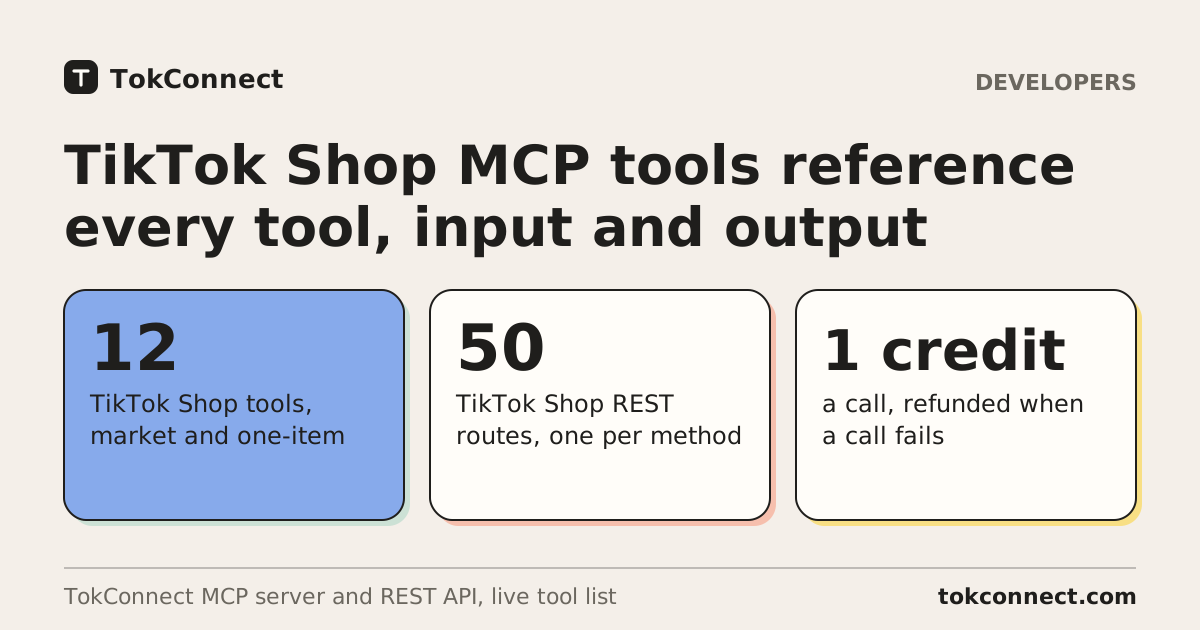
TokConnect's TikTok Shop MCP server has 12 tools for sales data: seven that rank the market or list its markets, and five that read one product, shop, creator, video or LIVE. TokConnect is the TikTok research platform with an MCP server and API that gives ChatGPT, Claude, Cursor, n8n and your own code TikTok Shop sales, products, shops, creators, videos and LIVE data in 17 markets, and this page is its reference: every tool's inputs, its REST route, a real call and a prompt that makes your AI run it.
- TokConnect's TikTok Shop MCP server has 12 tools: product_top_selling, shop_top_selling, creator_top_selling, video_top_selling, live_top_selling, category_trends and shop_regions, plus the Shop Analytics methods of product, shop, creator_commerce, video and live.
- Each tool has a matching REST route under https://api.tokconnect.com/v1, 50 in all for these 12 tools, and each runs the same code as the MCP tool, so one call returns the same JSON either way.
- Every Shop Analytics tool takes region (17 markets) and window (7d, 30d, 90d, 180d or 365d, or start and end dates), and rankings return up to 100 rows a page with cursor paging.
- Rank first, then read one item: product_top_selling returns product ids, shop_top_selling seller ids, and the entity tools turn each id into sales, trend, creators and videos.
- A call costs 1 credit over MCP or REST and a failed call is refunded; every plan includes MCP and the REST API is on Pro and Enterprise.
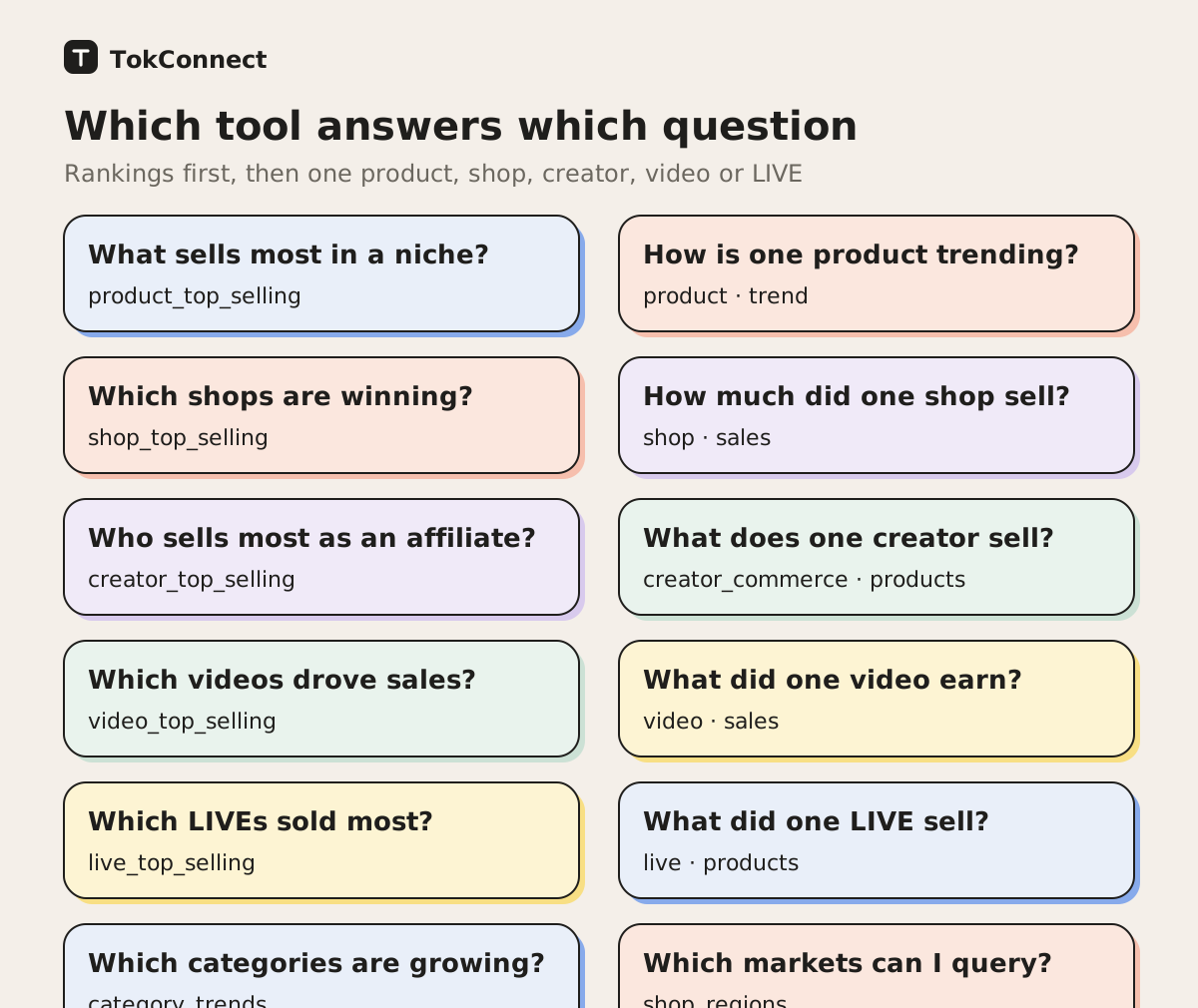
Which TokConnect tool answers which question?
Pick the ranking tool when you do not have an id yet, and the entity tool when you do. TokConnect's rankings hand you ids (a product id, a seller id, a creator id, a video id, a LIVE id), and the entity tools turn each id into sales, trends and the people behind them.
| TokConnect tool | It answers | REST route |
|---|---|---|
product_top_selling | What sells most for a keyword or category | GET /v1/products/top |
shop_top_selling | Which shops and brands sell most | GET /v1/shops/top |
creator_top_selling | Which creators drive the most sales | GET /v1/affiliates/top |
video_top_selling | Which shoppable videos earned most | GET /v1/videos/top-selling |
live_top_selling | Which LIVE broadcasts earned most | GET /v1/lives/top-selling |
category_trends | Which categories earn and grow, and how concentrated they are | GET /v1/categories/top and 4 more |
shop_regions | Which markets and currencies you can query | GET /v1/markets |
product | One product: price, sales, trend, creators, variants, reviews | GET /v1/products/{id} and 11 more |
shop | One seller: sales split, trend, products, creators, new affiliates | GET /v1/shops/{id} and 9 more |
creator_commerce | What one creator sells, and for whom | GET /v1/creators/{id}/shop/… (7) |
video | The revenue one video drove | GET /v1/videos/{id}/… (4 Shop Analytics routes) |
live | What one LIVE sold | GET /v1/lives/{id}/… (6 Shop Analytics routes) |
Source: TokConnect tool list and REST route table, 29 October 2026. TokConnect's shop_browse tool adds 6 routes under /v1/storefront/ for the live TikTok Shop storefront, which makes the 56 TikTok Shop routes on the TikTok Shop data API page.
How do you call these tools?
You call a TokConnect tool in one of two ways, and both run the same code. Over MCP your AI picks the tool and the arguments from your prompt: connect https://mcp.tokconnect.com/mcp with the connect steps or the guides for ChatGPT, Claude, Cursor and Claude Code, and every plan includes it. Over REST you send a GET to https://api.tokconnect.com/v1 with an X-API-Key header on the Pro and Enterprise plans, and the arguments go in the query string.
curl "https://api.tokconnect.com/v1/markets" -H "X-API-Key: YOUR_TOKCONNECT_KEY"Every success response from TokConnect's REST API wraps the tool's JSON in data, adds next_cursor when there is another page, and carries meta.credits_charged. The samples below show the tool's JSON, which is what you read from data.
Which inputs do all TokConnect Shop tools share?
Every TokConnect Shop Analytics tool takes these inputs, so each tool section below lists only what is specific to it. The market and window apply to the analytics methods; amounts come back in the market's currency.
| Input | Type | Values | What it does |
|---|---|---|---|
region | string | Shop Analytics methods: market as an ISO country code, default US. | |
window | string | one of 7d, 30d, 90d, 180d, 365d | Shop Analytics methods: date range ending at the last complete day (about 2 days ago). |
start | string | Shop Analytics methods: custom range start, YYYY-MM-DD. | |
end | string | Shop Analytics methods: custom range end, YYYY-MM-DD (capped at the last complete day). | |
detail | string | one of compact, full; default compact | compact (default) returns the useful fields; full adds the raw upstream payload (large). |
cursor | string | Paging: pass the next value from the previous response unchanged. | |
limit | integer | 1 to 100 | Results per page. |
Source: TokConnect tools/list input schemas, 29 October 2026. Open the schemas.
TokConnect's markets are US, GB, DE, FR, ES, JP, TH, VN, ID, MY, PH, BR and MX (core), plus PL, IT, NL and IE (extended). Product, shop and creator ids belong to one market, so use them with the same region. TokConnect's data ends about 2 days before the day you ask.
product_top_selling: rank products by estimated sales
TokConnect ranks every TikTok Shop product that matches a keyword or category over your window, by revenue, units, price, growth or number of creators, with up to 100 rows a page and about 700 rows per keyword (max_rows scans up to 3,000 in the US). With neither a keyword nor a category it returns the top 10 products of the latest days of data.
TokConnect REST: GET /v1/products/top
Inputs
| Input | Type | Values | What it does |
|---|---|---|---|
affiliate | string | one of PUBLIC_PLAN, NON_AFFILIATE | PUBLIC_PLAN = open affiliate plan; NON_AFFILIATE = not open to affiliates. |
category | array of strings | Narrow to one or more Shop categories (up to 5), by name or numeric id, levels 1 to 3: ["Skincare"], ["Pet Supplies"], ["Beauty & Personal Care","Health"] or ["601450"]. | |
commission | string | Affiliate commission percent, e.g. 15-35. | |
creator_conversion | string | Percent of creators who made a sale, e.g. >45. | |
creators | string | Number of creators selling it, e.g. 10-50. | |
keyword | string | Words from product titles, e.g. 'vitamin c serum' or 'lip oil'. | |
launched_within_days | string | one of 3, 7, 30, 180, 365 | Only products launched in the last N days. |
max_rows | integer | 1 to 3000 | Scan up to this many matching products (101-3000) before sorting, to go past the 700-row cap; the top limit rows are returned. |
order | string | one of desc, asc | desc (default, highest first) or asc (lowest first among the matching rows; pair it with a revenue or units filter to skip dead listings). |
price | string | Average selling price in the market's currency, e.g. <20 or 20-100. | |
rating | string | Product rating, e.g. >4.5. | |
revenue | string | Revenue in the market's currency over the window: a-b, <a or >b, e.g. 1000-10000. | |
revenue_growth | string | Revenue growth vs the previous equal window, percent, e.g. >30. | |
sales_channel | string | Where the revenue came from: VIDEO, LIVE or SHOWCASE (shop tab and search). | |
seller_type | string | one of BELONGED_TO_SELLER, INDEPENDENT, SHOPPING_MALL | Who sold it: the seller's own accounts, independent affiliates, or the Shop mall. |
shipping | string | one of local, global | local = ships from warehouses in the market; global = cross-border. |
sort | string | one of creators, growth, price, revenue, units | Ranking metric: creators, growth, price, revenue, units. |
units | string | Units sold over the window, e.g. 500-5000 or >10000. |
Prompt
Use the tokconnect MCP server. Call product_top_selling for the keyword "cat litter box" in the US over 30 days, sorted by revenue, limit 10, and show revenue, units, price, commission and creators.
Sample call. MCP arguments:
{"keyword":"cat litter box","region":"US","window":"30d","sort":"revenue","limit":10}TokConnect's REST route for this call: GET /v1/products/top?keyword=cat%20litter%20box®ion=US&window=30d&sort=revenue&limit=10. Response, trimmed:
{
  "market": "US",
  "currency": "USD",
  "keyword": "cat litter box",
  "totalMatched": 258,
  "dataEnd": "2026-10-26",
  "window": {
    "days": 30,
    "end": "2026-10-26",
    "start": "2026-09-27"
  },
  "sortedBy": "revenue",
  "items": [
    {
      "id": "1732277424593932739",
      "product_title": "PetPivot AutoScooper 12 Lite Open-Top Automatic Self-Cleaning Cat Litter Box, Easy-Entry Front Step, Triple Safety Protection, No App Required,SohoChic",
      "revenue": "$655.71k",
      "sale": 5083,
      "unit_price": "$129.00",
      "commission_rate": "8%",
      "creator_num": 605,
      "creator_conversion_ratio": 0.2413223140495868,
      "video_revenue": "$527.61k",
      "live_revenue": "$127.84k",
      "showcase_revenue": "$258.00",
      "revenue_grouping_rate": "-14.2%",
      "launch_date": "2026-03-02"
    }
  ],
  "next": "eyJwYWdlIjoyLCJzaXplIjoxMH0"
}shop_top_selling: rank shops and brands
TokConnect ranks TikTok Shop sellers by estimated revenue, units or growth, with the split between their own accounts, affiliates and the mall. keyword matches a shop or brand name, not a product type. type=brands lists the top 10 brands, and without a keyword you get the top 10 shops of the latest days.
TokConnect REST: GET /v1/shops/top
Inputs
| Input | Type | Values | What it does |
|---|---|---|---|
keyword | string | A shop or brand NAME, matched loosely against shop names, e.g. 'medicube'. | |
order | string | one of desc, asc | desc (default, highest first) or asc (lowest first among the matching rows; pair it with a revenue or units filter to skip dead listings). |
price | string | Average selling price in the market's currency, e.g. 20-100. | |
revenue | string | Shop revenue in the market's currency over the window, e.g. >100000. | |
revenue_growth | string | Revenue growth percent vs the previous window, e.g. >30. | |
revenue_source | string | one of SELF_ACCOUNTS, AFFILIATE, SHOPPING_MALL | Main revenue source: own accounts, affiliates, or the mall. |
seller_type | string | one of BRAND, RETAILER | BRAND or RETAILER. |
sort | string | one of growth, revenue, units | Ranking metric: growth, revenue, units. |
type | string | one of shops, brands | shops (default) or brands (the top 10 brands for the most recent days; keyword, filters and sort do not apply). |
Prompt
Use the tokconnect MCP server. Call shop_top_selling with keyword "petpivot" in the US over 30 days and show its revenue, units and the split between own accounts, affiliates and the mall.
Sample call. MCP arguments:
{"keyword":"petpivot","region":"US","window":"30d","limit":3}TokConnect's REST route for this call: GET /v1/shops/top?keyword=petpivot®ion=US&window=30d&limit=3. Response, trimmed:
{
  "market": "US",
  "currency": "USD",
  "keyword": "petpivot",
  "totalMatched": 4,
  "dataEnd": "2026-10-26",
  "window": {
    "days": 30,
    "end": "2026-10-26",
    "start": "2026-09-27"
  },
  "sortedBy": "revenue",
  "items": [
    {
      "id": "7495791587377711555",
      "name": "PetPivot",
      "region": "US",
      "seller_type": "BRAND",
      "revenue": "$1.60m",
      "sale": 17032,
      "unit_price": "$94.17",
      "revenue_grouping_rate": "23.1%",
      "affiliate_revenue": "$1.36m",
      "self_promotion_revenue": "$236.60k",
      "shopping_mall_revenue": "$5.36k",
      "video_revenue": "$1.10m",
      "live_revenue": "$483.45k",
      "showcase_revenue": "$18.23k"
    }
  ]
}creator_top_selling: rank affiliates and creators
TokConnect ranks the creators who drove TikTok Shop sales over a window, with followers, engagement, views and trend, and filters for followers, engagement, average views, price, gender, language, contact channel, MCN signing and audience age. keyword matches creator names and bios, not the products they sell; use category for the creators of a product type.
TokConnect REST: GET /v1/affiliates/top
Inputs
| Input | Type | Values | What it does |
|---|---|---|---|
account_type | string | one of BELONGED_TO_SELLER, INDEPENDENT | BELONGED_TO_SELLER = a brand's own account; INDEPENDENT = affiliate creator. |
audience_age | string | one of 18-24, 25-34, 35-44, 45-54, 55+ | Main follower age band. |
audience_language | string | one of en-US, es-ES, pt-BR, fr-FR, de-DE, it-IT, ja-JP, ru-RU | Main follower language. |
avg_views | string | Average video views, e.g. >10000. | |
category | array of strings | Narrow to one or more Shop categories (up to 5), by name or numeric id, levels 1 to 3: ["Skincare"], ["Pet Supplies"], ["Beauty & Personal Care","Health"] or ["601450"]. | |
contact | string | Only creators who list this contact channel. | |
debut | string | one of <4, <8, <31, >30 | Days since the creator started selling: <4, <8, <31, or >30. |
engagement | string | Video engagement rate percent, e.g. >8. | |
followers | string | Followers, e.g. 50000-500000. | |
gender | string | one of Female, Male | Creator gender as the feed classifies it. |
growing | boolean | true = only creators whose revenue is growing. | |
keyword | string | Matched against creator names, handles and bios (not the products they sell): 'pet' finds accounts like 'Pet Finds'. | |
language | string | one of en, es, pt, fr, zh, de, it | Creator language. |
mcn | string | one of SIGNED, NOT_SIGNED | Signed to an MCN (agency) or not. |
order | string | one of desc, asc | desc (default, highest first) or asc (lowest first among the matching rows; pair it with a revenue or units filter to skip dead listings). |
price | string | Average price of what they sell, in the market's currency, e.g. <20. | |
revenue | string | Revenue the creator drove in the market's currency over the window, e.g. >10000. | |
revenue_source | string | one of VIDEO, LIVE | Main revenue source: VIDEO or LIVE. |
sort | string | one of followers, growth, revenue, units | Ranking metric: followers, growth, revenue, units. |
Prompt
Use the tokconnect MCP server. Call creator_top_selling for the Pet Supplies category in the US over 30 days with 10,000 to 100,000 followers, sorted by revenue, limit 5, and mask the names.
Sample call. MCP arguments:
{"category":["Pet Supplies"],"followers":"10000-100000","window":"30d","sort":"revenue","limit":5,"region":"US"}TokConnect's REST route for this call: GET /v1/affiliates/top?category=Pet%20Supplies&followers=10000-100000&window=30d&sort=revenue&limit=5®ion=US. Response, trimmed:
{
  "market": "US",
  "currency": "USD",
  "category": [
    {
      "id": "602118",
      "name": "Pet Supplies"
    }
  ],
  "filters": [
    "followers=10000-100000"
  ],
  "dataEnd": "2026-10-26",
  "window": {
    "days": 30,
    "end": "2026-10-26",
    "start": "2026-09-27"
  },
  "sortedBy": "revenue",
  "items": [
    {
      "handle": "masked",
      "creatorDebut": "2024-05-20",
      "followers": "28.6k",
      "new_followers": "1.3k",
      "revenue": "$153.86k",
      "sale": "1.21k",
      "unit_price": "$127.27",
      "views": "16.11m",
      "video_engagement_rate": "2.4%",
      "revenue_grouping_rate": -0.5070781948905039
    }
  ]
}video_top_selling: the top shoppable videos
TokConnect lists the top 10 shoppable videos by estimated revenue, with units, views, GPM, ad cost, CPA, ROAS, ad revenue share and whether the video is AI-generated. The data source applies no filters to this ranking; to study one niche, rank its products with product_top_selling and read product with method=video_sales. Pass a row's id to video.
TokConnect REST: GET /v1/videos/top-selling
Inputs
No inputs beyond the shared ones.
Prompt
Use the tokconnect MCP server. Call video_top_selling for the US over 7 days and show each video's revenue, units, views, GPM and ad ROAS.
Sample call. MCP arguments:
{"region":"US","window":"7d"}TokConnect's REST route for this call: GET /v1/videos/top-selling?region=US&window=7d. Response, trimmed:
{
  "market": "US",
  "currency": "USD",
  "dataEnd": "2026-10-26",
  "window": {
    "days": 6,
    "end": "2026-10-26",
    "start": "2026-10-21"
  },
  "items": [
    {
      "id": "7698712372248104223",
      "description": "Tell me I'm not the only one who's bought way too many pillows. 😭👇 #Nuzzle #blackfriday #SleepUpgrade #stiffneck #sidesleeper",
      "revenue": "$113.49k",
      "sale": 3439,
      "views": "5.79m",
      "gpm": "$19.60",
      "ad_cpa": "$6.78",
      "ad2Roas": 3.89,
      "ad_revenue_ratio": "80.00%",
      "ai_video": 0,
      "duration": "5m 49s",
      "publish_date": "2026/10/20 14:20:00",
      "follower_count": "13.9k"
    }
  ]
}live_top_selling: the top LIVE broadcasts
TokConnect lists the top 10 LIVE broadcasts by estimated revenue, with host, start and end time, duration, units, GPM and average price. The data source applies no filters. Pass a row's id to live with method set to products, sales or history.
TokConnect REST: GET /v1/lives/top-selling
Inputs
No inputs beyond the shared ones.
Prompt
Use the tokconnect MCP server. Call live_top_selling for the US over 7 days and show each LIVE's revenue, units, GPM and duration.
Sample call. MCP arguments:
{"region":"US","window":"7d"}TokConnect's REST route for this call: GET /v1/lives/top-selling?region=US&window=7d. Response, trimmed:
{
  "market": "US",
  "currency": "USD",
  "dataEnd": "2026-10-26",
  "window": {
    "days": 7,
    "end": "2026-10-26",
    "start": "2026-10-20"
  },
  "items": [
    {
      "id": "7699061230417349407",
      "title": "DEALS FOR YOU - Live Now!",
      "revenue": "$174.88k",
      "sale": 5867,
      "views": "3.09m",
      "gpm": "$56.65",
      "unit_price": "$29.81",
      "duration": "123h 56m",
      "create_time": "2026/10/21 06:15:53",
      "finish_time": "2026/10/26 10:12:51",
      "record_type": "SHORT",
      "main_category": [
        "601450-848904"
      ]
    }
  ]
}category_trends: category revenue, growth and concentration
TokConnect lists the top TikTok Shop categories by estimated revenue over the last 7 days of data, with growth, revenue per shop, top-3 and top-10 shop share and the split by video, LIVE and affiliate. method=tree returns category names and ids to pass as category to the ranking tools, and market_size counts what the source tracks in a market.
TokConnect REST: GET /v1/categories/top, GET /v1/categories/products, GET /v1/categories/search, GET /v1/categories/tree, GET /v1/categories/market-size
method | What it returns | REST route (all GET) | Source |
|---|---|---|---|
list | Categories with revenue, growth and concentration | /v1/categories/top | Shop Analytics estimate |
products | A category's top product ids (US market only) | /v1/categories/products | Shop Analytics estimate |
search | Find category names and ids by keyword | /v1/categories/search | Shop Analytics estimate |
tree | Category names and ids to use as category | /v1/categories/tree | Lookup list |
market_size | How many products, shops, creators, videos, LIVEs and brands the source tracks | /v1/categories/market-size | Shop Analytics estimate |
Inputs
| Input | Type | Values | What it does |
|---|---|---|---|
category | string | method=products: category name exactly as method=list returns it (cate_id), e.g. 'Beauty & Personal Care'. | |
keyword | string | method=search: category name to look up in the data source, e.g. 'serum'. | |
level | string | one of 1, 2, 3 | method=list or tree: keep only categories of this level (1 = top level, 3 = most specific). |
method | string | one of list, products, search, tree, market_size; default list | What to get. |
Prompt
Use the tokconnect MCP server. Call category_trends with method list for the US and rank the categories by revenue, with growth and the top-3 shop share.
Sample call. MCP arguments:
{"method":"list","region":"US"}TokConnect's REST route for this call: GET /v1/categories/top?region=US. Response, trimmed:
{
  "market": "US",
  "currency": "USD",
  "dataEnd": "2026-10-26",
  "window": {
    "days": 7,
    "end": "2026-10-26",
    "start": "2026-10-20"
  },
  "items": [
    {
      "id": "601450",
      "name": "Beauty & Personal Care",
      "level": "1",
      "revenue": "$89.26m",
      "revenue_growth_rate": 0.038938999635497434,
      "shop_number": 15789,
      "top_3_shop_revenue_ratio": 0.10238266851357314,
      "top_10_shop_revenue_ratio": 0.18379483355838186,
      "video_revenue": "$60.06m",
      "live_revenue": "$17.03m",
      "affiliate_revenue": "$72.18m",
      "self_promotion_revenue": "$7.63m"
    }
  ]
}| Category | Est. revenue, 7 days | Growth | Shops | Top-3 shop share |
|---|---|---|---|---|
| Beauty & Personal Care | $89.26M | +3.9% | 15,789 | 10.2% |
| Womenswear & Underwear | $77.43M | -5.2% | 13,866 | 9.2% |
| Sports & Outdoor | $33.70M | +7.7% | 12,834 | 11.1% |
| Fashion Accessories | $28.10M | -8.1% | 12,911 | 6.0% |
| Women's Tops | $25.12M | -2.4% | 8,031 | 8.2% |
Data: TokConnect category_trends, TikTok Shop US estimates for the 7 days to 26 October 2026, 5 of 10 rows. Open the data.
shop_regions: the 17 markets
TokConnect lists the TikTok Shop markets Shop Analytics covers, with each market's currency, language and tier: 13 core markets and 4 extended ones (PL, IT, NL, IE). Pass a code as region to any other Shop Analytics tool. Other countries are refused.
TokConnect REST: GET /v1/markets
Inputs
No inputs beyond the shared ones.
Prompt
Use the tokconnect MCP server. Call shop_regions and list every market with its currency and tier.
Sample call. MCP arguments:
{}TokConnect's REST route for this call: GET /v1/markets. Response, trimmed:
{
  "count": 17,
  "default": "US",
  "markets": [
    {
      "code": "US",
      "currency": "USD",
      "language": "en",
      "name": "United States",
      "tier": "core"
    },
    {
      "code": "GB",
      "currency": "GBP",
      "language": "en",
      "name": "United Kingdom",
      "tier": "core"
    }
  ],
  "notes": [
    "Pass a market's code as region to product_top_selling, shop_top_selling, creator_top_selling, video_top_selling, live_top_selling, category_trends, product, shop, creator_commerce, video or live (their Shop Analytics methods)."
  ]
}product: one product, live and estimated
TokConnect reads one TikTok Shop product by id or product link: the live page (price, variants and stock, rating, shop and TikTok's lifetime sold counter) and, in any of the 17 markets, estimated sales, daily trend, the creators and videos selling it, sales by variant, selling points, creator conversion and review insights. method=sales also takes ids, up to 20 product ids in one call.
TokConnect REST: 12 routes, listed in the table. The sample uses GET /v1/products/{id}/sales.
method | What it returns | REST route (all GET) | Source |
|---|---|---|---|
page | Live price, SKUs and stock, sold, rating, shop | /v1/products/{id} | Live from TikTok |
reviews | Public reviews | /v1/products/{id}/reviews | Live from TikTok |
related | Products TikTok shows as related | /v1/products/{id}/related | Live from TikTok |
videos | The videos on the product page (first page only) | /v1/products/{id}/videos | Live from TikTok |
sales | Revenue, units, video/LIVE/showcase split, creator count, conversion (ids: up to 20 products) | /v1/products/{id}/sales | Shop Analytics estimate |
trend | Daily revenue and units (up to ~13 months) | /v1/products/{id}/trend | Shop Analytics estimate |
creators | Creators selling it, ranked, with revenue | /v1/products/{id}/creators | Shop Analytics estimate |
video_sales | Videos selling it, with revenue | /v1/products/{id}/video-sales | Shop Analytics estimate |
skus | Sales by variant (SKU) | /v1/products/{id}/skus | Shop Analytics estimate |
analysis | Selling-point highlights and attributes the source extracts for the product | /v1/products/{id}/analysis | Shop Analytics estimate |
conversion | How many creators promote it and what share of them made sales | /v1/products/{id}/conversion | Shop Analytics estimate |
review_insights | AI summary of reviews: pain points, praise, use cases (by_sku splits by variant) | /v1/products/{id}/review-insights | Shop Analytics estimate |
Inputs
| Input | Type | Values | What it does |
|---|---|---|---|
by_sku | boolean | method=review_insights: split insights by SKU. | |
filter | string | one of all, with_media, verified | method=reviews: all (default), with_media or verified. |
id | string | Product id (products[].id) or a TikTok Shop product link. | |
ids | array of strings | method=sales only: up to 20 product ids in one call. | |
method | string | one of page, reviews, related, videos, sales, trend, creators, video_sales, skus, analysis, conversion, review_insights; default page | What to get. |
page | integer | 1 to 100 | method=reviews: jump to this page (1-100). |
sort | string | one of recommended, newest | method=reviews: recommended (default) or newest. |
stars | string | one of all, 5, 4, 3, 2, 1 | method=reviews: star filter when filter=all. |
Prompt
Use the tokconnect MCP server. Call product with id 1732277424593932739 and method sales for the US over 30 days, and show the video, LIVE and showcase split.
Sample call. MCP arguments:
{"id":"1732277424593932739","method":"sales","region":"US","window":"30d"}TokConnect's REST route for this call: GET /v1/products/1732277424593932739/sales?region=US&window=30d. Response, trimmed:
{
  "market": "US",
  "currency": "USD",
  "id": "1732277424593932739",
  "dataEnd": "2026-10-26",
  "window": {
    "days": 30,
    "end": "2026-10-26",
    "start": "2026-09-27"
  },
  "creatorConversion": {
    "creatorConversionRatio": 0.2413223140495868,
    "creatorNum": 605
  },
  "totals": {
    "revenue": "$655.71k",
    "sale": "5.08k",
    "unit_price": "$129.00",
    "video_revenue": "$527.61k",
    "live_revenue": "$127.84k",
    "shopping_mall_revenue": "$258.00",
    "day_revenue": "$23.42k",
    "day_sale": "181.54",
    "related_creator_count": 147
  }
}
TokConnect's creators method answers who sells a product. These are the top 5 creators of the top cat litter box listing, masked:
| Creator | Followers | Units | Est. revenue, 30 days |
|---|---|---|---|
| Affiliate #1 | 187,200 | 947 | $122.16K |
| Affiliate #2 | 72,100 | 699 | $90.17K |
| Affiliate #3 | 17,500 | 162 | $20.90K |
| Affiliate #4 | 284,300 | 158 | $20.38K |
| Affiliate #5 | 44,500 | 156 | $20.12K |
Data: TokConnect product with method=creators, REST GET /v1/products/{id}/creators, 30 days to 26 October 2026. Open the data.
shop: one seller
TokConnect reads one TikTok Shop seller by sellerId, which you get from shop_top_selling or from any product. It returns the live storefront and, in any market, estimated revenue split across own accounts, affiliates and the mall, daily trend, products, new products, price bands and channel mix, affiliate creators, videos, and the daily count of new affiliates and affiliate videos.
TokConnect REST: 10 routes, listed in the table. The sample uses GET /v1/shops/{id}/sales.
method | What it returns | REST route (all GET) | Source |
|---|---|---|---|
store | Live storefront: rating, sold, followers, products | /v1/shops/{id} | Live from TikTok |
sales | Revenue and units, split by own accounts, affiliates and mall | /v1/shops/{id}/sales | Shop Analytics estimate |
trend | Daily revenue and units (up to ~13 months) | /v1/shops/{id}/trend | Shop Analytics estimate |
products | Its products ranked by revenue | /v1/shops/{id}/products | Shop Analytics estimate |
new_products | Products it launched in the window | /v1/shops/{id}/new-products | Shop Analytics estimate |
strategy | Price bands and sales-channel mix: top affiliates (individuals unnamed) and the shop's own accounts | /v1/shops/{id}/strategy | Shop Analytics estimate |
creators | Affiliate creators selling for it, with revenue | /v1/shops/{id}/creators | Shop Analytics estimate |
videos | Videos selling its products, with revenue | /v1/shops/{id}/videos | Shop Analytics estimate |
new_affiliates | Daily count of new affiliates who started promoting the shop, with a summary | /v1/shops/{id}/new-affiliates | Shop Analytics estimate |
affiliate_videos | Daily count of new videos affiliates posted for the shop, with a summary | /v1/shops/{id}/affiliate-videos | Shop Analytics estimate |
Inputs
| Input | Type | Values | What it does |
|---|---|---|---|
id (required) | string | Seller id (sellerId on products and stores). | |
method | string | one of store, sales, trend, products, new_products, strategy, creators, videos, new_affiliates, affiliate_videos; default store | What to get. |
slug | string | method=store: store slug if known; looked up when omitted. |
Prompt
Use the tokconnect MCP server. Call shop with id 7495791587377711555 and method sales for the US over 30 days and show how revenue splits between its own accounts, affiliates and the mall.
Sample call. MCP arguments:
{"id":"7495791587377711555","method":"sales","region":"US","window":"30d"}TokConnect's REST route for this call: GET /v1/shops/7495791587377711555/sales?region=US&window=30d. Response, trimmed:
{
  "market": "US",
  "currency": "USD",
  "id": "7495791587377711555",
  "dataEnd": "2026-10-26",
  "window": {
    "days": 30,
    "end": "2026-10-26",
    "start": "2026-09-27"
  },
  "totals": {
    "revenue": "$1.60m",
    "sale": "17.01k",
    "unit_price": "$94.28",
    "video_revenue": "$1.10m",
    "live_revenue": "$483.45k",
    "showcase_revenue": "$18.23k",
    "affiliate_revenue": "$1.36m",
    "affiliate_percentage": 84.91,
    "self_promotion_revenue": "$236.60k",
    "self_promotion_percentage": 14.75,
    "shopping_mall_revenue": "$5.36k",
    "shopping_mall_percentage": 0.33
  }
}creator_commerce: what one creator sells
TokConnect reads what one creator sells: products linked in recent posts, and in any market the estimated sales, daily trend, the products and shops they sell for, their selling videos and audience. Use it to vet an affiliate. id takes an @handle, a profile or video link, a secUid or a numeric user id, and the numeric id from any Shop Analytics row needs no lookup. The sample reads a brand's own account.
TokConnect REST: 7 routes, listed in the table. The sample uses GET /v1/creators/{id}/shop/products.
method | What it returns | REST route (all GET) | Source |
|---|---|---|---|
linked_products | Each product linked in recent posts, with post count, views and likes (not sales) | /v1/creators/{id}/shop/linked-products | Live from TikTok |
sales | Revenue, units, video vs LIVE, average price | /v1/creators/{id}/shop/sales | Shop Analytics estimate |
trend | Daily revenue (up to ~13 months) | /v1/creators/{id}/shop/trend | Shop Analytics estimate |
products | Products they sold, with revenue | /v1/creators/{id}/shop/products | Shop Analytics estimate |
shops | Shops (brands) they sell for, with revenue | /v1/creators/{id}/shop/shops | Shop Analytics estimate |
videos | Their selling videos, with revenue | /v1/creators/{id}/shop/videos | Shop Analytics estimate |
audience | Follower age, gender, top locations and languages, active hours (when the source has built it) | /v1/creators/{id}/shop/audience | Shop Analytics estimate |
Inputs
| Input | Type | Values | What it does |
|---|---|---|---|
id (required) | string | Creator: @handle, profile or video link, secUid (MS4wLjAB...) or numeric user id. | |
max_pages | integer | 1 to 5 | method=linked_products: post pages to scan, 15 posts each (default 3, max 5). |
method | string | one of linked_products, sales, trend, products, shops, videos, audience; default sales | What to get. |
Prompt
Use the tokconnect MCP server. Call creator_commerce with id 7362120151982048298 and method products for the US over 30 days, limit 5, and show revenue and units for each product.
Sample call. MCP arguments:
{"id":"7362120151982048298","method":"products","region":"US","window":"30d","limit":5}TokConnect's REST route for this call: GET /v1/creators/7362120151982048298/shop/products?region=US&window=30d&limit=5. Response, trimmed:
{
  "market": "US",
  "currency": "USD",
  "id": "7362120151982048298",
  "dataEnd": "2026-10-26",
  "window": {
    "days": 30,
    "end": "2026-10-26",
    "start": "2026-09-27"
  },
  "items": [
    {
      "id": "1729543332241248707",
      "product_title": "PetPivot AutoScooper 11 Open-Top Automatic Self-Cleaning Cat Litter Box - Pull & Wrap, Odor-Free, Sealed Drawer Odor Traps, Up to 14 Days Scoop-Free, 6.5L/1.72Gal & 7L/1.85Gal Capacities, Limited-Time 80 Total Waste Bags (Extra 60 Included), Sohochic",
      "revenue": "$53.07k",
      "sale": "366",
      "unit_price": "$145.00",
      "seller_id": "7495791587377711555"
    },
    {
      "id": "1732443287626682819",
      "product_title": "PetPivot AutoScooper 12 Lite-Piece Value Bundle - Open-Top Automatic Litterbox, Low Entry Easy Access Kitten Litter Box with Step, 4 Rolls (80 Waste Bags), Odor Control, Low Entry Litter Box, SohoChic",
      "revenue": "$33.07k",
      "sale": "212",
      "unit_price": "$156.00",
      "seller_id": "7495791587377711555"
    }
  ]
}video: one video, and the revenue it drove
TokConnect reads one TikTok video or photo post by link or post id. Its Shop Analytics methods return the revenue, units and ad metrics the video drove, the products it sold, the daily sales of those products and how similar videos performed. The tool also reads the post itself: detail, comments, replies, caption transcript and similar videos.
TokConnect REST: 4 Shop Analytics routes, listed in the table. The sample uses GET /v1/videos/{id}/sales.
method | What it returns | REST route (all GET) | Source |
|---|---|---|---|
sales | Revenue, units and ad metrics the video drove | /v1/videos/{id}/sales | Shop Analytics estimate |
products | Products sold through the video, with revenue | /v1/videos/{id}/products | Shop Analytics estimate |
product_trend | Daily sales of the video's products | /v1/videos/{id}/product-trend | Shop Analytics estimate |
similar_revenue | How similar videos performed | /v1/videos/{id}/similar-revenue | Shop Analytics estimate |
Inputs
| Input | Type | Values | What it does |
|---|---|---|---|
comment_id | string | method=replies: the comment id from method=comments. | |
id | string | Video or photo post: a TikTok link (short vm./vt. | |
language | string | method=transcript: preferred caption language, e.g. en. | |
method | string | one of detail, comments, replies, transcript, captions, similar, sales, products, product_trend, similar_revenue; default detail | What to get. |
sort | string | one of relevant, newest | method=comments: relevant (TikTok's order, default) or newest. |
subtitle_url | string | method=captions: a caption URL from method=detail (captions[].url). |
Prompt
Use the tokconnect MCP server. Call video with id 7698712372248104223 and method sales for the US over 7 days, and show revenue, units, views and ad ROAS.
Sample call. MCP arguments:
{"id":"7698712372248104223","method":"sales","region":"US","window":"7d"}TokConnect's REST route for this call: GET /v1/videos/7698712372248104223/sales?region=US&window=7d. Response, trimmed:
{
  "market": "US",
  "currency": "USD",
  "id": "7698712372248104223",
  "dataEnd": "2026-10-26",
  "window": {
    "days": 7,
    "end": "2026-10-26",
    "start": "2026-10-20"
  },
  "totals": {
    "revenue": "$113.52k",
    "sale": "3.44k",
    "views": "5.79m",
    "new_followers": "5.21k",
    "day_revenue": "$16.22k",
    "day_sale": "491.43"
  },
  "ads": {
    "ad2Cost": "$23.33k",
    "ad2Roas": 3.89,
    "ad_revenue_ratio": "80.00%",
    "ad_view_ratio": "9.20%"
  }
}live: one LIVE room
TokConnect reads one LIVE room by id from live_search or live_top_selling. In any market its Shop Analytics methods return the revenue, units, duration and viewers, the performance over the broadcast, the products sold with revenue, price bands, top categories and recording URLs. The now method reads the live status.
TokConnect REST: 6 Shop Analytics routes, listed in the table. The sample uses GET /v1/lives/{id}/products.
method | What it returns | REST route (all GET) | Source |
|---|---|---|---|
sales | Revenue, units, duration, viewers | /v1/lives/{id}/sales | Shop Analytics estimate |
history | Performance over the broadcast | /v1/lives/{id}/history | Shop Analytics estimate |
products | Products sold in the LIVE, with revenue | /v1/lives/{id}/products | Shop Analytics estimate |
strategy | Price bands of what was sold | /v1/lives/{id}/strategy | Shop Analytics estimate |
top_categories | Top categories sold | /v1/lives/{id}/top-categories | Shop Analytics estimate |
stream_urls | Recording and stream URLs | /v1/lives/{id}/stream-urls | Shop Analytics estimate |
Inputs
| Input | Type | Values | What it does |
|---|---|---|---|
id (required) | string | LIVE room id. | |
method | string | one of now, sales, history, products, strategy, top_categories, stream_urls; default now | What to get. |
Prompt
Use the tokconnect MCP server. Call live with id 7699061230417349407 and method products for the US, limit 5, and show revenue and units for each product.
Sample call. MCP arguments:
{"id":"7699061230417349407","method":"products","region":"US","limit":5}TokConnect's REST route for this call: GET /v1/lives/7699061230417349407/products?region=US&limit=5. Response, trimmed:
{
  "market": "US",
  "currency": "USD",
  "id": "7699061230417349407",
  "dataEnd": "2026-10-26",
  "window": {
    "days": 30,
    "end": "2026-10-26",
    "start": "2026-09-27"
  },
  "items": [
    {
      "id": "1731944290169033014",
      "product_title": "BASED Ultimate Skin Set | Under Eye Elixir, Daily Cleanser, Daily Moisturizer, Skin Revival Spray, White Face Towel | Simple, Effective, Based.",
      "revenue": "$13.53k",
      "sale": "246",
      "unit_price": "$55.00"
    },
    {
      "id": "1732307769700553014",
      "product_title": "BASED Deluxe Straight/Wavy Hair Kit | Shampoo, Conditioner, Texture Powder, Hair Clay, Pomade, Sea Salt Spray + Wooden Comb | Science-Backed, High Performance",
      "revenue": "$12.60k",
      "sale": "180",
      "unit_price": "$70.00"
    }
  ]
}
What do errors and credits look like?
TokConnect charges 1 credit for each call that answers, refunds a call that fails, and never charges a refused one. Over REST a refusal is a real HTTP status (402 out of credits, 403 plan, 429 rate limit, 502 source failed, 503 busy); over MCP it arrives as an in-band error your AI can read. The status table, the plan limits and the per-plan credits are on the TikTok Shop data API page, and plan prices are on the pricing page. New to the data itself? Live TikTok Shop sales data in your AI assistant shows what to ask, and the TikTok Shop analytics API for n8n, Make and Zapier wires these routes into workflows.
A few inputs trip up first calls to TokConnect. keyword on shop_top_selling matches shop names, not product types, so rank products first and read the seller id from a product. category accepts names or numeric ids from category_trends with method=tree. And without a keyword, the ranking tools return their fixed top 10 for the latest days, whatever window you pass.
How we got these numbers
On 29 October 2026 we pulled TokConnect's live tool list from its production MCP server and called one tool of each kind there: product_top_selling, shop_top_selling, creator_top_selling, video_top_selling, live_top_selling, category_trends, shop_regions, and product, shop, creator_commerce, video and live with one Shop Analytics method each. Input names, types, values and routes on this page are generated from that tool list and from the TokConnect API server's route table, so they match what your AI and your code see.
Windows are 30 days (27 September to 26 October 2026) for most calls, 7 days (20 to 26 October) for the video, LIVE and category calls, and the latest 6 days where a ranking has no keyword. Revenue and units are TokConnect Shop Analytics estimates: units track TikTok's sold counter and revenue is units times the listed price. Amounts are in USD for the US market. Individual creators are masked, and only a brand's own account keeps its label. Samples are trimmed to the fields shown, with values unchanged. Data: evidence file.
Key statistics
TokConnect has 12 TikTok Shop tools and 50 REST routes for them: seven tools rank the market and five read one product, shop, creator, video or LIVE.
TokConnect's
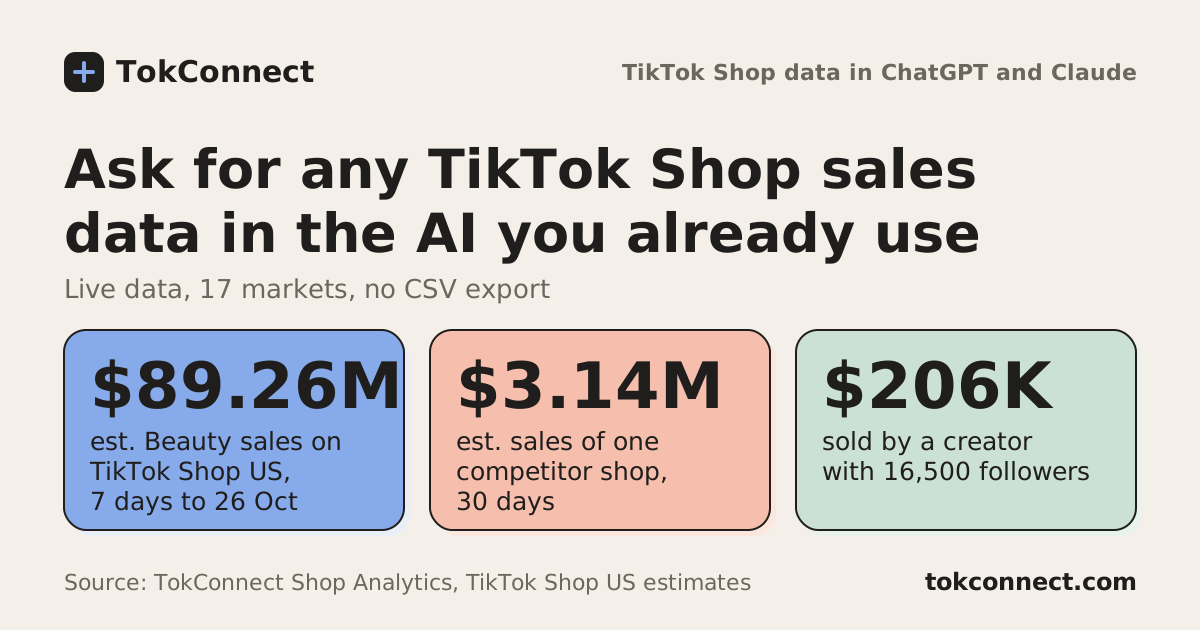
category_trendsranked Beauty & Personal Care first on TikTok Shop US with an estimated $89.26M in the 7 days to 26 October 2026, up 3.9% on the week before.
All 6 statistics
TokConnect's top-selling TikTok Shop US video for the 6 days to 26 October 2026 drove an estimated $113.49K from 3,439 units and 5.79M views, with an ad ROAS of 3.89.
TokConnect matched 258 TikTok Shop US products to "cat litter box", and the top one sold an estimated $655.71K (5,083 units) in the 30 days to 26 October 2026.
Each TokConnect call costs 1 credit, over MCP or REST, and a failed call is refunded.
Frequently asked questions
How many tools does a TikTok Shop MCP server need to cover sales research?
TokConnect covers it with 12: seven that rank the market or list its markets (product_top_selling, shop_top_selling, creator_top_selling, video_top_selling, live_top_selling, category_trends and shop_regions) and five that read one item (product, shop, creator_commerce, video and live). Their 33 Shop Analytics methods on the entity tools answer sales, trend, creators and videos.
What arguments does a TikTok Shop product ranking tool take?
TokConnect's product_top_selling takes keyword or category, sort (revenue, units, price, growth or creators), order, window or start and end dates, region and limit up to 100, plus filters for revenue, units, growth, price, commission, creators, launch date, sales channel, rating, seller type and shipping.
How do I get a seller id to use in a TikTok Shop shop tool?
Call TokConnect's shop_top_selling with keyword set to the shop or brand name and read the id on the row, or call product with method page on any of its products and read the sellerId. Pass it as id to the shop tool, for example id 7495791587377711555 for PetPivot, with the same region.
Can an AI agent use the same TikTok Shop tools over REST and MCP?
Yes. TokConnect's REST routes run the same tools as its MCP server, so GET /v1/products/top?keyword=cat%20litter%20box returns the JSON that product_top_selling returns, under data. The REST API is on Pro and Enterprise with an X-API-Key header; MCP is on every plan.
Why does a TikTok Shop ranking return only 10 rows?
With no keyword or category, TokConnect's ranking tools return the data source's fixed top 10 for the latest days of data, whatever window you set. Add a keyword or category to rank more rows over your own window, up to 100 a page and about 700 rows per keyword.