 tokconnect
Use the topic data through an MCP client
Creator Search Insights is TikTok’s product for discovering topics people search for. TikTok’s public help page explains the product for creators. It does not document a public official Creator Search Insights API. TokConnect exposes tools that search and inspect related topic data through Model Context Protocol.
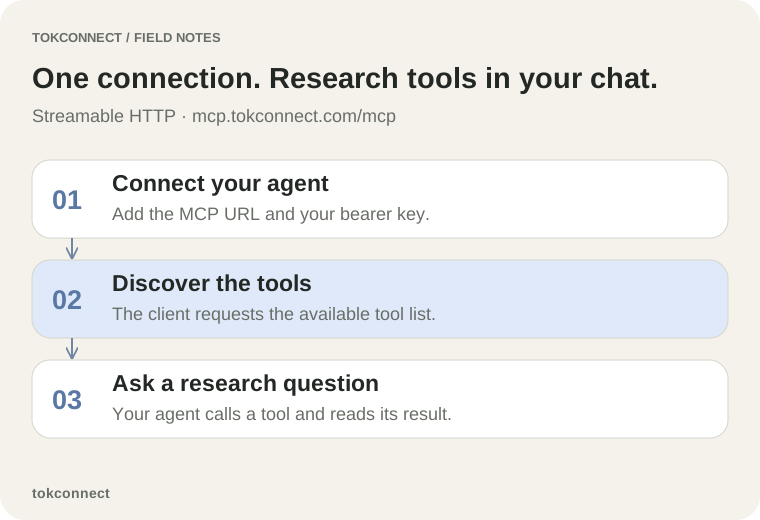
Connect a compatible client to https://mcp.tokconnect.com/mcp with Authorization: Bearer YOUR_TOKCONNECT_KEY. The connection uses Streamable HTTP and JSON-RPC. It does not turn a tool name into a public REST URL.
Keep the three systems separate in implementation notes. Creator Search Insights names the TikTok research product. MCP names the protocol between the client and TokConnect. A queryId names one topic record inside the research flow. Each label answers a different question.
Search first and retain the queryId
search_topics accepts a required keyword, plus optional limit from 1 to 20, offset, and an ISO language. It returns matching topic records. Each record supplies a queryId that identifies the topic for follow-up research.
This is a tools/call fragment for a connected MCP client:
{
  "method": "tools/call",
  "params": {
    "name": "search_topics",
    "arguments": {"keyword": "home gym", "limit": 10, "language": "en"}
  }
}
Store the returned queryId beside the topic text. A later search can return a similar phrase with a different ID. Cursor-style pagination for this tool uses nextOffset from its result. Capture the exact keyword and language too, because those inputs shape the match set.
Read an actual topic response
A fresh 18 September 2026 search_topics call for language learning app, language en, and limit 5 returned five records plus nextOffset: 5. One record, “language learning mobile apps,” returned queryId 7668819022917402644, popularity 87, searchVolume 4,761,623, videoCount 364, and seven trend values. The follow-up demographic request preserves that query ID and its 30-day response.
The record is enough to select a topic for another tool. Its returned search estimate and video count do not establish a country, a monthly unit, buyer demand, or a complete TikTok corpus. The follow-up request names its window, which keeps the later demographic note tied to an explicit input.
Let the client complete the protocol sequence
A remote MCP client starts by sending an initialization request to the endpoint. The server replies with its negotiated capabilities. The client then requests tools/list and calls a named tool with tools/call. The client handles the JSON-RPC IDs, protocol version, and any session header. Do not hand-write a partial curl request when the client already implements that sequence.
The tool fragment above assumes that completed setup. It describes the operation after the connection exists. The MCP transport specification describes initialization and Streamable HTTP request handling; client documentation supplies the configuration interface.
Use the Python MCP reference client when you need a scriptable integration. It creates an authenticated Streamable HTTP transport, initializes the session, lists tools, and calls search_topics. Its pinned requirements use mcp==2.2.0 and httpx2==2.13.0. We smoke-tested imports and the transport/session signatures in an isolated environment on 18 September 2026; we did not run the file against a hosted account key. Set TOKCONNECT_KEY in the process environment and do not paste a key into source control.
The response parser should require a topic identifier before scheduling a follow-up. Store queryId, queryText, popularity, searchVolume, videoCount, the request arguments, and retrieval time as separate fields. Preserve absent values as absent: zero and a field that never arrived are different conditions.
Read each field in its own context
| Tool | Required input | Use |
|---|---|---|
topic_detail | query_id | Category path, countries, product signals |
search_popularity | query_id | Estimated-search series for 7, 30, 60, or 180 days; country codes stay explicit |
audience_demographics | query_id | Returned country, gender and age breakdowns when available |
related_topics | query_id | Cluster expansion, with limit and offset |
A topic record can include popularity, searchVolume, videoCount, and trend7d. Do not merge their meanings. The local schema calls search volume an estimate. Request search_popularity with an explicit country list when your brief needs a geography. Read the metric guide before you rank ideas from a single number.
An empty topic list means the request did not return a matching record. Change the seed phrase or language, then record the new request. A missing demographic category remains missing data. Do not replace it with creator follower data or a guessed audience share.
Use one report for a working brief
topic_report accepts query_id, a days window of 7, 30, 60, or 180, and optional countries. It retrieves topic detail, popularity, demographics, related topics, and content guidance in one MCP call. The response also includes an errors array because individual upstream requests can fail while other parts succeed.
For queryId [paste ID], produce a source memo. List the topic record, the country selection, the window, returned demographic fields, related-topic names, and any errors. Separate observed output from the recommended content angle.
Use the report when a strategist needs one working memo. Use the individual tools when a developer needs a small response, a single field, or controlled pagination. A partial report calls for a partial memo: list each returned section, name the failed section from errors, and avoid a conclusion that needs the absent field.
Troubleshoot the ID and page flow
| Symptom | Check | Next step |
|---|---|---|
| Follow-up tool rejects the topic | Confirm that the value is a queryId from a topic result | Run search_topics again and copy the returned ID |
| More related topics needed | Read the result’s nextOffset | Pass that offset to related_topics |
| Report has an error entry | Read each returned section before summarizing | State the failed section and run a targeted follow-up if needed |
| Demographics are zero-only | Check totals and summary fields | Record no usable breakdown; do not calculate a share |
A useful implementation log contains the client name, endpoint, tool name, arguments with secrets removed, returned queryId, retrieval time, and any error text. That log lets an agency reproduce the research path after a client or provider changes its behavior.
Handle pages, errors, and partial reports
Topic results return a nextOffset when another page exists. Pass the returned offset back with the same seed and language while preserving the MCP client session that made page one. The local CSI implementation derives its paging session from that MCP request context, so a program that opens a fresh MCP session between pages can receive the first slice again. Keep one connected client for a paginated walk and deduplicate by queryId before writing a list. Do not invent or expose a separate paging-session input.
Log errors with the provider text and tool arguments after removing credentials. Do not retry an invalid input forever. A missing query_id calls for a new search and a copied ID. An unsupported language calls for a value from list_languages. A transient provider error calls for a limited retry policy and a recorded final failure. Those branches leave an audit trail instead of a silent empty table.
Keep the access paths separate
TikTok’s Research API serves approved researchers and uses TikTok’s own access process. TikTok’s Business MCP server supports advertising work. TokConnect is an independent organic-research service. TokConnect does not provide posting, ad management, transcripts, video watching, complete creator feeds, or guaranteed demographics.
Build a brief with keyword research, implement bounded pages with video search and pagination, or use the demographics guide before writing audience claims.